CES Technology Product Demo Booth Planning

How should exhibitors plan a CES technology product demo booth?
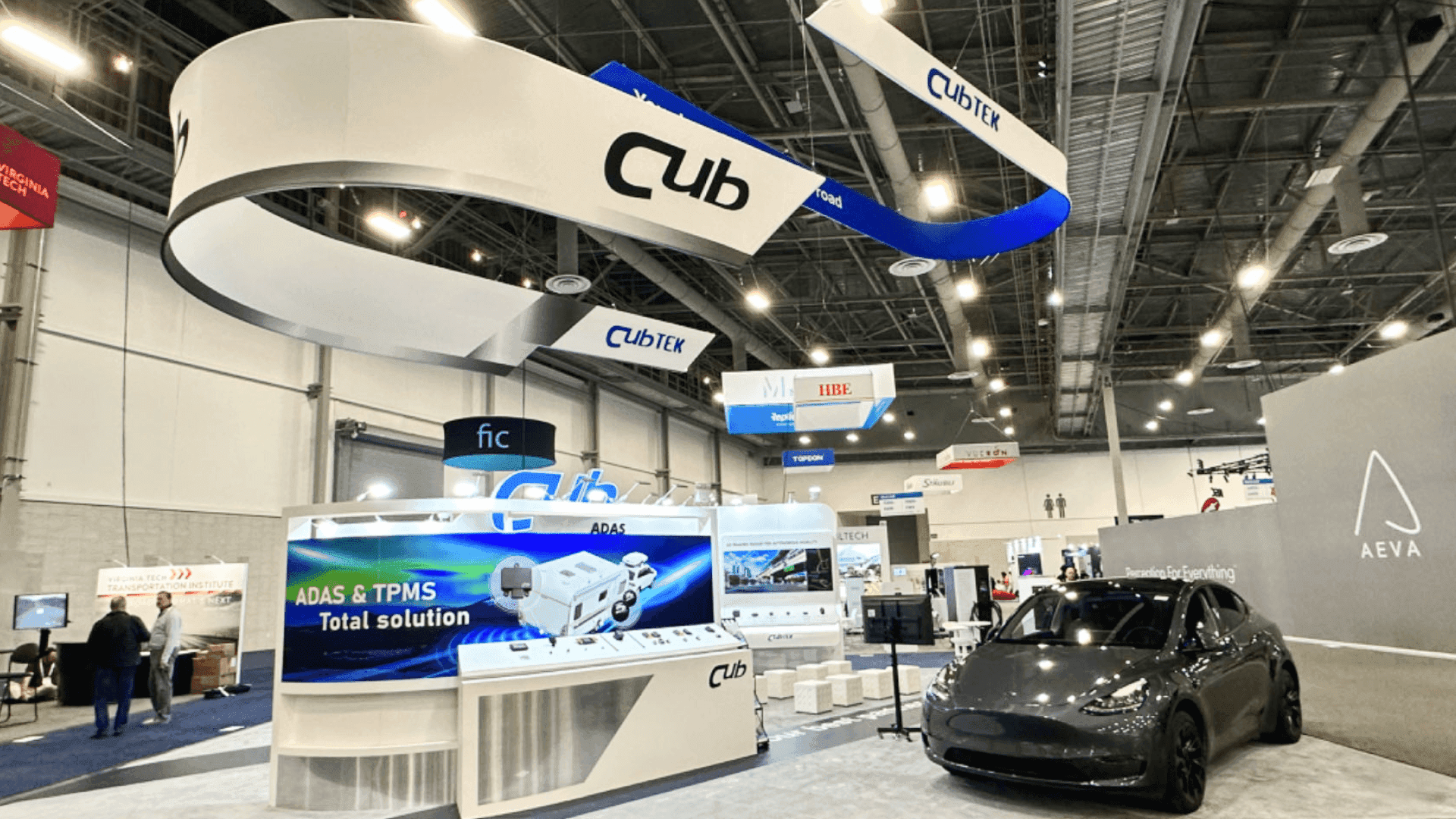
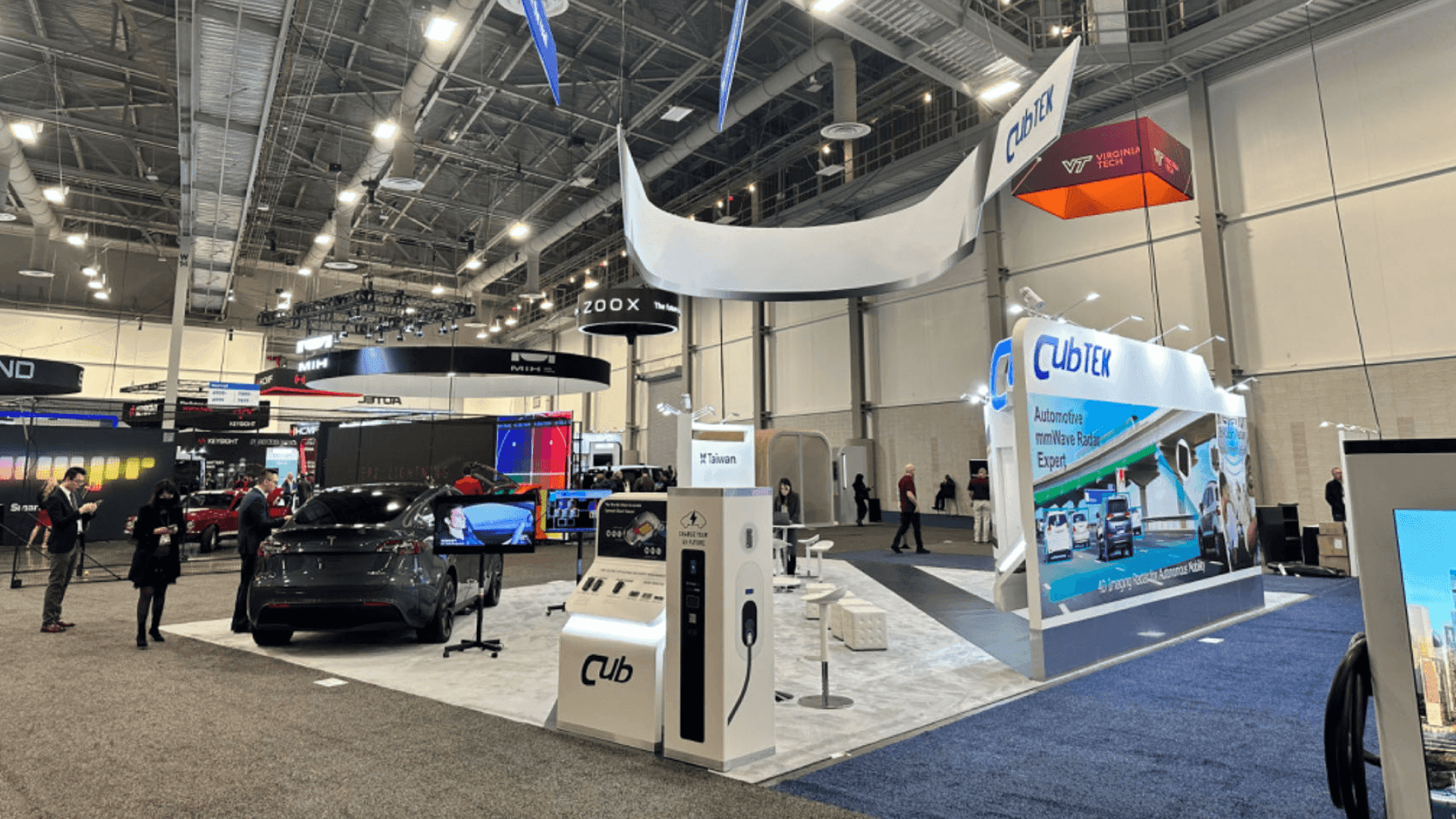
A CES technology product demo booth should make the product easy to understand from the aisle. Exhibitors should plan screen placement, demo counters, staff positions, product samples, storage, AV access, cable paths, visitor flow, and follow-up conversation areas before production begins.
At CES, a technology booth has to do more than display a product. Visitors need to understand what the product does, where the demo begins, and why it is worth stopping before they move to the next booth.
A CES demo booth should guide visitors from aisle recognition to product interaction and buyer follow-up. Screens, counters, staff positions, and technical support should work around this sequence without crowding the entrance.
This page focuses on CES technology product demo booth planning. For broader CES booth size, rental, fabrication, and show-site planning, see the main CES booth planning page. For screen content, backwall messaging, and product explanation graphics, graphics and brand presentation should be planned before the booth layout is finalized.
Why Exhibitors Choose Circle Exhibit
Clear scope, transparent quote review, nationwide booth support, and efficient setup planning for qualified rental and custom exhibit projects.
48hr
Setup Window
10+
Years Since 2014
U.S.
Trade Show Support
Real
Booth Project Proof
For CES technology exhibitors, booth size should follow the demo plan. A compact booth can work when the product story is simple and staff-led. A larger booth is better when the product needs multiple screens, demo stations, storage, meeting space, or a more controlled visitor path.
A 10x20 booth works for one focused product demo, one counter, simple screen support, and a clear aisle-facing message. It is best when the product can be explained quickly without much equipment or private meeting space.
A 20x30 booth works better when the team needs multiple demo points, stronger screen visibility, and smoother visitor movement. It is a good fit for software demos, AI products, connected devices, smart hardware, or enterprise technology displays.
A 20x20 booth gives exhibitors more room for a main demo station, screen visibility, storage, and a small conversation area. This size fits products that need a live explanation but not several separate demo zones.
A 30x40 booth gives more control over product staging, media moments, private meetings, storage, and visitor flow. It is better for complex products, larger brand presentations, or demos that need several audiences moving through the booth at once.
At CES, demo zones need to attract attention without creating congestion near the aisle. Effective CES demo zone planning starts with clear product visibility, accessible interaction points, and enough space for staff to guide visitors. For interactive displays, touchscreen placement also affects how people approach, stop, and move through the booth.
Once visitors show serious interest, the layout should provide a natural transition into deeper discussions. Separating live demos and sales conversations helps staff qualify buyers without interrupting demonstrations or blocking the next group of visitors.
A CES product demo booth should help visitors understand the product before they ask for a full explanation. Screens, demo counters, product samples, staff positions, storage, power access, AV routing, and visitor flow need to work together so the booth feels clear, active, and easy to enter.
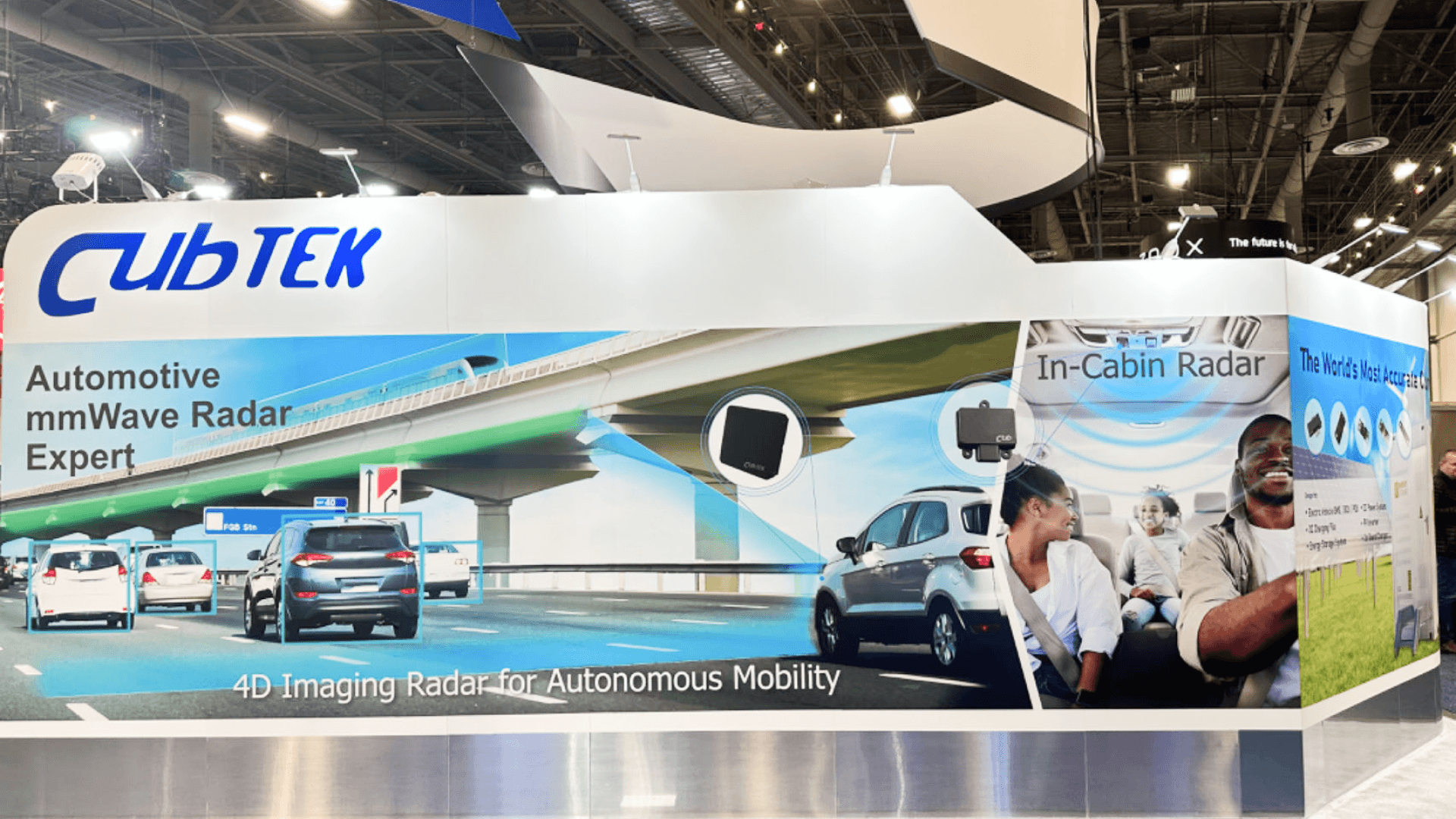
Position screens where visitors can understand the product's main function from the aisle. Keep messaging readable and avoid visuals that require a lengthy staff explanation.
Place demo counters where visitors can approach and test products without blocking the aisle. Allow space for device handling, charging, cable access, and quick resets.
Guide visitors from the first product demonstration to hands-on interaction and staff follow-up. Keep detailed buyer conversations away from the main demo traffic.
CES demos often need storage for devices, cases, chargers, samples, backup equipment, literature, and staff items. Power access, AV routing, cable paths, and storage doors should be planned early so the booth can stay clean and functional during the show.
CES is the parent event for this booth planning page, with a focus on technology exhibitors preparing product demos, screen-led presentations, and show-site booth execution in Las Vegas.
This page focuses on CES technology product demo booths, including demo counters, screen placement, visitor flow, product messaging, staff handoff, storage, graphics, power access, and installation planning.
20x20 and 20x30 booths are the main planning sizes for CES technology product demos. A 20x20 booth can support one focused demo, while a 20x30 booth gives more room for multiple stations, stronger screen visibility, and visitor movement.
Not Sure Which Booth Size You Need?
Not every exhibitor knows whether a 10x20, 20x20, 20x30, or larger booth is the right fit. Circle Exhibit can help review your event goals, product display needs, demo areas, meeting space, storage, budget scope, and setup timeline before you choose a booth size.
Screens Compete With the Live Demo
Demo Counters Create Crowding
1
Define the Main Demo Story
2
3
4
Rental Booth for Focused Product Demos
A rental booth in Las Vegas can work well when the demo needs branded graphics, counters, screen support, storage, and a clean structure without building everything from scratch. It is a practical choice when the booth timeline is tight or the layout may be reused after CES.
Custom Build for Complex Demo Layouts
ALas Vegas trade show booth builder is better when the product needs special demo stations, larger screens, enclosed meeting space, overhead branding, or a booth layout that cannot be handled by a standard rental structure.
Hybrid Structure for Demo Flexibility
Many CES demo booths sit between rental and full custom. A hybrid setup can use a rental structure with custom counters, branded graphics, AV support, and show-specific layout planning to keep cost, speed, and product presentation in balance.
CES booth planning should connect layout, graphics, demo equipment, power, AV, freight, and installation early. Small details such as cable paths, monitor locations, storage doors, and counter placement can affect the live demo experience.
For CES booths at LVCC, exhibitors should review how the booth will be delivered, assembled, wired, tested, cleaned, and handed off before the show opens. A good demo booth is not only designed well; it must also be installed in the right order.
A rental booth can work well for 20x20 and 20x30 CES demos that need branded graphics, counters, lighting, and a professional structure. A custom build may be better for large product launches, special demo stations, integrated screens, enclosed rooms, or multi-zone product environments.
CES technology exhibitors should not wait until the booth is visually complete to test screens, demo equipment, lighting, charging access, and cable routing. A final booth handoff should include a walkthrough of demo stations, staff access points, storage, AV placement, and any product-specific setup needs.
Need a CES booth rental for a technology product demo?
A 20x20 rental supports focused product demos, while a 20x30 offers more room for multiple stations and buyer meetings. Compare 20x20 rental designs and 20x30 rental designs before choosing a layout.
What is a CES technology product demo booth?
A CES technology product demo booth is a trade show booth planned around showing how a product, platform, device, or system works. It usually includes demo counters, screens, product display areas, staff positions, storage, lighting, graphics, and a visitor flow designed for short product explanations.
What booth size works best for CES technology exhibitors?
Should a CES product demo booth be rental or custom built?
How should screens be placed in a CES demo booth?
What should exhibitors prepare before approving a CES booth design?
READY TO PLAN YOUR NEXT BOOTH?
Let’s Build a Booth That Fits Your Event
Share your event name, booth size, city, timeline, product display needs, and design references. Circle Exhibit will review your project direction and help you choose a rental-friendly or custom exhibit path.
3000+
Booth Projects Supported
50+
U.S. Event Cities
Transparent
Quote Review
For broader CES booth planning, including booth size, rental or custom build decisions, LVCC setup, logistics, installation, and real CES booth examples.
For exhibitors planning launch messaging, media flow, screen visibility, presentation zones, meeting space, and buyer conversations at CES.
For AI exhibitors showing dashboards, software workflows, smart security products, guided demos, and screen-led product explanations.
For CES booths that need clearer screen content, backwall messaging, product explanation graphics, branded counters, and visual direction from the aisle.
For demo booths that need better counter placement, screen support, product staging, storage planning, visitor flow, and production-ready booth details.
For exhibitors whose product demo depends on robot movement, safety clearance, charging, reset space, staff control, and a clear visitor viewing area.









