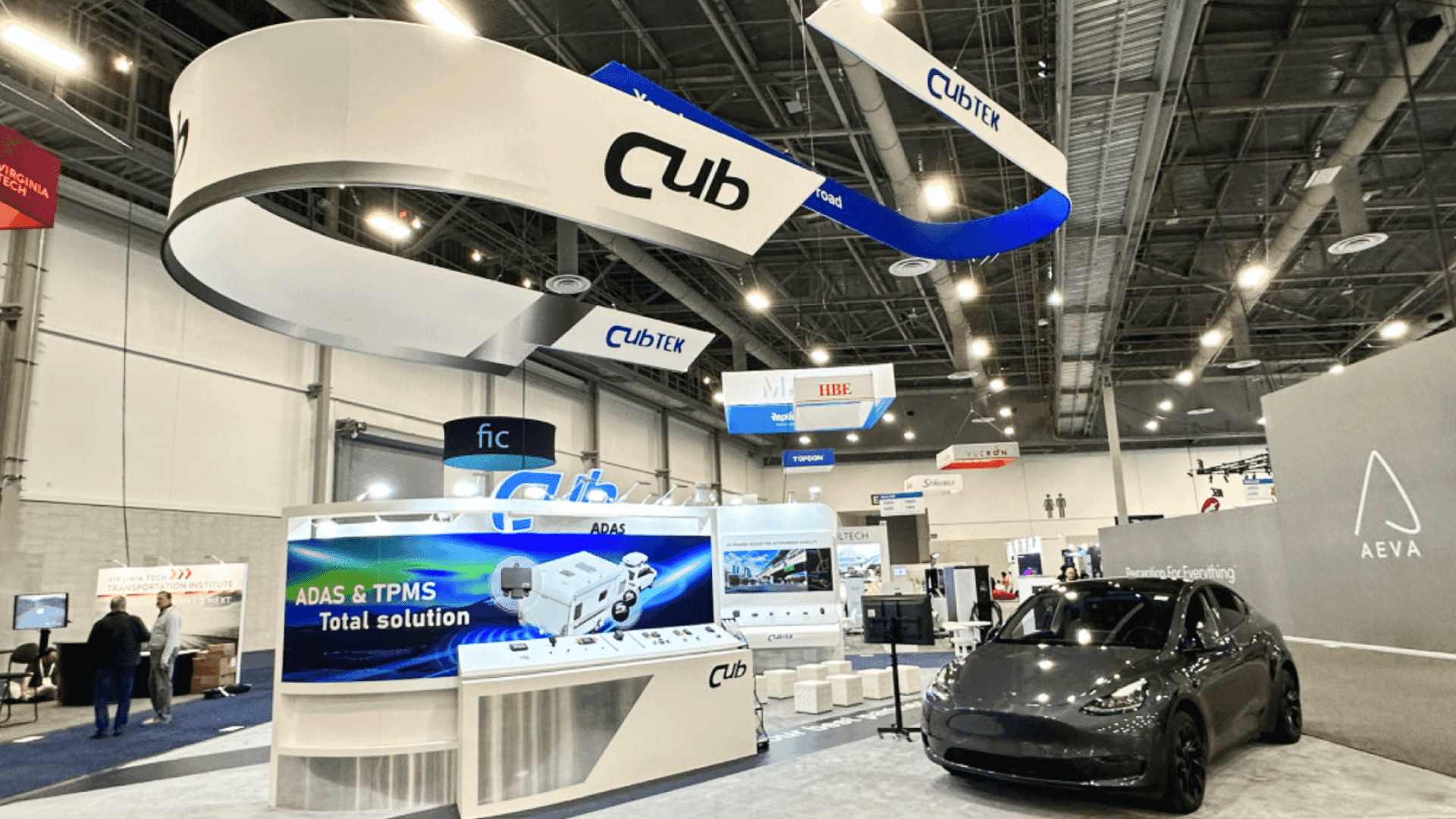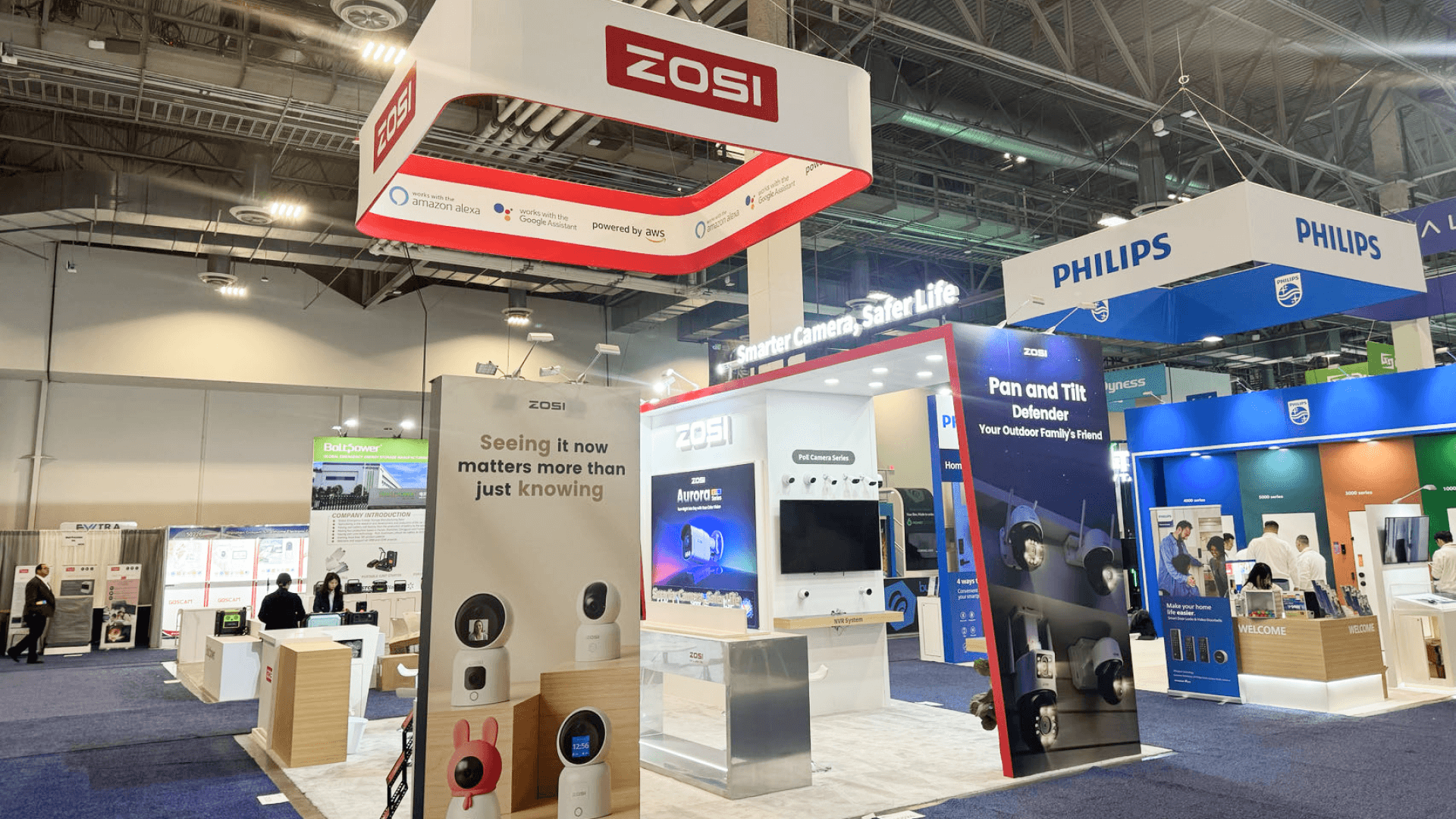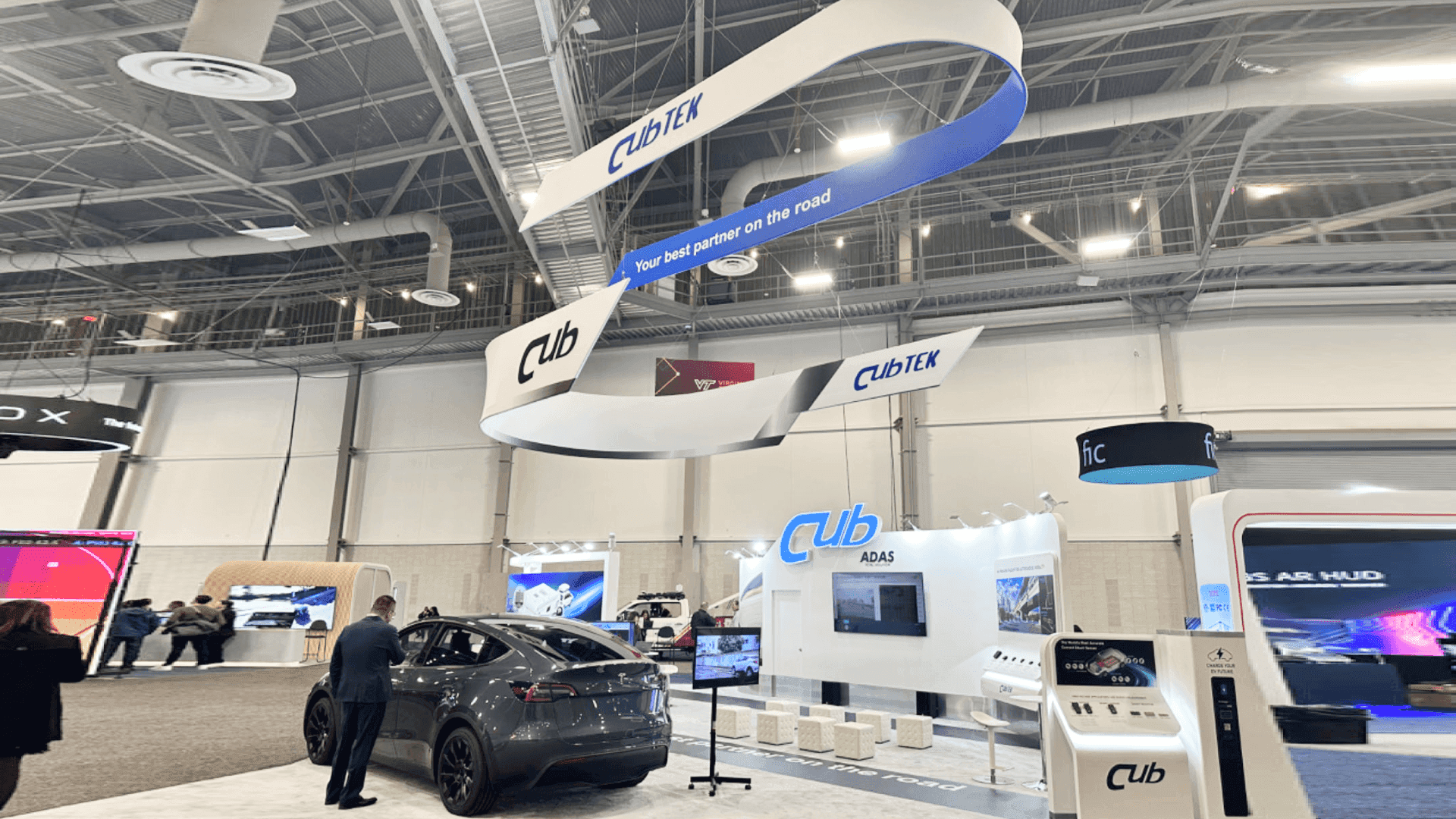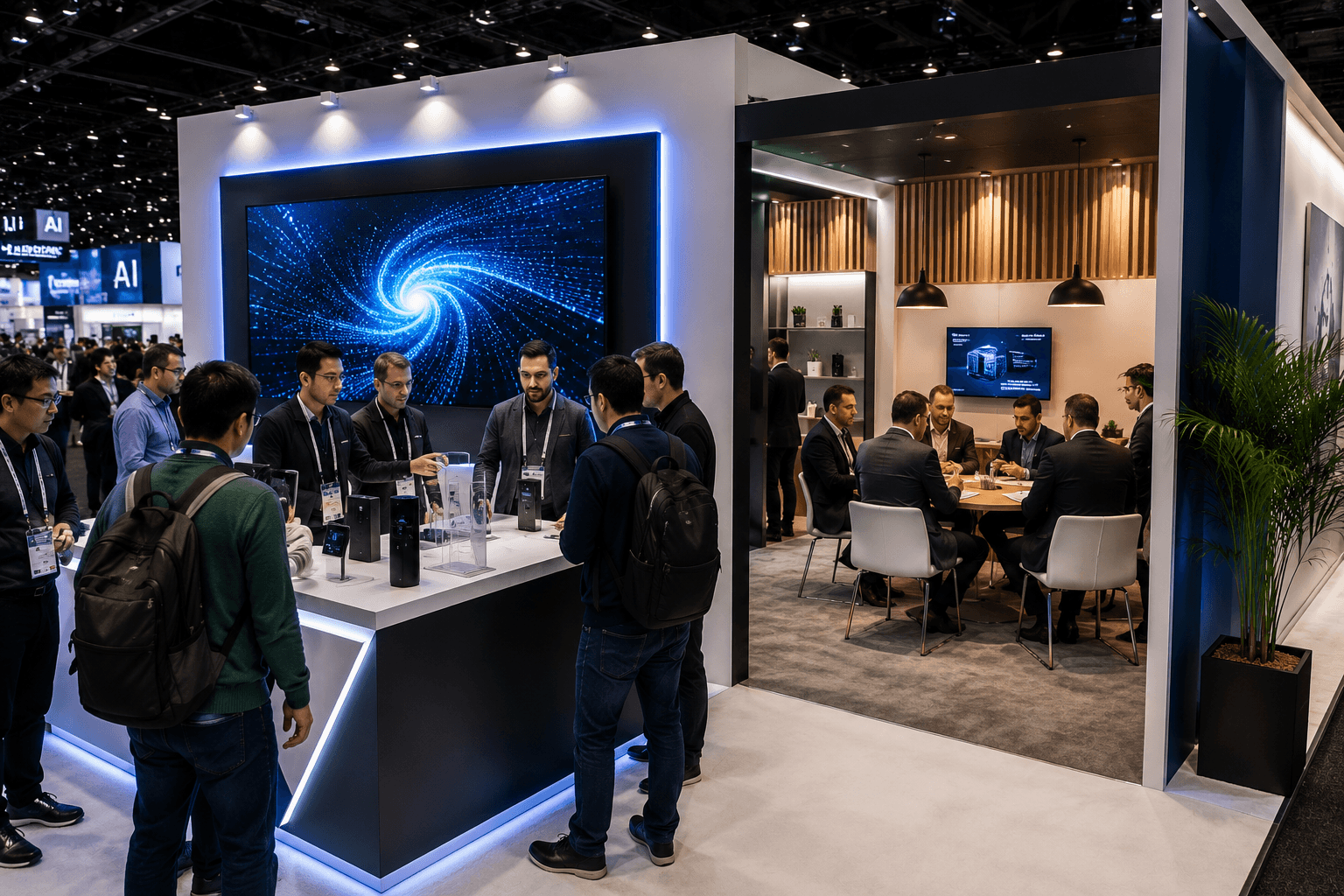
CES booth layout with a front live demo zone, product interaction counter, large screen, and rear sales conversation area for buyer follow-up

How CES Booths Should Separate Live Demo Traffic from Sales Conversations

How CES Booths Should Separate Live Demo Traffic from Sales Conversations

Circle Exhibit Team

Industry professionals

Exhibition industry professional dedicated to delivering the latest insights and curated recommendations to you.

Exhibition industry professional dedicated to delivering the latest insights and curated recommendations to you.

CES booths work better when live demo traffic and sales conversations do not compete for the same space. A strong layout uses the front zone for fast demos, screens, and product interaction, while the rear or side zone supports buyer follow-up, meeting counters, and sales conversations.

CES booths work better when live demo traffic and sales conversations do not compete for the same space. A strong layout uses the front zone for fast demos, screens, and product interaction, while the rear or side zone supports buyer follow-up, meeting counters, and sales conversations.

CES booths work better when live demo traffic and sales conversations do not compete for the same space. A strong layout uses the front zone for fast demos, screens, and product interaction, while the rear or side zone supports buyer follow-up, meeting counters, and sales conversations.

CES booth traffic moves fast.

Visitors often scan, stop, test, ask a short question, and move again. That behavior creates pressure inside the booth, especially when live demos and sales conversations happen in the same space.

A CES booth layout works better when the front zone supports quick demo traffic and the rear or side zone supports deeper sales conversations.

Quick Answer

CES booths should separate live demo traffic from sales conversations by placing fast demos, screens, and product interaction near the front of the booth, while keeping buyer follow-up and meeting conversations toward the rear or side. This keeps visitor movement clear and gives sales teams a quieter space for qualified discussions.

For exhibitors planning around show-specific traffic, CES booth planning context should guide how the layout handles demo speed, screen visibility, aisle pressure, and meeting flow.

Why Should CES Booths Separate Demo Traffic from Sales Conversations?

CES visitors do not all move through a booth the same way.

Some visitors want a fast product interaction. Some want to watch a screen. Some want to ask one technical question. Some are qualified buyers who need a longer conversation.

If all of those actions happen in one shared space, the booth becomes harder to manage. Demo visitors block meeting conversations. Sales staff stand too close to the aisle. Screens pull attention away from buyers who are already engaged.

The goal is not to divide the booth into two disconnected areas.

The goal is to create a clean sequence: attract, demonstrate, qualify, then move serious conversations away from the busiest traffic zone.

What Should Happen in the Front Demo Zone?

The front demo zone should handle fast attention.

At CES, this area usually needs to support screens, product interaction, quick explanations, and high-volume visitor movement. The front zone should help people understand the product without forcing them into a long conversation immediately.

A strong front demo zone often includes:

  • a visible product or device interaction point

  • one clear screen or monitor hierarchy

  • a front-facing demo counter

  • enough aisle-side space for short stops

  • graphics that explain the product category quickly

  • staff positions that do not block entry

The front demo area should be easy to approach and easy to leave. That matters because not every visitor is ready for a sales conversation.

Some are still deciding whether the product is relevant.

Where Should Sales Conversations Happen in a CES Booth?

Sales conversations should happen away from the first traffic stop.

The rear or side zone usually works better for buyer follow-up because it gives staff and visitors more control. This area does not need to be hidden, but it should feel separate from the live demo movement.

A good sales conversation zone may include a meeting counter, small table, semi-private seating, or a side wall with supporting graphics. The space should let a salesperson continue the conversation without fighting screen noise, aisle traffic, or people waiting for the next demo.

This is where booth build support in Las Vegas becomes important. The layout needs to account for how visitors enter, where demos happen, where qualified buyers move next, and how the booth can be installed without weakening that flow.

At CES, the sales zone should not feel like an afterthought. It is where lead quality often gets decided.

CES Demo Zone vs Sales Conversation Zone


Booth Area

Main Purpose

Best Placement

Layout Need

Front demo zone

Attract visitors and explain the product quickly

Front or aisle-facing side

Open access, screen visibility, short stopping points

Product interaction point

Let visitors test, touch, scan, or view the product

Near the front, but not blocking entry

Counter space, cable control, staff access

Screen area

Communicate fast product value

Visible from aisle and demo position

Clear hierarchy, limited competing visuals

Sales conversation zone

Move qualified visitors into deeper discussion

Rear, side, or semi-private corner

Seating, counter, quieter position, follow-up space

Buyer follow-up area

Capture details and discuss fit

Away from demo crowd

Staff room, lead capture, supporting materials

How Do Graphics Help Separate Demo and Sales Flow?

Graphics should tell visitors where to look first.

In a CES booth, graphic hierarchy matters because the booth often has more visual noise than a slower trade show environment. If every wall, counter, and screen tries to say everything, the booth becomes harder to read.

The demo zone should use graphics for fast category clarity. Visitors should understand what the product does before they step fully into the booth.

The sales zone can use graphics differently. It can support proof points, use cases, technical details, product comparisons, or buyer-specific messaging.

That is why graphics and brand presentation for demo booths should be planned around booth behavior, not just visual style. Graphics need to support the movement from quick demo to deeper conversation.

A good CES booth does not treat graphics as decoration. It uses them as traffic guidance.

How Should a 20x20 CES Booth Handle Demo and Sales Areas?

A 20x20 CES booth has to make the split carefully because space fills quickly.

The front area should do most of the attraction work. This is where the demo counter, screen, or product interaction should sit. The rear or side area can hold a smaller sales counter or short meeting zone, but it should not overpower the demo space.

Good 20x20 booth planning usually means choosing fewer zones and making each one clear.

A 20x20 CES booth may work best with:

  • one main demo counter

  • one screen or monitor wall

  • one compact sales conversation area

  • hidden storage behind or beside the main wall

  • a clear aisle-facing message

  • a staff path that does not cross the visitor path

The biggest mistake is trying to create a large meeting area in a booth that still needs fast demo movement. In a 20x20 space, the sales zone should be useful, not oversized.

What Happens When Demo and Sales Traffic Compete?

The booth loses both speed and quality.

When demo visitors and sales conversations share the same zone, staff often have to choose between greeting new traffic and continuing serious buyer conversations. The demo counter becomes crowded. Visitors waiting for a product interaction may stand too close to seated meetings. Sales teams may move into the aisle because the booth interior is blocked.

That hurts the booth in two ways.

First, casual visitors do not get a clean demo experience. Second, qualified buyers do not get enough space for a useful conversation.

This is why CES booth layouts should be planned around movement before furniture. The booth needs a route from first interest to deeper conversation.

How Should Screens Be Positioned for CES Demo Traffic?

Screens should support demo flow, not interrupt it.

A screen placed too deep inside the booth may fail to attract visitors from the aisle. A screen placed too close to the front can create a crowd that blocks entry. A screen facing the wrong angle may pull people into the sales area before they are qualified.

For CES booths, screen placement should answer three questions:

  • Can visitors understand the product from the aisle?

  • Can the demo team explain the screen without blocking the entry path?

  • Can qualified buyers move past the demo area into a conversation zone?

The screen should act like a guide. It should not become a wall that traps traffic at the front of the booth.

What Should Exhibitors Confirm Before Finalizing the Layout?

CES booth planning should begin with the booth’s live behavior.

Before choosing walls, counters, graphics, or meeting furniture, exhibitors should confirm how people are expected to move through the booth.

Planning Checklist

  • What product or demo should visitors notice first?

  • Will visitors watch, touch, scan, test, or ask questions?

  • How long does a typical demo take?

  • Where will staff stand during the demo?

  • Where should qualified buyers move after the demo?

  • Does the booth need a meeting counter, small table, or semi-private seating?

  • Will screens attract traffic without blocking the aisle?

  • Are graphics supporting demo clarity or adding visual noise?

  • Is storage hidden from the visitor path?

  • Can the booth be installed cleanly within Las Vegas move-in conditions?

These questions keep the layout practical. They also prevent the booth from becoming a display area with no real conversation path.

When Does the Demo-to-Sales Split Matter Most?

The split matters most when the booth has active product interaction.

If the booth only needs passive brand visibility, the layout can be simpler. But when the booth includes live demos, screens, product testing, connected devices, software walkthroughs, or technical explanations, the movement pattern becomes more important.

CES exhibitors often need both attention and qualification.

The front zone earns attention. The rear or side zone supports qualification.

When those two functions are separated clearly, the booth can handle more visitors without weakening the sales conversation.

What Is the Best CES Booth Layout Approach?

The best CES booth layout creates a clear path from fast demo traffic to serious buyer conversation.

The booth should let visitors understand the product quickly, engage with a demo without blocking the aisle, and move into a quieter sales zone when the conversation becomes more qualified.

For smaller booths, that means fewer zones and sharper priorities. For larger booths, it means stronger separation between screens, demos, meetings, and storage.

A CES booth should not force every visitor into the same behavior. It should let different visitor types move through the space in a way that matches their intent.

That is how demo traffic and sales conversations stop competing for space.

Planning a CES Booth That Needs Demo Flow and Sales Space?

Start with the CES show context, then match the booth layout to live demo traffic, screen visibility, meeting space, and Las Vegas show-site execution.

CES booth traffic moves fast.

Visitors often scan, stop, test, ask a short question, and move again. That behavior creates pressure inside the booth, especially when live demos and sales conversations happen in the same space.

A CES booth layout works better when the front zone supports quick demo traffic and the rear or side zone supports deeper sales conversations.

Quick Answer

CES booths should separate live demo traffic from sales conversations by placing fast demos, screens, and product interaction near the front of the booth, while keeping buyer follow-up and meeting conversations toward the rear or side. This keeps visitor movement clear and gives sales teams a quieter space for qualified discussions.

For exhibitors planning around show-specific traffic, CES booth planning context should guide how the layout handles demo speed, screen visibility, aisle pressure, and meeting flow.

Why Should CES Booths Separate Demo Traffic from Sales Conversations?

CES visitors do not all move through a booth the same way.

Some visitors want a fast product interaction. Some want to watch a screen. Some want to ask one technical question. Some are qualified buyers who need a longer conversation.

If all of those actions happen in one shared space, the booth becomes harder to manage. Demo visitors block meeting conversations. Sales staff stand too close to the aisle. Screens pull attention away from buyers who are already engaged.

The goal is not to divide the booth into two disconnected areas.

The goal is to create a clean sequence: attract, demonstrate, qualify, then move serious conversations away from the busiest traffic zone.

What Should Happen in the Front Demo Zone?

The front demo zone should handle fast attention.

At CES, this area usually needs to support screens, product interaction, quick explanations, and high-volume visitor movement. The front zone should help people understand the product without forcing them into a long conversation immediately.

A strong front demo zone often includes:

  • a visible product or device interaction point

  • one clear screen or monitor hierarchy

  • a front-facing demo counter

  • enough aisle-side space for short stops

  • graphics that explain the product category quickly

  • staff positions that do not block entry

The front demo area should be easy to approach and easy to leave. That matters because not every visitor is ready for a sales conversation.

Some are still deciding whether the product is relevant.

Where Should Sales Conversations Happen in a CES Booth?

Sales conversations should happen away from the first traffic stop.

The rear or side zone usually works better for buyer follow-up because it gives staff and visitors more control. This area does not need to be hidden, but it should feel separate from the live demo movement.

A good sales conversation zone may include a meeting counter, small table, semi-private seating, or a side wall with supporting graphics. The space should let a salesperson continue the conversation without fighting screen noise, aisle traffic, or people waiting for the next demo.

This is where booth build support in Las Vegas becomes important. The layout needs to account for how visitors enter, where demos happen, where qualified buyers move next, and how the booth can be installed without weakening that flow.

At CES, the sales zone should not feel like an afterthought. It is where lead quality often gets decided.

CES Demo Zone vs Sales Conversation Zone


Booth Area

Main Purpose

Best Placement

Layout Need

Front demo zone

Attract visitors and explain the product quickly

Front or aisle-facing side

Open access, screen visibility, short stopping points

Product interaction point

Let visitors test, touch, scan, or view the product

Near the front, but not blocking entry

Counter space, cable control, staff access

Screen area

Communicate fast product value

Visible from aisle and demo position

Clear hierarchy, limited competing visuals

Sales conversation zone

Move qualified visitors into deeper discussion

Rear, side, or semi-private corner

Seating, counter, quieter position, follow-up space

Buyer follow-up area

Capture details and discuss fit

Away from demo crowd

Staff room, lead capture, supporting materials

How Do Graphics Help Separate Demo and Sales Flow?

Graphics should tell visitors where to look first.

In a CES booth, graphic hierarchy matters because the booth often has more visual noise than a slower trade show environment. If every wall, counter, and screen tries to say everything, the booth becomes harder to read.

The demo zone should use graphics for fast category clarity. Visitors should understand what the product does before they step fully into the booth.

The sales zone can use graphics differently. It can support proof points, use cases, technical details, product comparisons, or buyer-specific messaging.

That is why graphics and brand presentation for demo booths should be planned around booth behavior, not just visual style. Graphics need to support the movement from quick demo to deeper conversation.

A good CES booth does not treat graphics as decoration. It uses them as traffic guidance.

How Should a 20x20 CES Booth Handle Demo and Sales Areas?

A 20x20 CES booth has to make the split carefully because space fills quickly.

The front area should do most of the attraction work. This is where the demo counter, screen, or product interaction should sit. The rear or side area can hold a smaller sales counter or short meeting zone, but it should not overpower the demo space.

Good 20x20 booth planning usually means choosing fewer zones and making each one clear.

A 20x20 CES booth may work best with:

  • one main demo counter

  • one screen or monitor wall

  • one compact sales conversation area

  • hidden storage behind or beside the main wall

  • a clear aisle-facing message

  • a staff path that does not cross the visitor path

The biggest mistake is trying to create a large meeting area in a booth that still needs fast demo movement. In a 20x20 space, the sales zone should be useful, not oversized.

What Happens When Demo and Sales Traffic Compete?

The booth loses both speed and quality.

When demo visitors and sales conversations share the same zone, staff often have to choose between greeting new traffic and continuing serious buyer conversations. The demo counter becomes crowded. Visitors waiting for a product interaction may stand too close to seated meetings. Sales teams may move into the aisle because the booth interior is blocked.

That hurts the booth in two ways.

First, casual visitors do not get a clean demo experience. Second, qualified buyers do not get enough space for a useful conversation.

This is why CES booth layouts should be planned around movement before furniture. The booth needs a route from first interest to deeper conversation.

How Should Screens Be Positioned for CES Demo Traffic?

Screens should support demo flow, not interrupt it.

A screen placed too deep inside the booth may fail to attract visitors from the aisle. A screen placed too close to the front can create a crowd that blocks entry. A screen facing the wrong angle may pull people into the sales area before they are qualified.

For CES booths, screen placement should answer three questions:

  • Can visitors understand the product from the aisle?

  • Can the demo team explain the screen without blocking the entry path?

  • Can qualified buyers move past the demo area into a conversation zone?

The screen should act like a guide. It should not become a wall that traps traffic at the front of the booth.

What Should Exhibitors Confirm Before Finalizing the Layout?

CES booth planning should begin with the booth’s live behavior.

Before choosing walls, counters, graphics, or meeting furniture, exhibitors should confirm how people are expected to move through the booth.

Planning Checklist

  • What product or demo should visitors notice first?

  • Will visitors watch, touch, scan, test, or ask questions?

  • How long does a typical demo take?

  • Where will staff stand during the demo?

  • Where should qualified buyers move after the demo?

  • Does the booth need a meeting counter, small table, or semi-private seating?

  • Will screens attract traffic without blocking the aisle?

  • Are graphics supporting demo clarity or adding visual noise?

  • Is storage hidden from the visitor path?

  • Can the booth be installed cleanly within Las Vegas move-in conditions?

These questions keep the layout practical. They also prevent the booth from becoming a display area with no real conversation path.

When Does the Demo-to-Sales Split Matter Most?

The split matters most when the booth has active product interaction.

If the booth only needs passive brand visibility, the layout can be simpler. But when the booth includes live demos, screens, product testing, connected devices, software walkthroughs, or technical explanations, the movement pattern becomes more important.

CES exhibitors often need both attention and qualification.

The front zone earns attention. The rear or side zone supports qualification.

When those two functions are separated clearly, the booth can handle more visitors without weakening the sales conversation.

What Is the Best CES Booth Layout Approach?

The best CES booth layout creates a clear path from fast demo traffic to serious buyer conversation.

The booth should let visitors understand the product quickly, engage with a demo without blocking the aisle, and move into a quieter sales zone when the conversation becomes more qualified.

For smaller booths, that means fewer zones and sharper priorities. For larger booths, it means stronger separation between screens, demos, meetings, and storage.

A CES booth should not force every visitor into the same behavior. It should let different visitor types move through the space in a way that matches their intent.

That is how demo traffic and sales conversations stop competing for space.

Planning a CES Booth That Needs Demo Flow and Sales Space?

Start with the CES show context, then match the booth layout to live demo traffic, screen visibility, meeting space, and Las Vegas show-site execution.

Message

Leave your message and we will get back to you ASAP

Send a Message

We’ll Be in Touch!

Message

Leave your message and we will get back to you ASAP

Address:

4915 Steptoe Street #300

Las Vegas, NV 89122