CES Robotics Booth Planning


How should exhibitors plan a CES robotics booth?
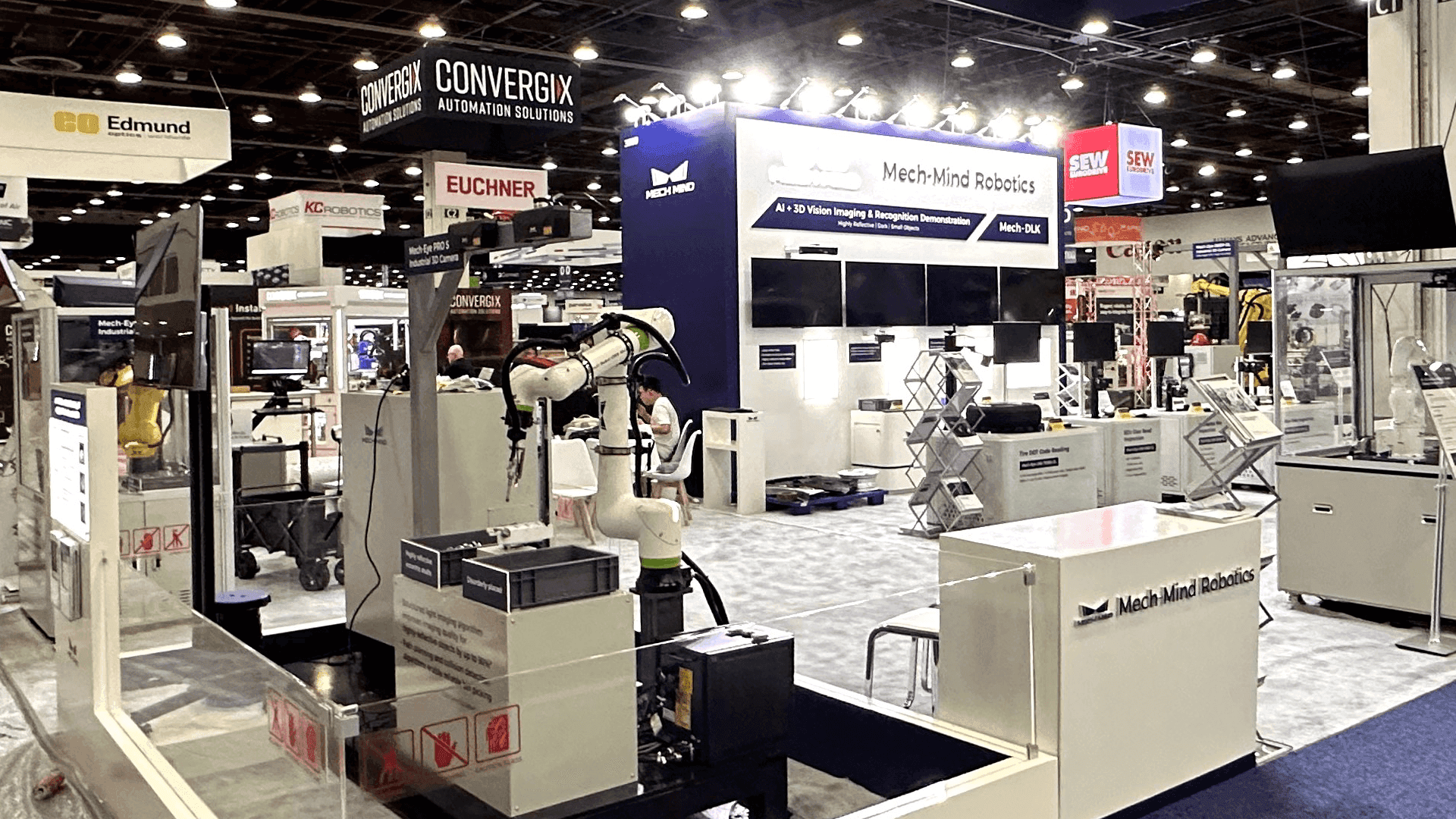
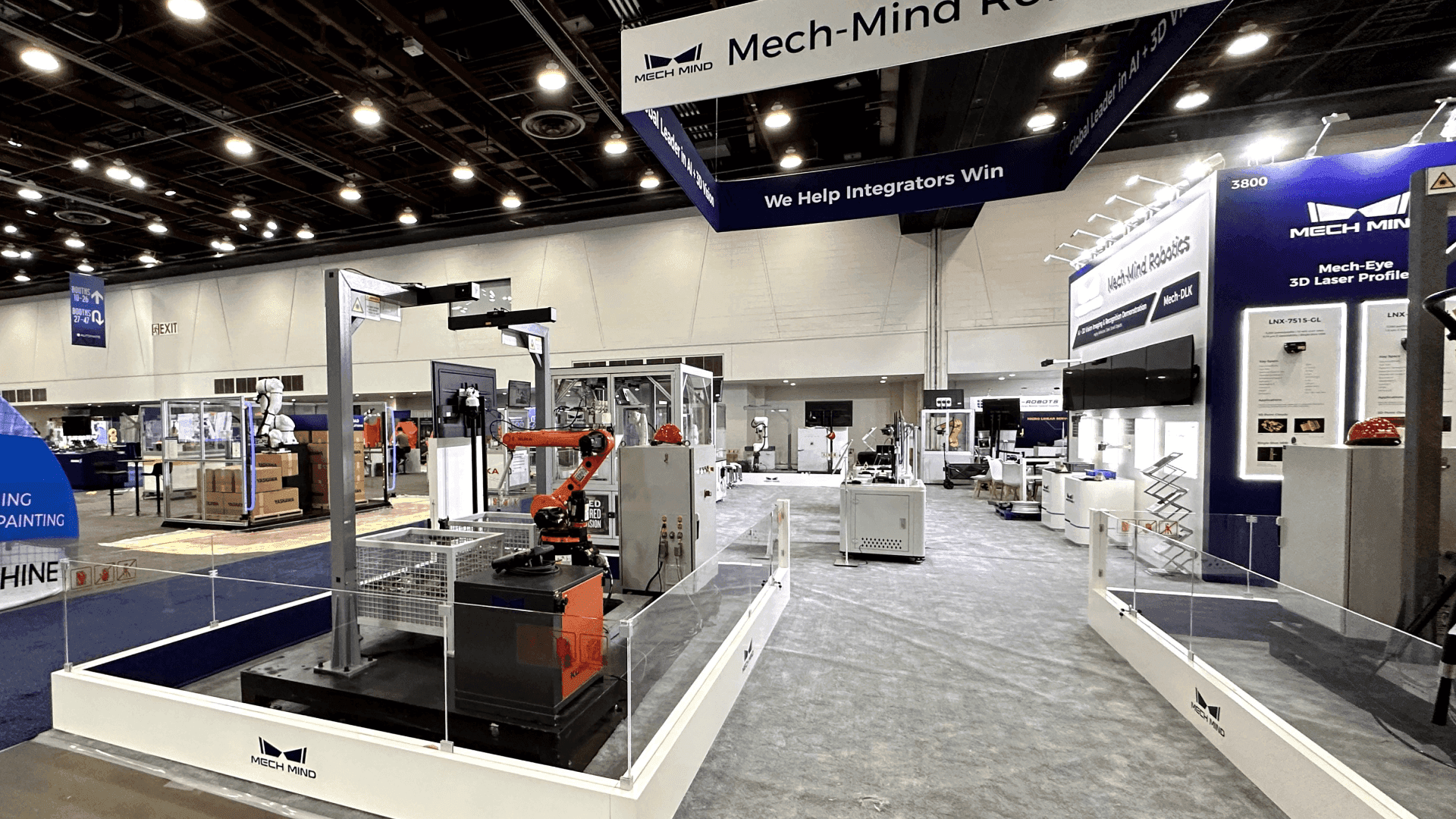
A CES robotics booth should be planned around live demo space, robot movement, safety clearance, screen explanation, charging, storage, and visitor flow. The booth should make the robot easy to watch, easy to understand, and safe to demonstrate without creating crowding around the aisle.
CES robotics booths are different from general technology demo booths because the product has to move, react, stop, reset, and stay safe in front of a crowded aisle. Visitors want to see what the robot can do, how it behaves, and where it fits in real use cases such as home, healthcare, retail, logistics, hospitality, manufacturing, or service environments.
The booth should be planned around the live demo area first. A robot needs room to move safely, a clear viewing angle, simple screen explanation, and a staff position that keeps the demo under control. Circle Exhibit helps robotics exhibitors plan demo zones, branded layouts, graphics, rental structures, storage, charging space, and LVCC setup with support from Las Vegas trade show booth builders.
This page focuses on CES robotics booth planning. For the broader event strategy, review CES booth planning.
Why Exhibitors Choose Circle Exhibit
Clear scope, transparent quote review, nationwide booth support, and efficient setup planning for qualified rental and custom exhibit projects.
48hr
Setup Window
10+
Years Since 2014
U.S.
Trade Show Support
Real
Booth Project Proof
Choose booth size based on the robot demo, not only the product footprint. Robotics booths need space for movement, safety clearance, viewing angles, staff control, screens, charging, storage, and quick reset between visitor conversations.
Best for small robots, tabletop robots, sensors, AI hardware, compact demo screens, product components, and short technical conversations.
Better for mobile robots, humanoid displays, multiple viewing points, safety spacing, charging, storage, media attention, and a more open visitor path.
Works well for one focused robot demo, a controlled movement zone, screen explanation, branded graphics, light storage, and staff-led conversations.
Suitable for larger robotics systems, multiple live demos, physical AI showcases, industrial robot displays, private meeting space, storage, and higher-volume CES traffic.
Use this guide when the robot demo is already taking shape and the next question is how to make it easier to watch, understand, and run safely. How Robotics Exhibitors Should Plan Live Product Demo Booths for CES focuses on movement space, safety clearance, screen explanation, charging, reset planning, storage, and rental booth support.
Robotics booths need to make movement, behavior, safety, and product value easy to understand. The demo should feel controlled and clear, even when the aisle is crowded.
Leave enough room for the robot to move, turn, stop, or interact safely. Visitors should be able to watch the demo without stepping into the movement path.
Use screens, labels, graphics, and staff talking points to explain what the robot is sensing, deciding, or doing during the demo.
Plan demo boundaries, visitor viewing points, cable paths, staff positions, and reset timing so the booth stays safe and organized throughout the show.
Plan space for batteries, chargers, tools, spare parts, cases, literature, and backup equipment. Robotics demos need quick reset space between conversations.
CES gives robotics companies a place to show humanoid robots, autonomous systems, AI-powered hardware, smart home robots, healthcare aids, service robots, and robotics components in front of buyers, media, investors, and partners.
CES 2027 is scheduled for January 6–9 in Las Vegas. Robotics exhibitors should plan demo spacing, power needs, charging, product staging, graphics, storage, and final setup around the CES show-floor environment.
Robotics buyers need to see the product in motion. Booth planning should make movement, sensors, control, AI behavior, safety, and real-world application easy to understand during short booth visits.
Not Sure Which Booth Size You Need?
Not every exhibitor knows whether a 10x20, 20x20, 20x30, or larger booth is the right fit. Circle Exhibit can help review your event goals, product display needs, demo areas, meeting space, storage, budget scope, and setup timeline before you choose a booth size.
Movement Needs Safety Planning
The Technology Can Be Hard to Explain
1
Define the Demo Moment
2
3
4
When Rental Support Works
A rental booth can work when the exhibitor needs branded walls, demo counters, screen placement, light storage, charging space, product graphics, and a clean visitor path for a 20x20 or 20x30 robotics booth.
When Custom Build Support Helps
Custom build support is useful when the booth needs a larger robot movement zone, custom demo surface, stronger structural branding, built-in storage, screen walls, special mounting, or a more controlled product experience.
How to Decide
Start with how the robot needs to be demonstrated. If the product can be explained with a small demo zone, screens, graphics, and staff conversations, rental may work. If the demo depends on movement, safety boundaries, custom surfaces, or larger visitor flow, a custom layout may be better.
Mark the robot demo area, visitor viewing point, staff control position, and reset path before setup is finished. A clear boundary helps the demo feel controlled when the aisle gets busy.
Confirm power access, charging needs, cable routing, screen placement, and backup equipment before move-in so the booth is ready for repeated demos.
Check product graphics, use case messaging, screen content, demo labels, and technical explanation before visitors arrive.
Before the show opens, test robot movement, sensors, controls, screens, charging, storage access, and staff demo flow. Robotics booths depend on working demos, so final checks should happen early.
Robotics exhibitors should treat this page as the focused demo-planning layer inside the CES cluster. Use it when the booth depends on robot movement, safety clearance, charging, reset, and live visitor viewing.
Need a CES Robotics Booth Rental?
Plan a CES robotics booth rental with branded graphics, demo counters, screen explanation, robot movement space, charging, storage, and a practical setup path for the LVCC show floor.
What booth size works well for CES robotics exhibitors?
A 20x20 booth can work for one focused robot demo with screen explanation, storage, and staff conversations. A 20x30 booth is better when the robot needs movement space, multiple viewing points, charging, reset space, or more room for media and investor conversations.
How should robotics exhibitors plan live demos at CES?
Can a rental booth support a CES robotics demo?
What details matter most before the CES booth opens?
How is robotics booth planning different from a general technology booth?
READY TO PLAN YOUR NEXT BOOTH?
Let’s Build a Booth That Fits Your Event
Share your event name, booth size, city, timeline, product display needs, and design references. Circle Exhibit will review your project direction and help you choose a rental-friendly or custom exhibit path.
3000+
Booth Projects Supported
50+
U.S. Event Cities
Transparent
Quote Review
For exhibitors planning general technology demos, screen explanation, product stations, visitor flow, branded graphics, and staff-led conversations at CES.
For robotics exhibitors that need movement space, viewing angles, screen content, charging, storage, and technical conversations.
For exhibitors planning demo surfaces, screen placement, structural details, product mounting, booth layout, and technical booth planning before production.
For exhibitors planning LVCC booth layout, move-in timing, power needs, demo readiness, and show-floor setup.
For CES robotics exhibitors looking for a rental-based booth with branded graphics, demo counters, screen explanation, movement space, charging, storage, and a clean demo layout.









