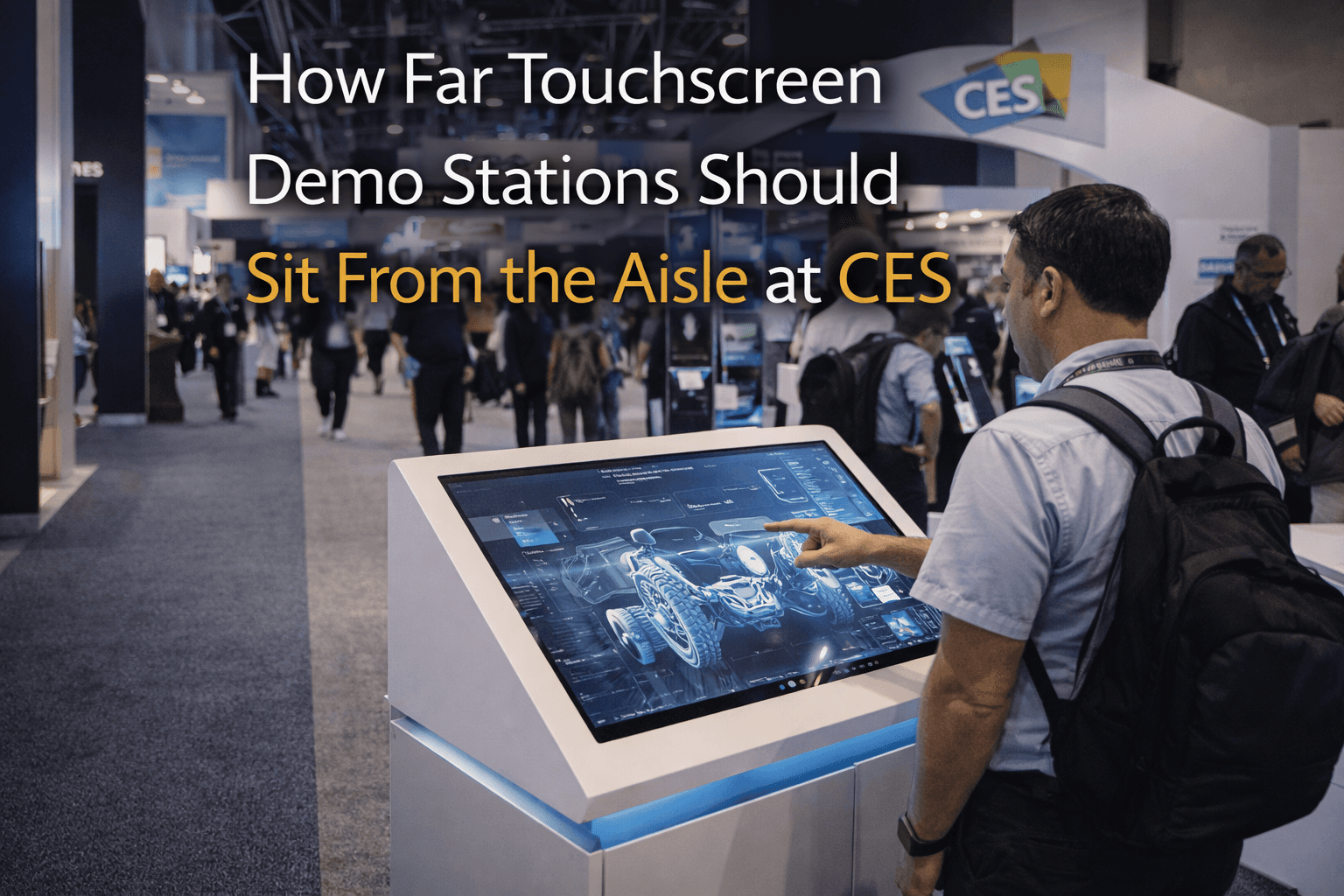
How Far Touchscreen Demo Stations Should Sit From the Aisle at CES

Circle Exhibit Team
Industry professionals
Exhibition industry professional dedicated to delivering the latest insights and curated recommendations to you.
At CES, touch interaction needs distance control to avoid aisle spill. A touchscreen station placed too close to the aisle can attract attention but still weaken demo quality, traffic flow, and booth usability.
Touchscreens are one of the easiest ways to get people to stop at a CES booth.
They are also one of the easiest ways to create a traffic problem.
A screen that sits right on the aisle edge can feel like a smart move. It looks open. It feels interactive. It gives people something they can step up to without needing a staff introduction. But that same convenience is usually what creates trouble. Once people start slowing down, tapping, watching, and waiting their turn, the booth edge can turn into a bottleneck faster than most teams expect.
That is why the real question is not whether a touchscreen should be visible from the aisle. It should. The real question is how close it should sit to the aisle before the interaction starts pushing traffic into the wrong places.
At CES in Las Vegas, that distance matters because people do not move through booths slowly. They scan, react, and keep walking unless something feels easy to understand and easy to approach. If the touchscreen is too close to the aisle, people often stop before they are actually inside the booth. That sounds good at first, but it usually means the booth is collecting half-engaged traffic at the perimeter instead of pulling the right visitors into a controlled demo space.
That kind of stop is weak. People tap quickly, glance at the screen, and drift away. Others try to pass behind them. Staff hesitate because the interaction is happening in the booth’s thinnest traffic zone instead of in a place built to hold attention. The screen gets seen, but the demo does not get much room to work.
A touchscreen station usually performs better when it sits just far enough inside the booth that people have to make a small commitment to step in.
That short step changes the whole interaction. Once visitors cross into the booth instead of lingering on the edge, the demo becomes easier to manage. Staff have room to engage. The user has space to stand without feeling exposed to aisle traffic. Other attendees can still see the interaction without piling directly into the walkway. The booth starts working like a space instead of like a sidewalk interruption.
Too close is almost always worse than slightly deeper.
That does not mean the touchscreen should be buried. If the screen sits too far back, the booth can lose one of its easiest entry points. The goal is not to hide the interaction. The goal is to keep it visible from the aisle while giving it enough breathing room to function properly once someone actually starts using it.
In practice, the screen should usually sit where three things can happen at once. First, a passerby can understand that the booth offers an interactive demo. Second, one person can step in and use the screen comfortably. Third, other visitors can continue moving without the interaction spilling sideways into the aisle. If one of those three breaks down, the placement is probably too aggressive.
This is one reason a 20x20 trade show booth works so well for CES. It often gives enough room to place the touchscreen near the front of the booth without placing it on the front edge of the booth. That difference is small on paper, but it matters on the floor. A 20x20 can usually support a cleaner entry path, a visible demo point, and a conversation zone behind or beside the interaction. In a tighter footprint, the screen and the traffic line often compete for the same few feet.
Graphics matter here too. A lot of exhibitors place the touchscreen close to the aisle because they want the product message to land quickly. But if the screen is doing all the work, the booth is asking interaction to replace communication. Strong graphics and brand presentation should handle the first read from the aisle. The touchscreen should deepen interest, not carry the whole burden of attracting it.
That is where many booths get the sequence wrong. The visitor should first understand what the product is, then notice the interactive opportunity, then step toward it. If the touchscreen is the very first thing that has to explain the booth, the stop often becomes shallow. People notice movement, not meaning.
The other reason distance matters is staff behavior. If the screen is too close to the aisle, staff members often end up hovering in the same narrow strip of space where people are already slowing down. That creates crowding fast. The booth starts feeling over-managed or cramped, even if the screen itself is working well. When the station sits slightly inside the booth, the staff interaction becomes smoother because there is room to help without blocking.
This is one reason many exhibitors benefit from planning touchscreen placement with a Las Vegas trade show booth builder instead of treating it like a last-minute furniture decision. A touchscreen changes more than one touchpoint. It affects entry, queue behavior, sightlines, messaging, and the way the booth absorbs small groups once one person starts interacting.
The best CES booths usually use touchscreens as controlled entry tools, not as aisle bait.
People can see the interaction from outside. They understand what it is for. They have a clear place to step in. The booth keeps moving around them instead of backing up because of them. That is the balance that works.
At CES, a touchscreen should feel close enough to invite use, but not so close that using it means standing in the aisle. When that distance is right, the booth becomes easier to enter, easier to manage, and much more useful once real traffic starts building.
Planning a booth for CES in Las Vegas?
Start with CES booth planning, then shape the layout with a Las Vegas trade show booth builder approach that keeps touchscreen demos visible without letting traffic spill into the aisle

Touchscreens are one of the easiest ways to get people to stop at a CES booth.
They are also one of the easiest ways to create a traffic problem.
A screen that sits right on the aisle edge can feel like a smart move. It looks open. It feels interactive. It gives people something they can step up to without needing a staff introduction. But that same convenience is usually what creates trouble. Once people start slowing down, tapping, watching, and waiting their turn, the booth edge can turn into a bottleneck faster than most teams expect.
That is why the real question is not whether a touchscreen should be visible from the aisle. It should. The real question is how close it should sit to the aisle before the interaction starts pushing traffic into the wrong places.
At CES in Las Vegas, that distance matters because people do not move through booths slowly. They scan, react, and keep walking unless something feels easy to understand and easy to approach. If the touchscreen is too close to the aisle, people often stop before they are actually inside the booth. That sounds good at first, but it usually means the booth is collecting half-engaged traffic at the perimeter instead of pulling the right visitors into a controlled demo space.
That kind of stop is weak. People tap quickly, glance at the screen, and drift away. Others try to pass behind them. Staff hesitate because the interaction is happening in the booth’s thinnest traffic zone instead of in a place built to hold attention. The screen gets seen, but the demo does not get much room to work.
A touchscreen station usually performs better when it sits just far enough inside the booth that people have to make a small commitment to step in.
That short step changes the whole interaction. Once visitors cross into the booth instead of lingering on the edge, the demo becomes easier to manage. Staff have room to engage. The user has space to stand without feeling exposed to aisle traffic. Other attendees can still see the interaction without piling directly into the walkway. The booth starts working like a space instead of like a sidewalk interruption.
Too close is almost always worse than slightly deeper.
That does not mean the touchscreen should be buried. If the screen sits too far back, the booth can lose one of its easiest entry points. The goal is not to hide the interaction. The goal is to keep it visible from the aisle while giving it enough breathing room to function properly once someone actually starts using it.
In practice, the screen should usually sit where three things can happen at once. First, a passerby can understand that the booth offers an interactive demo. Second, one person can step in and use the screen comfortably. Third, other visitors can continue moving without the interaction spilling sideways into the aisle. If one of those three breaks down, the placement is probably too aggressive.
This is one reason a 20x20 trade show booth works so well for CES. It often gives enough room to place the touchscreen near the front of the booth without placing it on the front edge of the booth. That difference is small on paper, but it matters on the floor. A 20x20 can usually support a cleaner entry path, a visible demo point, and a conversation zone behind or beside the interaction. In a tighter footprint, the screen and the traffic line often compete for the same few feet.
Graphics matter here too. A lot of exhibitors place the touchscreen close to the aisle because they want the product message to land quickly. But if the screen is doing all the work, the booth is asking interaction to replace communication. Strong graphics and brand presentation should handle the first read from the aisle. The touchscreen should deepen interest, not carry the whole burden of attracting it.
That is where many booths get the sequence wrong. The visitor should first understand what the product is, then notice the interactive opportunity, then step toward it. If the touchscreen is the very first thing that has to explain the booth, the stop often becomes shallow. People notice movement, not meaning.
The other reason distance matters is staff behavior. If the screen is too close to the aisle, staff members often end up hovering in the same narrow strip of space where people are already slowing down. That creates crowding fast. The booth starts feeling over-managed or cramped, even if the screen itself is working well. When the station sits slightly inside the booth, the staff interaction becomes smoother because there is room to help without blocking.
This is one reason many exhibitors benefit from planning touchscreen placement with a Las Vegas trade show booth builder instead of treating it like a last-minute furniture decision. A touchscreen changes more than one touchpoint. It affects entry, queue behavior, sightlines, messaging, and the way the booth absorbs small groups once one person starts interacting.
The best CES booths usually use touchscreens as controlled entry tools, not as aisle bait.
People can see the interaction from outside. They understand what it is for. They have a clear place to step in. The booth keeps moving around them instead of backing up because of them. That is the balance that works.
At CES, a touchscreen should feel close enough to invite use, but not so close that using it means standing in the aisle. When that distance is right, the booth becomes easier to enter, easier to manage, and much more useful once real traffic starts building.
Planning a booth for CES in Las Vegas?
Start with CES booth planning, then shape the layout with a Las Vegas trade show booth builder approach that keeps touchscreen demos visible without letting traffic spill into the aisle

Exhibition Cases
Message
Leave your message and we will get back to you ASAP
Send a Message
We’ll Be in Touch!
Message
Leave your message and we will get back to you ASAP
Address:
4915 Steptoe Street #300
Las Vegas, NV 89122



