BG Color

10×20 Trade Show Booth
Design & Execution Guide

Plan a 10×20 booth around linear storytelling, a single demo line, and clear back-wall readability—so visitors understand your message quickly and the build stays simple to execute on site.

BG Color

10×20 Trade Show Booth
Design & Execution Guide

Plan a 10×20 booth around linear storytelling, a single demo line, and clear back-wall readability—so visitors understand your message quickly and the build stays simple to execute on site.

What fits in a 10×20

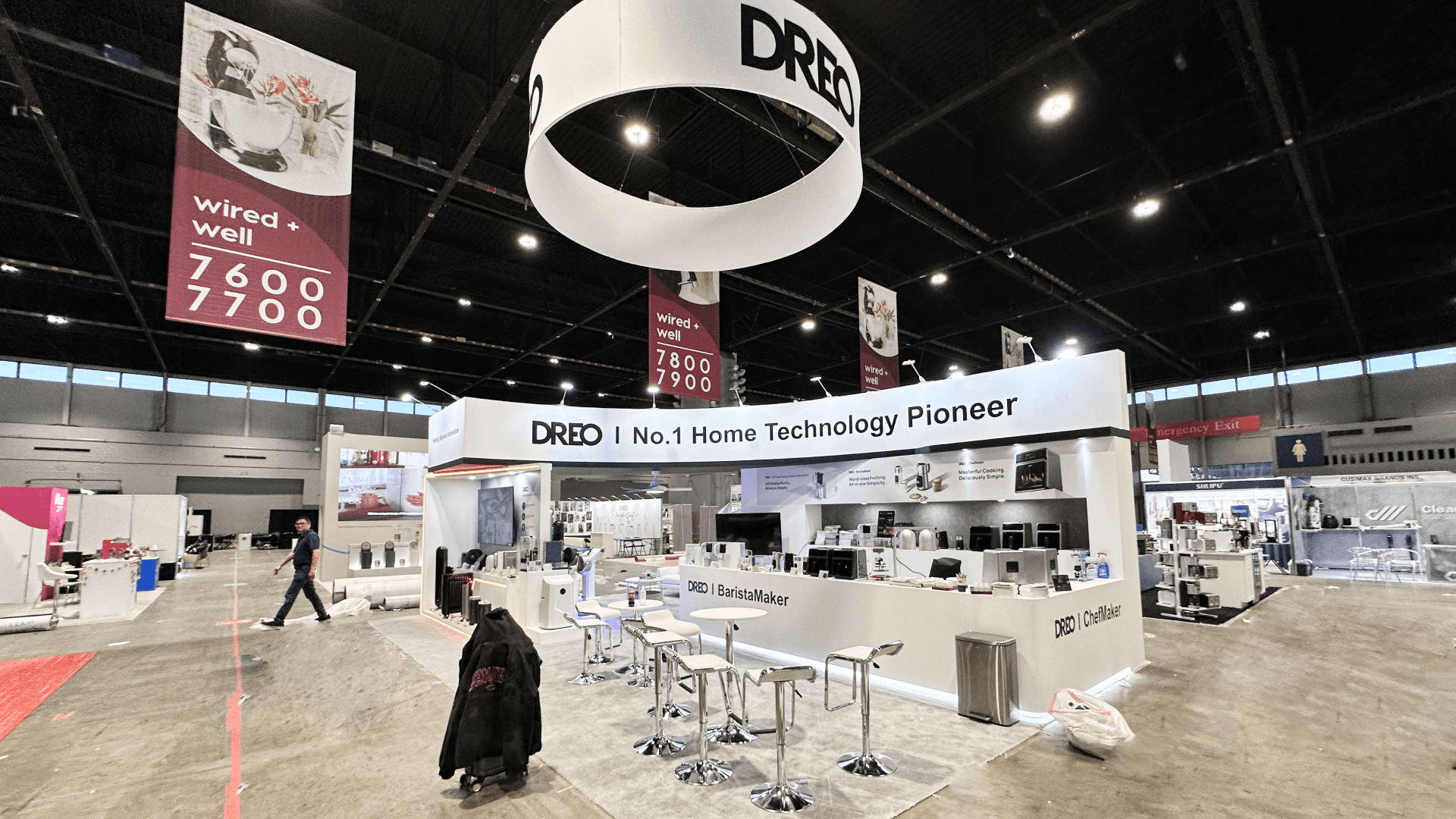
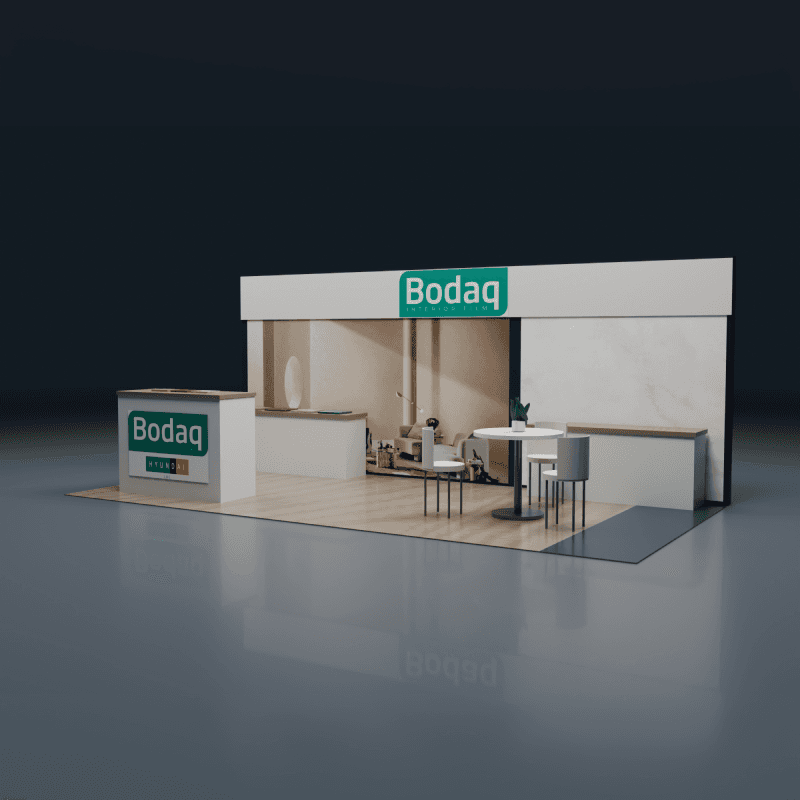
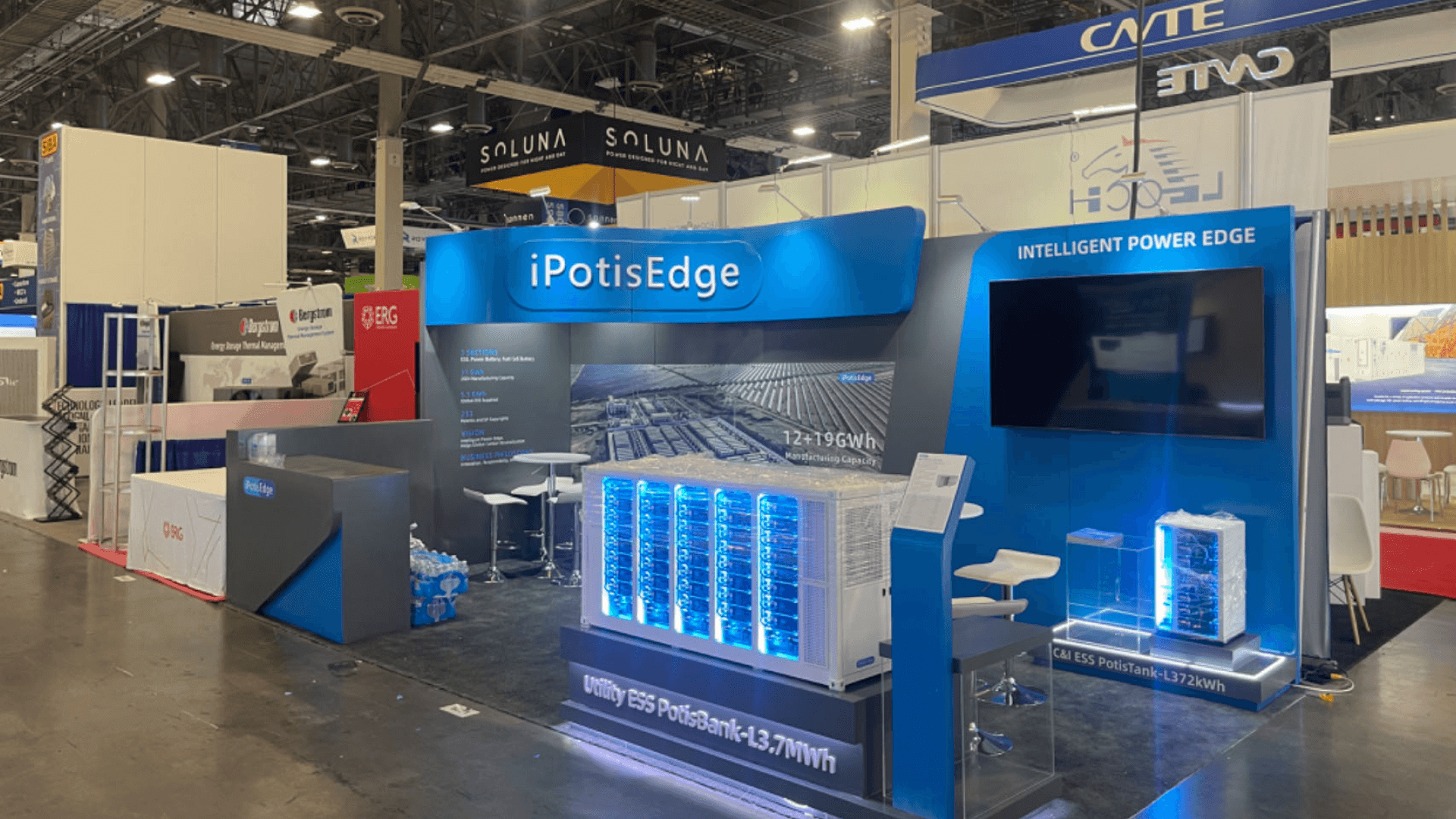
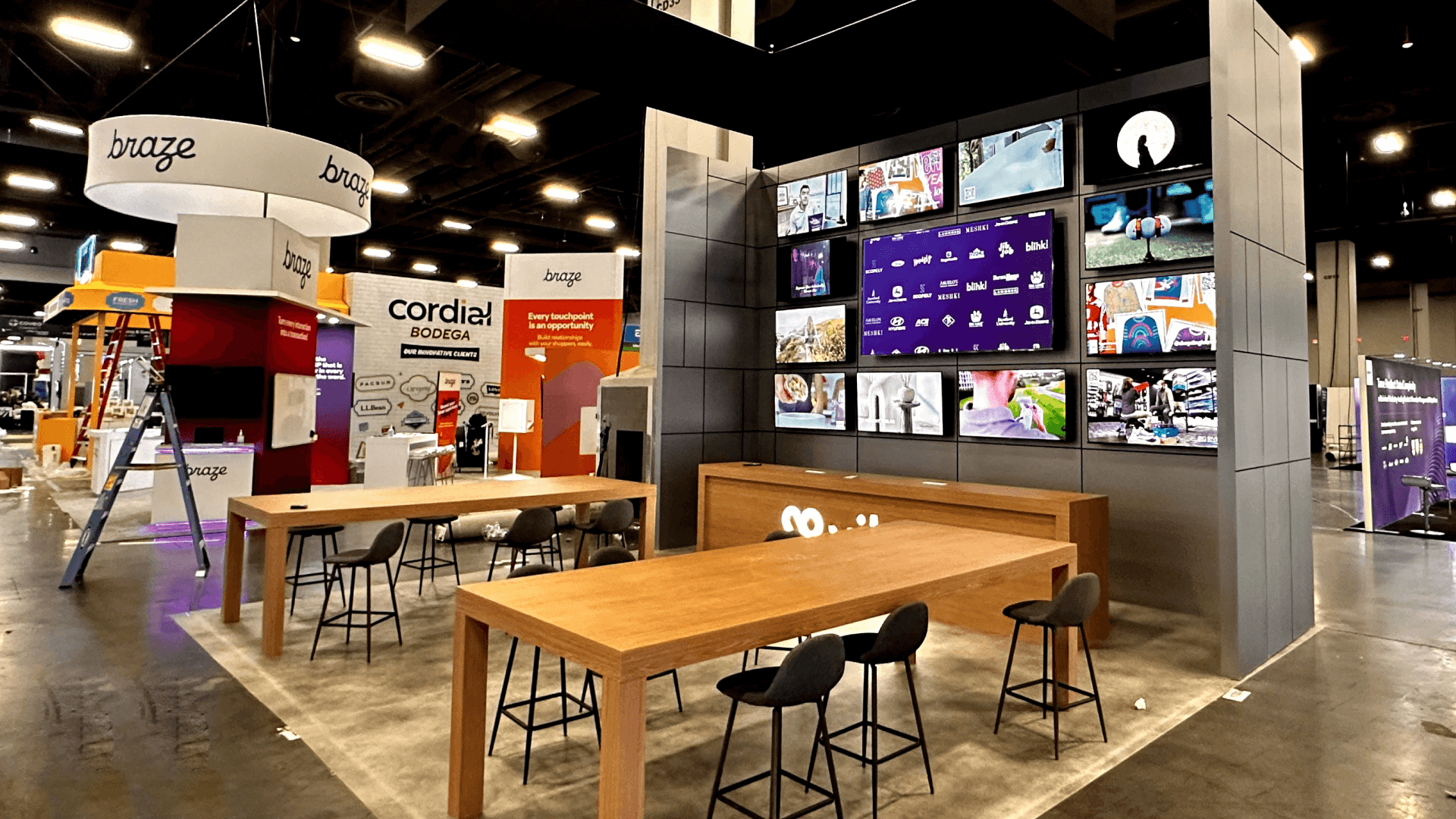
A 10×20 footprint works best when you treat it as a straight-line experience—message first, interaction second, storage controlled.

Back-Wall Message Stack (Read First)

Your back wall is the primary “billboard.” Define a simple hierarchy: one headline, a short proof layer, and a single visual anchor. Too many competing headlines is the fastest way to reduce comprehension.

Single Demo Touchpoint (One Line, One Exit)

A compact demo area can work well in 10×20, but only if the audience line is defined. Plan where people stand and where they exit so the queue doesn’t block the entry edge.

Lead capture should be a quick hand-off point, not a deep conversation zone. Place it where it supports flow—often near the exit side of the demo line—so it doesn’t create a hard stop at the entrance.

A 10×10 can support a small demo or product moment, as long as power needs and cable paths are planned so the front stays open and safe.

Micro Storage & Reset Control (Keep Surfaces Clean)

A small storage solution (even if minimal) prevents giveaways, tools, and personal items from living on counters. Cleaner surfaces make a 10×20 feel calmer and easier to navigate.

Back-Wall Message Stack (Read First)

Your back wall is the primary “billboard.” Define a simple hierarchy: one headline, a short proof layer, and a single visual anchor. Too many competing headlines is the fastest way to reduce comprehension.

Single Demo Touchpoint (One Line, One Exit)

A compact demo area can work well in 10×20, but only if the audience line is defined. Plan where people stand and where they exit so the queue doesn’t block the entry edge.

Lead capture should be a quick hand-off point, not a deep conversation zone. Place it where it supports flow—often near the exit side of the demo line—so it doesn’t create a hard stop at the entrance.

A 10×10 can support a small demo or product moment, as long as power needs and cable paths are planned so the front stays open and safe.

Micro Storage & Reset Control (Keep Surfaces Clean)

A small storage solution (even if minimal) prevents giveaways, tools, and personal items from living on counters. Cleaner surfaces make a 10×20 feel calmer and easier to navigate.

Back-Wall Message Stack (Read First)

Your back wall is the primary “billboard.” Define a simple hierarchy: one headline, a short proof layer, and a single visual anchor. Too many competing headlines is the fastest way to reduce comprehension.

Single Demo Touchpoint (One Line, One Exit)

A compact demo area can work well in 10×20, but only if the audience line is defined. Plan where people stand and where they exit so the queue doesn’t block the entry edge.

Lead capture should be a quick hand-off point, not a deep conversation zone. Place it where it supports flow—often near the exit side of the demo line—so it doesn’t create a hard stop at the entrance.

A 10×10 can support a small demo or product moment, as long as power needs and cable paths are planned so the front stays open and safe.

Micro Storage & Reset Control (Keep Surfaces Clean)

A small storage solution (even if minimal) prevents giveaways, tools, and personal items from living on counters. Cleaner surfaces make a 10×20 feel calmer and easier to navigate.

Background Gradient
Background Gradient
Background Gradient
Background Pattern

Layout configurations & access

Choose the configuration that matches aisle access—then make sure the story reads from the approach and the demo line stays controllable.

Inline / One-Side Open (Most Common)

Prioritize back-wall readability from the aisle. Keep counters shallow and avoid deep “dead space” behind them. Set the demo touchpoint forward so visitors don’t have to walk deep before understanding what you do.

Inline / One-Side Open (Most Common)

Prioritize back-wall readability from the aisle. Keep counters shallow and avoid deep “dead space” behind them. Set the demo touchpoint forward so visitors don’t have to walk deep before understanding what you do.

Inline / One-Side Open (Most Common)

Prioritize back-wall readability from the aisle. Keep counters shallow and avoid deep “dead space” behind them. Set the demo touchpoint forward so visitors don’t have to walk deep before understanding what you do.

Corner / Two-Side Open

You get two approach angles—so the headline must read from both sides. Keep the demo line oriented so it doesn’t split traffic into two competing paths.

Corner / Two-Side Open

You get two approach angles—so the headline must read from both sides. Keep the demo line oriented so it doesn’t split traffic into two competing paths.

Corner / Two-Side Open

You get two approach angles—so the headline must read from both sides. Keep the demo line oriented so it doesn’t split traffic into two competing paths.

Island (Rare for 10×20)

If applicable, control entry points and cable paths carefully. Small islands become chaotic when utilities and queue behavior aren’t planned together.

Island (Rare for 10×20)

If applicable, control entry points and cable paths carefully. Small islands become chaotic when utilities and queue behavior aren’t planned together.

Island (Rare for 10×20)

If applicable, control entry points and cable paths carefully. Small islands become chaotic when utilities and queue behavior aren’t planned together.

Execution & technical considerations

Execution & technical considerations

In a 10×20, execution risk concentrates in queue behavior, cable paths, and “late changes”—lock these early to keep the build predictable.

Power & Cable Routing (Protect the Entry Edge)

Define cable paths so nothing crosses the entry edge or demo queue zone. A single cable across the wrong place can break flow and create trip risk immediately.

Power & Cable Routing (Protect the Entry Edge)

Define cable paths so nothing crosses the entry edge or demo queue zone. A single cable across the wrong place can break flow and create trip risk immediately.

Power & Cable Routing (Protect the Entry Edge)

Define cable paths so nothing crosses the entry edge or demo queue zone. A single cable across the wrong place can break flow and create trip risk immediately.

Demo Line Control (Where People Stand)

Plan a viewing distance and a natural exit path. If the demo requires stopping, your layout must prevent the queue from backing into the aisle.

Demo Line Control (Where People Stand)

Plan a viewing distance and a natural exit path. If the demo requires stopping, your layout must prevent the queue from backing into the aisle.

Demo Line Control (Where People Stand)

Plan a viewing distance and a natural exit path. If the demo requires stopping, your layout must prevent the queue from backing into the aisle.

AV Mounting Simplicity (Avoid Structural Rework)

If you use a screen, confirm mounting method and cable exits early. Small booths suffer most from late AV changes because there’s no spare space to “hide” fixes.

AV Mounting Simplicity (Avoid Structural Rework)

If you use a screen, confirm mounting method and cable exits early. Small booths suffer most from late AV changes because there’s no spare space to “hide” fixes.

AV Mounting Simplicity (Avoid Structural Rework)

If you use a screen, confirm mounting method and cable exits early. Small booths suffer most from late AV changes because there’s no spare space to “hide” fixes.

Packing Logic (Open-First for Setup Speed)

Label and pack so crews can install structure and utilities first, then demo hardware, then graphics. When setup is rushed, open-first logic prevents unnecessary re-opening and searching.

Packing Logic (Open-First for Setup Speed)

Label and pack so crews can install structure and utilities first, then demo hardware, then graphics. When setup is rushed, open-first logic prevents unnecessary re-opening and searching.

Packing Logic (Open-First for Setup Speed)

Label and pack so crews can install structure and utilities first, then demo hardware, then graphics. When setup is rushed, open-first logic prevents unnecessary re-opening and searching.

Install Sequencing (Structure → Demo → Graphics)

Keep sequencing simple: structure, then demo hardware and power, then graphics last. This avoids damage to printed surfaces during early assembly.

Install Sequencing (Structure → Demo → Graphics)

Keep sequencing simple: structure, then demo hardware and power, then graphics last. This avoids damage to printed surfaces during early assembly.

Install Sequencing (Structure → Demo → Graphics)

Keep sequencing simple: structure, then demo hardware and power, then graphics last. This avoids damage to printed surfaces during early assembly.

Deliverables you receive

Build-ready outputs that turn 10×20 decisions into controlled fabrication and a smooth on-site setup.

Layout Drawings & Story Flow Map

A practical plan that shows the linear message path, demo touchpoint, and reception placement—so visitors “read” the booth naturally.

Engineering Review Notes (Buildability Check)

Stability and connection checks, plus readiness for any screen mount and cable exits—focused on reducing on-site surprises.

Graphics Map & File Checklist

Placement map plus file checks (bleed, safe area, resolution) to keep the headline readable from the aisle approach.

Packing & Labeling Plan (Open-First)

Module IDs, open-first logic, and protection notes for graphics/finishes—so setup remains efficient under time pressure.

Install Sequence Guide

Step-by-step build order that keeps demo and power ready early and puts graphics on last to prevent damage.

Trade show booth storage and reuse planning with inventory review and next-show preparation

Timeline by size

A 10×20 booth runs smoother when you lock the story, demo behavior, and cable routing early.


Timeline by size

A 10×20 booth runs smoother when you lock the story, demo behavior, and cable routing early.


Timeline by size

A 10×20 booth runs smoother when you lock the story, demo behavior, and cable routing early.


4–6+ weeks out: confirm footprint, message hierarchy, and demo needs

Lock your headline and what the demo requires (space, power, audience position) before layout finalization.

3–5 weeks out: finalize buildability + mounting + graphics plan

Confirm mount points, cable exits, and readable text zones so you don’t revise structure after graphics are designed.

2–4 weeks out: packing logic + shipping timing + install plan

Label crates by install phase and align shipping with move-in windows so crews can build continuously.

Move-in: protect the entry edge and stabilize the demo first

Install structure and power first, stabilize demo behavior, then apply graphics last.

4–6+ weeks out: confirm footprint, message hierarchy, and demo needs

Lock your headline and what the demo requires (space, power, audience position) before layout finalization.

3–5 weeks out: finalize buildability + mounting + graphics plan

Confirm mount points, cable exits, and readable text zones so you don’t revise structure after graphics are designed.

2–4 weeks out: packing logic + shipping timing + install plan

Label crates by install phase and align shipping with move-in windows so crews can build continuously.

Move-in: protect the entry edge and stabilize the demo first

Install structure and power first, stabilize demo behavior, then apply graphics last.

4–6+ weeks out: confirm footprint, message hierarchy, and demo needs

Lock your headline and what the demo requires (space, power, audience position) before layout finalization.

3–5 weeks out: finalize buildability + mounting + graphics plan

Confirm mount points, cable exits, and readable text zones so you don’t revise structure after graphics are designed.

2–4 weeks out: packing logic + shipping timing + install plan

Label crates by install phase and align shipping with move-in windows so crews can build continuously.

Move-in: protect the entry edge and stabilize the demo first

Install structure and power first, stabilize demo behavior, then apply graphics last.

Internal links

Related execution references for service scope, local constraints, and real builds.

Internal links

Related execution references for service scope, local constraints, and real builds.

Overview of trade show booth services including design, fabrication, logistics, and installation

Design & Engineering

View all service modules and end-to-end delivery scope.

Las Vegas trade show execution reference including local labor rules and on-site coordination

Las Vegas Execution Reference

Local labor rules, drayage flow, and on-site coordination in Las Vegas.

Completed trade show booth case studies showing on-site installation and execution results

View Case Studies

Explore real booth builds by size, complexity, and execution approach.

Frequently Asked Questions

Quick clarity on build readiness, timelines, and pre-build checkpoints.
What fits in a 10×20 trade show booth?
A 10×20 typically supports a clear back-wall message stack, one compact demo touchpoint, a quick lead capture counter, and minimal storage—when the demo line and cable paths are planned early.
How do you keep a 10×20 booth from feeling cramped?
Treat it as a linear story: keep counters shallow, avoid blocking the entry edge, and define a single demo line with a clear exit so visitors keep moving.
What demo setup works best in a 10×20?
A single demo touchpoint with defined standing space and a planned exit path works best. If the demo requires stopping, design the queue so it never backs into the aisle.
How do you keep cables and power safe in a 10×20?
Plan cable paths along edges or inside structures, keep the entry edge and queue zone clear, and confirm power needs for the demo before finalizing layout.
What graphics approach is most readable for a 10×20?
One primary headline on the back wall, a short proof layer, and a single visual anchor. Keep dense text away from the fastest traffic edge.
Can a 10×20 booth be reused across shows?
Yes—reuse works best when modules are standardized, labels stay consistent, and you plan what changes per show (graphics) while protecting what should not (structure and mounting points).
What fits in a 10×20 trade show booth?

A 10×20 typically supports a clear back-wall message stack, one compact demo touchpoint, a quick lead capture counter, and minimal storage—when the demo line and cable paths are planned early.

How do you keep a 10×20 booth from feeling cramped?

Treat it as a linear story: keep counters shallow, avoid blocking the entry edge, and define a single demo line with a clear exit so visitors keep moving.

What demo setup works best in a 10×20?

A single demo touchpoint with defined standing space and a planned exit path works best. If the demo requires stopping, design the queue so it never backs into the aisle.

How do you keep cables and power safe in a 10×20?

Plan cable paths along edges or inside structures, keep the entry edge and queue zone clear, and confirm power needs for the demo before finalizing layout.

What graphics approach is most readable for a 10×20?

One primary headline on the back wall, a short proof layer, and a single visual anchor. Keep dense text away from the fastest traffic edge.

Can a 10×20 booth be reused across shows?

Yes—reuse works best when modules are standardized, labels stay consistent, and you plan what changes per show (graphics) while protecting what should not (structure and mounting points).

What fits in a 10×20 trade show booth?
A 10×20 typically supports a clear back-wall message stack, one compact demo touchpoint, a quick lead capture counter, and minimal storage—when the demo line and cable paths are planned early.
How do you keep a 10×20 booth from feeling cramped?
Treat it as a linear story: keep counters shallow, avoid blocking the entry edge, and define a single demo line with a clear exit so visitors keep moving.
What demo setup works best in a 10×20?
A single demo touchpoint with defined standing space and a planned exit path works best. If the demo requires stopping, design the queue so it never backs into the aisle.
How do you keep cables and power safe in a 10×20?
Plan cable paths along edges or inside structures, keep the entry edge and queue zone clear, and confirm power needs for the demo before finalizing layout.
What graphics approach is most readable for a 10×20?
One primary headline on the back wall, a short proof layer, and a single visual anchor. Keep dense text away from the fastest traffic edge.
Can a 10×20 booth be reused across shows?
Yes—reuse works best when modules are standardized, labels stay consistent, and you plan what changes per show (graphics) while protecting what should not (structure and mounting points).

Plan a Buildable 10×20 Booth

Share your show schedule and demo needs. We’ll align linear messaging, queue behavior, cable routing, and install sequencing—so your 10×20 setup stays clean, safe, and predictable.

Office

4915 Steptoe St #300, Las Vegas, NV 89122

Telephone