HR Tech AI Solution Demo Booth Planning for Technical Buyer Evaluation


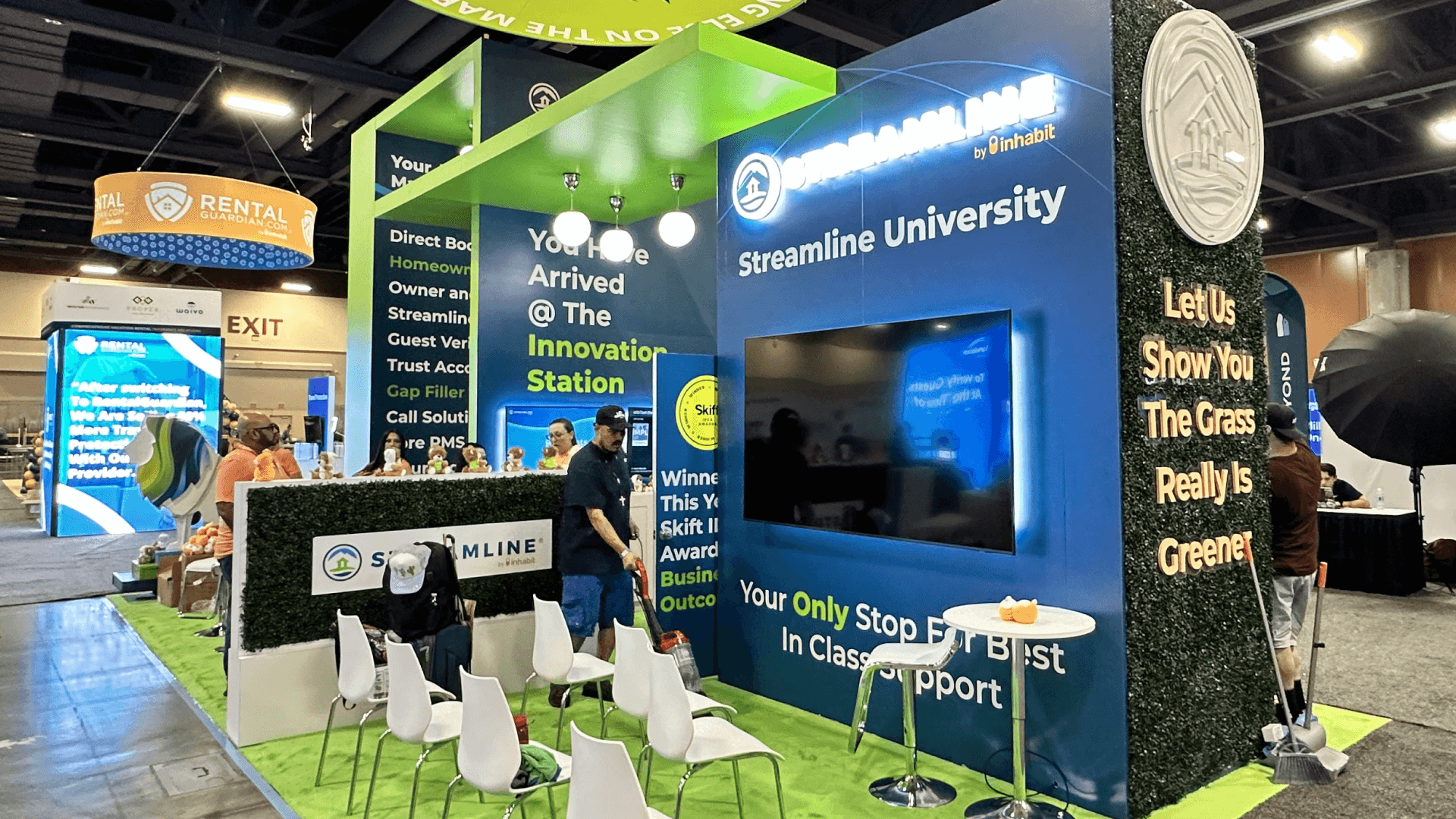

How should AI solution providers plan an HR Tech booth?
Start with one practical HR use case and make the evidence visible: what enters the system, what the AI does, where a person reviews the result, and what outcome follows. The booth also needs a clear place for data, security, integration, and implementation questions, plus a controlled demo environment and a local fallback when live access fails.
An AI booth at HR Tech needs to show more than a polished result screen. Visitors should be able to follow one practical HR use case from the original input through the system response, the human review point and the final business outcome. That sequence gives HR and technical buyers something concrete to evaluate.
HR Tech 2026 places AI inside a broader Expo environment that includes vendor demos, AI-focused programming and hands-on product comparison. This page therefore focuses on the booth as an AI validation environment: workflow evidence, data use, human oversight, system integration, security questions and cross-functional review. Guest Passes, sponsorship, Startup Pavilion participation and general booth decisions remain part of the broader HR Tech 2026 booth planning.
The layout should support both demonstration and scrutiny. A main workflow screen, presenter laptop, integration diagram, trust information, backup content and a quieter technical-review point may all need to operate at once. When the live demo must continue while HR, IT, security or procurement discuss the product in more detail, a 20x20 booth layout provides useful separation between demo, review and equipment-storage functions.
Why Exhibitors Choose Circle Exhibit
Clear scope, transparent quote review, nationwide booth support, and efficient setup planning for qualified rental and custom exhibit projects.
48hr
Setup Window
10+
Years Since 2014
U.S.
Trade Show Support
Real
Booth Project Proof
Choose the footprint according to the number of workflows, viewing positions, buyer roles, technical discussions, devices, and storage—not simply the number of monitors.
A 10x10 booth layout works when one workflow, one presenter, and one main screen can carry the demonstration. It becomes restrictive once several stakeholders need to watch, ask questions, or review the product without blocking aisle traffic.
Choose a 20x20 booth layout when HR and technical stakeholders may evaluate the solution together. The footprint can separate the main demo, presenter position, trust and integration information, discussion table, circulation, and device storage.
A 10x20 booth plan allows the main workflow to remain active while a second staff member handles data, oversight, security, or integration questions nearby. The value comes from supporting two functions, not simply adding another screen.
A 20x30 booth plan becomes useful when several demos, presentation media, semi-private reviews, and different visitor paths must remain active at once. The larger footprint only adds value when the team has enough specialists to staff each function.
Demo Theater presentations and AI-focused Expo experiences can create initial interest, but the booth should take the evaluation one level deeper rather than repeat the same presentation. Show the workflow, human review, data context, integration and the questions that matter to HR, IT, security and procurement. HR Tech Theater-to-booth follow-up planning connects that stage interest with post-session traffic, product review and the next buyer conversation.
Each element should answer a buyer question. More screens and more technical text will not fix an unclear use case.
State the HR problem, intended user, and outcome in plain language. Model names, agents, and secondary capabilities come after that first decision.
Use one main screen or a clear step sequence to show input, system action, human review, and result. Visitors should not need the presenter to restart the entire product tour.
Place data sources, permissions, human oversight, privacy, security, and system connections close to the demo. Avoid a separate wall of compliance language.
Use a quieter table for integration and security questions. Store laptops, chargers, adapters, backup devices, and staff materials in a locked or enclosed cabinet within reach.
The booth should show one real HR use case from input and system action through human review and a usable outcome. Visitors should be able to see what the AI does, where people remain involved, and what changes for the HR workflow.
HR Tech 2026 includes AI-focused programming, vendor demos and the AI Playground, placing AI providers in a stronger product-comparison environment. Booth demos should make workflow evidence, human oversight and integration easier to evaluate—not simply make the AI claim more visible.
HR and business teams may focus on workflow fit and outcomes, while HRIS, IT and security teams examine data, access and system connections. Legal, procurement and finance may bring additional questions around risk, deployment and business fit.
Not Sure Which Booth Size You Need?
Not every exhibitor knows whether a 10x20, 20x20, 20x30, or larger booth is the right fit. Circle Exhibit can help review your event goals, product display needs, demo areas, meeting space, storage, budget scope, and setup timeline before you choose a booth size.
Showing Only the Result
Burying Trust Questions
1
Pick the Use Case That Deserves the Booth
2
3
4
Rental for One or Two Controlled Workflows
Rental works well when the exhibit needs practical screen mounting, a clear demo counter, protected device storage, and one technical discussion point.
Custom Build for Several Validation Paths
Custom construction becomes more relevant when multiple AI applications, integrated media, presentation areas, technical reviews, or semi-private meetings need distinct zones.
Hybrid for Reusable Technical Demonstrations
A reusable structure with show-specific screens, graphics, counters, trust messaging, and meeting components can adapt to future HR and enterprise-technology events.
The screen plan, presenter laptop, wired connection, charging drawer, cable routes, and backup device should determine the counter layout.
Do not rely on production systems or improvised customer data. Use controlled access, prepared scenarios, and content the team has permission to display.
Small technical components are easy to lose during setup. Pack, label, charge, store, and check them as part of one operating kit.
Check accounts, data, screens, audio, internet, power, charging, local backup files, lead retrieval, and the handoff between business and technical staff.
These AI demo decisions sit within the wider HR Tech 2026 exhibiting plan, alongside booth size, Guest Passes, sponsorship, and Mandalay Bay preparation.
Need an AI Demo Booth With Technical Review Space?
A technical booth plan can coordinate workflow screens, presenter equipment, wired connectivity, trust graphics, device storage, and a quieter review point.
How should an AI workflow be shown at HR Tech?
Show the sequence from business problem to input, AI action, human review, and outcome. Buyers should understand the logic without sitting through a complete technical presentation.
What trust questions should the booth be ready to answer?
When does an AI exhibitor need technical meeting space?
Should an AI exhibitor rely on a live demo?
What booth size works for an AI solution demo?
READY TO PLAN YOUR NEXT BOOTH?
Let’s Build a Booth That Fits Your Event
Share your event name, booth size, city, timeline, product display needs, and design references. Circle Exhibit will review your project direction and help you choose a rental-friendly or custom exhibit path.
3000+
Booth Projects Supported
50+
U.S. Event Cities
Transparent
Quote Review
Use builder support when screens, counters, device storage, cable access, structural elements, installation, and show-site testing must operate as one system.
Use this resource to organize monitors, laptops, adapters, backup devices, graphics, freight, venue orders, and the opening checklist.
This page is relevant when screen mounting, equipment loads, power locations, counters, cable routes, and meeting zones affect the physical build.
Use graphics planning to organize the use case, process, human review, proof, integration, and trust information without overwhelming the aisle message.
Use this resource to coordinate structure, screens, devices, graphics, venue-service handoffs, final testing, dismantle, and outbound handling.










