Medical Device Booth Planning for Critical Care Congress Exhibitors



How should medical-device exhibitors plan a Critical Care Congress booth?
Treat the exhibit as one operating system rather than a collection of booth features. The device, supporting screen, operator, visitor viewing position, specialist handoff, hidden accessories, reset materials, and storage should work together so the demo can run repeatedly without blocking the next visitor or conversation.
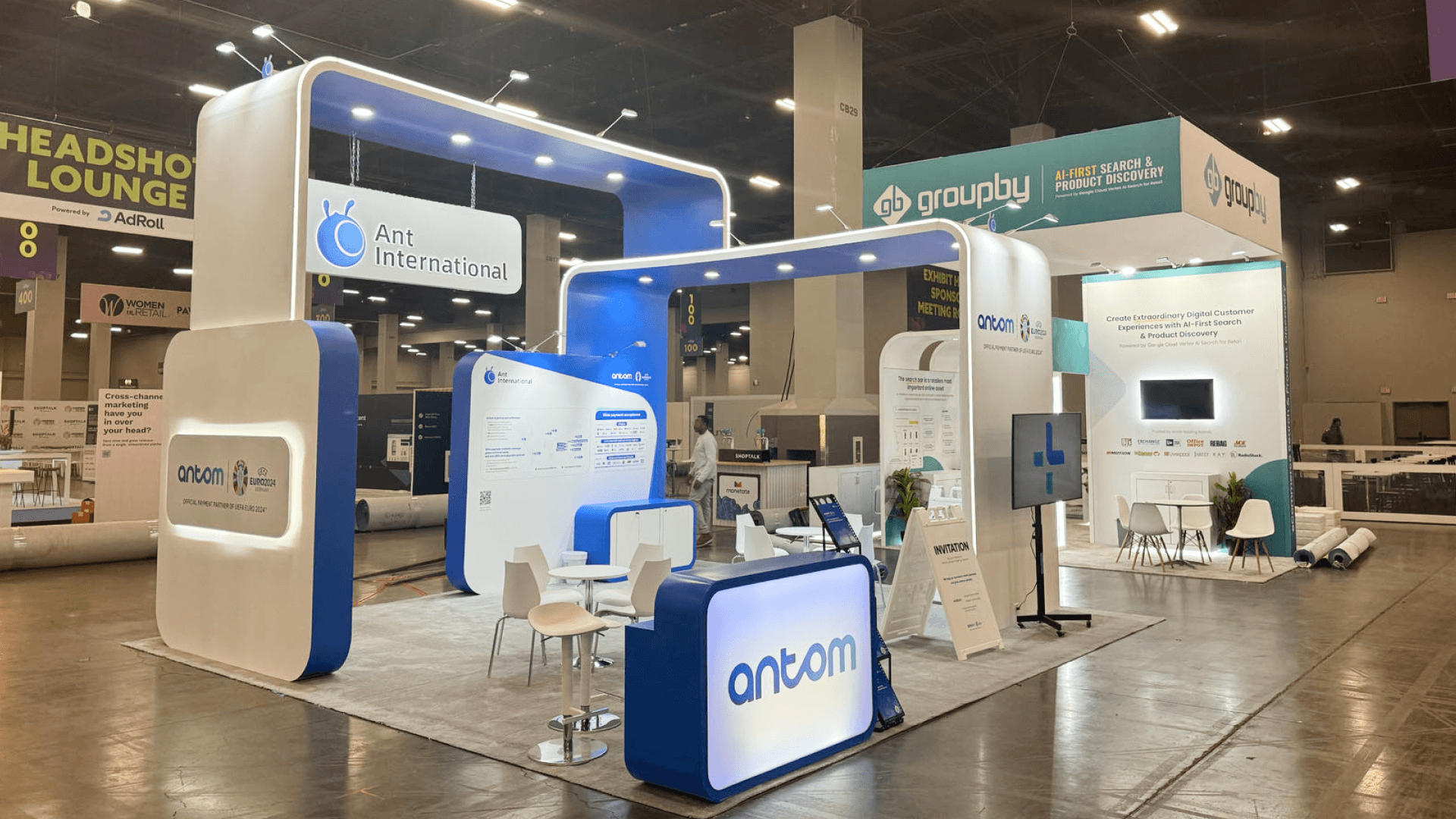
A medical-device booth is not finished when the equipment fits inside the footprint. The device, supporting screen, operator, visitor viewing position, staff handoff, and hidden support materials still need to work together without interfering with the next demonstration or conversation. These relationships are best resolved during trade show booth design and engineering, before equipment dimensions, screen positions, working clearance, storage, and visitor flow become fixed as separate decisions.
Footprint then becomes a capacity question. A 20x20 booth can separate one primary demonstration from a longer conversation while keeping support materials out of the visitor path; a second device, independent workflow, or additional active zone may require more room.
These device-level decisions are one part of Critical Care Congress booth planning, alongside Connections Central, overall booth priorities, and event-wide preparation.
Why Exhibitors Choose Circle Exhibit
Clear scope, transparent quote review, nationwide booth support, and efficient setup planning for qualified rental and custom exhibit projects.
48hr
Setup Window
10+
Years Since 2014
U.S.
Trade Show Support
Real
Booth Project Proof
For a medical-device exhibit, the useful question is not how much equipment fits, but how many tasks must continue at the same time without the device, operator, visitors, screens, conversations, and support materials interfering with one another.
A 10x20 booth can support one focused device, one operator, one primary screen, quick visitor conversations, and limited hidden storage, but the footprint tightens quickly when a second active demo or separate meeting function is added.
A 20x30 booth becomes more useful when a second device, screen-led workflow, specialist station, or deeper conversation needs to operate independently from the primary demo.
A 20x20 booth gives the primary demonstration enough separation to continue while another visitor is already in a longer discussion, although more floor space will not solve the problem if both interactions still depend on the same operator or specialist.
A 30x40 booth or larger footprint is justified when several product families, larger equipment, independent demo teams, conversations, and support areas genuinely need to run at the same time without one zone disrupting another.
A medical-device booth works best when the product, screen, operator, and visitor remain connected for as long as the discussion still depends on the demonstration. Once the next question no longer needs the physical device, the conversation may need more time, privacy, or participants than the active booth can comfortably support.
That transition is the focus of Critical Care Congress booth-to-meeting suite planning, which separates product-dependent booth conversations from the deeper discussions that may be better suited to an Exhibit Hall Meeting Suite.
The device, screen, operator, visitor position, staff handoff, and reset process should work as one repeatable demonstration system.
The device and supporting screen should not compete for attention. When the screen shows workflow, data, or software the device cannot show itself, graphics and brand presentation should make the relationship clear.
Keep the operator’s working area separate from the visitor viewing zone. Visitors should be able to see the key action without stepping into the demo space.
A deeper clinical or technical question should be able to move to another staff member without stopping the next demonstration.
Devices, accessories, screens, and support materials should return quickly to a ready state, so storage needs to support reset rather than simply hide clutter.
This page focuses on exhibits where physical equipment, clinical technology, supporting screens, active demonstrations, or device-led workflows create a more complex booth-planning problem.
The parent Critical Care Congress is scheduled for March 14–16, 2027 at the San Diego Convention Center.
A medical-device demonstration needs room for someone to operate or explain the equipment and separate room for visitors to see what matters without entering that working area.
Not Sure Which Booth Size You Need?
Not every exhibitor knows whether a 10x20, 20x20, 20x30, or larger booth is the right fit. Circle Exhibit can help review your event goals, product display needs, demo areas, meeting space, storage, budget scope, and setup timeline before you choose a booth size.
Protect Operator and Visitor Clearance
Make the Demonstration Repeatable
1
Define How the Device Must Be Experienced
2
3
4
Rental for Self-Contained Devices
When the device itself is self-contained and the surrounding walls, screens, counters, furniture, and storage can remain reusable, the exhibit fits naturally within a San Diego trade show booth rental structure.
Custom Build for Integrated Equipment
Custom construction becomes more relevant when the device needs specialized supports, integrated structures, unusual clearances, custom mounts, large-scale technology integration, or architecture that directly controls how visitors move around the equipment.
Hybrid for Multi-Show Medical Technology Programs
A reusable structure can be combined with custom device supports, event-specific graphics, screens, counters, and storage when the same exhibit program needs to adapt to several healthcare events.
The assigned location affects product orientation, visitor stopping points, and whether screens or equipment create sightline conflicts.
Power, connectivity, AV, and cable routes should follow the actual equipment workflow rather than being planned separately.
The installation sequence should allow the structure, screens, product supports, and equipment to come together without completed work having to be removed or rebuilt.
If live operation depends on connectivity or specialized equipment, staff should still be able to explain the product through a screen, recorded workflow, graphics, or another prepared fallback.
Rental Booths for Medical Device Displays
A rental structure can support screens, counters, storage, and meeting space around a self-contained medical device while keeping demo and visitor flow clear.
Can a 10x20 booth work for a medical-device demonstration?
Yes, when one focused device or workflow drives the exhibit and the booth does not also need several active demos or a separate meeting zone.
Should the device and supporting screen face the same direction?
How much storage does a medical-device booth need?
Can a medical-device booth include meeting space?
What should be tested before the device ships?
READY TO PLAN YOUR NEXT BOOTH?
Let’s Build a Booth That Fits Your Event
Share your event name, booth size, city, timeline, product display needs, and design references. Circle Exhibit will review your project direction and help you choose a rental-friendly or custom exhibit path.
3000+
Booth Projects Supported
50+
U.S. Event Cities
Transparent
Quote Review
Device dimensions, screens, operating clearance, visitor positions, storage, structure, and staff movement all meet inside trade show booth design and engineering.
Device identity, clinical context, workflow diagrams, labeling, and screen content belong to the same graphics and brand presentation system when visitors need to understand both the equipment and its supporting information.
Reusable structural walls, counters, screens, and storage can sit around event-specific medical equipment through a San Diego trade show booth rental configuration.
Equipment arrival, booth components, service orders, utility timing, and installation sequencing become one logistics and pre-show coordination plan once the device requirements are fixed.
Final equipment placement, screen setup, booth assembly, testing, dismantle, and outbound handling meet inside on-site installation and dismantle once the production plan reaches the show floor.