Planning an OSET Arthroplasty Booth for System Evaluation

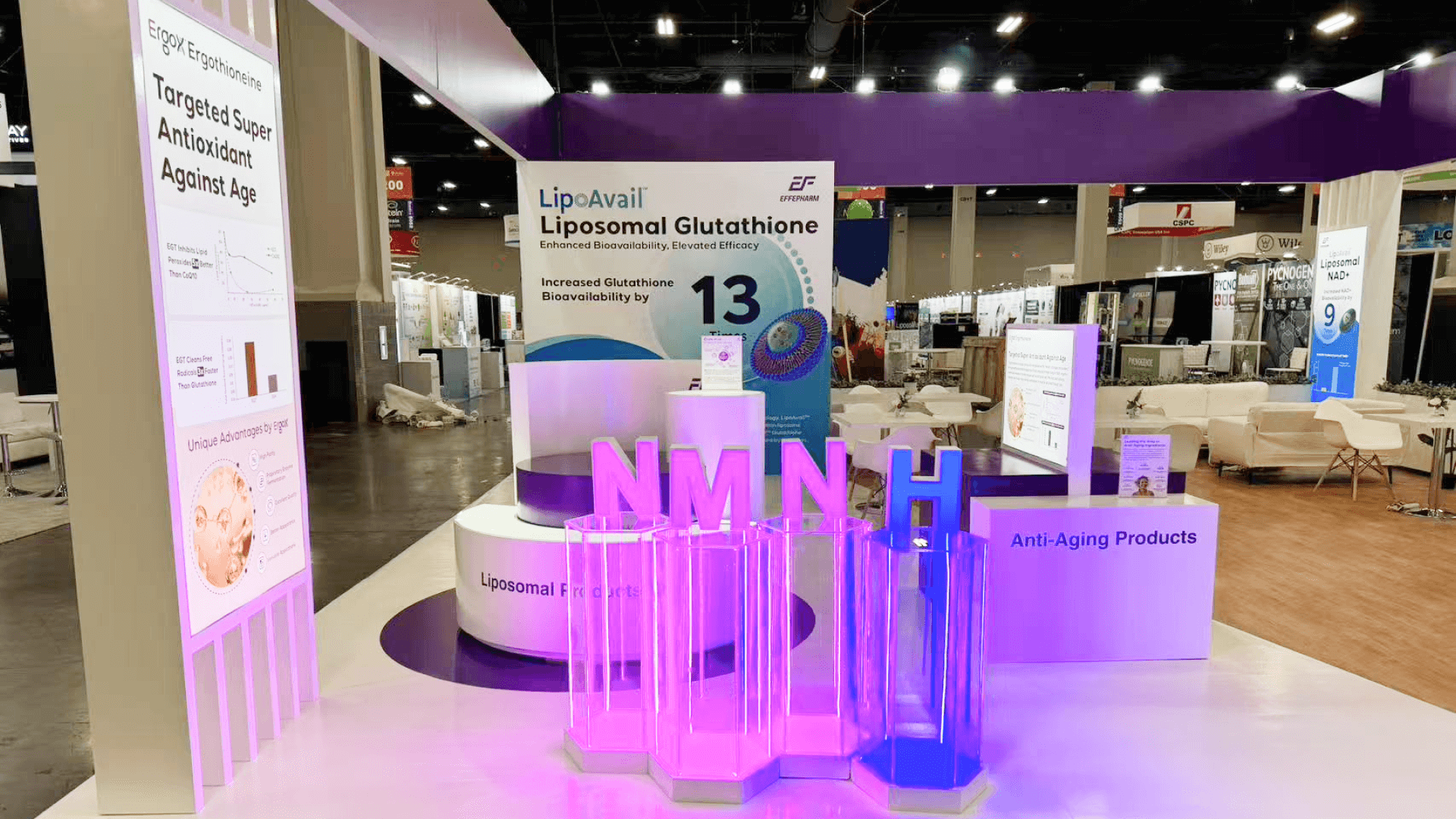


How should an OSET arthroplasty technology booth support system evaluation?
Treat the booth as an evaluation route rather than a collection of products. Decide what surgeons need to inspect physically, what is easier to understand on screen, what actually needs an active demonstration, and where longer technical questions should continue. The layout also needs enough working space to reset the system for the next visitor.
A complex arthroplasty system can take up plenty of floor space and still be difficult to understand. When equipment, workflow explanation, demonstrations, and technical conversations all happen in the same spot, visitors may see the system without getting a clear way to work through it.
The key sizing question is how many interactions need to happen at the same time. A 20×20 booth can support one focused evaluation area with room for physical inspection, screen content, and a nearby conversation point. If another demo or technical discussion needs to continue without tying up that space, a 20×30 footprint may be a better fit.
This page focuses specifically on system evaluation. Teams that are still deciding the overall booth scope, interaction level, or size can start with Orthopaedic Summit booth planning before locking in the system layout. At Fontainebleau Las Vegas, equipment staging, power, AV testing, and final setup also need to be coordinated before the booth is ready for visitors.
Why Exhibitors Choose Circle Exhibit
Clear scope, transparent quote review, nationwide booth support, and efficient setup planning for qualified rental and custom exhibit projects.
48hr
Setup Window
10+
Years Since 2014
U.S.
Trade Show Support
Real
Booth Project Proof
For arthroplasty technology exhibitors, the footprint is mainly a throughput question: how many systems, demos, discussions, and resets need to happen without interrupting one another?
A 10×20 can handle one system, one screen, and one guided evaluation route when visitors arrive one conversation at a time.
The reason to move into a 20×30 booth is not simply more equipment. It is the need to run two evaluations or demonstrations without one waiting for the other.
A 20×20 booth becomes useful when physical inspection needs to continue while a technical question moves to another position.
An island is justified when several approach points, active demonstrations, staff circulation, deeper discussions, and reset work all need to continue at the same time.
Complex arthroplasty systems often lead to questions that begin at the product but continue after the hands-on evaluation is finished. When a longer discussion starts occupying the same area needed for the next demo, OSET booth meeting planning helps exhibitors decide whether that conversation should stay beside the system, move to a meeting room, or continue through a hybrid setup.
Visitors should understand the system as a whole before they are asked to inspect parts, follow a workflow, or join a demonstration.
Make the relationship between the full system and its individual components obvious. A table full of hardware is not a system story.
If visitors need to inspect, compare, or handle components, give that activity a dedicated working area instead of letting it spread into the main aisle.
Workflow, process, system relationships, and sequence are often easier to understand visually than through static equipment alone.
Once a visitor wants a deeper technical discussion, the conversation should continue without occupying the active evaluation point.
Some OSET exhibitors need to show how several components work together as one arthroplasty system. The booth has to make that relationship clear before visitors move into the details.
OSET 2026 runs December 2–5 at Fontainebleau Las Vegas, where exhibitors can combine product display, demonstrations, and specialist conversations in one show environment.
A visitor may start with the hardware, use a screen to understand the workflow, and then watch a demo or ask a technical question. Each step needs enough space to happen without blocking the next.
Not Sure Which Booth Size You Need?
Not every exhibitor knows whether a 10x20, 20x20, 20x30, or larger booth is the right fit. Circle Exhibit can help review your event goals, product display needs, demo areas, meeting space, storage, budget scope, and setup timeline before you choose a booth size.
Hardware Alone Does Not Explain the Workflow
One Demo Point Turns Into a Queue
1
Map the Evaluation Sequence
2
3
4
Keep the Booth Standard When the System Is Self-Contained
A Las Vegas trade show booth rental can work when the technology is largely freestanding and only needs branded walls, screens, standard counters, discussion space, and accessible storage around it. The booth provides the environment; the system carries the demonstration.
Build Around the Technology When the Demo Depends on the Structure
The approach changes when equipment clearances, product supports, integrated screens, custom work surfaces, cable routing, or concealed reset access affect how the demonstration runs. In that case, design and engineering should resolve the system and booth as one working setup before fabrication begins.
Customize the Interface, Not Necessarily the Whole Booth
A full custom build is not always required. A reusable structure can still work if only the technology-facing elements—such as mounts, demo surfaces, AV integration, access panels, or reset storage—need to be custom-built.
Coordinate equipment placement with the booth build so large components, screens, cases, and accessories do not interfere with structural installation.
Run the exact sequence staff will use with visitors. Check the hardware, screen content, timing, staff position, handoff, and reset.
OSET requires exhibit activity to remain within the assigned space. Speakers should face inward, and current rules limit booth sound to 85 dB.
Tools, accessories, backup components, cleaning items, and cases should be easy for staff to reach without becoming part of the visitor path.
Need an OSET Rental Booth for a Technology Demo?
For a focused arthroplasty system, a rental exhibit can provide the branded structure, screens, counters, discussion space, and storage around a freestanding technology setup while keeping the core booth reusable.
When does an arthroplasty system need more than one evaluation point?
When two visitors or specialist conversations regularly need access to different components or demonstrations at the same time, one station can become the limiting factor.
Should the whole system be displayed physically?
What belongs on screen instead of in the physical display?
How should the booth separate demonstrations from technical discussions?
What should be tested before the technology booth opens?
READY TO PLAN YOUR NEXT BOOTH?
Let’s Build a Booth That Fits Your Event
Share your event name, booth size, city, timeline, product display needs, and design references. Circle Exhibit will review your project direction and help you choose a rental-friendly or custom exhibit path.
3000+
Booth Projects Supported
50+
U.S. Event Cities
Transparent
Quote Review
For technology exhibits that need parallel evaluations, technical discussions, AV, and more reset storage.
For resolving equipment clearances, product supports, screens, counters, staff positions, and hidden working areas before production.
For coordinating equipment arrival, booth components, product handling, AV dependencies, and staging.
For equipment placement, final adjustments, demo testing, and compliant teardown.
For workflow diagrams, system relationships, technical messaging, and visual support that physical hardware cannot explain alone.










