Software & Data Workflow Booth Planning for Neuroscience

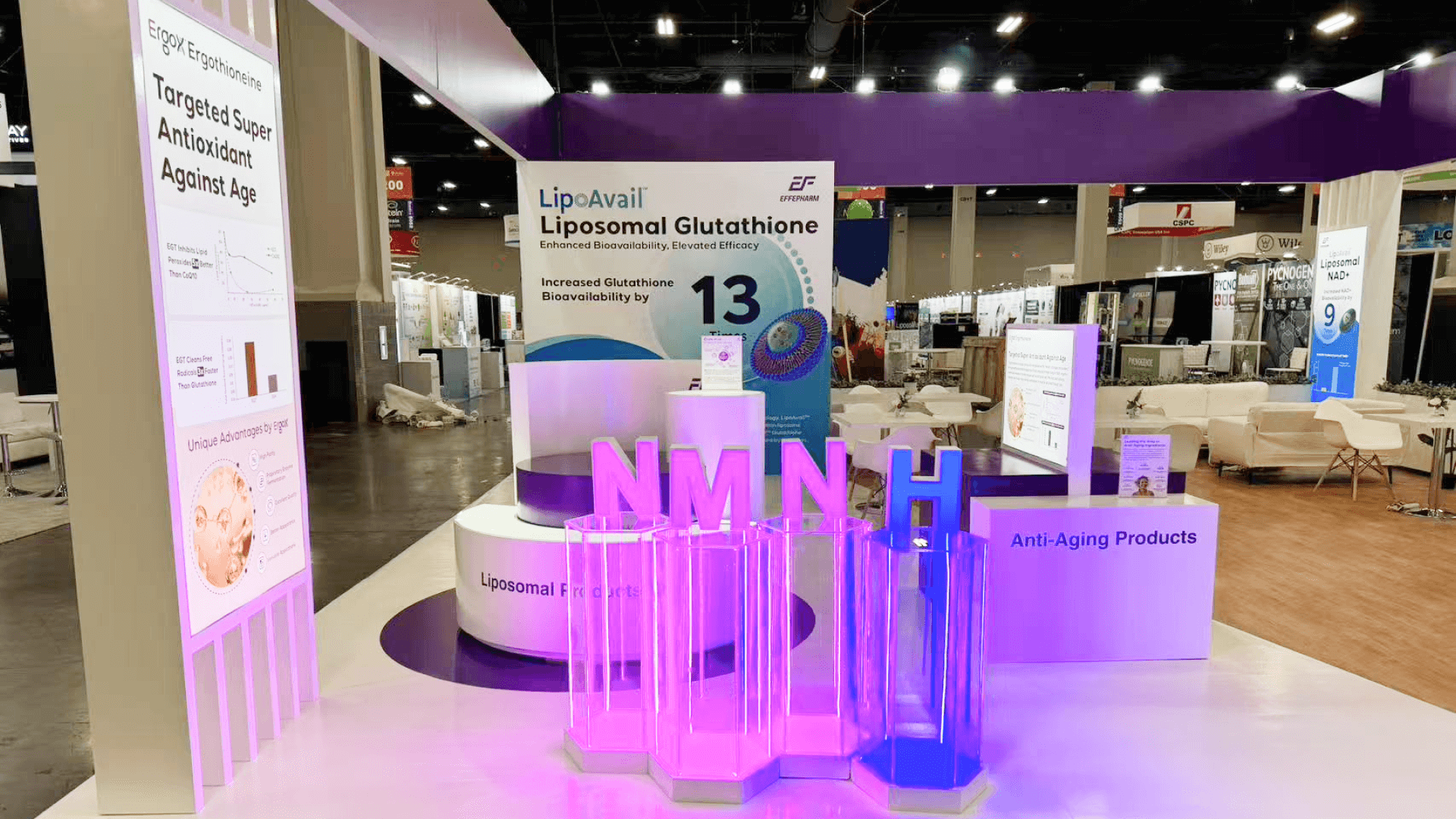


How should software and data exhibitors plan a Neuroscience booth?
A software booth has to solve an understanding problem before a space problem. Make the research use case clear, show the workflow in a controlled sequence, support a focused live demo, and give interested visitors somewhere to continue the technical discussion. Size should follow the number of simultaneous demos and conversations the team needs to handle.
A visitor cannot inspect a neuroscience software platform the way they can inspect a microscope or recording system. The booth first has to make the research problem clear, then show how data or other inputs move through the workflow and what the user receives at the end. Screens only help when each one has a defined role in that sequence.
A 10x20 booth can support one focused guided demo. A 20x20 booth gives the team more room for several active stations or parallel technical conversations. When multiple teams need to demonstrate different products while another discussion continues, a 20x30 layout can provide cleaner separation and fewer competing sightlines.
Once the workflow is clear, size the booth around how many useful interactions need to happen at the same time. Exhibitors still deciding whether physical hardware or digital interaction should drive the layout can return to the Neuroscience booth planning hub. At Walter E. Washington Convention Center, power, screens, devices, internet access, software accounts, and the backup demo should all be tested before opening.
Why Exhibitors Choose Circle Exhibit
Clear scope, transparent quote review, nationwide booth support, and efficient setup planning for qualified rental and custom exhibit projects.
48hr
Setup Window
10+
Years Since 2014
U.S.
Trade Show Support
Real
Booth Project Proof
Size the booth around concurrent interaction: how many demos need to run at once, how many visitors each station serves, and whether technical conversations can continue without blocking active users.
A 10x20 booth can support one primary demo station, a clear workflow graphic, light storage, and a compact follow-up conversation when the story is focused and staff guide most interactions.
A 20x30 booth becomes useful when different workflows need separate demo positions, several interactions run at once, or the team needs a more deliberate consultation area.
A 20x20 booth adds room for parallel demos, cleaner screen sightlines, and a place to move one visitor into deeper discussion while another demonstration continues.
A 30x40 booth or another larger island layout can support several software or data zones, presentation functions, higher visitor throughput, and technical meetings without becoming a wall of competing screens.
Several screens alone do not make an island necessary. The decision changes when multiple demos, technical consultations, and visitor approaches need to operate independently at the same time. Inline vs. island booth planning helps identify when that interaction load has outgrown a focused inline layout.
The display should turn an abstract research process into a sequence visitors can recognize, follow, test, and discuss without requiring a long explanation first.
The first message should explain what scientific or analytical problem the product addresses before visitors are asked to understand features, architecture, or interface details.
Use graphics or a controlled visual path to show how data, signals, samples, or other inputs move through the product toward an analysis or result.
The primary screen should support a real interaction or clear guided walkthrough. Visitors should know which display is the demo and which screens provide context.
Once visitors understand the workflow, give them a nearby place to discuss data, integration, methodology, compatibility, or implementation without occupying the main demo position.
Exhibitors in this group include research software, analysis platforms, neuroinformatics tools, data services, visualization systems, cloud research platforms, and other digital products with little physical presence.
The parent Neuroscience meeting runs November 14–18, 2026 at Walter E. Washington Convention Center.
Visitors may need to recognize the research problem, understand the analysis sequence, see the software in action, review the output, and continue into technical discussion.
Not Sure Which Booth Size You Need?
Not every exhibitor knows whether a 10x20, 20x20, 20x30, or larger booth is the right fit. Circle Exhibit can help review your event goals, product display needs, demo areas, meeting space, storage, budget scope, and setup timeline before you choose a booth size.
A Complex Workflow Is Hard to Explain in Seconds
More Screens Can Make the Story Harder to Follow
1
Reduce the Product to One Workflow Story
2
3
4
Rental for Focused Screen-Based Demos
Rental is often enough when the booth needs modular branded walls, screens, demo counters, storage, and practical conversation space. 20x20 rental booth designs provide a useful reference for reusable demo stations.
Hybrid for More Integrated Demo Stations
A hybrid system works when the reusable structure is sufficient but the booth needs custom demo furniture, monitor integration, stronger branded stations, workflow graphics, lighting, or AV details.
Custom When the Layout Organizes a Larger Demo Program
Full custom construction makes more sense when several platforms need independent zones or the physical layout actively controls how visitors move between them.
Map each demo device, display, charging point, power connection, internet requirement, and peripheral to the final station layout before setup begins.
Set devices and screens first, then verify network access, software, accounts, demo data, and the exact interface each visitor will see.
Check logins, cloud services, integrations, remote resources, APIs, and access permissions rather than assuming the office setup will behave the same way on site.
Test the local, recorded, or static backup and confirm that it still explains the research problem, workflow, and output when the live system is unavailable.
Need a Flexible Booth for Software & Data Demos?
Software and data exhibitors can often use a modular rental booth to support several screens, demo counters, workflow graphics, storage, and technical conversations without overbuilding the space. A 20x20 rental layout is especially useful when the team needs multiple active demo stations and enough circulation for parallel discussions.
How many software demo stations should a Neuroscience booth have?
Base the number on simultaneous visitors, demo length, staff capacity, and whether users need hands-on control. More stations only help when the team can operate them without creating traffic or competing screens.
Should a software demo be staff-operated or visitor-operated?
What should exhibitors do if internet access fails?
Is a 20x20 booth enough for several software demos?
How should multiple screens be used without overwhelming visitors?
READY TO PLAN YOUR NEXT BOOTH?
Let’s Build a Booth That Fits Your Event
Share your event name, booth size, city, timeline, product display needs, and design references. Circle Exhibit will review your project direction and help you choose a rental-friendly or custom exhibit path.
3000+
Booth Projects Supported
50+
U.S. Event Cities
Transparent
Quote Review
Return to the parent Hub when the team still needs to compare software/data, physical instruments, broader booth-size options, or event-level decisions.
Once several demos or parallel conversations are required, the 20x20 guide helps test station spacing, sightlines, circulation, storage, and consultation capacity.
When the interface alone cannot explain the product, graphics can reduce the research problem and workflow into a sequence visitors understand before the live demo starts.
Once the demo program is defined, design and engineering brings screens, stations, furniture, lighting, power, graphics, storage, and circulation into one coordinated layout.










