Enterprise Connect AI Collaboration Booth Planning for Live Demos
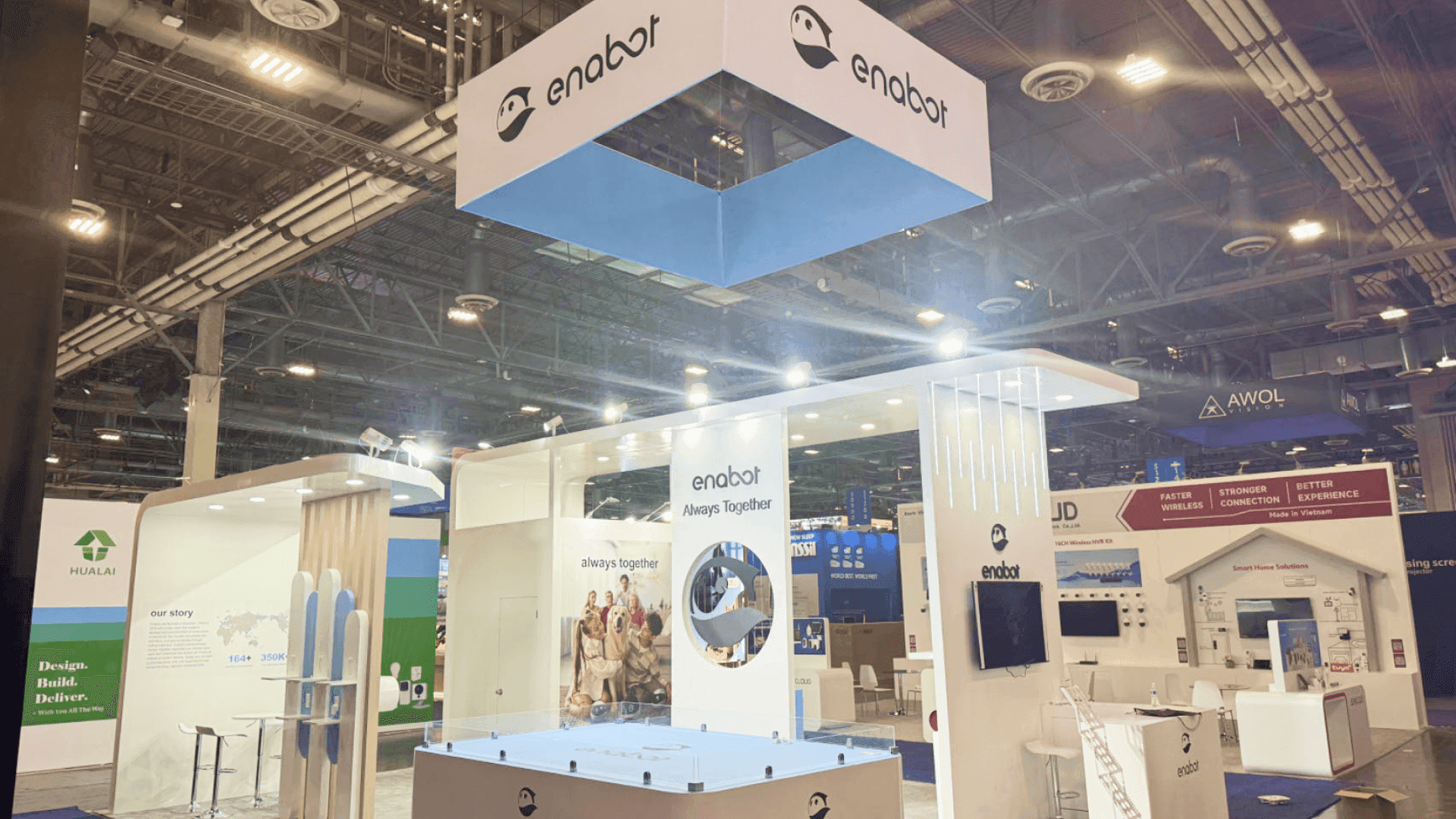


How should AI collaboration products be demonstrated at Enterprise Connect?
Show one familiar workplace task, the AI-assisted action, and a result visitors can inspect. The station needs readable screens, a clear presenter position, and approved sample data. Choose the booth size around parallel demonstrations and sound separation, then prepare a backup that tells the same story if live services fail.
An AI meeting assistant may produce a summary in seconds, but the finished text alone does not show how a team would use it. Start with a familiar task: a meeting discussion, a missed handoff, or an action item that still needs an owner. Then show what the software captures, what it recommends, and what still requires human review.
A 10x20 booth can center on one guided workflow. A 20x20 layout may support a second hands-on station when each group has a clear view of its own screen and can hear the demonstration. A 20x30 footprint can keep scheduled presentations separate from staff-led product trials. Choose among these footprints as part of Enterprise Connect booth planning, alongside meeting space, staffing, and the rental-versus-custom decision.
At MGM Grand, check screen sightlines, electrical service, network requirements, and organizer rules against the assigned booth location and configuration. Keep a local or recorded version of the same workflow ready if the live connection fails.
Why Exhibitors Choose Circle Exhibit
Clear scope, transparent quote review, nationwide booth support, and efficient setup planning for qualified rental and custom exhibit projects.
48hr
Setup Window
10+
Years Since 2014
U.S.
Trade Show Support
Real
Booth Project Proof
Count presenters, viewing groups, sound separation, and reset space before adding screens or choosing a larger footprint.
One operator, a visible screen, and a small audience suit a focused walkthrough. Running two spoken demos here risks competing audio and queues.
A 20x30 footprint may separate a scheduled presentation from individual trials, giving each activity its own presenter, audience, and access route.
A second station needs its own sightlines and sound. Use 20x20 booth planning to check queues, spacing, and visitor access.
Extra space will not fix an unclear script. Expand only when different workflows require separate operators, devices, or viewing groups.
A generated summary tells buyers what the assistant produced, but not how the result was checked or used. The AI meeting assistant demo shows how to connect the source conversation with decisions, action owners, user corrections, approval, and one downstream handoff. That sequence gives the booth team a clearer brief for the display, operator role, and buyer conversation.
A demo area should show the work before, during, and after the AI action without requiring visitors to read a feature inventory.
A brief graphic identifies the workplace task, who is involved, and the outcome the demo is meant to show.
Position the input device and main screen so the operator can explain each step while facing the audience.
Show where the user reviews, edits, or approves AI output, rather than presenting the generated result as final.
Keep captioned screenshots or a recording of the same task ready when the live service cannot run.
This exhibitor scenario centers on AI-assisted meetings, team handoffs, and other workplace communication tasks.
The parent event runs March 23–25, 2027, at MGM Grand in Las Vegas.
Relevant visitors include IT architects, collaboration managers, and workplace technology teams.
Not Sure Which Booth Size You Need?
Not every exhibitor knows whether a 10x20, 20x20, 20x30, or larger booth is the right fit. Circle Exhibit can help review your event goals, product display needs, demo areas, meeting space, storage, budget scope, and setup timeline before you choose a booth size.
Hidden Steps Between Screens
Live or Prerecorded?
1
Choose One Workday Task
2
3
4
Rental for Screen-Led Demos
A Las Vegas rental exhibit can accommodate screens, counters, cable management, and graphics for a staff-led software workflow.
Custom for Integrated Hardware
Nonstandard devices, interactive surfaces, or special mounting may require exhibit design and engineering before fabrication.
Reusable Stations for Software Updates
Keep screen and operator positions consistent while changing demo scripts, interface content, and graphics between events.
Review MGM Grand and organizer rules for electrical supply, network access, AV equipment, and service orders.
Check monitor height, cables, microphones, and the viewing angle from a visitor’s position.
Assign one contact for demo accounts, device resets, connectivity, and AV troubleshooting.
Check account reset, readable screens, clear audio, and the switch to the approved backup before opening.
Rental Booths Built Around AI Collaboration Demos
Keep attention on the workflow, not the booth structure. A configurable rental can combine visible demo screens, presenter counters, branded graphics, and storage for devices and cables. For exhibitors running more than one demonstration, a 20x20 or larger footprint may help separate operators and viewing groups. Circle Exhibit can plan the rental around your screen, AV, power, and visitor interaction requirements.
Should visitors operate the AI software themselves?
Hands-on use can work for short, controlled tasks. For complex workflows, lead with a staff-run demonstration and offer trials afterward.
Can a recorded AI result be used at a live exhibit?
What data belongs in a meeting-assistant demo?
When is a second AI demo station useful?
What must be checked before the next demo group arrives?
READY TO PLAN YOUR NEXT BOOTH?
Let’s Build a Booth That Fits Your Event
Share your event name, booth size, city, timeline, product display needs, and design references. Circle Exhibit will review your project direction and help you choose a rental-friendly or custom exhibit path.
3000+
Booth Projects Supported
50+
U.S. Event Cities
Transparent
Quote Review
Compare how buyer expectations, demonstration depth, staffing, and booth requirements change across AI-native, enterprise, and applied-industry events.
Check whether two stations allow separate queues, clear screen views, and safe circulation.
Compare rental layouts with screens, counters, and storage before choosing a modular display.
Develop clear graphics for the original task, AI action, and reviewed result.
Compare rental components once the number, equipment, and placement of demo stations are confirmed.










