Adobe Summit Technology Partner Multi-Demo and Meeting Booth Planning
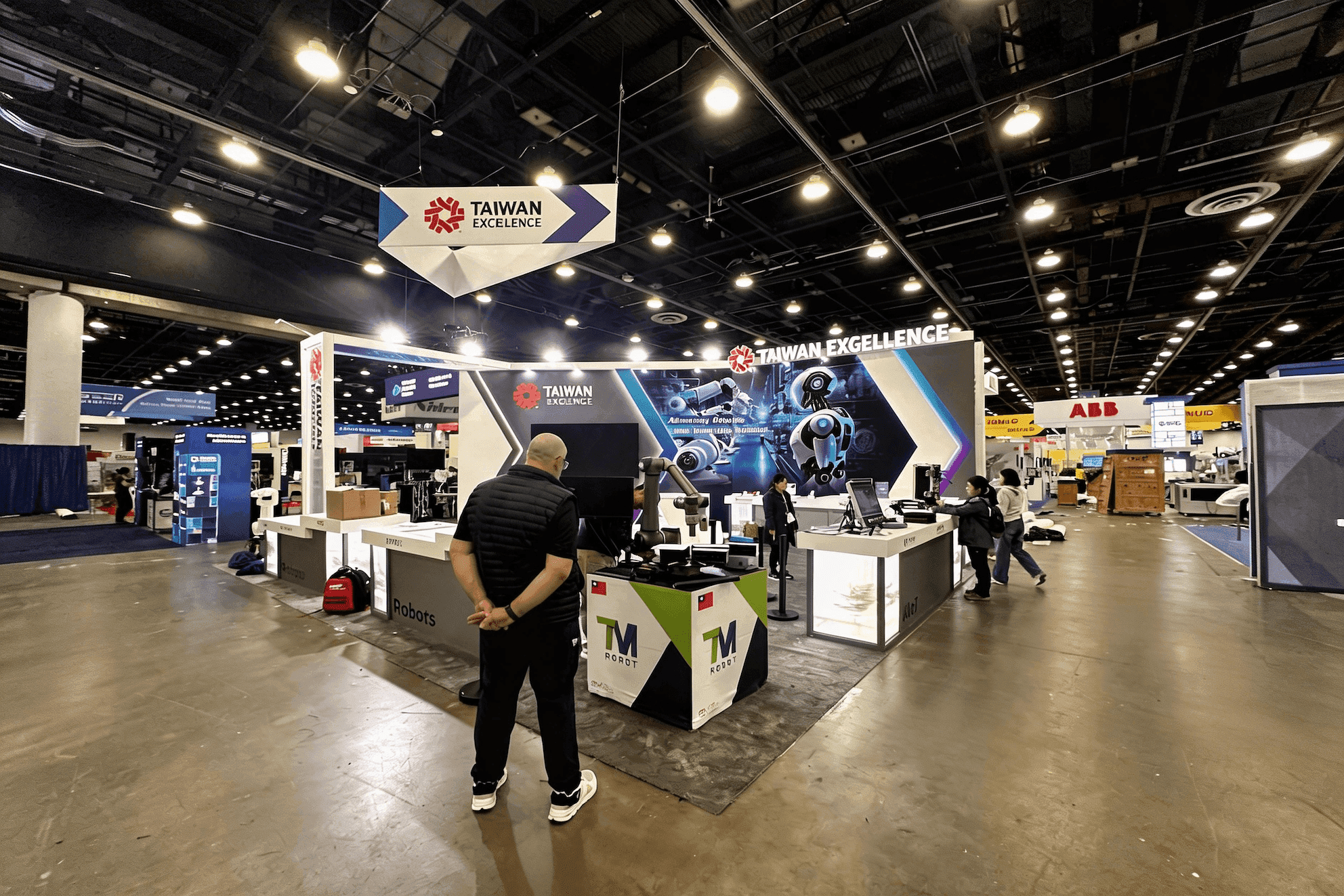
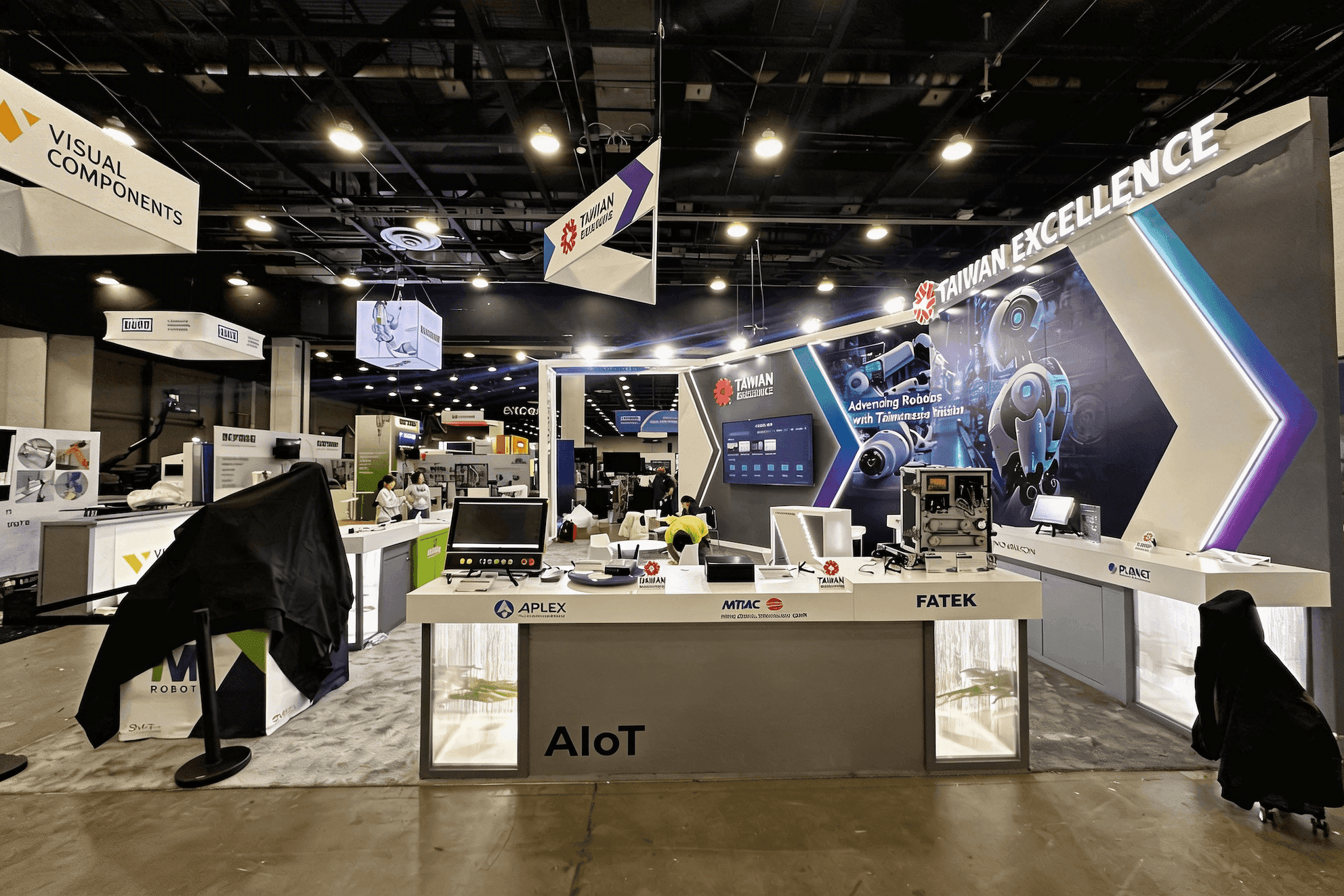


How should Adobe Summit technology partners plan multiple software demos in one booth?
Plan around simultaneous use, not the number of screens. Each active demo needs a presenter, usable viewing space, a way to qualify interest, somewhere for longer conversations to move, and enough device and reset support to be ready for the next visitor. The booth works only when those activities can continue without stopping one another.
Technology partners at Adobe Summit may be running several product stories at once: an AI workflow on one screen, a data or personalization use case on another, while a deeper integration discussion happens nearby. Problems begin when those activities compete for the same staff, viewing space, or demo position.
The Adobe Summit 2027 booth planning hub covers the broader event strategy and buyer journey. This page starts after multiple demos are already part of the plan: the challenge is keeping them active while qualified visitors move into technical discussions or meetings without slowing the next demonstration.
A 20x20 booth layout can work when only a few demo points and one compact meeting function need to operate together. When several demonstrations and a separate conversation path must remain active at the same time, 20x30 booth planning gives those activities more room to operate independently.
Why Exhibitors Choose Circle Exhibit
Clear scope, transparent quote review, nationwide booth support, and efficient setup planning for qualified rental and custom exhibit projects.
48hr
Setup Window
10+
Years Since 2014
U.S.
Trade Show Support
Real
Booth Project Proof
Three screens do not automatically create three usable demo stations. A station only counts when it has a presenter, viewer space, a clear next step for longer conversations, and enough reset support to become available again for the next visitor.
A compact inline booth works only when the operating model stays simple: one primary demonstration, limited staff, standing qualification, and little or no dedicated meeting space. Once a second active demo or longer conversation appears, the layout begins competing with itself.
If several workflows need independent presenters and qualified visitors need somewhere else to continue talking, 20x30 booth planning becomes the stronger reference. The extra area matters because it separates operating paths, not simply because the booth is larger.
When two demonstrations need to stay active while one qualified conversation continues nearby, 20x20 booth planning provides a useful capacity reference. The important question is whether that conversation can continue without consuming a demo position or blocking circulation.
Larger space becomes justified when different product teams, demonstrations, meetings, and staff groups have to function independently. The layout should create clear operating lanes so one busy zone does not slow the rest of the booth.
Not every visitor arrives at a demo as a cold walk-up. If a buyer is coming from an earlier Adobe Summit partner conversation, the partner booth handoff guide shows what context should follow them so the demo or technical discussion can continue from the right point instead of repeating qualification.
If the number of demos, meetings, and teams is still being decided, the Adobe Summit sponsorship scope guide helps determine which functions actually need physical booth capacity before the multi-demo operating model is locked.
A demo station is not just a screen and counter. It has to support the presenter, the first viewer, people waiting nearby, technical questions, the next handoff, and the reset before another visitor arrives.
A presenter should be able to start the demo, a visitor should be able to see the screen, another person should be able to wait without blocking the aisle, and the next demo should not depend on what is happening at the neighboring station.
Screen height and angle should be decided from where presenters and visitors actually stand. Decorative symmetry matters less than whether separate audiences can follow different demos without blocking one another.
Once a visitor moves into a technical or business discussion, the booth needs a deliberate next position for that conversation so the original demonstration can restart.
Backup laptops, tablets, chargers, adapters, cables, presentation files, authentication details, and lead-capture tools should be close enough for staff to recover a station without becoming visible clutter.
This scenario begins when more than one software or AI demonstration, technical conversation, or meeting needs to remain active at the same time.
Adobe Summit 2027 is scheduled for March 22–25 in Las Vegas. Venue-specific details should be added after the current location is officially confirmed.
A short product walkthrough can lead into integration, implementation, architecture, partnership, or business-fit questions, so the booth needs more than a screen and presenter.
Not Sure Which Booth Size You Need?
Not every exhibitor knows whether a 10x20, 20x20, 20x30, or larger booth is the right fit. Circle Exhibit can help review your event goals, product display needs, demo areas, meeting space, storage, budget scope, and setup timeline before you choose a booth size.
Long Questions Can Occupy the Demo
Staff Roles Blur During Busy Periods
1
Count the Demos That Must Run Together
2
3
4
Simple Demo System
A rental structure can be enough for one or two standard demo stations, screens, standing qualification, and light storage. More complex integration should be justified by an operating need rather than appearance alone.
Adaptable Multi-Demo System
A hybrid approach makes sense when reusable structure can remain standard but demo counters, AV integration, storage, or meeting furniture need more control.
Integrated Demo Environment
Custom fabrication becomes relevant when several stations, integrated screens, concealed cable paths, meetings, and staff-support areas have to function as one coordinated system.
Power, connectivity, cable access, charging, and screen locations depend on where presenters and viewers actually stand. Those operating positions need to stabilize before detailed production work begins.
Furniture, demo counters, screens, and cables should leave a clean route from first demo to technical discussion or meeting without forcing visitors back through an active station.
Adapters, chargers, spare devices, cables, and local demo assets need quick staff access without occupying presenter space or becoming part of the visible experience.
Do not test screens one by one. Run several demonstrations, a qualification conversation, a meeting handoff, lead capture, and a reset simultaneously and watch where the system slows down.
Need a Rental Booth for Multiple Software Demos?
A rental booth can work for technology partners when demo stations, screens, meeting space, cable access, and storage are planned around simultaneous use. The operating model should be clear before the structure is selected.
How many demo stations should an Adobe Summit technology partner plan?
Only count a station if it can be staffed, viewed, qualified, and reset independently. Additional screens do not automatically increase usable demo capacity.
Can a 20x20 booth support two software demos and a meeting?
When should a visitor leave the demo area for a meeting?
How should screens be positioned for simultaneous demos?
What should technology partners test before the booth opens?
READY TO PLAN YOUR NEXT BOOTH?
Let’s Build a Booth That Fits Your Event
Share your event name, booth size, city, timeline, product display needs, and design references. Circle Exhibit will review your project direction and help you choose a rental-friendly or custom exhibit path.
3000+
Booth Projects Supported
50+
U.S. Event Cities
Transparent
Quote Review
The parent Event page covers the broader buyer journey, sponsor goals, Event-level booth functions, functional size decisions, and preparation questions intentionally left outside this demo-operations page.
Most relevant when two focused demos, a compact meeting function, storage, and circulation need to coexist without one activity consuming the others.
A stronger reference when several demos, qualified conversations, meetings, and staff roles need clearer separation and simultaneous operation.
Station positions, screen angles, counters, cable access, storage, furniture, and structure need to be resolved together if the demo system is expected to work under real traffic.
The approved operating model eventually has to survive fabrication, packing, installation, screen setup, cabling, testing, and final show-floor checks.










