PACK EXPO PACKage Printing Booth Planning

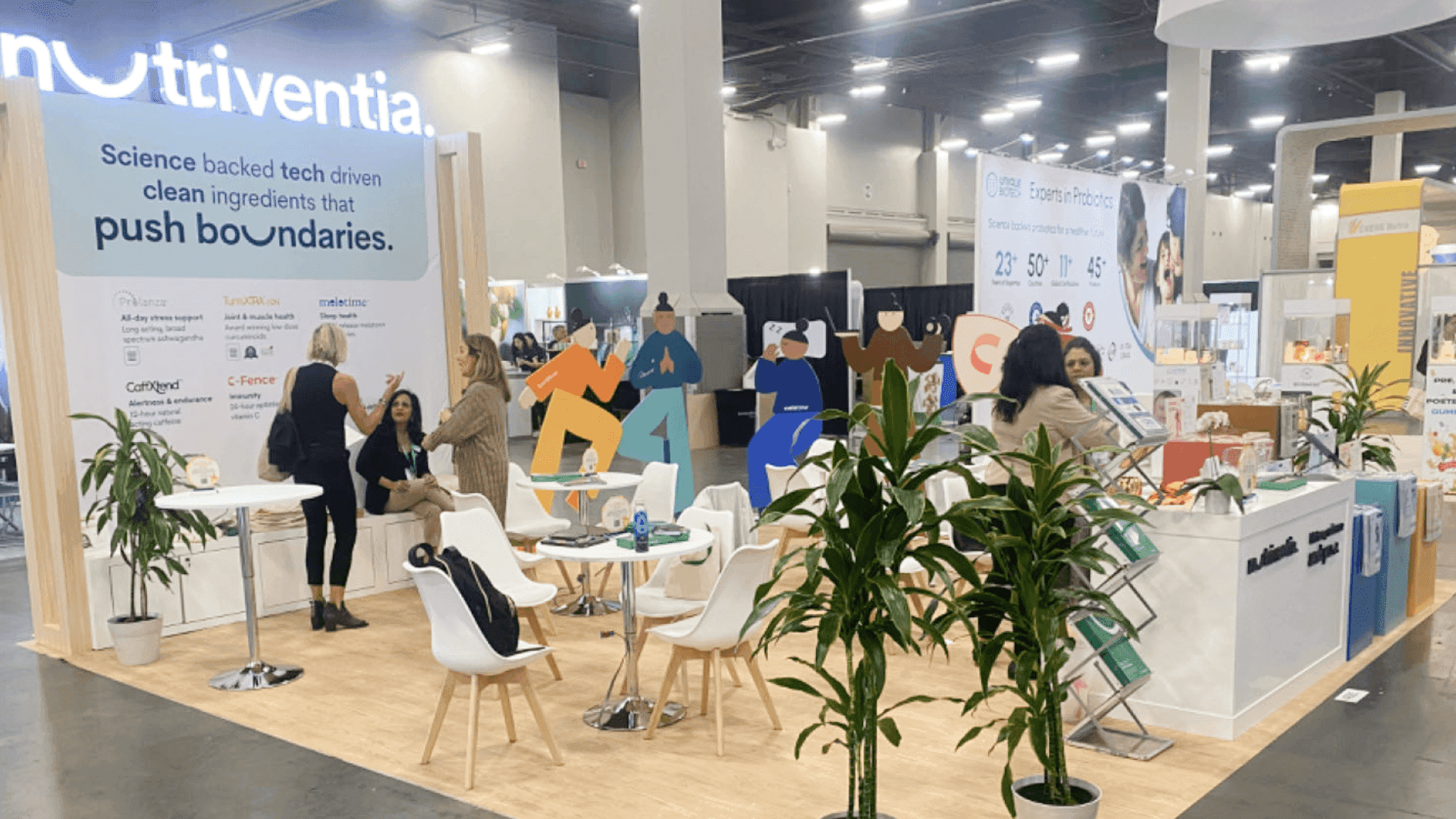

How should exhibitors plan a PACKage Printing Pavilion booth at PACK EXPO?
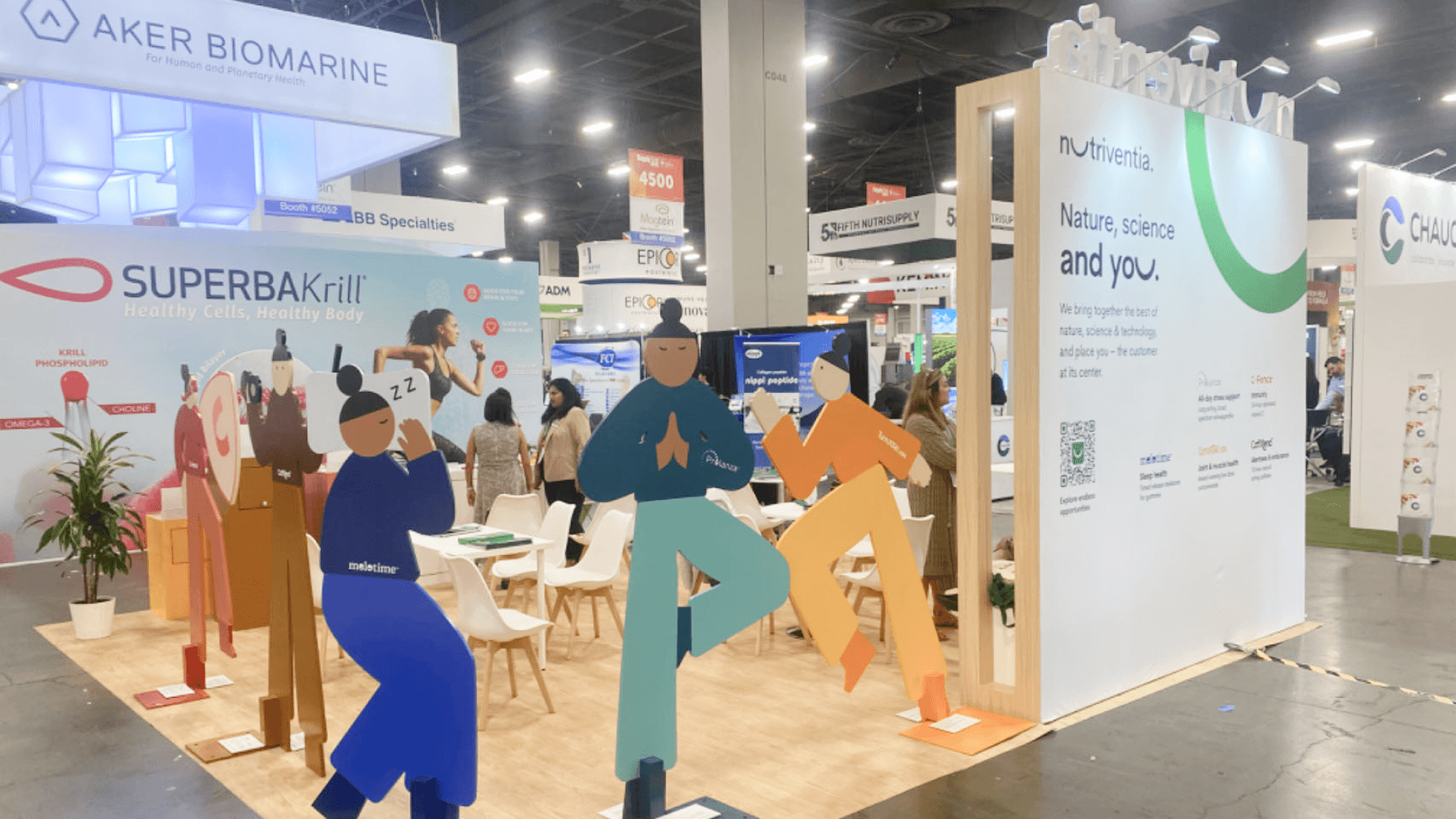
A PACKage Printing Pavilion booth should help buyers review print quality, labeling options, coding and marking systems, traceability features, variable data examples, and smart packaging applications up close. The booth needs controlled lighting, clean print sample walls, short graphics, and a practical review counter so visitors can compare printed details without visual clutter.
The PACKage Printing Pavilion at PACK EXPO is built around print quality, label clarity, and application detail. Buyers may be reviewing digital printing, coding and marking systems, traceability examples, variable data packaging, short-run packaging, smart packaging, and printed samples that need close comparison.
A booth for this pavilion should make small details easy to inspect. Instead of relying only on large graphics, the layout should include organized sample areas, controlled lighting, clear category labels, and a counter where visitors can compare color, finish, material, data variation, and label application at a comfortable distance.
For broader show context, exhibitors can start with PACK EXPO booth planning. For print sample walls, labeling displays, storage, and buyer review space, 20x20 booth planning is often a practical fit. For product labels, print-focused visuals, and brand presentation, graphics and brand presentation support is the most relevant service path.
Why Exhibitors Choose Circle Exhibit
Clear scope, transparent quote review, nationwide booth support, and efficient setup planning for qualified rental and custom exhibit projects.
48hr
Setup Window
10+
Years Since 2014
U.S.
Trade Show Support
Real
Booth Project Proof
PACKage Printing Pavilion exhibitors should choose booth size around print sample volume, review distance, demo needs, buyer conversations, and how much explanation is needed for digital printing, labeling, converting, traceability, or smart packaging applications.
A 10x20 booth can work for a focused print sample line, labeling solution, or digital packaging application. It should use one clean sample wall, one buyer review counter, and precise graphics.
A 20x30 layout works well when the booth needs several print categories, smart packaging examples, converting solutions, labeling displays, or variable data packaging applications.
A 20x20 booth gives more room for print sample grouping, label review, short demos, storage, and buyer conversations.
An island booth is useful when the brand needs visibility from multiple aisles, larger graphics, several sample review areas, private meetings, or a more premium printing and packaging presentation.
For PACKage Printing exhibitors, the PACK EXPO booth planning article is useful when the team needs a wider view of booth size, product flow, graphics, logistics, and show-site preparation. This Pavilion page keeps the focus on the details buyers come to inspect closely: print samples, label clarity, color and finish, smart packaging examples, traceability messaging, and a review area that makes comparison easier.
A PACKage Printing Pavilion booth should make printed details easy to see and easy to compare. The display needs to support close review while still working from the aisle.
A print sample wall helps visitors scan labels, cartons, pouches, finishes, colors, substrates, and printed applications quickly. The display should be grouped by use case, print method, or application, not placed as a dense product gallery.
Print quality depends on details that can be hard to see under show lighting. The booth should use controlled lighting, clean spacing, and simple labels so buyers can review color, texture, finish, and material clearly.
Labeling, coding, marking, variable data, and traceability solutions need short, clear explanation. The booth should show what the solution does, where it fits, and why it matters without using too much technical copy.
Printed packaging often needs close inspection. A review counter gives buyers a place to touch samples, compare print details, ask questions, and move from quick interest to a qualified conversation.
The PACKage Printing Pavilion is focused on digital printing, converting, labeling, customization, short runs, on-demand packaging, traceability, variable data packaging, and smart packaging applications.
Visitors in this Pavilion often want to compare printed samples up close. They may look at color, finish, substrate, label clarity, data variation, packaging application, or how the printed piece supports brand presentation.
The booth should support close-up sample review, clear product grouping, short application explanation, good lighting, hidden storage, and a smooth path from aisle interest to buyer conversation.
Not Sure Which Booth Size You Need?
Not every exhibitor knows whether a 10x20, 20x20, 20x30, or larger booth is the right fit. Circle Exhibit can help review your event goals, product display needs, demo areas, meeting space, storage, budget scope, and setup timeline before you choose a booth size.
Color, Finish, and Texture Need Close Review
Labeling and Traceability Features Need Simple Explanation
1
Define the Main Print Story
2
3
4
Rental Booth for Print Sample Review
A rental booth can work when the exhibitor needs a clean structure, print sample wall, review counter, strong graphics, hidden storage, and a focused 10x20 or 20x20 layout. It is a good fit when the product story is clear and the display needs to stay organized.
Custom Build for Lighting and Print Detail Control
A custom build may be better when the booth needs specialty sample walls, integrated lighting, premium finishes, private meeting space, or multiple print and labeling application zones. This approach helps when buyers need to compare details closely and the booth must reflect print quality at every touchpoint.
Hybrid Booth for Labels, Samples, and Buyer Flow
For many PACKage Printing Pavilion exhibitors, a hybrid booth offers enough structure without becoming overbuilt. A rental base can be customized with print sample displays, controlled lighting, product labels, review counters, and storage so buyers can compare printed pieces clearly.
Printed samples, labels, cartons, flexible packaging, and display pieces should be packed and installed in a clear order.
Print samples can look different under show lighting. The team should review whether colors, finishes, and fine details read clearly.
Extra samples, catalogs, inserts, and sales sheets should stay close to the team but out of visitor view.
Before the show opens, the team should check whether sample counters, walls, labels, and product groupings feel clean and easy to follow.
Need a PACKage Printing Booth Rental for PACK EXPO?
A rental-based booth can work well for PACKage Printing Pavilion exhibitors when the layout is customized around print sample walls, review counters, controlled lighting, clean graphics, hidden storage, and buyer comparison flow.
What type of booth works well for PACKage Printing Pavilion exhibitors?
A 10x20 booth can work for a focused print or labeling solution, while a 20x20 booth is often better when the exhibitor needs sample walls, a review counter, storage, and room for buyer conversations.
How should printed samples and labels be displayed at PACK EXPO?
Why is lighting important for a package printing booth?
Can a rental booth work for package printing exhibitors?
What should exhibitors prepare before finalizing the booth design?
READY TO PLAN YOUR NEXT BOOTH?
Let’s Build a Booth That Fits Your Event
Share your event name, booth size, city, timeline, product display needs, and design references. Circle Exhibit will review your project direction and help you choose a rental-friendly or custom exhibit path.
3000+
Booth Projects Supported
50+
U.S. Event Cities
Transparent
Quote Review
Use the main PACK EXPO event page for broader packaging and processing booth planning, show context, and related Pavilion or Zone booth planning.
Use this page when the booth needs a print sample wall, review counter, hidden storage, controlled lighting, and enough space for buyer conversations.
Use this service page when print samples, application labels, brand graphics, and buyer-facing messaging need to be clearer and more consistent.
Use this page for local booth planning and show-site support around Chicago trade shows and McCormick Place execution.
Use this service page when the booth involves printed samples, display fixtures, graphics, storage, freight timing, and setup planning before the show opens.