Enterprise Connect Contact Center Booth Planning for CX Exhibitors

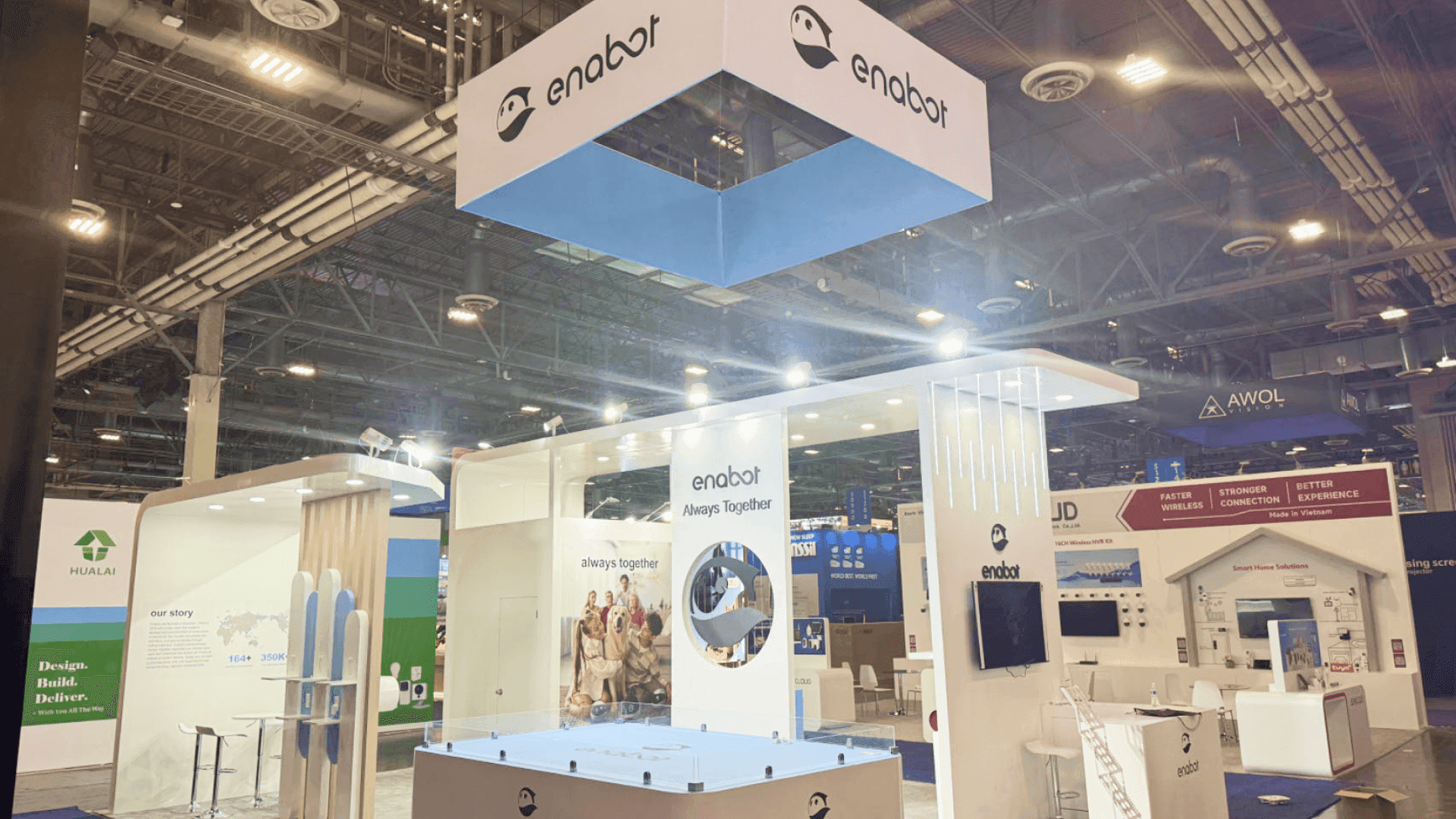


How should contact center vendors plan an Enterprise Connect booth?
Build the contact center booth around a customer issue visitors can trace from first contact through routing, agent action, and resolution. Add an agent-side demonstration and clearly labeled outcome evidence. Allow CX and IT specialists to discuss the buyer’s requirements away from the public presentation, so the journey stays visible while consultations take place.
A customer starts with a chat message, then calls expecting the agent to see the earlier exchange. For a contact center as a service (CCaaS) provider that maintains context across channels, that handoff makes a useful Enterprise Connect demonstration. Buyers can follow the routing, agent response, and resolution, giving them a clearer basis for evaluation than a feature list.
A 10x20 booth can present one guided customer journey and leave room for brief questions. A 20x20 footprint can place the agent display apart from a small consultation area. If scheduled meetings overlap with live demonstrations, a 20x30 footprint gives each activity more breathing room. Those size choices should follow the full Enterprise Connect booth plan, including other product demonstrations, meeting needs, staffing, and the rental-versus-custom direction.
At MGM Grand, position the agent display where visitors can follow the workflow without placing buyer conversations next to active demo audio. Check seating, sound bleed, screen visibility, and approved sample data before signing off on the layout.
Why Exhibitors Choose Circle Exhibit
Clear scope, transparent quote review, nationwide booth support, and efficient setup planning for qualified rental and custom exhibit projects.
48hr
Setup Window
10+
Years Since 2014
U.S.
Trade Show Support
Real
Booth Project Proof
A contact center demo must stay understandable while buyers ask what the system means for their own operations. Size follows simultaneous presentations, consultations, and the privacy required.
A screen-led journey and standing questions may fit. A seated buyer evaluation would leave little room around the main display.
Booked consultations can continue while another group watches the journey. 20x30 booth planning helps assess furniture, sightlines, and staff routes.
Keep the agent display visible while a small consultation area handles follow-up questions. Seating must not block the demo screen.
Expand when scheduled meetings require distinct areas or more separation. A larger open booth alone will not provide confidentiality.
A channel list cannot show whether the agent receives the work already completed in chat. The CCaaS cross-channel demo follows one customer into voice support, making the routing decision, pre-call context, resolution, and case update visible as one journey. That workflow helps determine what buyers need to see and what the demo team must operate.
The display should move from a recognizable customer request to the agent’s work and a result a buyer can assess.
Trace the inquiry, channel transfer, agent response, and resolution in one graphic buyers can follow at a glance.
Show the approved agent view, the customer context, and the action that closes or escalates the issue.
Label verified results, simulated dashboards, and illustrative figures separately, so buyers know what has been measured.
Keep technical and operational discussions away from the audience; add seating when meeting length justifies it.
This exhibitor scenario shows how a service request moves through channels, agent action, and resolution.
The parent event runs March 23–25, 2027, at MGM Grand in Las Vegas.
Relevant visitors include customer service leaders, contact center managers, and enterprise IT teams.
Not Sure Which Booth Size You Need?
Not every exhibitor knows whether a 10x20, 20x20, 20x30, or larger booth is the right fit. Circle Exhibit can help review your event goals, product display needs, demo areas, meeting space, storage, budget scope, and setup timeline before you choose a booth size.
No Visible Resolution
Metrics Without Context
1
Choose a Complete Service Case
2
3
4
Rental for Open Journey Demos
A Las Vegas rental exhibit can accommodate agent screens, journey graphics, and standard consultation furniture.
Custom for Integrated Displays
Connected screens or a purpose-built briefing enclosure may require exhibit design and engineering. Privacy still depends on the layout and venue rules.
Modular for Changing Meeting Needs
Reusable partitions and furniture can adapt to different meeting schedules while preserving the public demo view.
Review current MGM Grand and organizer rules on furniture, partitions, electrical service, and display structures.
Run the agent demo and check whether nearby meeting participants can hear each other clearly.
Confirm delivery and installation owners for screens, demo devices, seating, and partition components.
Open the demo account, check for sensitive data, and verify staff assignments for scheduled consultations.
Contact Center Rental Booths for Demos and Consultations
Show the customer journey without letting buyer meetings interrupt the demonstration. Circle Exhibit can configure rental booths with agent-side screens, journey graphics, and consultation furniture. A 20x20 or 20x30 footprint may help separate public demos from scheduled discussions, depending on the assigned layout. Our team can plan the display and meeting areas around visitor flow, audio, and privacy requirements, with local installation support.
How should a booth demonstrate channel continuity?
Follow one service request between channels and show how the agent receives the earlier context, if the product supports that capability.
Can illustrative service metrics be displayed?
What should be shown publicly versus during a buyer consultation?
Does an enterprise contact center booth need an enclosed meeting room?
How do staff avoid exposing customer information during demos?
READY TO PLAN YOUR NEXT BOOTH?
Let’s Build a Booth That Fits Your Event
Share your event name, booth size, city, timeline, product display needs, and design references. Circle Exhibit will review your project direction and help you choose a rental-friendly or custom exhibit path.
3000+
Booth Projects Supported
50+
U.S. Event Cities
Transparent
Quote Review
Revisit overall size and build choices if buyer meetings change the initial booth requirements.
Check meeting furniture, sightlines, and staff access before committing to a larger footprint.
Compare rental layouts that separate agent demos from small consultations.
Assess integrated screens or structural needs beyond a standard modular journey display.
Explore rental furniture, partitions, screens, and graphics after meeting capacity is confirmed.










