Professional AV, Conferencing and Collaboration, Digital Signage, Broadcast AV, Live Event Technology, Enterprise IT, Audio Systems, Video Systems, Control Systems, Immersive AV

Professional AV, Conferencing and Collaboration, Digital Signage, Broadcast AV, Live Event Technology, Enterprise IT, Audio Systems, Video Systems, Control Systems, Immersive AV

InfoComm Booth Planning
📍

Las Vegas

·

NV

·

US

🌆

Las Vegas Convention Center

📅

-

  • 📍

    Las Vegas

    ·

    NV

    ·

    US

  • 🌆

    Las Vegas Convention Center

  • 📅

    -

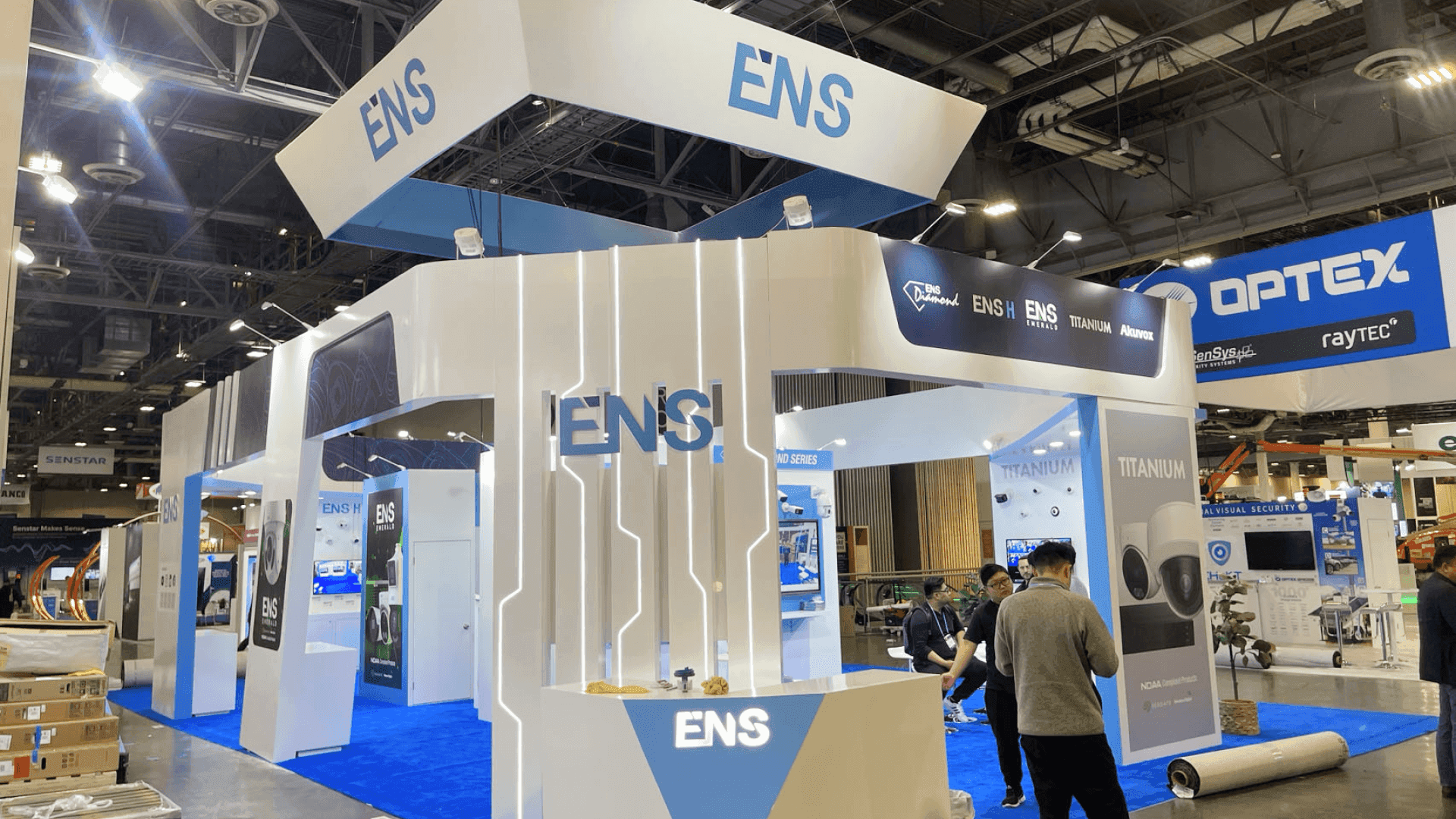
20x30 pro AV booth at Las Vegas Convention Center prepared for live demos and technical buyer conversations
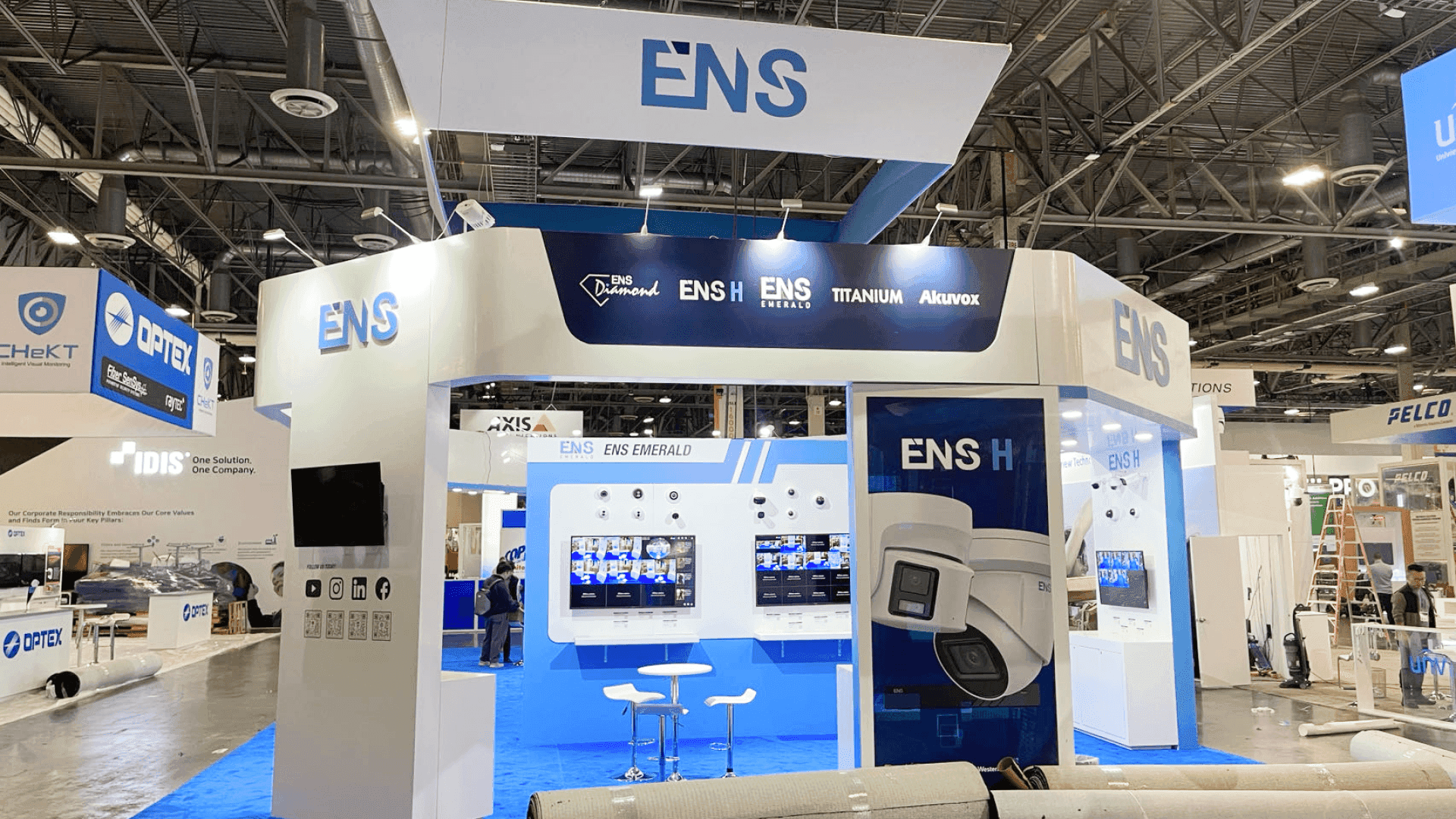
Digital signage display booth at Las Vegas Convention Center arranged with branded system graphics and open-entry demo layout
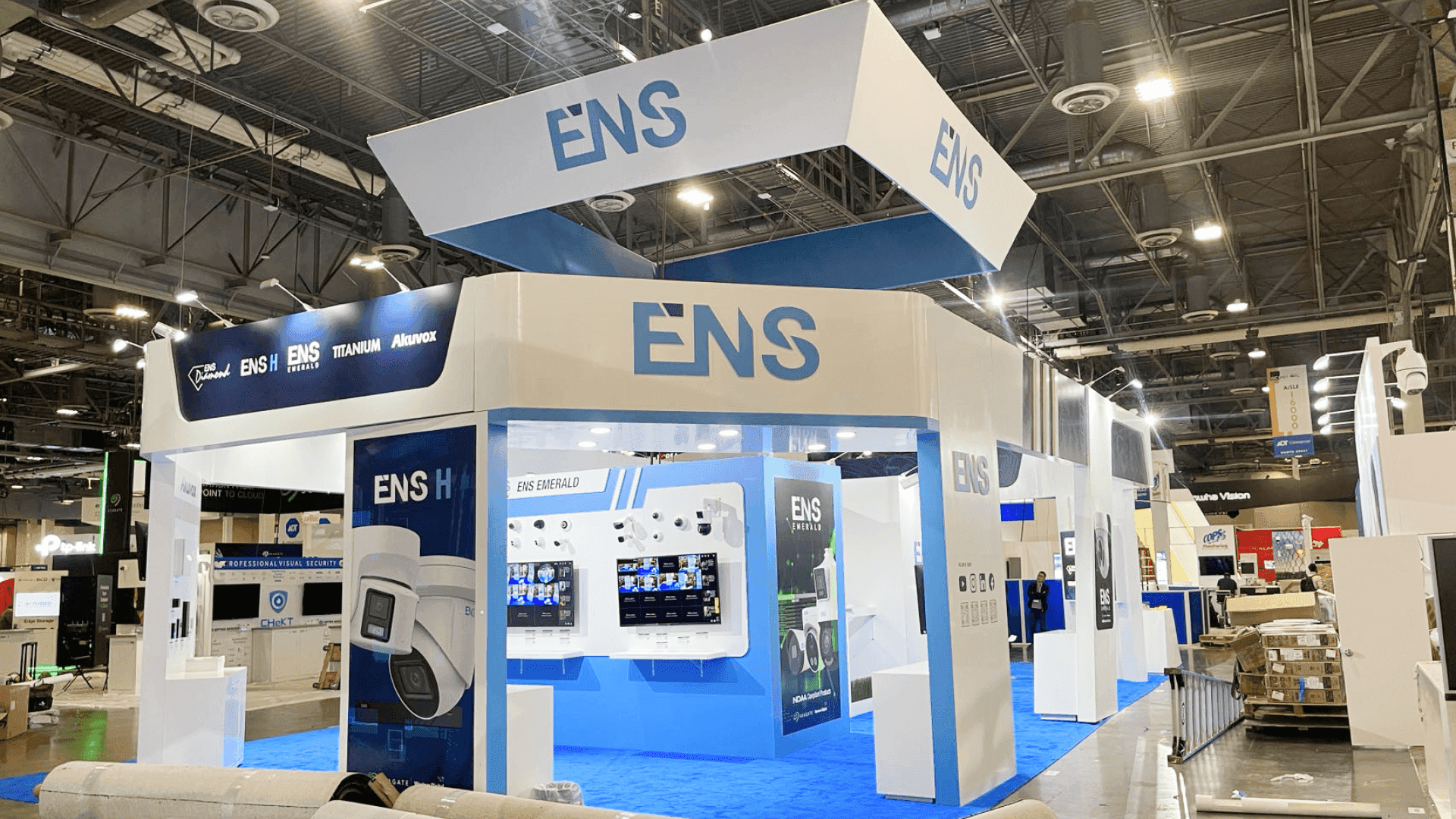
Conferencing and collaboration booth at Las Vegas Convention Center set with monitor array and conversation-led meeting area

InfoComm 20x30 Pro AV Booth — Built for Live Demo Systems and Technical Conversations

20x30 pro AV booth at Las Vegas Convention Center prepared for live demos and technical buyer conversations
Digital signage display booth at Las Vegas Convention Center arranged with branded system graphics and open-entry demo layout
Conferencing and collaboration booth at Las Vegas Convention Center set with monitor array and conversation-led meeting area

InfoComm 20x30 Pro AV Booth — Built for Live Demo Systems and Technical Conversations

OVERVIEW

OVERVIEW

InfoComm brings pro AV manufacturers, conferencing and collaboration providers, digital signage companies, broadcast AV teams, and enterprise technology exhibitors to the Las Vegas Convention Center for a show built around integrated system demos, technical comparison, and real buyer evaluation. At this event, working with a Las Vegas trade show booth builder matters because the booth has to do more than create visual impact from the aisle. It needs to help buyers understand how audio, video, control, collaboration, and IT systems fit together in real environments without making the presentation feel like a wall of disconnected hardware.

What makes InfoComm different is the show-floor rhythm. AVIXA says the 2026 event is organized around “Work” and “Play,” with exhibits in Central and North Hall and education in the West Hall Meeting Rooms, so attendees are moving between conferencing, digital signage, enterprise IT, broadcast AV, lighting, staging, and live event technologies with very little patience for messy layouts or unclear category stories. For many exhibitors, a 20x30 trade show booth is the right footprint because it gives enough room for display walls, demo stations, branded system graphics, and a focused buyer conversation area without making the space feel blocked or overly dense.

Execution at InfoComm is driven by sightlines, screen flow, cable discipline, and keeping multiple live technologies readable at once. The booth has to support active demos without turning chaotic, and it has to make integrated AV feel practical instead of overexplained. Strong graphics and brand presentation helps structure product groups, clarify system applications, and keep the booth easy to scan after attendees have already walked through dozens of pro AV, broadcast, and collaboration displays in the same day.

Why Exhibitors Choose Circle Exhibit

Clear scope, transparent quote review, nationwide booth support, and efficient setup planning for qualified rental and custom exhibit projects.

48hr

Setup Window

10+

Years Since 2014

U.S.

Trade Show Support

Real

Booth Project Proof

Event Facts

Event Facts

A major North American event for professional AV

A major North American event for professional AV

InfoComm is one of the core annual trade shows for the professional audiovisual industry, bringing together manufacturers, integrators, technology managers, and solution providers across audio, video, control, and collaboration.

Held at the Las Vegas Convention Center in 2026

Held at the Las Vegas Convention Center in 2026

The 2026 edition takes place at the Las Vegas Convention Center, with education running June 13 to 19 and exhibits running June 17 to 19 across North and Central Halls.

Built around integrated AV in real-world applications

Built around integrated AV in real-world applications

InfoComm focuses on how audio, video, lighting, control, conferencing, and enterprise IT technologies come together in workplace, retail, education, entertainment, and broadcast environments.

Not Sure Which Booth Size You Need?

Not every exhibitor knows whether a 10x20, 20x20, 20x30, or larger booth is the right fit. Circle Exhibit can help review your event goals, product display needs, demo areas, meeting space, storage, budget scope, and setup timeline before you choose a booth size.

Exhibiting Challenges

Exhibiting Challenges

Showing multiple AV categories without losing booth clarity

Showing multiple AV categories without losing booth clarity

Many exhibitors need to present displays, audio products, control systems, collaboration tools, and broadcast workflows together, so the booth can become visually fragmented unless categories are organized clearly.

Many exhibitors need to present displays, audio products, control systems, collaboration tools, and broadcast workflows together, so the booth can become visually fragmented unless categories are organized clearly.

Balancing live demos with readable technical messaging

Demo stations attract attention, but too many active screens, devices, and signals can make the booth feel noisy if the visual hierarchy is not planned carefully.

Demo stations attract attention, but too many active screens, devices, and signals can make the booth feel noisy if the visual hierarchy is not planned carefully.

Making integrated systems easy to understand from the aisle

Visitors need to grasp quickly how products connect across signal flow, control, collaboration, or content delivery without reading dense technical panels before they stop.

Visitors need to grasp quickly how products connect across signal flow, control, collaboration, or content delivery without reading dense technical panels before they stop.

Managing cables, power, and monitor arrays cleanly

Managing cables, power, and monitor arrays cleanly

Screens, controllers, lighting elements, speakers, and live demo hardware all require disciplined routing and support surfaces so the booth feels engineered rather than improvised.

Screens, controllers, lighting elements, speakers, and live demo hardware all require disciplined routing and support surfaces so the booth feels engineered rather than improvised.

Supporting technical conversations inside active demo traffic

Supporting technical conversations inside active demo traffic

Buyers often want a deeper product discussion right after a live demo, so the layout needs a place for focused conversation without disrupting the rest of the booth.

Buyers often want a deeper product discussion right after a live demo, so the layout needs a place for focused conversation without disrupting the rest of the booth.

Differentiating one AV solution from similar adjacent categories

Differentiating one AV solution from similar adjacent categories

Conferencing, signage, control, broadcast, collaboration, and enterprise AV can overlap heavily, so the booth needs a clear category story to avoid blending into surrounding exhibitors.

Conferencing, signage, control, broadcast, collaboration, and enterprise AV can overlap heavily, so the booth needs a clear category story to avoid blending into surrounding exhibitors.

Preparation Steps

Preparation Steps

1

Start with the AV use case the booth needs to explain

Define whether the booth is centered on conferencing, digital signage, broadcast workflows, collaboration, control, or live event technology so visitors can understand the solution category quickly.

Define whether the booth is centered on conferencing, digital signage, broadcast workflows, collaboration, control, or live event technology so visitors can understand the solution category quickly.

2

Plan the booth around demo, display, and conversation zones

Plan the booth around demo, display, and conversation zones

Separate active demo areas, branded explanation surfaces, and buyer conversation space so the booth stays readable when several technologies are running at once.

Separate active demo areas, branded explanation surfaces, and buyer conversation space so the booth stays readable when several technologies are running at once.

3

Use graphics to explain system integration, not just branding

Use graphics to explain system integration, not just branding

Support the booth with concise messaging that helps visitors understand how products connect across audio, video, control, and IT applications in real environments.

Support the booth with concise messaging that helps visitors understand how products connect across audio, video, control, and IT applications in real environments.

4

Sequence install around structure, screens, and signal setup

Sequence install around structure, screens, and signal setup

Set walls, counters, mounting points, lighting, and branded graphics first, then complete displays, demo hardware, and final cable control so the booth opens cleanly.

Set walls, counters, mounting points, lighting, and branded graphics first, then complete displays, demo hardware, and final cable control so the booth opens cleanly.

Local Execution Notes

Local Execution Notes

Large AV booths depend on clean technical staging at LVCC

Large AV booths depend on clean technical staging at LVCC

At InfoComm, exhibitors benefit from resolving monitor placement, demo flow, and cable routing early so installation does not become a last-minute technical patch on the floor.

Screen visibility matters as much as structure

Screen visibility matters as much as structure

Because so much communication happens through displays and live content, poor sightlines or cluttered screen placement can weaken booth performance quickly.

Integrated AV messaging needs disciplined hierarchy

Integrated AV messaging needs disciplined hierarchy

When several categories are presented together, the booth works better when product grouping and messaging order are decided before graphics production begins.

InfoComm Booth Rental Planning for AV and Technology Demos

InfoComm exhibitors can use a customizable rental booth to support AV demos, screen displays, product counters, branded graphics, meeting areas, storage, and controlled visitor flow. 20x20 and 20x30 rental layouts are often practical for technology brands that need demo visibility, buyer conversations, and Las Vegas show-site setup support without a fully custom island build.

Frequently Asked Questions

Frequently Asked Questions

Frequently Asked Questions

What booth size works well for InfoComm exhibitors?

For many pro AV exhibitors, 20x30 booths work well because they provide enough room for display systems, demo counters, branded system graphics, and buyer discussions without making the booth feel overcrowded.

Can a rental booth work for InfoComm?

What matters most in an InfoComm booth layout?

READY TO PLAN YOUR NEXT BOOTH?

Let’s Build a Booth That Fits Your Event

Share your event name, booth size, city, timeline, product display needs, and design references. Circle Exhibit will review your project direction and help you choose a rental-friendly or custom exhibit path.

3000+

Booth Projects Supported

50+

U.S. Event Cities

Transparent

Quote Review

InfoComm logo
InfoComm

InfoComm 2026

Event Time

-

Venue

Las Vegas Convention Center

Organizer

AVIXA

Exhibitor Scale

750+ exhibiting companies across professional AV, conferencing and collaboration, digital signage, broadcast AV, enterprise IT, immersive environments, audio, lighting, control, and live event technologies

Audience Type

AV integrators, technology managers, systems designers, enterprise IT teams, broadcast professionals, live event producers, consultants, engineers, education technology teams, and solution buyers across workplace, retail, sports, and entertainment environments

Typical Booth Size

20x20, 20x30, and 30x30 booths for display walls, demo stations, monitor arrays, collaboration zones, lighting or audio showcases, and buyer meeting areas

Related Case Studies

Related Case Studies

Related Case Studies