AFCEA WEST Cybersecurity Booth Planning


How should exhibitors plan an AFCEA WEST cybersecurity booth?
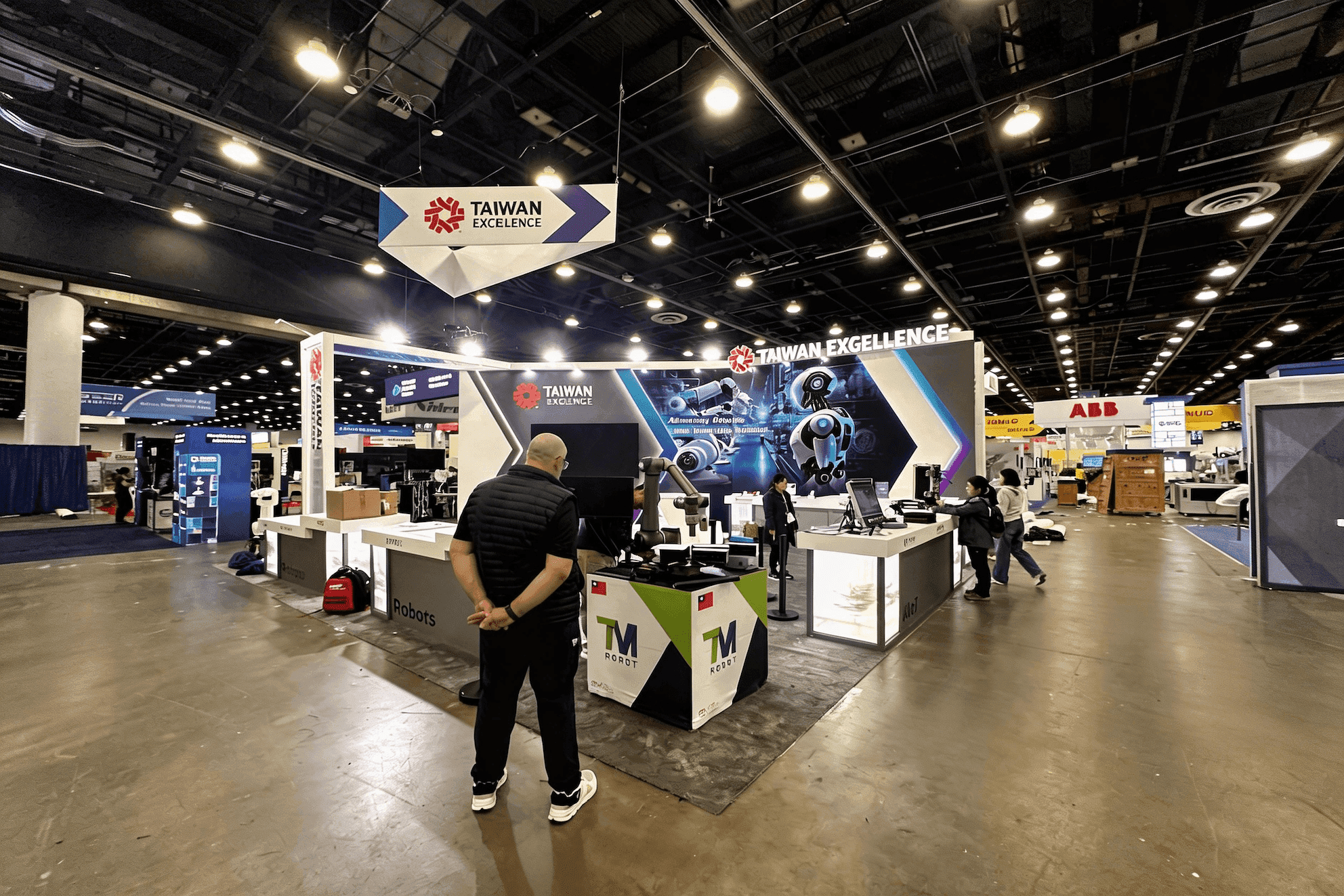
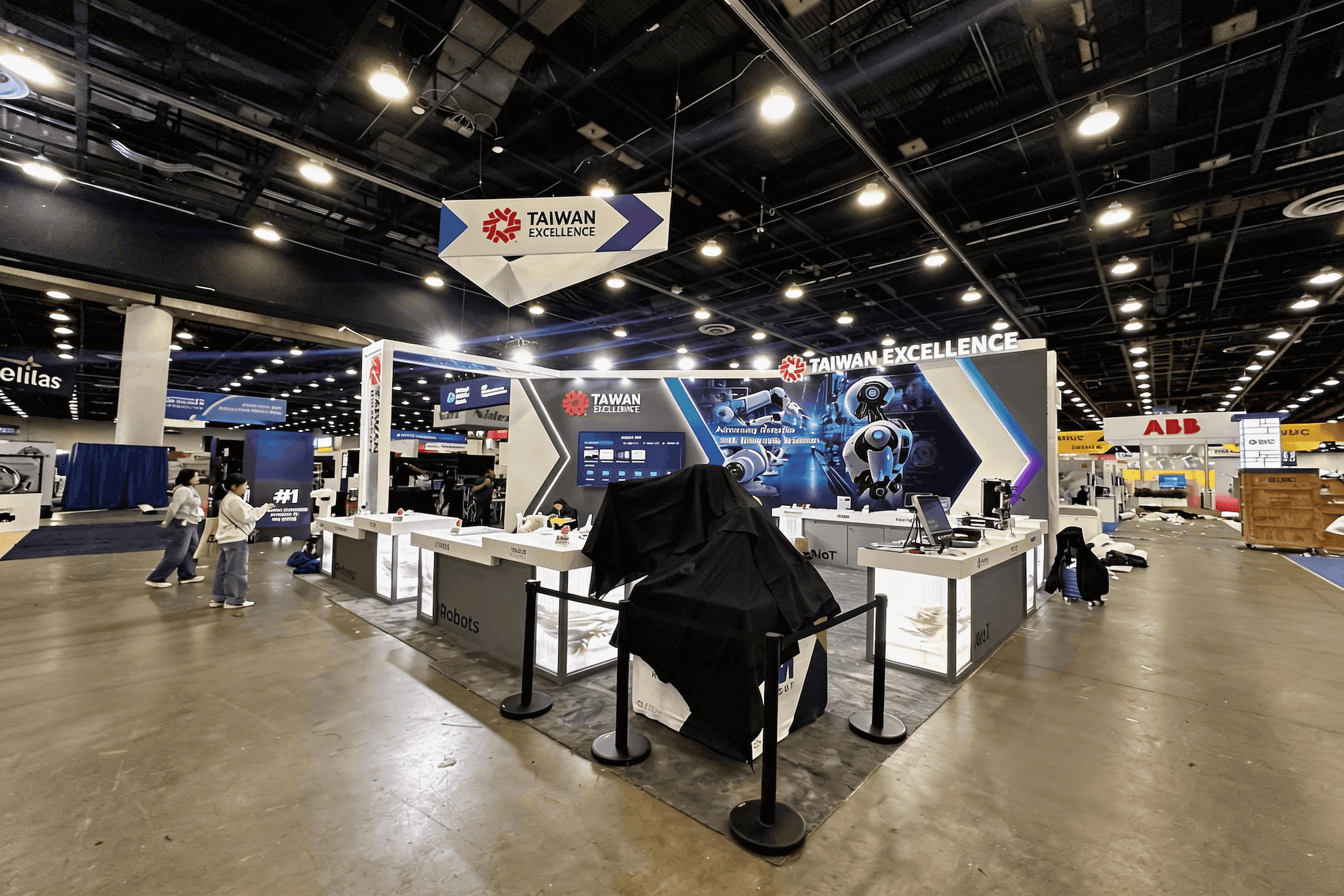
An AFCEA WEST cybersecurity booth should make secure communications, defense software, and command workflow products easy to understand in a short demo. Exhibitors should plan clear screen placement, workflow labels, use case graphics, hidden storage, and space for technical buyer conversations. The booth should show how the product supports mission needs instead of relying on broad cybersecurity claims.
Cybersecurity exhibitors at AFCEA WEST often need to make secure communications, defense software, command workflows, and mission-focused platforms understandable within a short technical conversation. Visitors may first want to see what the system protects or enables, then follow the workflow on screen before moving into questions about integration, deployment, data protection, or operational use.
Effective trade show exhibit design and build support can turn those requirements into a clearer demo environment where screens, counters, storage, staff positions, and visitor flow work together. A 20x20 booth can support one primary software or communications demo with a focused discussion area, while a 20x30 booth gives exhibitors more room to separate multiple screens, workflow demonstrations, and longer technical conversations.
AFCEA WEST also sits within the broader defense cybersecurity trade show environment, where cybersecurity is often evaluated alongside communications, command systems, infrastructure, and mission requirements. The strongest exhibits make it easy for visitors to move from a high-level use case into the technical workflow without turning the booth into a wall of screens, labels, and competing product claims.
Why Exhibitors Choose Circle Exhibit
Clear scope, transparent quote review, nationwide booth support, and efficient setup planning for qualified rental and custom exhibit projects.
48hr
Setup Window
10+
Years Since 2014
U.S.
Trade Show Support
Real
Booth Project Proof
Cybersecurity exhibitors should choose booth size around the demo experience. A focused software product may only need one or two screens and a clean conversation area, while a more complex secure communications or command workflow platform may need multiple demo stations, private discussions, and more control over visitor flow.
A 10x20 booth can work when the exhibitor has one clear product story, one main screen, a demo counter, and concise graphics. It is best for a focused secure communications or cybersecurity software demo.
A 20x30 booth is useful when the product has several workflows, multiple screens, or a more involved demo sequence. It gives the team enough space for standing demos, meeting space, storage, and guided product explanation.
A 20x20 booth gives more room for screen visibility, workflow explanation, hidden storage, and technical conversations. This size is a strong fit when the team needs to separate quick booth traffic from more serious product discussions.
An island booth may be better for larger secure communications platforms, command workflow systems, or enterprise defense software exhibitors that need several demo areas, stronger visibility, and more controlled buyer conversations.
For cybersecurity and secure communications exhibitors, the AFCEA WEST booth planning article helps connect the software demo with the full booth plan. It covers layout, demo areas, graphics, booth size, logistics, and San Diego show-site preparation, then relates those details back to screen visibility, workflow explanation, storage, staff movement, and technical buyer conversations.
Cybersecurity booths at AFCEA WEST should make technical products easier to evaluate. The display needs to support screen-based demos, workflow explanation, secure communications messaging, and conversations that may involve technical, operational, and procurement questions.
Cybersecurity and secure communications products often depend on screen-based explanation. Visitors should be able to see the interface, workflow, or use case clearly without crowding the aisle.
The booth should explain what the tool does and where it fits. Short workflow graphics can help visitors understand the product before the team moves into technical details.
Some buyers may ask about integration, deployment, security, compliance, or mission fit. A quieter side area helps staff continue those conversations without disrupting the main demo.
Software booths still need storage for devices, adapters, printed materials, demo tools, and sales items. Clean storage and cable control help the booth feel more credible and easier to follow.
AFCEA WEST attracts defense, government, military, and industry audiences where cybersecurity, secure communications, command workflows, and mission-focused technology can become part of booth conversations.
The event takes place at the San Diego Convention Center, where exhibitors should plan screen setup, demo counters, storage, freight timing, installation sequence, and final show-site checks before opening.
The booth should support readable screens, clear workflow messaging, concise product graphics, hidden storage, and space for technical buyer conversations around secure communications and defense software.
Not Sure Which Booth Size You Need?
Not every exhibitor knows whether a 10x20, 20x20, 20x30, or larger booth is the right fit. Circle Exhibit can help review your event goals, product display needs, demo areas, meeting space, storage, budget scope, and setup timeline before you choose a booth size.
Screens Carry Most of the Product Story
Workflow Context Matters
1
Start with the Main Cybersecurity Use Case
2
3
4
Rental Booth for Focused Cybersecurity Software Demos
A rental booth works well when the product story is clear and the team needs a clean structure, one or two screens, a demo counter, concise graphics, and hidden storage. It keeps the booth practical while giving visitors enough space to understand the software quickly.
Custom Build for Secure Communications Platforms
A custom build is stronger when the booth needs several demo stations, private meeting areas, integrated lighting, controlled screen placement, or a more guided software story. It gives the team more control over how visitors move from a quick overview into technical evaluation.
Hybrid Booth for Workflow Screens and Buyer Conversations
A hybrid booth can keep the main structure efficient while customizing the parts visitors use most: screen placement, workflow graphics, demo counters, storage, and meeting space. This works well when the booth needs to feel specific without becoming oversized.
Before visitors arrive, the team should check screen visibility, demo content, cables, lighting, and whether the product story is easy to understand from the aisle.
Cybersecurity booths may need laptops, adapters, printed materials, demo devices, meeting notes, and sales tools. Hidden storage keeps these items accessible without cluttering the booth.
Staff should be able to move visitors from a quick screen demo into a more focused technical discussion without blocking the main demo counter or aisle-facing area.
Use case graphics, interface visuals, product labels, and screen content should be reviewed at the distance visitors will actually stand during the show.
Need an AFCEA WEST Cybersecurity Booth Rental or Demo Exhibit Plan?
AFCEA WEST cybersecurity exhibitors often need a booth that makes software feel practical: clear screens, workflow graphics, demo counters, hidden storage, and space for technical conversations. A rental-based booth can work for focused demos, while a hybrid approach may be better when the product has several workflows or secure communications use cases.
What type of booth works well for AFCEA WEST cybersecurity exhibitors?
A 10x20 booth can work for one focused software demo, while a 20x20 or 20x30 booth gives more room for screens, workflow explanation, storage, and technical buyer conversations.
How should secure communications products be presented in the booth?
Why is screen placement important for cybersecurity booths?
Is a 20x20 booth enough for an AFCEA WEST cybersecurity demo?
What should exhibitors confirm before finalizing the booth design?
READY TO PLAN YOUR NEXT BOOTH?
Let’s Build a Booth That Fits Your Event
Share your event name, booth size, city, timeline, product display needs, and design references. Circle Exhibit will review your project direction and help you choose a rental-friendly or custom exhibit path.
3000+
Booth Projects Supported
50+
U.S. Event Cities
Transparent
Quote Review
The main WEST page gives broader context for defense technology exhibitors planning booth size, demo zones, San Diego setup, graphics, and show-site execution.
For AFCEA WEST exhibitors who need rental booth support around San Diego show-site needs, branded graphics, storage, setup timing, and practical exhibit execution.
A 20x20 layout gives cybersecurity teams room for screen-based demos, hidden storage, product graphics, and technical buyer conversations without making the booth feel oversized.
Secure communications tools, workflow screens, product labels, and technical use case graphics need to be readable before a visitor starts a deeper demo conversation.
Circle Exhibit supports exhibitors with trade show exhibit design, build, graphics, logistics, and show-site execution for booths across U.S. events.