
More Labor Does Not Fix a Blocked Workfront
A workfront is the area where a crew can perform the next build task without being blocked by another activity, an unmet prerequisite, or a physical obstruction. If a booth has only one usable workfront, adding more installers does not automatically create more productive work; several people may simply compete for the same access, tools, floor space, or connection point.
Labor helps most when work can happen in parallel. When the next phase depends on one blocked condition, that constraint—not crew size—sets the pace.

Sequence conflicts and blocked access can leave crews busy without giving them a clear next task to complete.
Where Custom Booth Installation Loses Time
Field Bottleneck | What It Looks Like On Site | Why Work Slows | What Needs to Stay Protected |
|---|---|---|---|
Sequence conflict | Two tasks need the same area, access, or prerequisite | One crew waits or completed work has to be reopened | Access and task order for the next dependent phase |
Access congestion | Structure, tools, cases, or equipment block connection points or movement | Crew cannot reach the work or move components efficiently | Critical access paths and working clearances |
Material saturation | More components are open than the current phase can use | Time shifts from building to sorting, moving, and protecting material | Active work zone |
Finish work introduced too early | Graphics, trim, skins, or polished surfaces enter before structure is stable | Crew spends time protecting finished work or reopening it later | Stable structural conditions before finish work |
Component identification friction | Crew has to match parts, hardware, or sections on the floor | Paid labor is active but not productive | Clear identification and current field references |
Blocked dependency | The next task cannot begin because a prerequisite is incomplete | Additional crew gathers around the same bottleneck | A clear path to the next executable task |
These conditions often overlap. A sequence conflict can block access, blocked access can push materials into the wrong area, and congestion can make otherwise simple work take much longer.
Sequence Conflicts Create Waiting Even When Everyone Is Busy
A sequence conflict occurs when two tasks depend on the same space, access, or prerequisite in a way that prevents efficient progress. A wall may need to remain open for a connection another crew must reach later, or a screen mount may need to be completed before the surrounding finish closes access.
The result is not always obvious waiting. Crews may stay busy moving, protecting, adjusting, or temporarily installing work that will have to be revisited. A productive installation does not require every task to follow a rigid script, but physical dependencies have to be respected so completed work does not become the next obstacle.
Protect Critical Work Zones and Access Paths
An access path is the clear route needed to move people, tools, equipment, or booth components into and through the active work area. Access can disappear quickly when unfinished structure, open cases, ladders, technical equipment, and later-phase materials compete for the same floor space.
The critical route may be a narrow connection point, rear service area, screen opening, storage entrance, or path between structures—not necessarily the center of the booth. Once that route is blocked, crews spend time working around the problem instead of completing the build. Keeping critical paths open is part of installation productivity, not simply housekeeping.
Too Much Material in the Active Zone Can Reduce Productivity
Having materials on site only helps when the crew can use them. Opening or staging more booth components than the current phase needs can fill the installation area with cases, panels, graphics, hardware, protective material, and equipment.
The crew then spends time sorting, relocating, and protecting components that are not yet part of the active build. The issue is not simply whether material has arrived; it is whether the active work zone still gives the crew enough room to work efficiently.
Finish Work Should Not Enter an Unstable Work Zone
Once finished elements enter the work zone, the crew has to protect them. Graphics, decorative skins, trim, polished surfaces, lightboxes, and other finished components can restrict access, slow the movement of tools and structural parts, and make later corrections more difficult.
Finish work does not have to wait until every structural task across the booth is complete, but it should not occupy an area that still needs heavy adjustment, repeated access, or major structural work.
Field Crews Lose Time When They Have to Decode the Booth
Installation slows when the field crew has to figure out parts and hardware that should already be clear. Common examples include:
similar components with unclear identification;
hardware separated from the parts it belongs to;
orientation that is not obvious;
field references that do not match the shipped booth;
components that look interchangeable but are not;
parts that can only be identified after several cases are opened.
If the crew has to match parts, hardware, or orientations on the floor, that time has already been lost. Clear component IDs and reassembly references should be established during prebuild checks before shipping, not decoded during installation.
Diagnose the Bottleneck Before Adding More Labor
When installation falls behind, first check:
Is the next build task executable?
Is a prerequisite incomplete?
Is critical access blocked?
Is the active work zone overloaded with material?
Are two crews competing for the same space?
Is finished work restricting structural access?
Is the crew identifying parts instead of installing them?
If one of these conditions is blocking progress, adding installers may increase paid hours without creating more productive work.
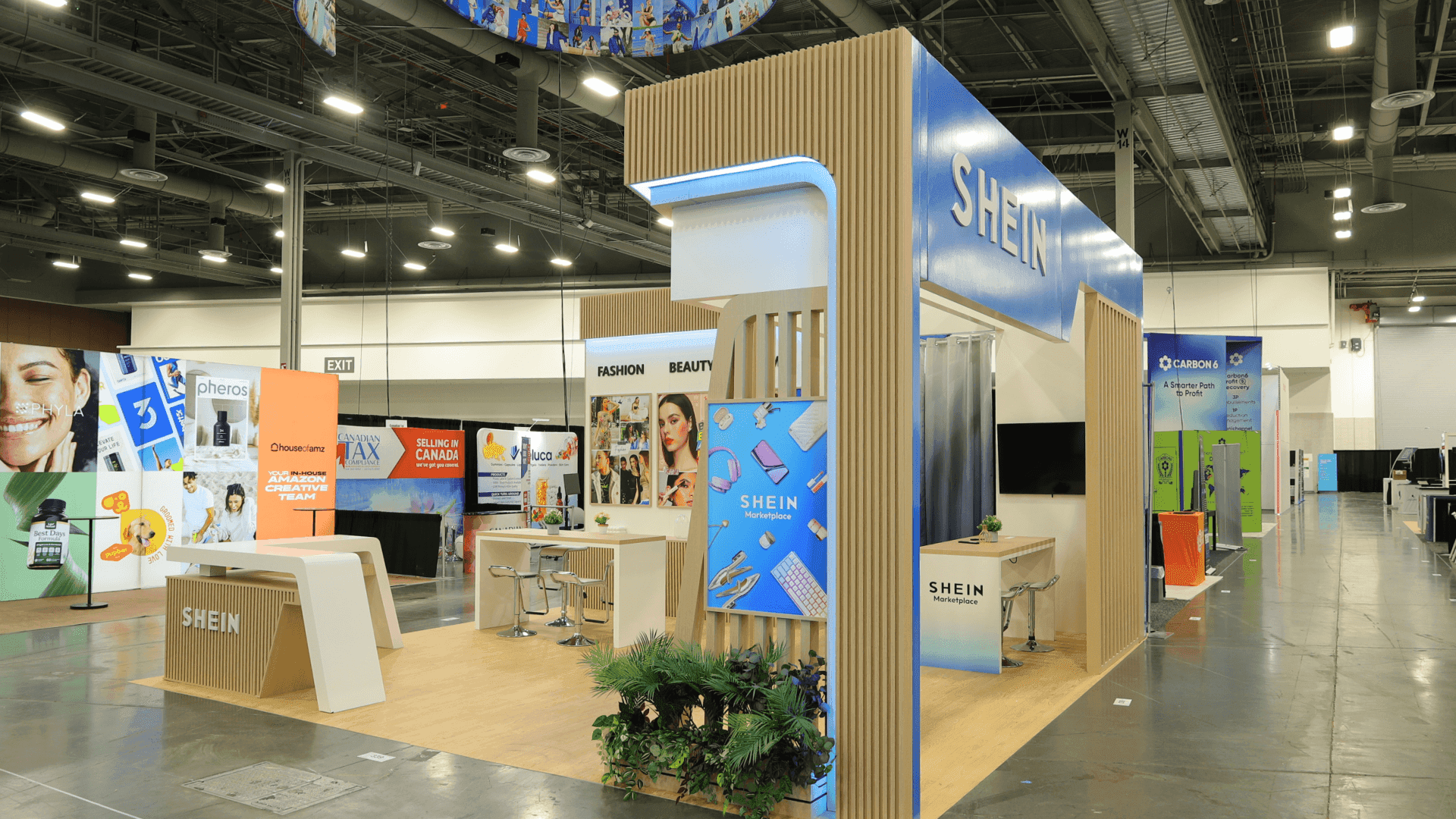
Keeping the active work zone clear and booth components easy to identify helps reduce sorting, moving, and avoidable installation delays.
Some Slowdowns Begin Before Move-In
Not every field bottleneck starts on the show floor. A booth may arrive with conflicting drawings, AV requirements, product details, material priorities, or service responsibilities that force the installation crew to resolve issues before work can continue.
Resolving those gaps through pre-show coordination before move-in keeps the field crew focused on installation rather than reconciling competing project information.
Waiting and Rework Can Push I&D Costs Higher
Once waiting or rework extends the setup window, the problem is no longer only operational. Extra labor hours, overlapping crews, reopened work, delayed technical services, and compressed schedules become installation and dismantle cost drivers, so a small field bottleneck can affect far more than the task that caused it.
Keep the Next Build Task Executable
A productive installation keeps a clear path to the next task the crew can actually complete. That means protecting access, limiting unnecessary material in the active zone, respecting physical dependencies, delaying vulnerable finish work until the surrounding area is stable, and making components easy to identify.
Visible activity is not the same as progress. When installation slows, the most useful question is:
What is preventing the next build task from being executed?
That question usually reveals more than simply asking whether the crew needs more people.
FAQ
Why does adding more labor not always speed up custom booth installation?
More labor only helps when additional tasks can happen in parallel. If access, sequence, materials, or a prerequisite blocks the next task, adding people can increase congestion without increasing productive work.
What is a sequence conflict during booth installation?
A sequence conflict occurs when two tasks depend on the same space, access point, or prerequisite and cannot progress efficiently at the same time. It can create waiting or force completed work to be reopened.
How can too much material on the floor slow installation?
When more components are open or staged than the current phase can use, crews spend time sorting, moving, protecting, and working around material instead of building the booth.
Can prebuild and pre-show coordination prevent installation slowdowns?
They can prevent many avoidable slowdowns. Prebuild catches physical fit, access, labeling, and assembly problems, while pre-show coordination catches cross-scope changes and handoff gaps before move-in.







