
Why Audience Experience Matters in a CES Product Demo Booth
A CES product demo booth should help visitors understand the product quickly. At CES, visitors see many new technologies in a short time, so the booth cannot rely only on product features or long staff explanations.
Audience experience connects booth layout, screen messaging, hands-on product demo areas, graphics, product access, and staff support. When these parts work together, the booth helps visitors move from first attention to product understanding.
For exhibitors planning a technology product demo booth, CES technology product demo booth planning should include how visitors see, touch, compare, and remember the product.
Turn Product Features Into Visitor Understanding
Many CES products are technical, but the booth message should not feel technical first. A strong CES interactive product demo booth turns product features into a clear visitor experience.
The booth should answer:
What does the product do?
Who is it for?
What problem does it solve?
What should visitors try, watch, or ask about?
What makes the product different?
This is especially important for a consumer-facing product demo. Visitors may not know the product category when they walk past. The headline, screen, display, and demo point should make the product easier to understand before a longer conversation begins.
Interactive Demo Zones Need a Clear Visitor Path
An interactive demo booth works best when visitors know what to do next. They should not have to guess whether to touch the product, watch the screen, scan a code, or wait for staff.
A simple CES booth visitor journey can look like this:
Visitor Step | Booth Support Needed |
|---|---|
First attention | Clear message visible from the aisle |
Product understanding | Screen, graphic, or short visual explanation |
Interaction | Hands-on product demo, sample, device, or guided experience |
Question | Staff support without blocking access |
Next step | Lead capture, product page, meeting handoff, or follow-up cue |
The goal is not to make the booth busy. The goal is to make the product experience easy to start and easy to understand.

A CES interactive product demo booth should give visitors a clear path from first attention to hands-on product understanding without making the booth feel crowded.
Screen Messaging and Product Storytelling
Screen messaging should explain the product quickly. A screen should not repeat a long brochure. It should show the use case, product outcome, interface, before-and-after comparison, or simple proof.
Transparency displays, layered graphics, and screen-based explanations can work well when the product is small, software-based, invisible, or hard to demonstrate physically. But the screen should support the demo, not compete with it.
Strong screen messaging usually includes:
one clear product statement
simple use case language
short motion or visual proof
limited text
a clear connection to the demo point
one next-step cue
That is why graphics and brand presentation support should be planned around booth behavior, not just visual style. Graphics, screens, and booth storytelling should help visitors know where to look and what to do next.
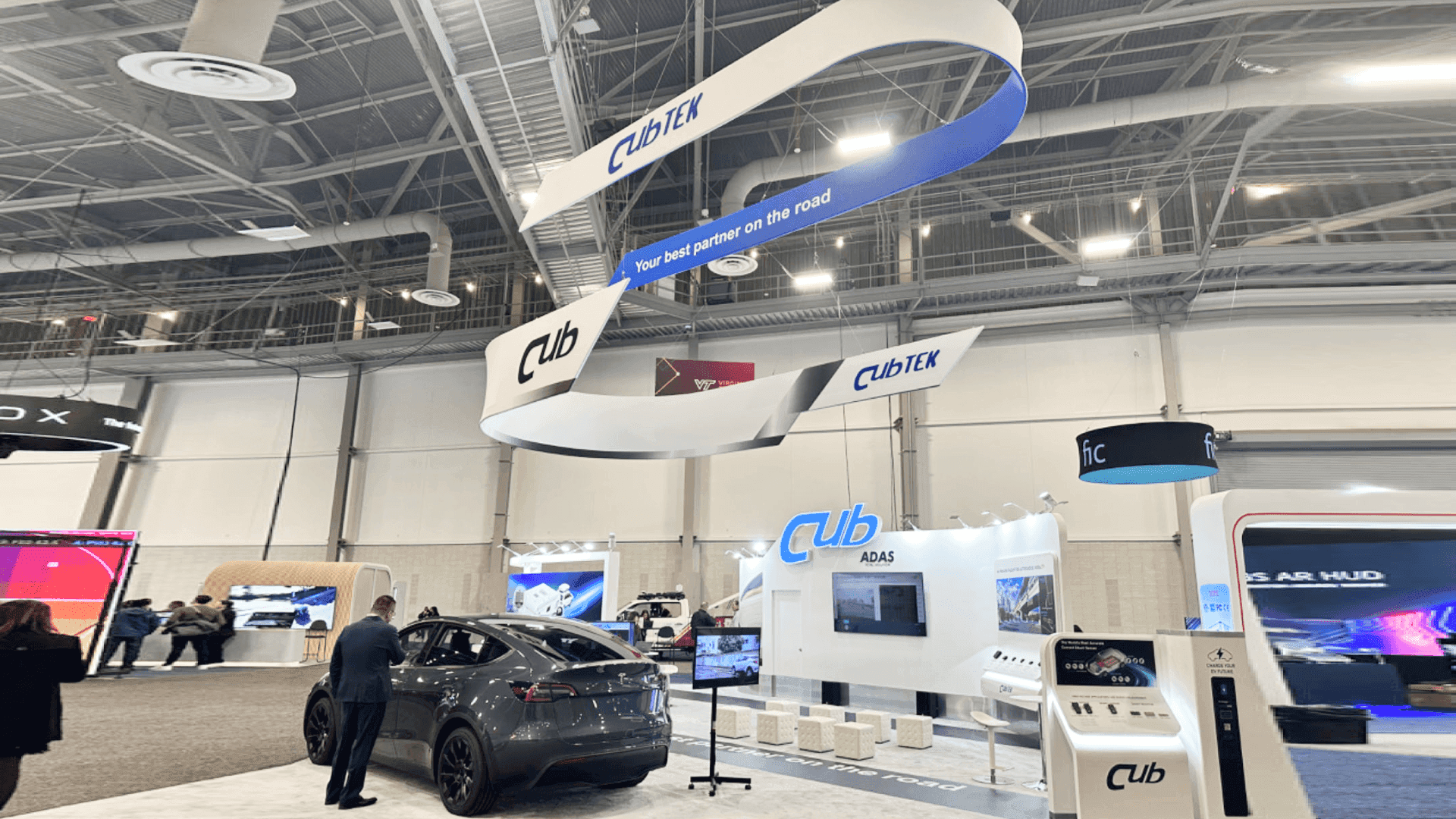
Screen messaging and booth storytelling should help visitors understand the product use case quickly before they enter a deeper product conversation.
Hands-On Product Demos vs Passive Product Displays
A passive display shows the product. A hands-on product demo helps visitors understand it.
Not every CES booth needs a full interactive experience, but most technology exhibitors need some active product explanation. This may be a touchscreen, app demo, device sample, software walkthrough, sensor display, or guided staff demo.
Product Type | Better Demo Approach |
Small device | Counter display with close-up screen support |
Software platform | Screen walkthrough with guided staff explanation |
Consumer product | Hands-on interaction with short use case message |
Connected device | Product display plus data or app interface |
Complex technology | Simple first demo followed by deeper explanation |
A hands-on demo should reduce confusion. It should make the product value easier to see, not harder to follow.
Booth Storytelling for Consumer-Facing Technology
CES booths often speak to mixed audiences: buyers, media, partners, industry visitors, and people discovering the product category for the first time.
Booth storytelling helps connect those audiences with the product. A useful booth story usually includes:
the problem visitors recognize
the product experience that makes the solution visible
the next step after interest is created
For product launches, storytelling becomes even more important. A launch booth needs to make a new product feel understandable, credible, and ready for attention. Exhibitors planning a launch-focused CES presence can also review CES product launch booth planning to connect demo experience with launch messaging, media interest, and follow-up planning.
Booth Size Planning for Interactive CES Demos
Interactive product demo booths need enough space for visitors to stop, watch, touch, and ask questions without blocking the booth.
A 20x20 CES booth can work when the exhibitor needs one focused product experience, one screen area, compact storage, and a simple staff path. Good 20x20 booth planning keeps the visitor engagement booth focused instead of adding too many demo points.
A 20x30 CES booth works better when the product needs multiple demo stations, a larger screen wall, more interaction space, or a clearer product experience booth layout. Good 20x30 booth planning helps connect product access, screen placement, staff movement, and visitor flow.
The booth size should follow the experience. If visitors need to touch, compare, test, or watch a guided demo, the layout should leave room for that behavior.
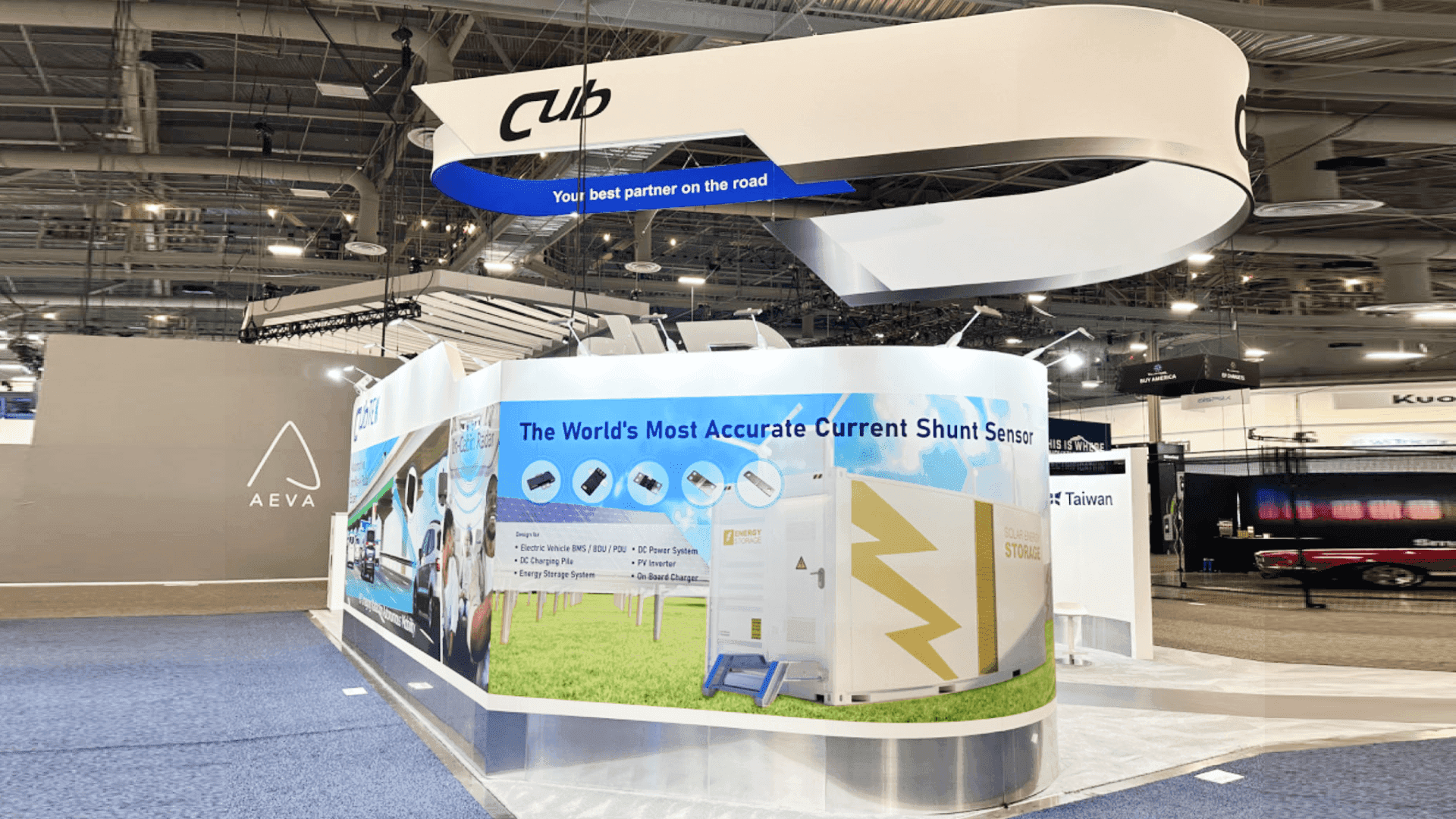
A 20x30 CES interactive product demo booth can support multiple demo stations, screen content, staff movement, and a clearer visitor experience when the product needs more interaction space.
What to Check Before Finalizing the Booth Experience
Before finalizing a CES audience experience booth, exhibitors should review the visitor path from the aisle inward.
Useful questions include:
Can visitors understand the product category before speaking to staff?
Is the demo point visible from the aisle?
Does the screen explain the product or distract from it?
Can visitors interact without blocking the entrance?
Is there enough space for staff to guide the demo?
Does the booth support lead capture after interest is created?
Are graphics helping the product story or adding visual noise?
For broader show context, exhibitors can also review CES booth planning before finalizing booth size, visitor experience, and show-site setup.
FAQ
What is a CES interactive product demo booth?
A CES interactive product demo booth is planned around visitor experience, hands-on product interaction, screen messaging, and clear product explanation. It helps visitors understand the technology through experience instead of passive display alone.
Why does audience experience matter for CES exhibitors?
Audience experience matters because CES visitors move quickly and see many products. A clear booth experience helps visitors understand the product faster, remember the message, and decide whether to continue the conversation.
What should an interactive demo zone include?
An interactive demo zone may include a visible product point, screen support, simple instructions, staff access, hands-on interaction, product graphics, and a clear next step for lead capture or follow-up.
How should screens be used in a CES product demo booth?
Screens should explain the product quickly through use cases, outcomes, interface views, or visual proof. They should support the product demo instead of replacing staff explanation or adding too much text.
Is a 20x20 booth enough for an interactive CES demo?
A 20x20 booth can work when the exhibitor needs one focused interactive demo, one screen area, compact storage, and a simple visitor path. Larger or multi-station product demo experiences may need a 20x30 booth.
Related Planning Links
For exhibitors planning an interactive CES product demo booth, these pages connect audience experience with booth size, demo planning, graphics, and show context:
CES technology product demo booth planning
Use this page when the booth needs product demos, screen support, visitor flow, product interaction, and a clear path from first interest to follow-up.
CES product launch booth planning
Use this page when the booth experience needs to support a new product reveal, launch message, media interest, or product introduction.
CES booth planning
Use the main CES planning page to connect booth decisions with show context, booth size, venue movement, and show-site setup.
graphics and brand presentation support
Use this service page when screen messaging, booth graphics, product storytelling, and visual hierarchy need to support the demo experience.
Final Takeaway
A strong CES interactive product demo booth does not simply show a product. It helps visitors understand the product through a clear experience.
The best booth experience often starts before staff begin speaking. The headline, screen, product display, interaction point, and layout should all make the technology easier to understand.
For technology exhibitors, audience experience is not separate from booth planning. It is the structure that helps visitors move from curiosity to understanding, and from understanding to the next conversation.







