
Rental Booths Are Flexible, Not Automatic
Once the rental configuration is approved, the installation team still needs to build the booth as a show-specific version rather than a generic kit. A familiar frame system does not mean the graphics, counters, screens, lighting, or product displays belong in the same positions as they did at the previous event.
If the layout, reusable structure, graphics, or show-to-show configuration is still being worked out, resolve those choices in modular trade show booth rental planning before the installation sequence is locked.
Rental-specific checks are only one layer of Las Vegas trade show booth installation. The broader move-in plan also has to account for labor rules, freight release, venue schedules, drayage, and dismantle.
Drayage is the show-site handling of exhibit freight between the receiving or storage area and the booth space inside the venue
Before the setup sequence begins, the written rental scope should already make clear which installation tasks, AV requirements, electrical services, freight responsibilities, and show-appointed services are included, coordinated, or handled separately.
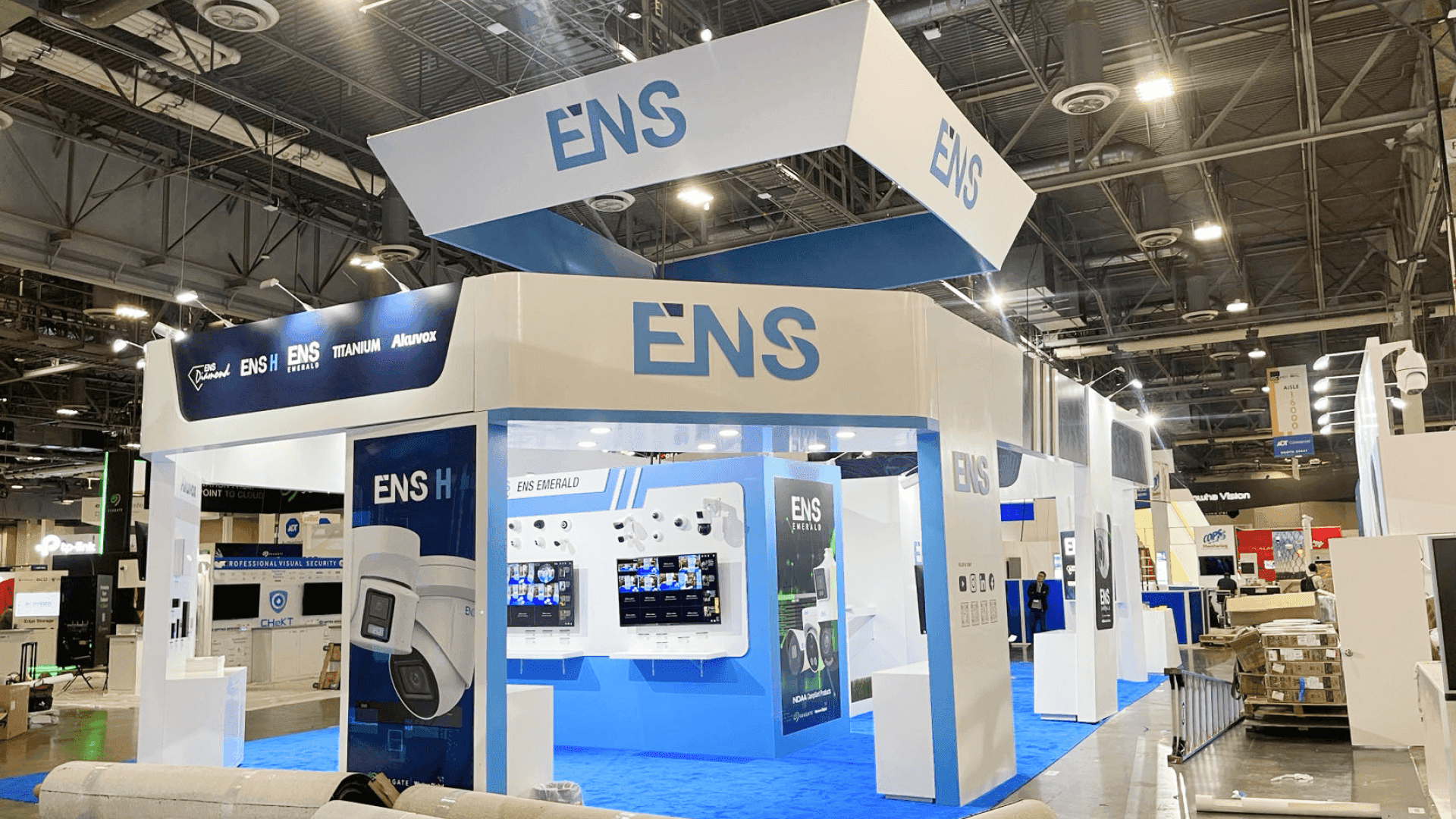
Rental booth installation requires the structure, graphics, counters, AV, and show-specific components to match the approved configuration before handoff.
How Rental Components Move Through the Setup Sequence
Once the materials reach the booth space, the crew needs to know what belongs to the rental structure and what is specific to the exhibitor or current event.
Crate staging means organizing and positioning exhibit crates so the installation team can reach components in the order they are needed. For a rental booth, good staging also helps separate provider-owned components from graphics, products, AV, and custom pieces.
Rental Setup Stage | Rental-Specific Check |
|---|---|
Component identification | Identify which items belong to the rental system and which are show-specific, exhibitor-owned, or supplied separately for the event |
Base structure | Match frames, wall sections, hardware, and module positions to the approved rental configuration |
Graphics & displays | Confirm the correct graphic set, counters, shelving, and product-display elements are assigned to this booth version |
AV & lighting | Verify screen positions, mounts, power access, cable routes, and lighting locations against the current configuration |
Configuration check | Confirm the installed layout, open sides, displays, access points, and major booth functions match the approved floor plan before handoff |
This is not a complete Las Vegas installation sequence. It is a rental-specific checkpoint that keeps the correct structure, graphics, and exhibitor materials tied to the booth version being installed.
Graphics Still Need to Match the Rental Configuration
Reusable frames do not automatically mean reusable graphics.
Artwork, dimensions, wall arrangements, counter graphics, and lightbox graphics may change with the booth configuration. The installation team should confirm that each graphic belongs to the correct rental module and that the attachment method matches the frame being used for the current show.
SEG graphics need to fit the intended frame, lightbox graphics need to match the actual lightbox dimensions, and counter graphics should arrive with the correct counter. A graphic set produced for an earlier layout should not be assumed to fit simply because the structural system is familiar.
The issue here is physical fit and placement—not another review of brand strategy.
Power and AV Must Be Rechecked for Each Rental Setup
A reusable rental system can use screens, lighting, and powered demos differently from one show to the next.
Moving a counter, changing an open aisle, repositioning a screen, or expanding a demo zone can change where mounts, outlets, cable routes, and power access are needed. A setup that worked in one configuration may not carry over unchanged when the same rental system is rearranged.
Before panels and counters are fixed in place, confirm:
screen and monitor positions;
compatible mounts;
power access and cable routes;
lightbox and display lighting;
powered demo equipment.
The AV plan needs to match the rental configuration being installed—not the layout used at the previous show.
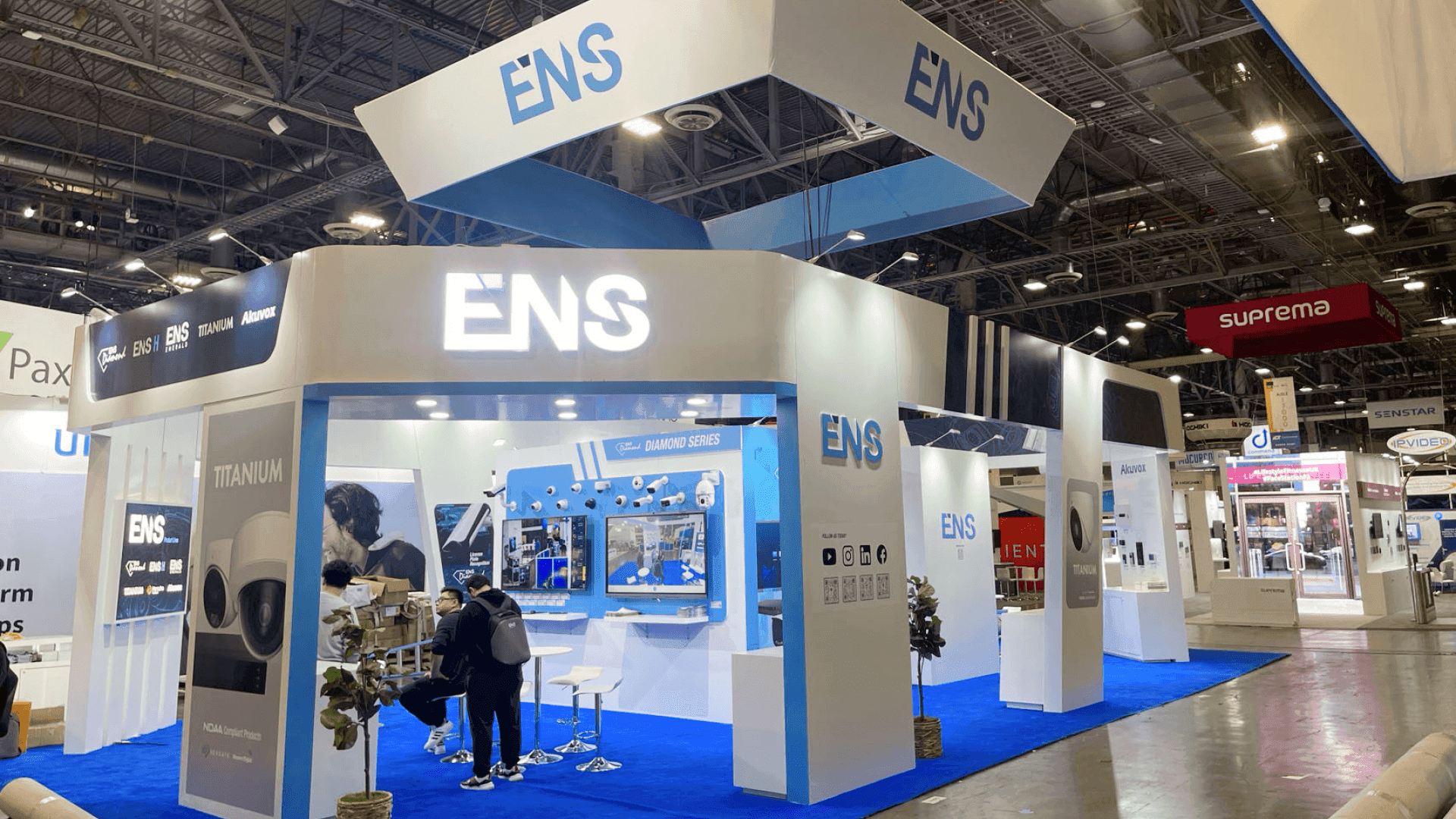
Larger rental booth configurations such as 20x20 and 20x30 require more coordination between structural modules, graphics, displays, AV, and the installation sequence.
Booth Size Changes the Rental Installation Plan
A 10x20 rental booth and a 20x30 rental booth may use similar structural systems, but they do not create the same installation workload.
A 10x20 configuration may rely on one primary wall, a counter, graphics, and limited AV. A 20x20 trade show booth can introduce more open sides, structural modules, screens, demo areas, and storage, creating more dependencies during setup.
A 20x30 booth layout may add more wall sections, counters, AV positions, and functional zones that need to be installed in the right order.
As the footprint grows, installation requires tighter control over:
component count;
structure sequence;
graphic sets;
counter and display placement;
AV positions;
temporary staging.
The issue is not whether a larger booth can still be rental-based. It is whether the larger configuration can be assembled without one part of the setup blocking another.
Rental Return and Dismantle Need Their Own Plan
Rental dismantle adds a question that does not exist in quite the same way with a fully exhibitor-owned booth:
What goes back to the rental provider, and what belongs to the exhibitor?
Provider-owned frames, wall sections, counters, shelving, and hardware need to be identified and returned with the rental system. Graphics, products, AV equipment, and custom pieces may need separate packing, storage, or preparation for another show.
Before dismantle begins, the team should know:
which pieces are rental property;
which graphics or branded elements will be kept;
where rental hardware belongs;
whether any components are damaged or missing;
which custom pieces need separate packing.
Clear labeling during setup makes this much easier after the show. It reduces the chance of rental hardware leaving with exhibitor materials or branded pieces being returned with the rental inventory.
Opening-Day Readiness Is the Final Goal
A rental booth can be structurally complete and still not be ready for visitors.
Before staff takes over the space, confirm that:
graphics are installed correctly;
counters and displays are in the approved positions;
screens, demos, and lighting are working;
storage, tools, and packing materials are out of sight;
visitor access is clear;
staff understands how the booth is intended to function.
That final handoff is where reusable rental components become the actual exhibit approved for the event.
Final Takeaway
Rental installation is successful when the booth installed on site matches the configuration approved before shipment. Reusable components can simplify the structure, but graphics, AV, counters, products, and component ownership still need to be checked against the current show.
In Las Vegas, those rental-specific checks should be settled before the broader move-in, labor, freight, and installation schedule begins.
FAQ
Why does a rental booth still need installation planning in Las Vegas?
Reusable components still need to match the current floor plan, graphics, counters, AV, power access, and show-specific configuration. A familiar structure can simplify setup, but it does not eliminate the need for installation checks.
What should be checked before a rental booth installation begins?
Confirm the approved booth configuration, rental components, current graphic set, counters and displays, AV locations, power access, and which materials belong to the exhibitor versus the rental provider.
Do rental booth graphics need to be checked again at every show?
Yes. The rental structure may be reusable while graphics change with the layout, campaign, or event. Dimensions, attachment methods, lightbox graphics, and counter graphics should match the exact booth version being installed.
Does booth size change the rental installation plan?
Yes. A 10x20 rental may use a relatively simple structure, while a 20x20 or 20x30 booth can involve more structural modules, graphics, screens, counters, storage, and staging. Larger configurations create more dependencies during setup.
What happens to rental booth components after the show?
Provider-owned rental components are dismantled and returned. Exhibitor-owned graphics, products, AV equipment, and custom pieces may need separate packing, storage, or preparation for another event.







