
Choose a Demo Format That Fits the Product
Different products ask buyers to do different things. Games and controls invite hands-on use, while software, operating tools, and large attractions may need a screen, model, or guided explanation. The starting point should be obvious before staff begin talking.
Demo Format | Best For | Demo Focus |
|---|---|---|
Hands-on interaction | Games, controls, and guest-facing products | Easy access, quick reset, and a short wait |
Screen walkthrough | Software, systems, and digital tools | A visible screen and room for staff explanation |
Scale model | Large attractions and complex installations | Clear sightlines and context for the full system |
Guided demonstration | Systems needing technical or operational context | Clear explanation and a natural move into conversation |
Screens and interactive stations only help when each one has a clear purpose. Too many demo points can leave buyers unsure where to begin.
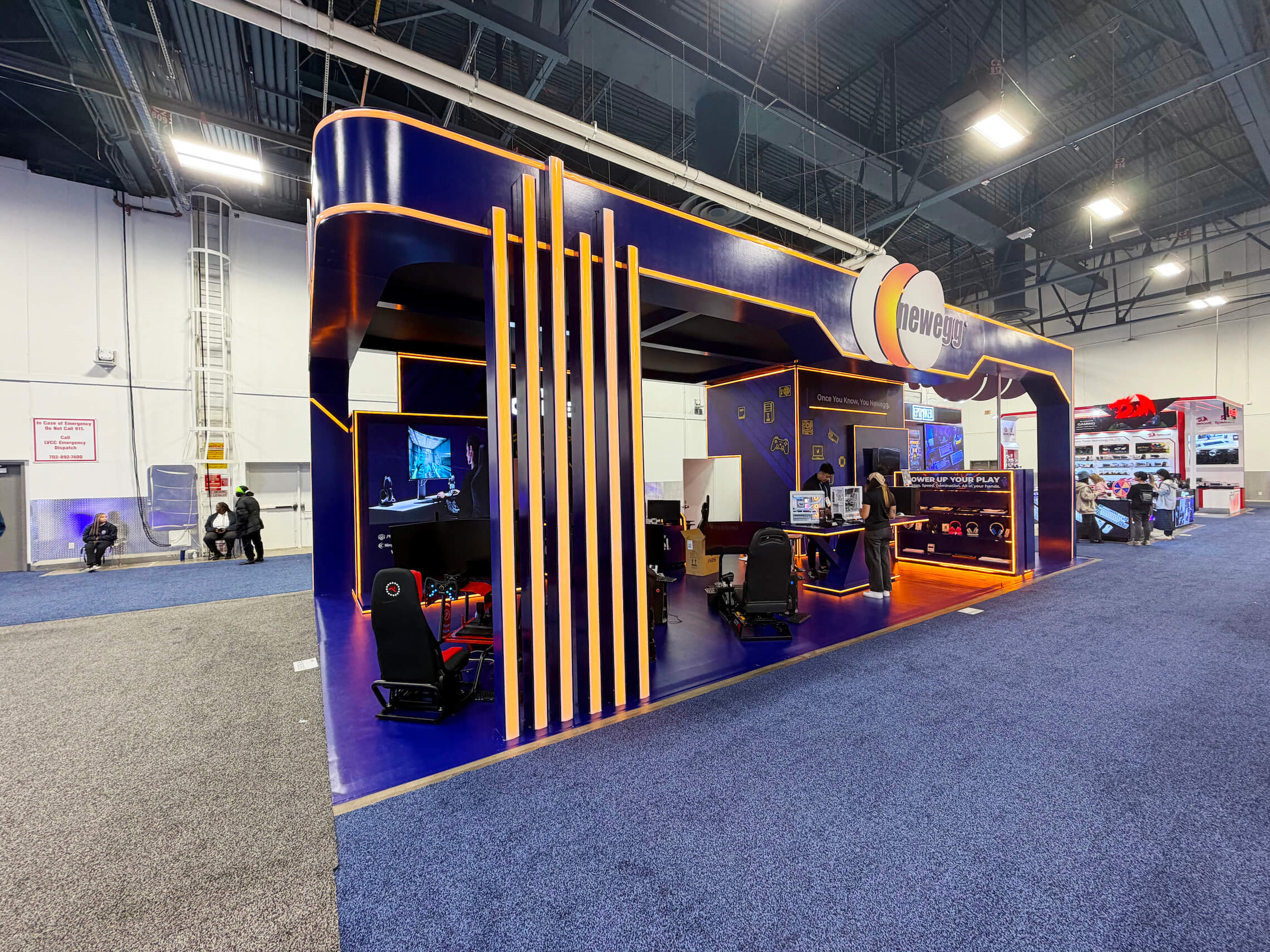
IAAPA product demo planning that connects interaction, reset space, staff positioning, and buyer conversations.
Plan the Interaction and Conversation Path
The demo should be easy to spot from the aisle, with enough room for buyers to stop without holding up the next person. Staff can guide the interaction without blocking the product or screen.
Leave working room behind the demo for resets and equipment checks, with a waiting spot for the next visitor. Longer questions and lead capture belong beside the interaction rather than inside it. Playable products bring their own rhythm: a short wait, a quick reset, and a move from play into discussion. Those same needs shape Games and Arcade Pavilion booth planning.
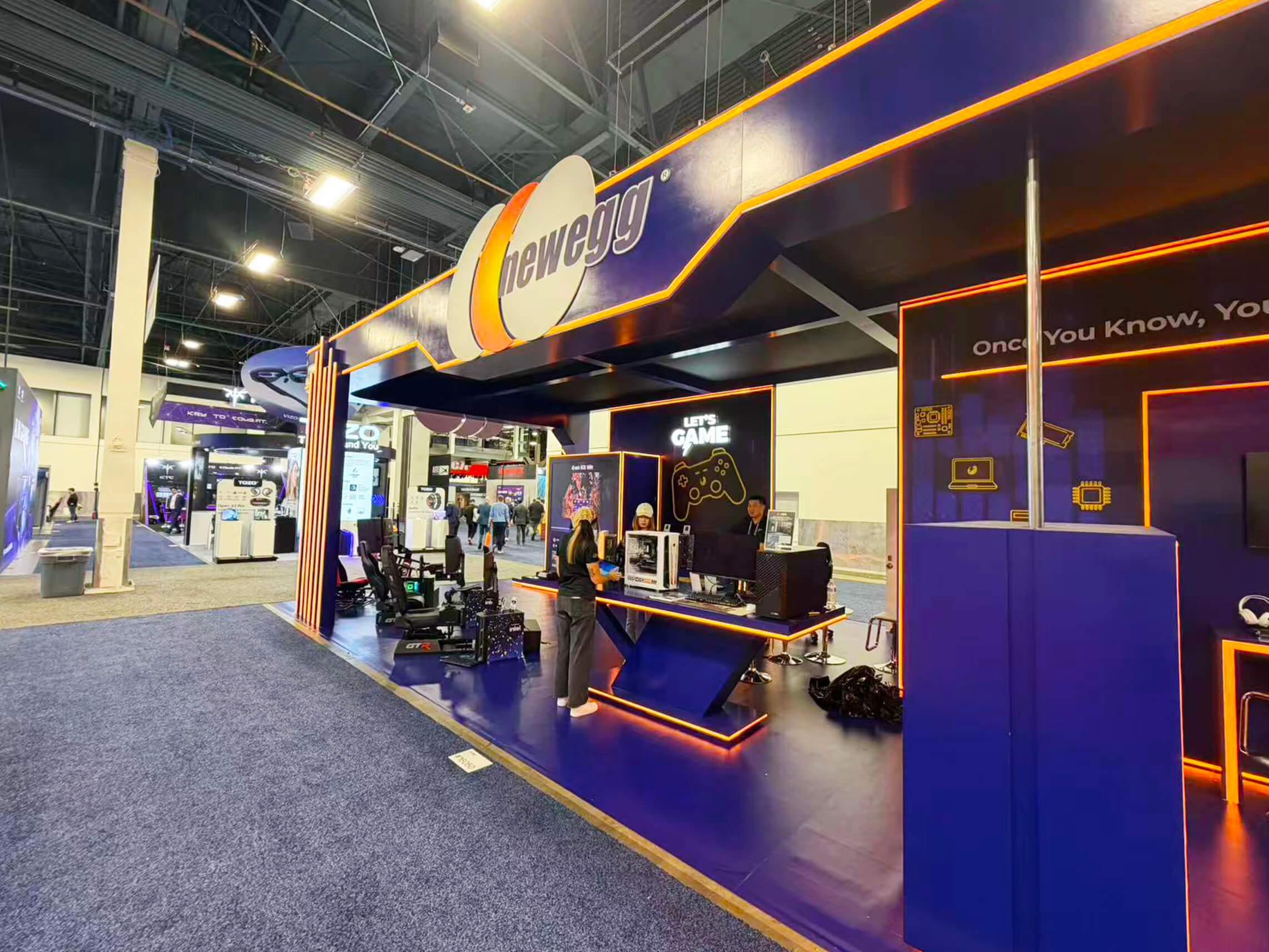
A screen-led product demonstration with controls, visible content, and a natural path from interaction to staff explanation.
Explain the Guest Experience and Operator Value
Buyers need to understand both sides of the product: what the guest experiences and what the operator has to manage. Screens, controls, and staff explanations can show how the experience works, how quickly it resets, and what it may require in staffing or throughput.
For entertainment-center products, FEC Pavilion booth planning has to connect the guest-facing moment with questions about reset time, staffing, and throughput. Keep the demo focused on the experience, then move operating details into the longer conversation.

A booth layout that moves buyers from a hands-on demo into questions, lead capture, and a longer product conversation.
Keep OCCC Setup Connected to the Demo
At OCCC, screens, controls, power, and internet have to support the demo as it will actually run. Cables, support equipment, and reset activity should stay out of the viewing area.
Before the layout is fixed, run through the full demo once. Check every screen, controller, connection, and device, then make sure staff can reset or troubleshoot without stepping into the visitor path.
Show-Site Note: Confirm screens, controls, power, internet, demo equipment, and reset needs before the layout is finalized. Late changes can shift the interaction point or push staff into the buyer path.
IAAPA Product Demo Checks
Walk through the demo once as a visitor, then again as the staff member running it:
Is it obvious where the interaction starts?
Can visitors see the product before the explanation begins?
Can staff reset the demo without slowing the next group?
Is there space nearby for questions after the interaction?
Do the screen, product, and staff explanation support the same message?
Common IAAPA Demo Mistakes
Visitors lose the thread when it is unclear whether to watch the screen, try the product, or wait for staff. The product needs to stay visible, with staff close enough to guide the experience without blocking it.
Resets and longer conversations should not occupy the same spot. Leave working room behind the interaction and move follow-up questions to the side so the next visitor can begin without waiting.
FAQ
What demo format works best for IAAPA exhibitors?
Choose the format that makes the product easiest to understand. Games and controls often need hands-on use, software may work better on screen, and large attractions may rely on a model or guided explanation.
How should exhibitors move buyers from a demo into a conversation?
Place a small discussion or lead-capture area beside the demo. Staff can move interested buyers there while the interaction is reset for the next group.
Where should staff stand during an interactive demonstration?
Staff should stand beside the product or screen, close enough to guide the experience without blocking it. They also need to stay clear of the reset path and the next participant.







