
What Is an Access Control and Surveillance Booth at ISC West?
An access control and surveillance booth at ISC West is a booth designed to explain security hardware, monitoring software, and system workflows in a clear show-floor environment. It is not only a product shelf or screen wall.
This article supports ISC West access control surveillance booth planning. It does not replace the main ISC West booth planning page. The focus here is narrower: access control demos, surveillance displays, monitoring dashboards, booth graphics, and buyer walkthrough flow.
Start With the Security System Story
Access control and surveillance products often have several moving parts. A booth should make the system easy to understand before staff begins a deeper explanation.
The main story might be:
visitor entry control
badge reader and credential flow
camera monitoring
video management software
cloud-based dashboard
multi-site security control
integrated access and surveillance workflow
The booth should make that story visible from the aisle through product placement, screens, and short messaging.
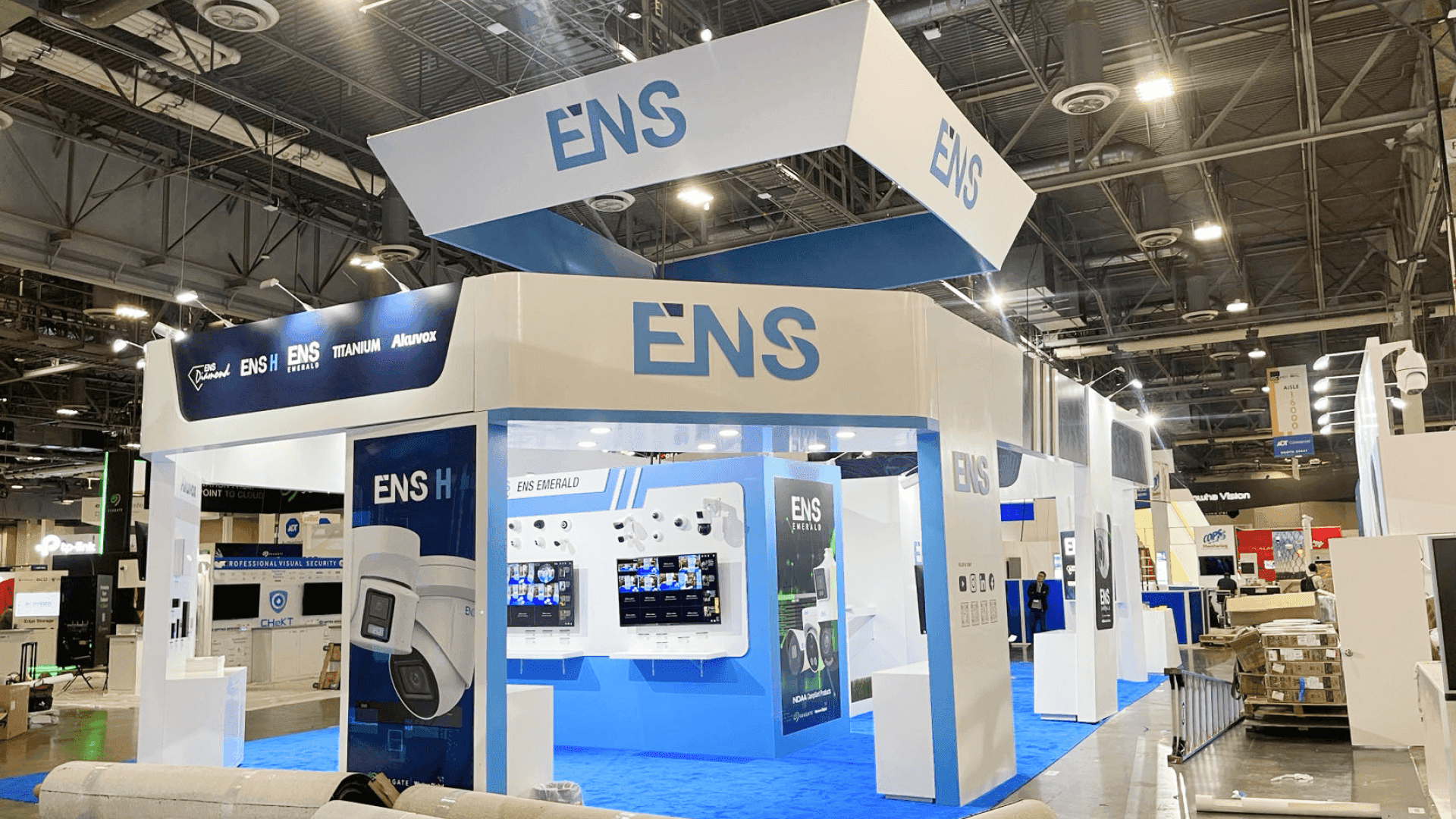
An ISC West access control booth should make the security system story clear from the aisle, then guide buyers toward the reader demo, screen walkthrough, and staff conversation.
Separate Hardware Display From Software Walkthrough
Hardware and software need different booth roles.
Booth element | Best role |
|---|---|
Badge reader or access device | Physical interaction and product handling |
Camera display | Hardware visibility and use case explanation |
Main screen | VMS, dashboard, or monitoring workflow |
Side screen | Supporting loop or product category message |
Demo counter | Staff-led walkthrough and quick questions |
Graphics | System category, buyer problem, product focus |
When hardware and software are mixed without structure, the booth can feel confusing. Buyers should know whether they are looking at a device, a dashboard, or a complete workflow.
Use Screens With a Clear Hierarchy
Surveillance booths often rely on screens, but more screens do not always make the booth stronger.
A useful screen plan should include:
one main demo screen
one supporting screen or product loop
readable dashboard visuals
simple category messaging
enough space for staff to explain what is happening
Avoid showing too many dashboards at once. A buyer should understand the main use case within a few seconds.
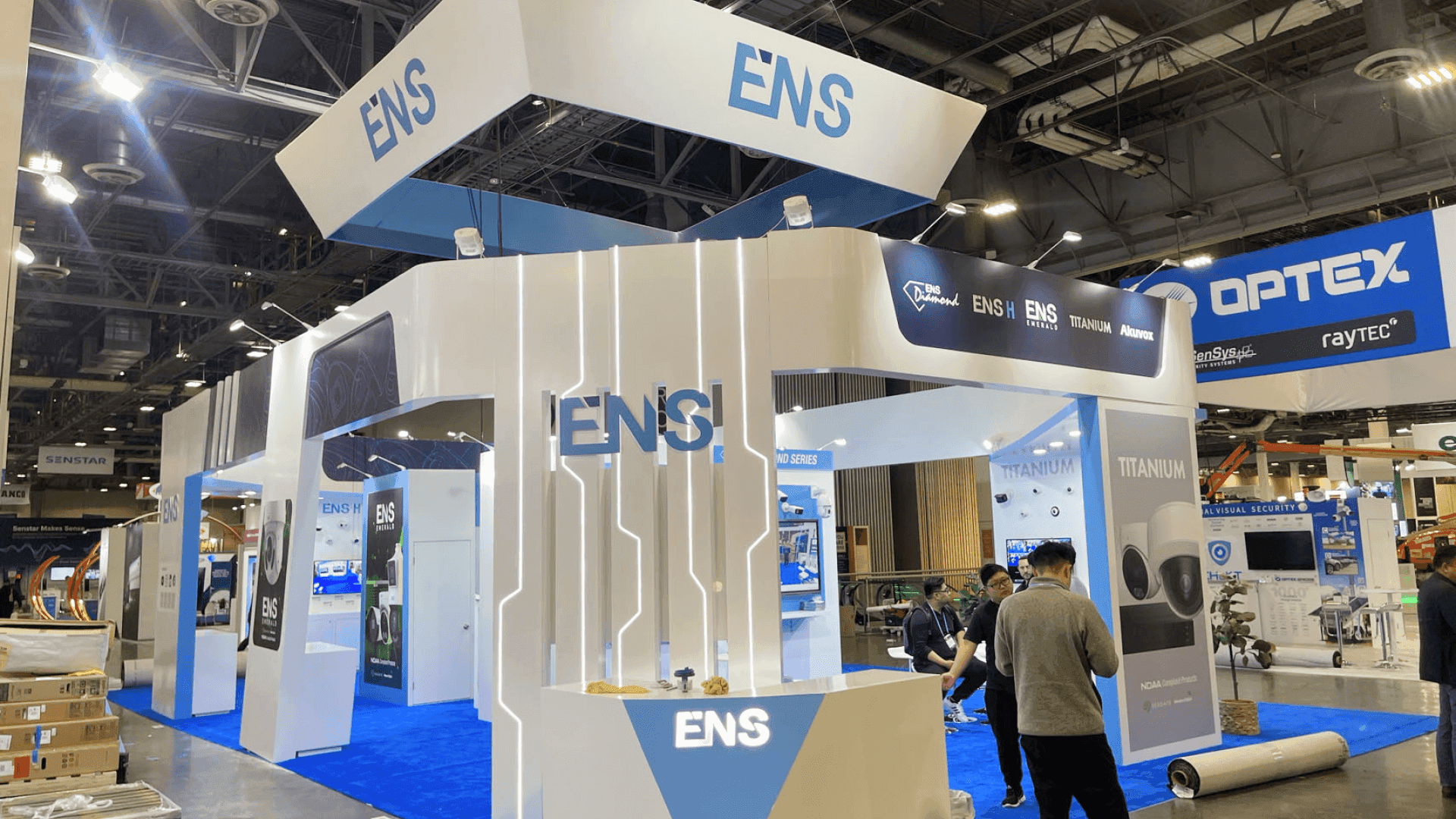
Hardware displays and software walkthroughs should have separate roles so buyers can understand the camera product, monitoring screen, and security workflow without confusion.
Plan the Badge Reader Demo Carefully
Access control demos work best when the visitor can see the action clearly. A badge reader, credential device, or entry control demo should be easy to approach and easy for staff to explain.
The demo point should support:
product handling
credential explanation
short use case walkthrough
lead capture
product comparison
buyer questions
Do not place the reader demo where it blocks the aisle or competes with the main screen.
Booth Graphics Should Explain the Category
For ISC West exhibitors, graphics and brand presentation support should make the security category clear before the demo begins.
Useful booth graphics may include:
one clear system message
access control category wording
surveillance product visuals
dashboard or platform callouts
simple problem-and-solution language
readable backwall graphics
Graphics should not repeat every product feature. They should help buyers understand where to look first.
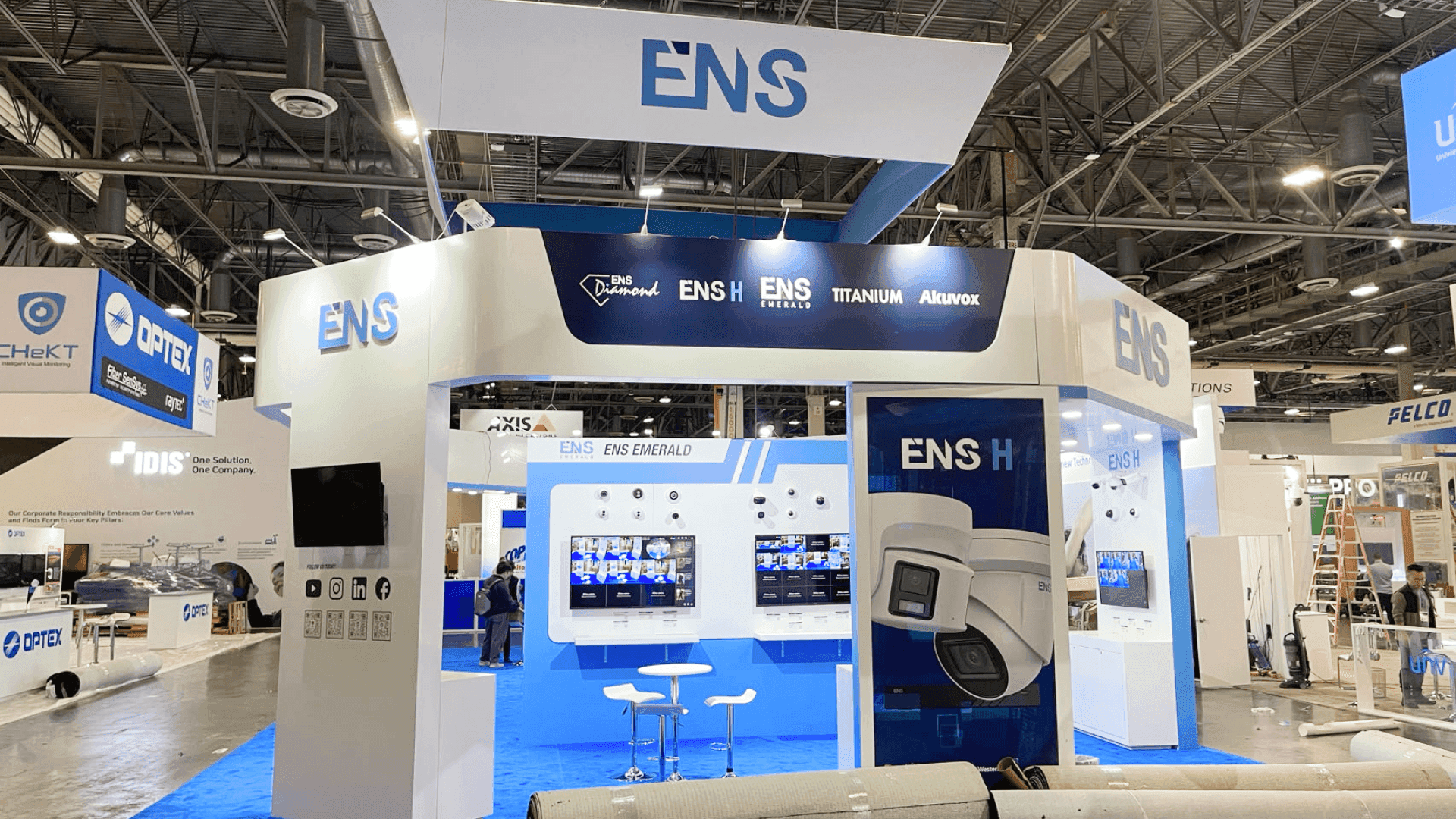
A clear buyer walkthrough path helps visitors move from the access control or surveillance display into a focused demo, technical question, or follow-up conversation.
Build a Buyer Walkthrough Path
A strong booth flow can move buyers through a simple sequence:
Buyer sees the system category from the aisle.
Buyer stops at the hardware or screen demo.
Staff explains the main workflow.
Buyer asks about use case, integration, or deployment.
Qualified buyer moves into a deeper conversation.
This path keeps the booth from becoming a random mix of devices, screens, and sales conversations.
Keep Storage and Staff Flow Clean
Security exhibitors often need cables, chargers, devices, demo tools, catalogs, packaging, and backup products. These items should not be visible during buyer conversations.
Storage should be hidden but easy for staff to reach. Staff should also have enough room to move between the reader demo, camera display, monitor screen, and buyer conversation point.
Clean execution matters because technical products lose credibility when the booth looks messy.
Use Real ISC West Projects as a Reference
A real booth reference can help exhibitors check whether the layout supports both product display and buyer conversation. The ENS ISC West 2023 20x20 booth project is useful because it shows how a security exhibitor can organize booth visibility, branding, and product conversation in a compact show-floor space.
Use a project reference to ask:
Is the main security message visible?
Where does the demo conversation start?
Can buyers see the screen without blocking the counter?
Is product hardware easy to approach?
Are storage and staff items hidden?
Show-Site Execution Still Affects the Demo
Access control and surveillance booths depend on clean installation. Screens, counters, graphics, lighting, cables, and product hardware all need to be checked before the show opens.
For Las Vegas events, show-site booth execution should account for screen placement, power access, graphics alignment, demo counter setup, storage, and final product checks.
The booth should look finished before buyers arrive, not adjusted during the first busy show hours.
Access Control and Surveillance Booth Checklist
Before approving the booth, check:
Is the access control or surveillance story clear from the aisle?
Does the main screen support one clear demo?
Is the hardware demo easy to approach?
Are booth graphics readable?
Can staff explain the workflow without blocking traffic?
Is storage hidden but accessible?
Are cables and devices planned early?
Does the booth support short buyer walkthroughs?
Is there space for follow-up questions?
FAQ
What should an ISC West access control booth include?
An ISC West access control booth should include a badge reader or credential demo, product display, screen-based workflow, clear booth graphics, staff demo point, hidden storage, and a simple buyer path.
What should a surveillance booth show at ISC West?
A surveillance booth should show the camera product, monitoring screen, VMS or dashboard workflow, use case, and how buyers can understand the solution quickly from the booth.
Are screens important for security product booths?
Yes. Screens are useful for dashboards, monitoring views, and software walkthroughs. They should be planned with a clear hierarchy so buyers know which screen to focus on first.
What is the biggest mistake in access control and surveillance booth planning?
The biggest mistake is showing too many devices, screens, and messages without a clear demo path. Buyers need a simple sequence from product visibility to technical conversation.
Final Takeaway
An ISC West access control and surveillance booth should make the security system easy to see, understand, and discuss. The strongest booth is not the one with the most screens or devices. It is the one where hardware, software, graphics, staff flow, storage, and buyer walkthroughs support one clear security product story.







