
Assess Your WWIN Booth Package First
Before adding walls, fixtures, counters, or storage, confirm what the current WWIN package actually covers. Do not assume it matches a previous edition, another exhibitor's booth, or a familiar turnkey setup. Check the current exhibitor resources, then review the parts of the package that affect how the collection will be presented and sold:
contracted booth footprint;
supplied structure and furnishings;
usable graphic and display surfaces;
racks, shelving, counters, or other included fixtures;
working or concealed storage;
space for buyer conversations or order writing.
Anything already doing its job can stay. The remaining gaps define the upgrade scope.
Assortment fit: Can buyers quickly understand the main product groups and key pieces? If the collection already reads clearly, the display structure may be fine. If more presentation surface would solve the issue, the gap is probably functional; if the assortment cannot be organized coherently within the existing setup, it may be structural.
Fixture fit: Do the available racks, shelves, counters, and display surfaces suit the merchandise? Standard apparel and accessories may work well with familiar fixtures, while products that require dedicated holders or integrated display surfaces need a different approach. The question is whether the merchandise fits the fixture system, not whether the booth can simply hold more fixtures.
Buyer interaction fit: After reviewing products, is there a natural place to continue the conversation? A missing counter, writing surface, compact seating point, or product handoff area is usually a functional gap rather than a reason to redesign the booth.
Storage fit: Can backup samples, packaging, sales materials, and working stock stay out of the buyer-facing area? Standard concealed storage may solve the issue. When storage has to become part of display walls or fixed product zones, it begins to affect the structure itself.
Architectural fit: Can the remaining problem still be solved by adding or improving a standard component? If product display, storage, or merchandising zones now have to be built into the booth itself, the gap has become structural.

Review the supplied WWIN booth package first to see which display, fixture, storage, and buyer-conversation functions are already covered before adding more components.
WWIN Rules That Affect Booth Upgrades
A merchandising idea can work on paper and still be impractical on the show floor. Before committing to more fixtures or structure, check each proposed change against WWIN's current booth constraints.
Work within the 8-foot height limit. WWIN limits booth construction to 8 feet in height. A concept that depends on a taller wall or vertical display structure will not fit the available booth envelope, so product organization, graphics, and fixture placement need to do more of the visual work within that limit.
Keep displays inside the contracted booth. Racks, mannequins, and display elements need to remain within the booth boundary. Another rack may increase capacity but reduce circulation or crowd the product-review area; in that situation, showing fewer products more clearly can be the stronger choice.
Treat supplied furnishings as the baseline. WWIN states that booth-package furnishings are delivered before exhibitor move-in. Plan additional fixtures around that supplied setup rather than assuming every element needs to be sourced separately.
Match the Upgrade to the Gap
Once the package and show constraints are clear, the next step is not to make the booth more elaborate. It is to use the least structural intervention that fully solves the problem.
Keep what already works. If buyers can understand the collection, inspect merchandise, move comfortably through the booth, and continue into a useful conversation, there is little reason to replace the underlying setup.
Add a component when a function is missing. A booth may need shelving, a counter, concealed storage, branded wall space, or another standard display fixture without needing a new structure. When reusable components can fill that gap, a Las Vegas trade show booth rental can extend the existing setup while leaving the parts that already work in place.
Upgrade a function that already exists. This is different from adding something new. Graphics may already be present but difficult to read from the aisle; fixtures may hold the merchandise but make comparison awkward; a conversation point may exist but interrupt the buying path. In those cases, improve the weak function rather than redesigning the booth around it.
Customize only when the assortment changes the structure. Integrated display zones, built-in storage, specialized fixtures, or other requirements that standard components cannot provide are signs that the merchandise itself is beginning to determine the booth architecture. At that point, the issue has moved beyond a simple package upgrade.
How Different WWIN Assortments Change the Upgrade Need
The same starting package can lead to different decisions because the assortment determines how much additional structure is actually useful.
Focused apparel collection — Keep / Light Upgrade
A tightly edited apparel line may work well with the supplied setup, standard racks, and clear graphics. If buyers can understand the collection and inspect key pieces without the booth feeling crowded, little structural change may be necessary.
Mixed menswear collection — Add / Targeted Upgrade
Apparel, footwear, hats, and accessories may need several fixture types while still reading as one coordinated collection. In The Men’s Edit at WWIN, targeted additions can make more sense than replacing the entire package when the real challenge is organizing different product categories within one buying environment.
Collection requiring integrated fixtures — Customize
Some product lines depend on a purpose-built wall, integrated storage, specialized holder, or several fixed merchandising zones. Standard components no longer solve the main display requirement because the structure itself has become part of the product presentation.
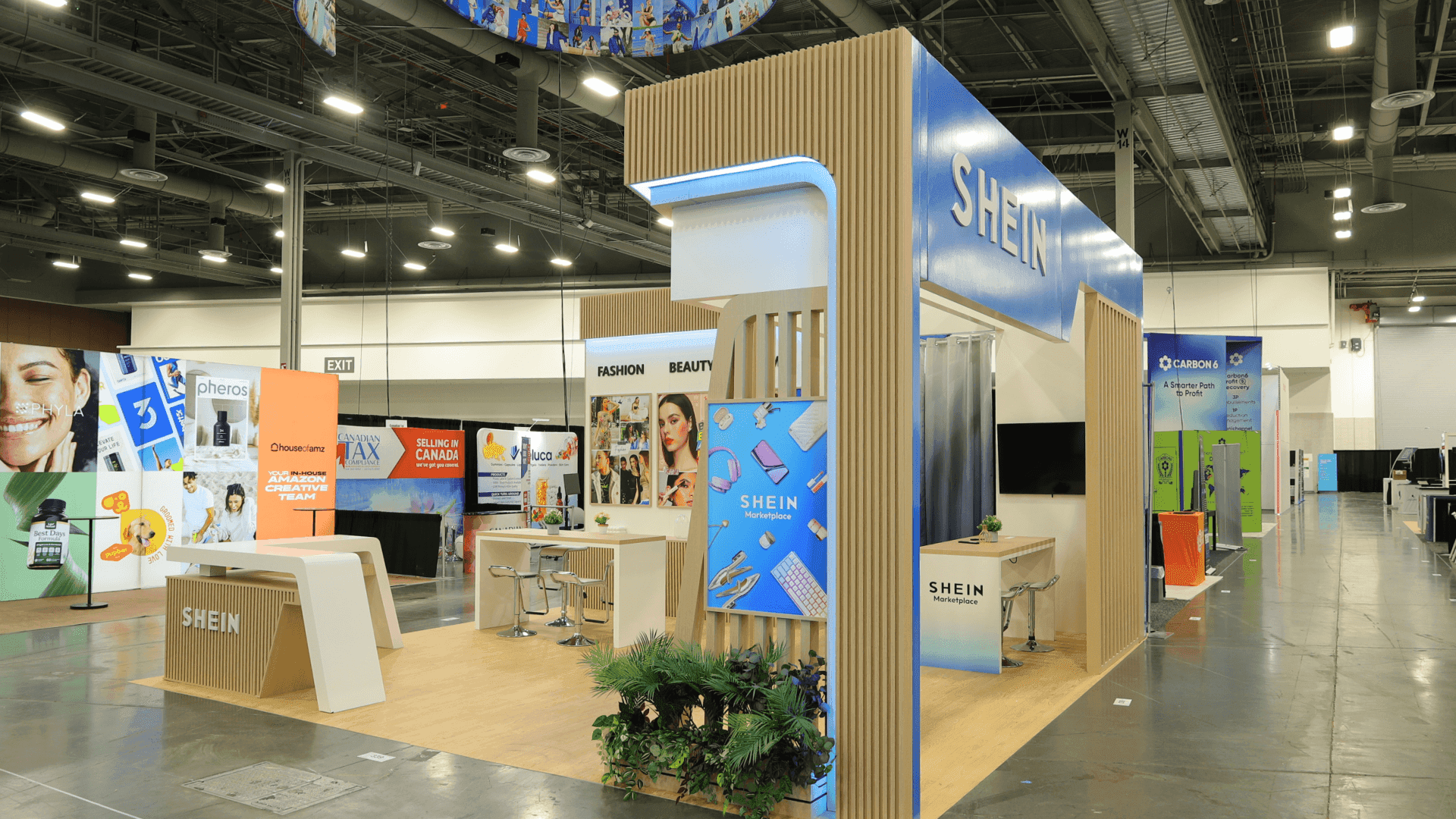
The right WWIN booth upgrade depends on the gap: keep what works, add missing functions, improve underperforming elements, and customize only when the merchandise requires a different structure.
WWIN Booth Package Decision: Keep, Add, Upgrade, or Customize?
Use the type of gap—not the desire for a more elaborate booth—to determine how much work is justified.
What You Find | Type of Gap | Decision |
|---|---|---|
The package already supports product presentation, buyer movement, conversation, and storage | No meaningful gap | Keep |
A needed function is missing and a standard reusable component can provide it | Functional gap | Add |
The function already exists, but buyers cannot use it effectively | Performance gap | Upgrade |
The merchandise requires integrated fixtures, fixed display zones, or a different structural layout | Structural gap | Customize |
The right level of intervention is the smallest one that fully resolves the gap.
WWIN Booth Package Upgrade FAQ
Does every WWIN exhibitor need to upgrade the booth package?
No. If the supplied setup already supports the assortment, buyer movement, storage, and sales conversation, keep it and change only the parts that limit the buying experience.
Can exhibitors add rental components without replacing the WWIN booth package?
Yes. Standard shelving, counters, storage, graphics, or display fixtures can be added around the supplied package, provided they remain within the contracted booth and current WWIN display rules.
When does a WWIN booth actually need a customized structure?
When standard components can no longer support the merchandise and the booth itself must incorporate integrated fixtures, storage, or fixed display zones.







