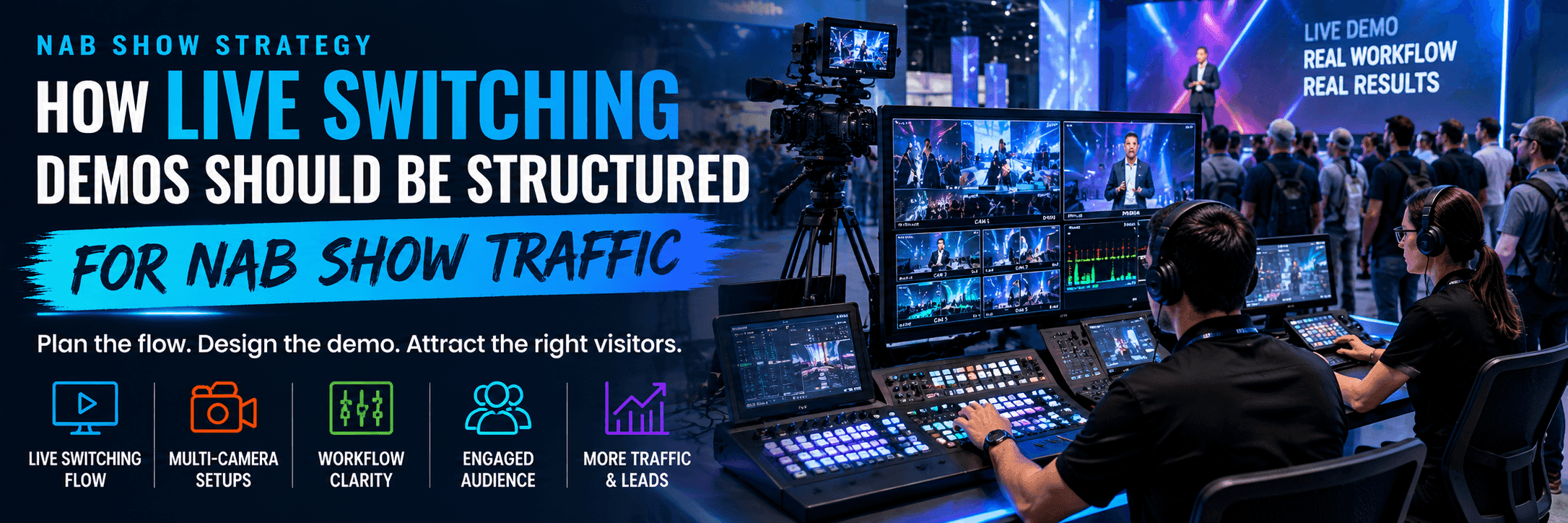
Why Live Switching Demos Need Clear Structure at NAB
At NAB, exhibitors are often explaining more than one device. They may be showing camera inputs, switching controls, monitoring, output, streaming, remote production, LED wall control, webcast production, or broader audio, video, and lighting workflows. If visitors cannot understand the workflow from the aisle, the booth loses attention before the demo begins.
That is why this article supports NAB Show booth planning and the more focused NAB broadcast workflow demo booth planning. The goal is to structure the live switching demo for real NAB Show traffic, not to write a general booth design article.

A NAB live switching demo booth should make the input, switching action, and output visible before visitors enter a deeper technical conversation.
What the First Screen Should Explain
The first screen should not show every feature. It should explain the basic live switching workflow.
What sources are being used.
What switching action is happening.
What output or result the visitor should notice.
Demo element | What visitors need first | What can wait |
|---|---|---|
Input sources | Camera, feed, stream, or media source | Full source configuration |
Switching action | What is being selected or controlled | Advanced controls |
Output | What the viewer or production team sees | Full delivery architecture |
Operator role | Who controls the workflow | Full production team setup |
How the Demo Path Should Work
A NAB live switching demo should give visitors a simple path:
Aisle message: what the live switching workflow does.
First screen: where visitors see input, action, and output.
Demo counter: where staff gives a short walkthrough.
Handoff point: where serious visitors ask deeper technical questions.
Follow-up space: where integration, setup, or buying questions continue.

A clear switching station layout helps visitors move from the first screen to the demo counter, staff explanation, and follow-up technical discussion without blocking show traffic.
How Booth Size and Rental Structure Support the Demo
Live switching demos often need more space than a simple product display. The booth may need a main screen, switching station, demo counter, staff path, storage, cable control, and a small follow-up area.
For this kind of screen-led demo booth, 20x30 booth planning is a useful reference. A 20x30 footprint can separate the public demo zone from deeper technical conversations while keeping the main screen visible.
If the live switching demo uses a rental structure with branded graphics, demo counters, screens, and a faster setup path, customizable trade show booth rental in Las Vegas can support the booth without turning this article into a generic rental page.
Booth need | Layout response |
|---|---|
One main switching demo | Keep one primary screen visible from the aisle. |
Multiple input sources | Use simple labels or graphics to show source flow. |
Staff explanation | Place staff beside the screen, not in front of it. |
Technical questions | Add a small handoff area outside the main viewing path. |
Storage and cables | Keep them away from the visitor path. |
Why Staff Position Matters
Staff can accidentally block the demo. This happens when they stand in front of the main screen, lean over the counter, or move between visitors and the switching station.
During design and engineering support, the booth should define where staff stand, where visitors pause, and where serious buyers move after the first demo. Staff position changes whether the live switching demo is visible or hidden.
Graphics Should Simplify the Switching Flow
Live switching booths can look busy. Screens, feeds, controls, cables, and operators all compete for attention. That is why graphics and brand presentation support should focus on workflow clarity.
Input source.
Switching control.
Output destination.
Operator role.
Workflow result.
Why LVCC Setup and AV Checks Matter
NAB takes place at the Las Vegas Convention Center, where screen visibility, long aisles, move-in timing, equipment handling, and AV setup can affect the booth before the show opens.
For venue-specific planning, Las Vegas Convention Center booth planning should be considered early. Logistics and pre-show coordination also matters because screens, switching equipment, demo counters, graphics, hardware, broadcast equipment, and booth materials need to arrive in the right order.

AV setup, cable routing, screen height, lighting, and booth material timing should be checked before move-in so the live switching demo works smoothly on the NAB show floor.
Where Live Switching Booths Usually Break Down
Too many screens with no clear starting point.
Staff blocking the main demo screen.
Visitors stopping in the aisle with no pause zone.
No handoff area for deeper technical questions.
Cables or equipment entering the visitor path.
Workflow graphics that are too dense.
AV checks happening too late.
Demo content that needs too much explanation before visitors understand the value.
Real NAB Project Proof
A live switching article should connect to real NAB booth context. NAB Show booth projects can support this topic with project proof, booth photos, screen-led layouts, broadcast equipment displays, and technical product demo examples.
Show-Site Execution Still Matters
A live switching booth is sensitive to setup details. Screen angle, lighting, counter position, cable path, storage, and final handoff all affect the demo. When the booth includes switching equipment, AV gear, screens, demo controls, and technical staff, show-site booth execution should support the demo plan.
Final Live Switching Demo Checklist
Can visitors understand the live switching workflow from the aisle?
Is one main screen clearly the starting point?
Can staff explain without blocking the screen?
Is there room for visitors to pause briefly?
Is there a handoff area for technical questions?
Are AV, cables, power, and equipment placement confirmed?
Do graphics explain the workflow instead of competing with it?
Is storage outside the demo path?
Is the setup sequence clear before move-in?
How This Article Supports the NAB Cluster
This article strengthens NAB Show booth planning and NAB broadcast workflow demo booth planning, while connecting to LVCC, 20x30 booth planning, rental structure, design, graphics, logistics, execution, and NAB project proof. It should not link to non-NAB Event pages or compete with broad Las Vegas builder pages.
FAQ
What is a live switching demo booth at NAB?
It is a booth that shows a real-time switching workflow, usually involving input sources, controls, monitoring, output, and staff explanation.
What should the first screen show?
The first screen should show the input, switching action, and output. It should make the workflow clear before the visitor enters a deeper demo.
What booth size works for NAB live switching demos?
A 20x30 booth often works well when the exhibitor needs a main screen, switching station, storage, staff path, and follow-up conversation area.
Can a rental booth support a NAB live switching demo?
Yes. A rental booth can support a live switching demo when the structure includes proper screen placement, branded graphics, demo counters, storage, AV planning, and show-site setup.
Related Planning Links
NAB Show booth planning — main NAB Event Hub.
NAB broadcast workflow demo booth planning — focused page for broadcast workflow and technical demo booths.
20x30 booth planning — size reference for screen-led demos and staff handoff.
customizable trade show booth rental in Las Vegas — rental support for demo counters, branded graphics, screens, and faster setup.
NAB Show booth projects — project proof for NAB examples.
Final Takeaway
A live switching demo at NAB should be built around the way visitors stop, watch, ask questions, and move through the booth. When screen order, booth size, rental structure, graphics, AV setup, logistics, and show-site execution support the same demo path, the booth becomes easier to understand and easier to manage during NAB.







