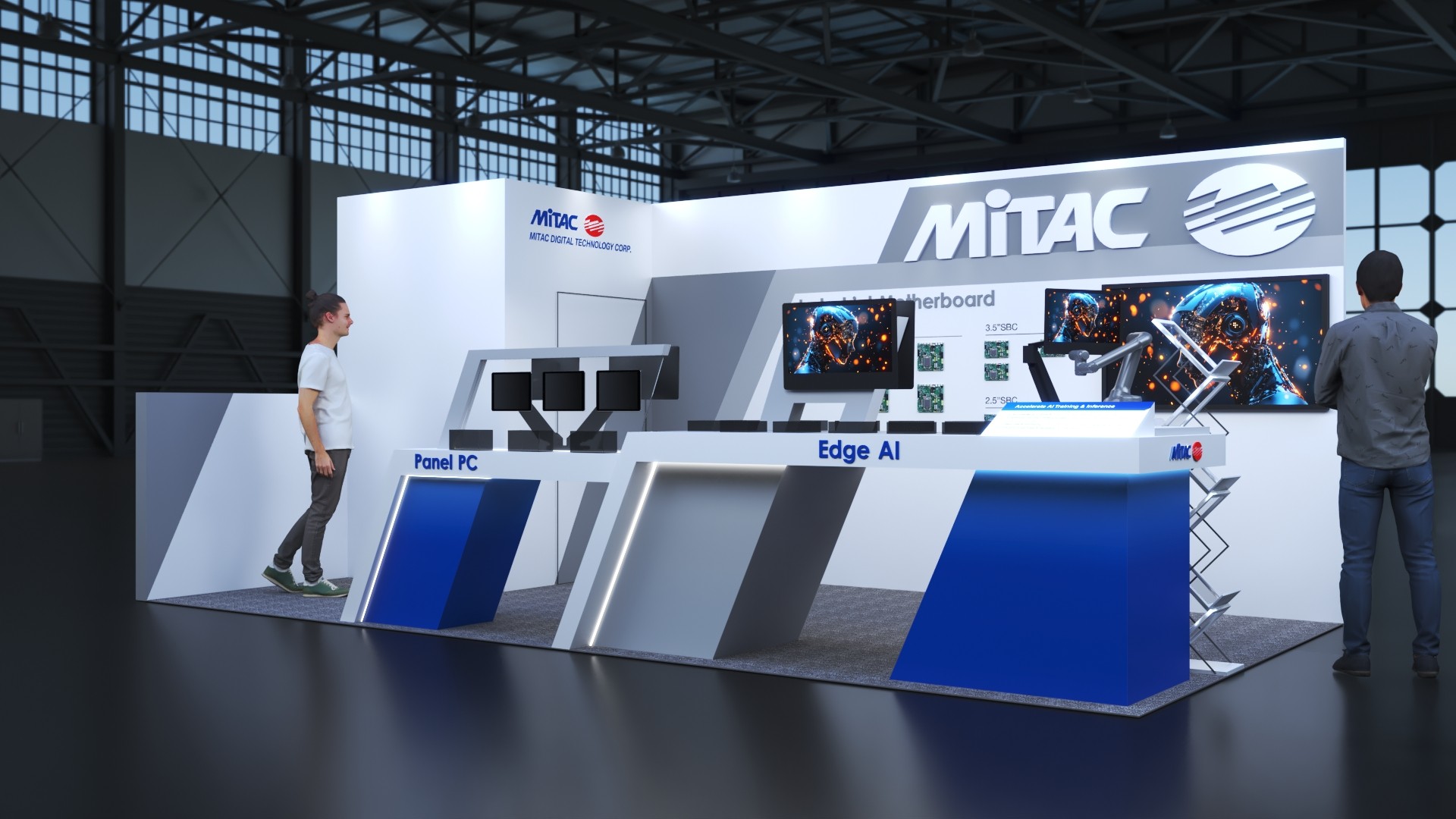
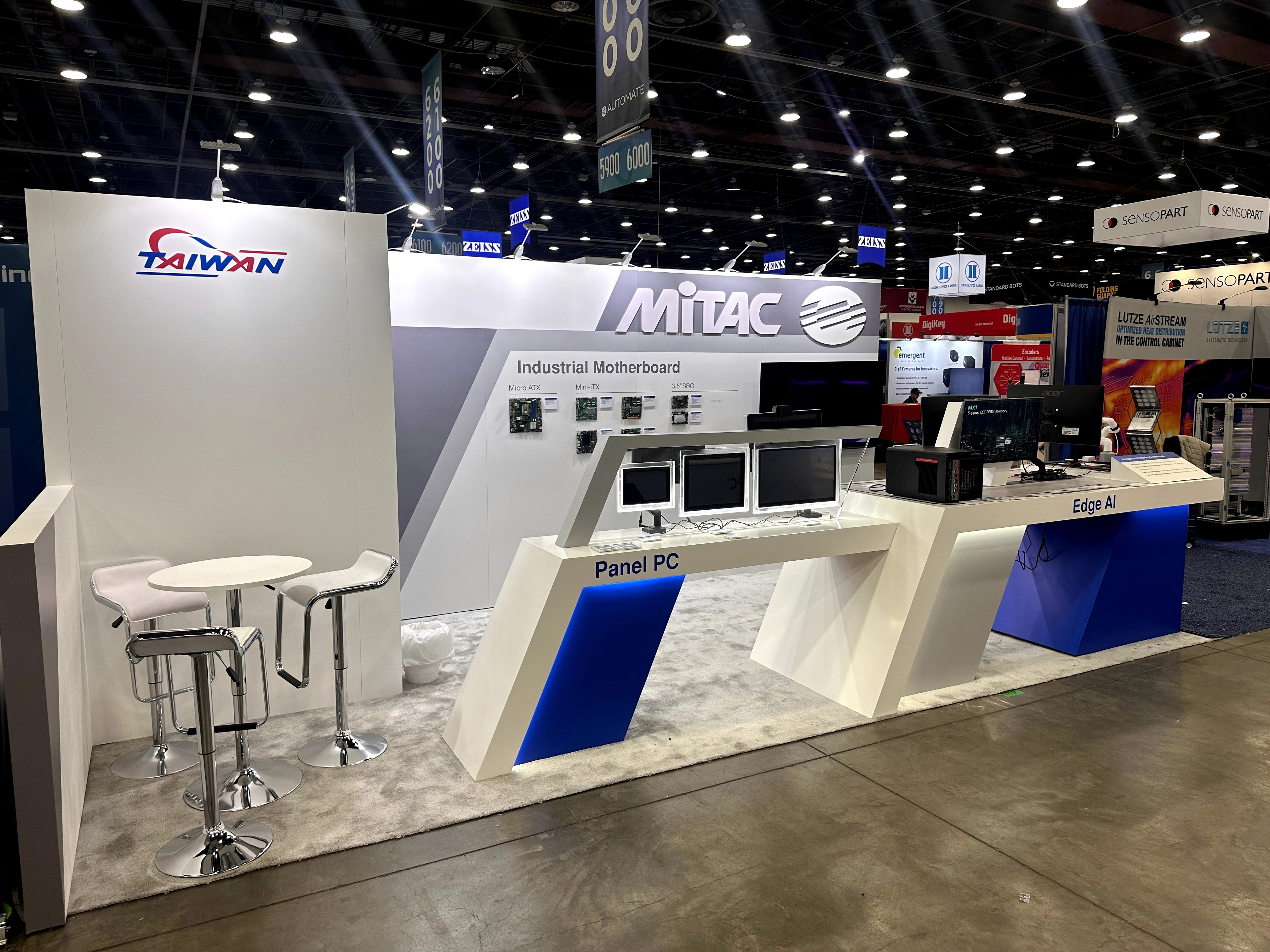
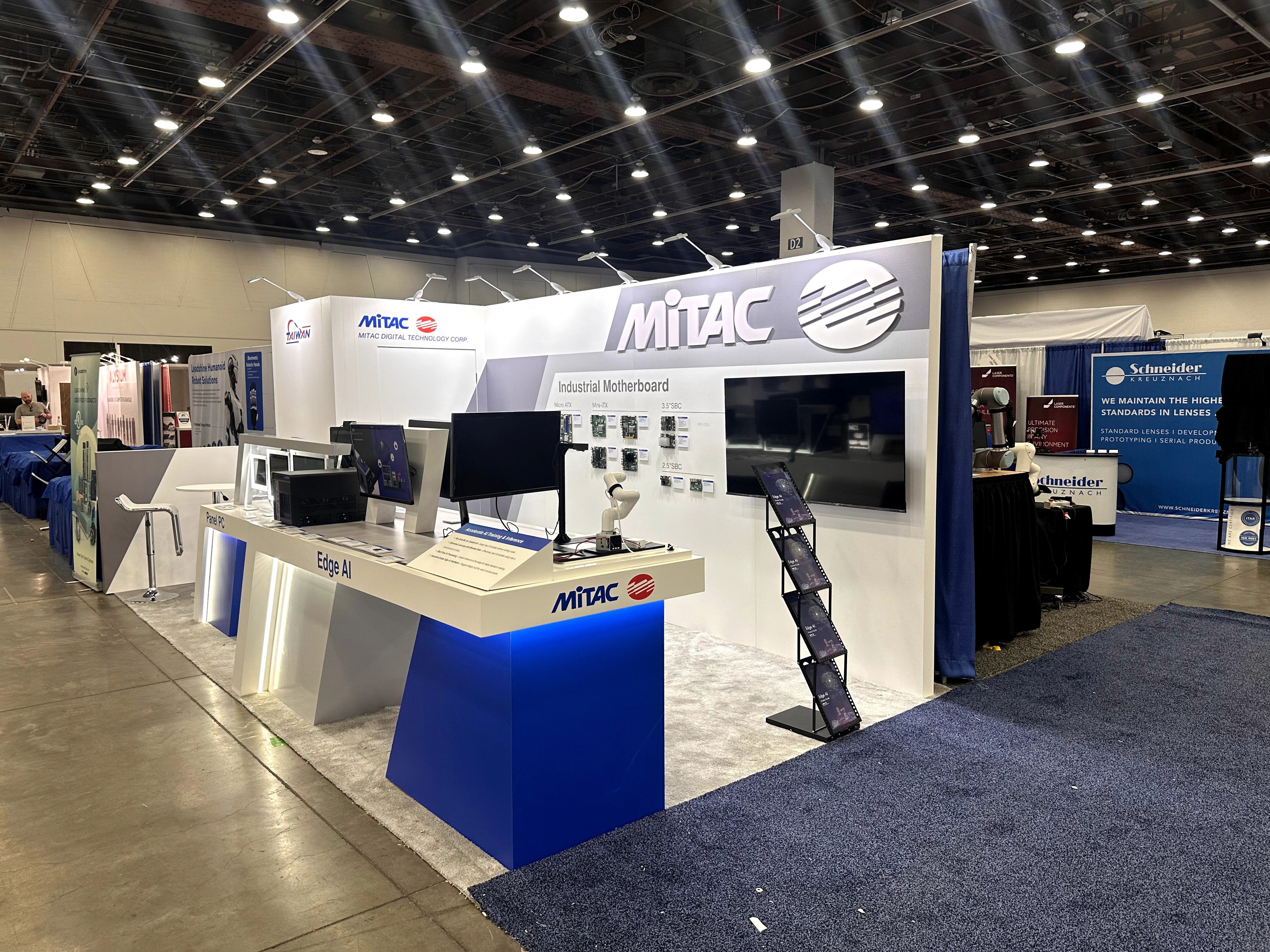
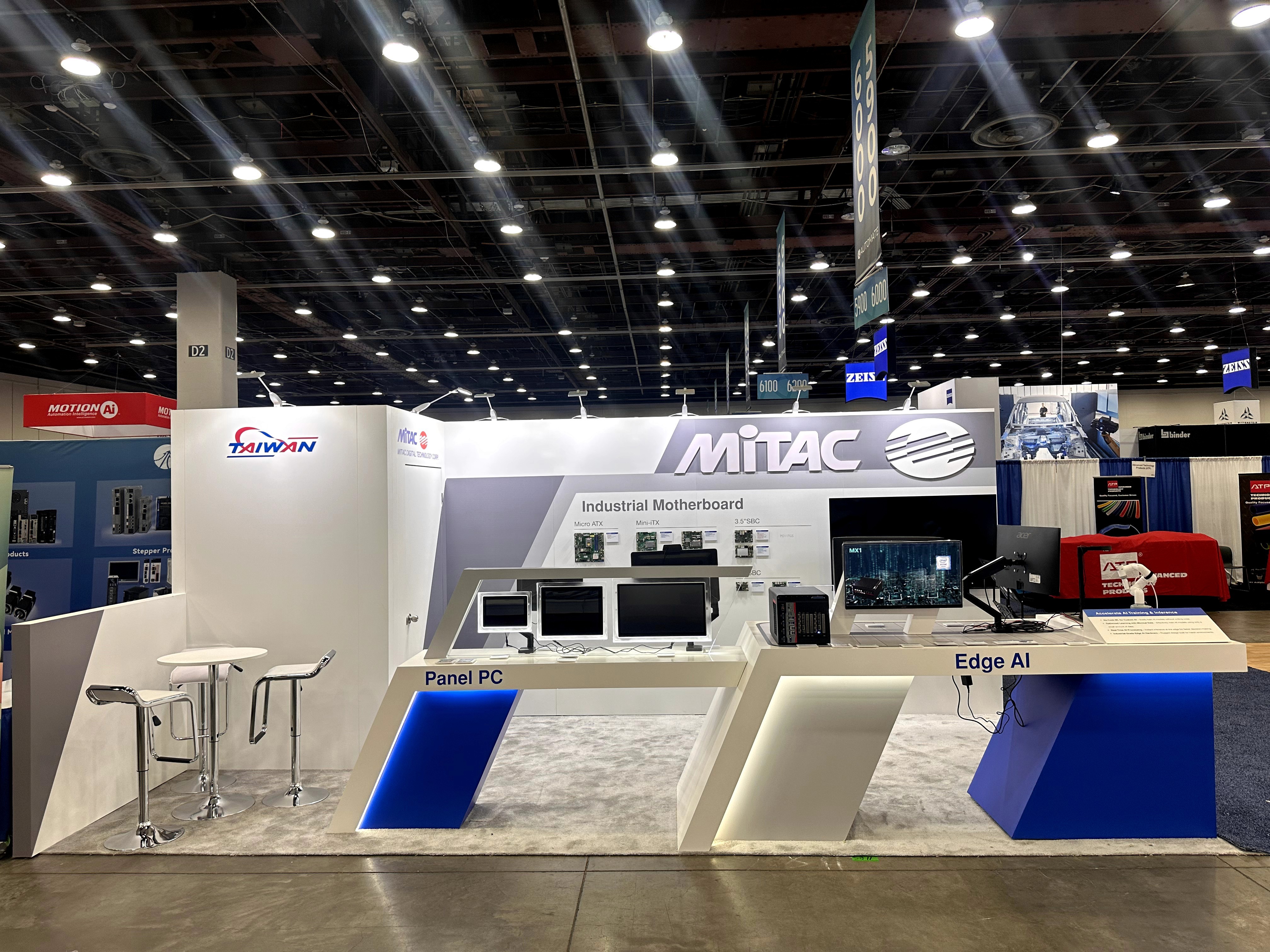
MITAC’s Automate 2025 presence needed to do two things at once: look unmistakably enterprise-tech from the aisle and perform like a hands-on lab inside a compact 3m×6m footprint. We structured the booth around two clear demo zones—Panel PC and Edge AI—so visitors could instantly self-select what they came to see, while the backwall translated complex product lines (industrial motherboards and formats) into a fast-scan display for engineers and buyers.
Execution was planned for show reality: stable counters that tolerate constant leaning and device interaction, monitor mounts that stay aligned, serviceable access for power and cable routing, and a lighting strategy that reinforces geometry without adding visual noise. The result is a booth that stays clean, readable, and demo-ready—even after long show days.
💼
Client:
📅
Year/Exhibition:
📍
Location:
📐
Size:
🏢
Industry:
🏢
Venue Context:
Challenge
Automate is a high-intent floor—visitors expect working hardware, not static posters. MITAC needed a booth that could support multiple live demo setups, screen-based explanations, and product viewing (Panel PC, Edge AI, industrial motherboard formats) while still feeling premium and uncluttered.
The key challenge was “demo density”: displays, devices, power bricks, and cables can quickly overwhelm a small booth. We had to balance brand visibility, product differentiation, and operational practicality—so the booth could handle real interactions, fast resets, and day-to-day wear without drifting into a messy, improvised look.
Design vs. On-site Execution
The concept used sharp angles, bold brand hierarchy, and controlled contrast to communicate MITAC’s industrial-tech positioning at a glance. But the real success depended on execution details that visitors don’t consciously notice—until they’re missing.
On-site build priorities included: counter rigidity (no flex under touch), consistent monitor sightlines for repeatable demos, protected display surfaces for hardware, and planned routing that hides power/cables without making troubleshooting impossible. We also accounted for quick changes: swapping devices, updating demo screens, and re-leveling equipment—so the booth could stay show-ready through the full event cycle.
Panel PC Demo Counter
A dedicated Panel PC counter created a clear “start here” experience for walk-ups. We sized the interaction edge for comfortable standing demos, kept monitors aligned for consistent viewing angles, and reserved discreet routing space so cables wouldn’t spill onto the surface during resets.
Edge AI Demo Counter
The Edge AI counter was built to support “explain + show + test” in one stop. Hardware placement, accessory staging, and cable paths were planned to reduce clutter—so staff can run demos repeatedly without needing constant cleanup or re-taping.
Industrial Motherboard Display Wall
We turned product complexity into a quick decision aid. Board formats and labels were organized for fast scanning, while the brand header and screen zone anchored attention and supported deeper conversations with technical buyers.
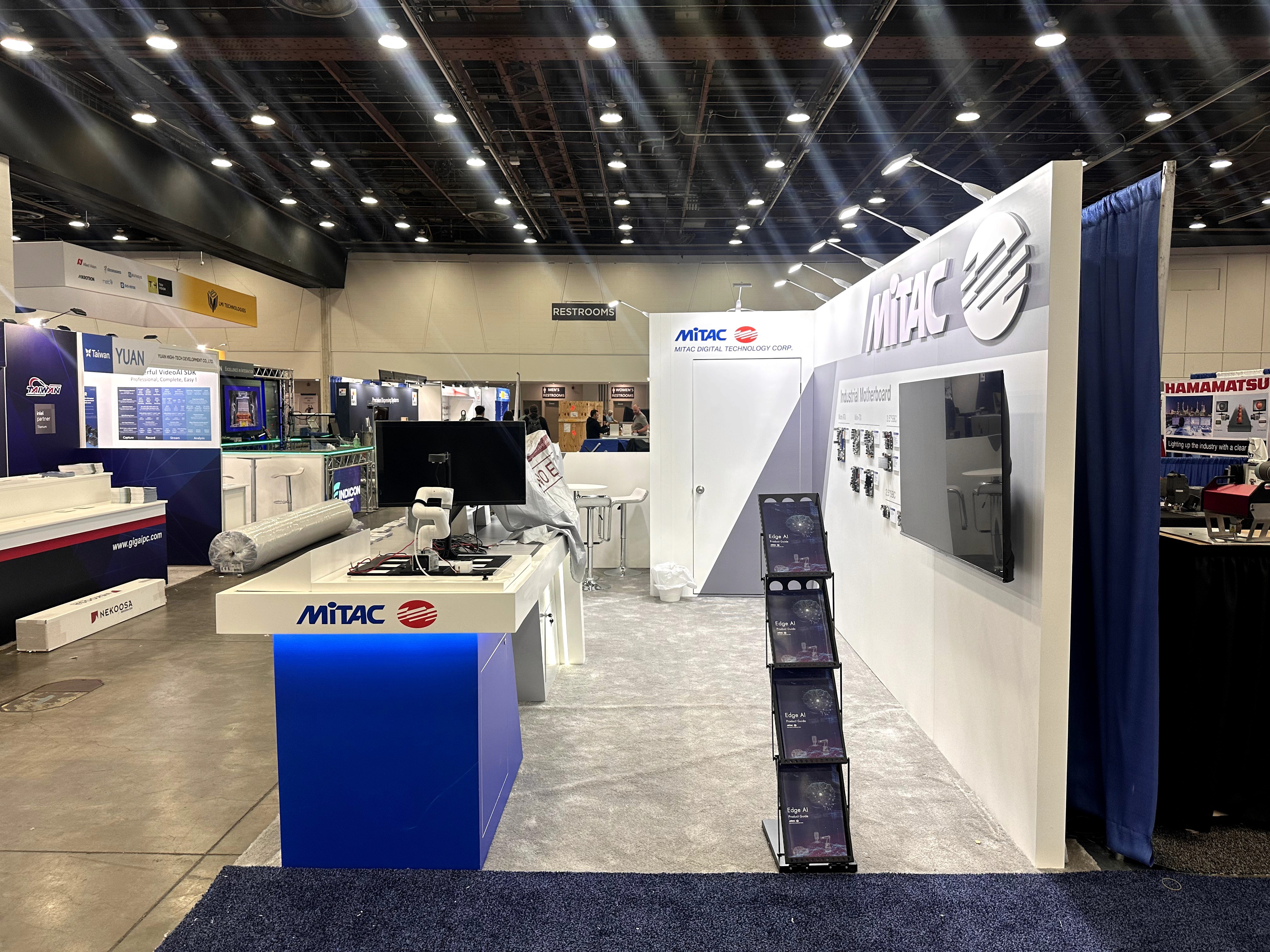
Literature + Quick Info Pickup
A dedicated “grab-and-go” point kept brochures and spec sheets accessible without blocking demos. This reduces crowding at the counters and helps sales teams keep the booth tidy and stocked through peak hours.
Precision brand alignment on the header
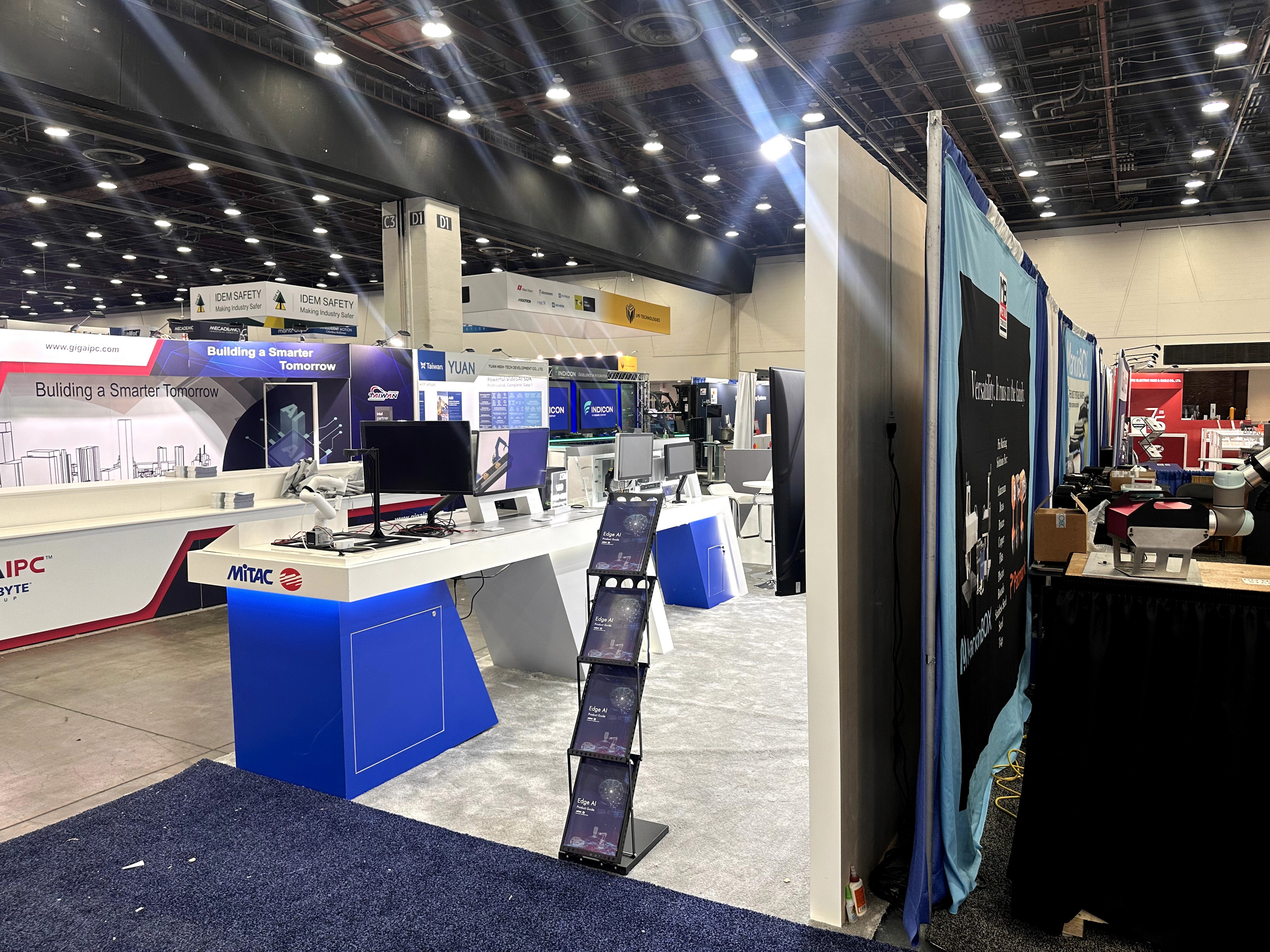
Clean cable strategy for a demo-heavy booth
Stable monitor mounting and hardware placement
Lighting used as structure, not decoration
Practical access for service and quick fixes
Outcome
Clear zone labeling (“Panel PC” vs “Edge AI”) reduced explanation time and helped visitors quickly match themselves to the right demo. This supports higher-quality conversations earlier in the visit.
Dedicated counter spacing and a separate literature pickup point lowered crowding at the main demo areas. Staff could keep demos moving without bottlenecks forming at a single surface.
Hidden routing, controlled device placement, and tidy surfaces helped the booth stay visually consistent. Even after continuous hands-on demos, the presentation remained “engineered,” not improvised.
Standardized monitor angles and device layout allowed consistent demos across shifts. Less time was spent on re-setting hardware and re-explaining where to stand or where to look.
A compact booth can still communicate “enterprise tech” if the design is disciplined and the execution is engineered for real usage. On automation floors, visitors judge quickly: if they can’t tell what’s being shown—or if the booth looks messy—trust drops fast.
For MITAC, the most impactful decision was hard separating the demo story into two zones and treating cable/power planning as a design requirement, not a last-minute fix. When a booth stays clean under pressure, it doesn’t just look better—it supports better demos, smoother conversations, and more confident product positioning.
FAQ
Q1: Why does a compact booth need clearly separated demo zones?
Because compact booths amplify confusion. Separating Panel PC and Edge AI creates instant wayfinding, prevents mixed messaging, and keeps visitor flow predictable when traffic spikes.
Q2: How do you keep a demo booth looking clean with lots of devices?
Plan routing from day one: hidden paths, serviceable access, and a reset workflow. If staff can restore the counter in seconds, the booth stays clean all day.
Q3: What matters most for monitor mounting on trade show counters?
Stability, consistent viewing angle, and service access. Mounts must stay firm under touch interaction and keep cables protected so demos can run continuously.
Q4: Can hardware display boards be changed for future shows?
Yes—if the wall uses modular mounting points and replaceable labels. That lets you update SKUs and messaging without rebuilding the full structure.
Q5: What’s the biggest risk for automation/industrial computing booths on show site?
Last-minute changes to devices, power, or demos. A serviceable layout with quick access points helps handle swaps without disrupting the booth’s clean look.