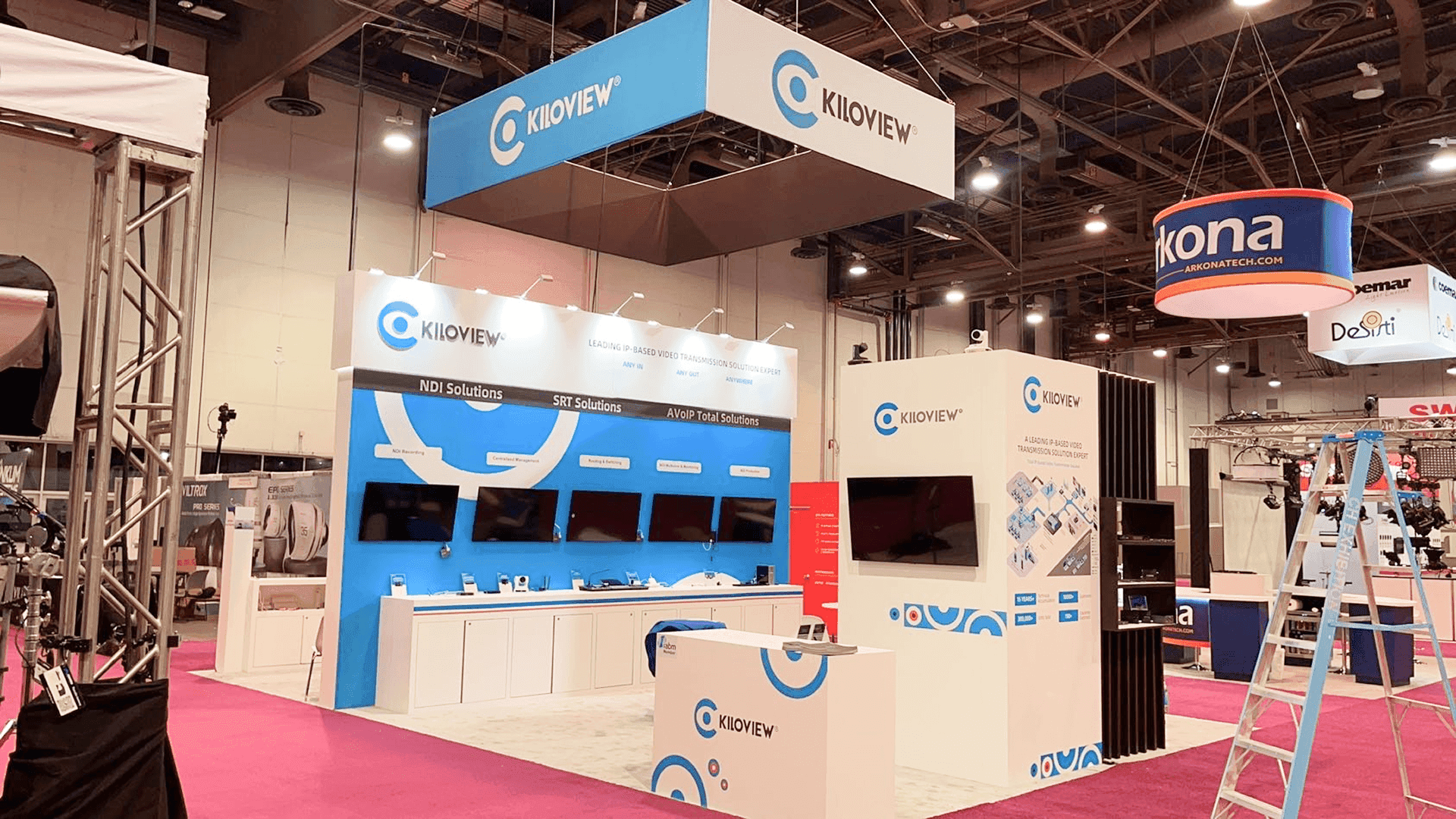
Kiloview brought a 20x20 booth to NAB Show in 2023 to present IP video transmission solutions, NDI workflows, SRT streaming, AVoIP systems, and PTZ camera applications for broadcast and live production teams. In a hall filled with cameras, production hardware, lighting systems, and streaming technology, the booth needed to make Kiloview’s workflow story clear from the aisle.
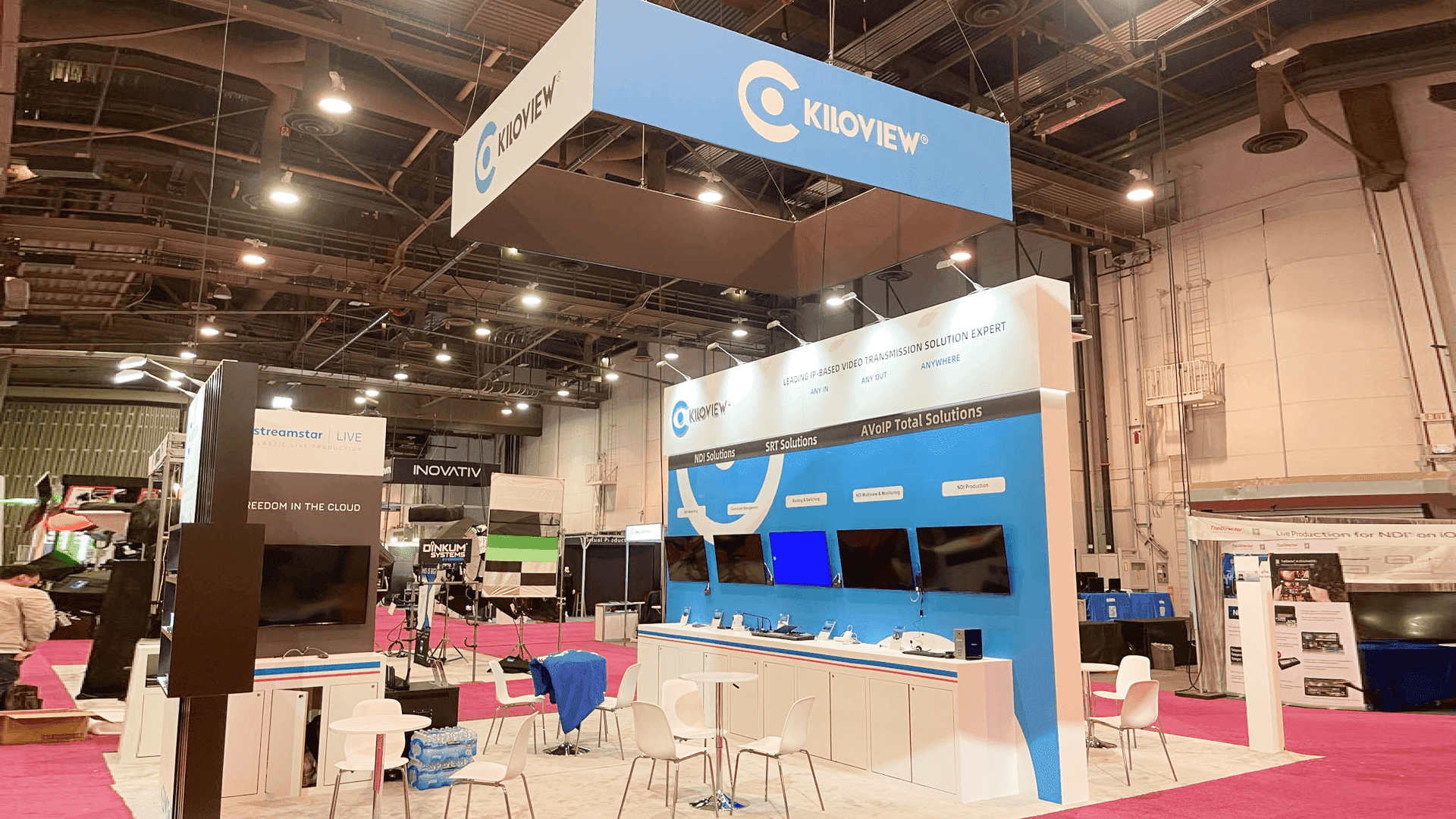
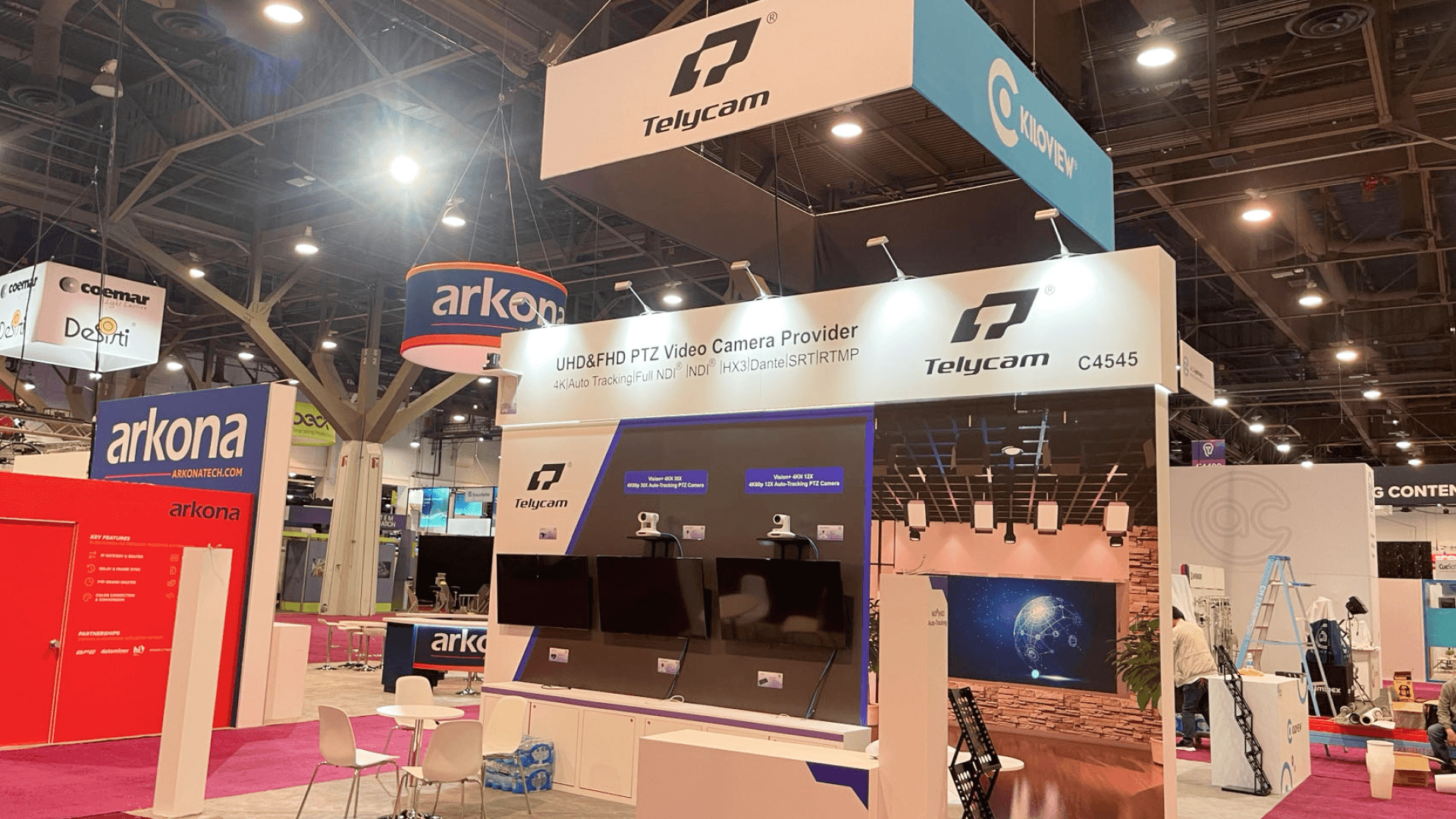
The layout used a suspended square hanging sign for long-range recognition, a blue solution wall for product categories, and multiple screen stations for IP video demos. The booth had to support quick technical scanning while still giving staff enough room to explain routing, switching, monitoring, and live production use cases.
The final 20x20 booth gave Kiloview a clean NAB Show presence at Las Vegas Convention Center, built around visible branding, demo-wall clarity, and controlled show-floor execution for broadcast technology buyers.
💼
Client:
📅
Year/Exhibition:
📍
Location:
📐
Size:
🏢
Industry:
🏢
Venue Context:
Challenge
The main challenge was technical clarity. Kiloview needed to present NDI solutions, SRT transmission, AVoIP workflows, routing, switching, monitoring, and PTZ camera applications without making the booth feel like a dense technical chart. Visitors had to understand the product categories quickly before moving into deeper broadcast workflow conversations.
The second challenge was demo readiness. The booth included multiple screens, product devices, camera displays, and counter-based demo points. Each area needed stable power access, clear cable paths, and clean screen placement so staff could explain real video transmission use cases without visual clutter.
The third challenge was show-floor sequencing. Hanging sign work, wall installation, screen mounting, product counter setup, lighting checks, and final reset had to be handled in a controlled order. For this type of broadcast technology booth, on-site installation and dismantle mattered because small alignment or wiring issues could weaken the demo experience before the show opened.
Design vs. On-site Execution
The main challenge was technical clarity. Kiloview needed to present NDI solutions, SRT transmission, AVoIP workflows, routing, switching, monitoring, and PTZ camera applications without making the booth feel like a dense technical chart. Visitors had to understand the product categories quickly before moving into deeper broadcast workflow conversations.
The second challenge was demo readiness. The booth included multiple screens, product devices, camera displays, and counter-based demo points. Each area needed stable power access, clear cable paths, and clean screen placement so staff could explain real video transmission use cases without visual clutter.
The third challenge was show-floor sequencing. Hanging sign work, wall installation, screen mounting, product counter setup, lighting checks, and final reset had to be handled in a controlled order. For this type of broadcast technology booth, on-site installation and dismantle mattered because small alignment or wiring issues could weaken the demo experience before the show opened.
On site, the execution depended on keeping the demo zones clean and accessible. Screens, cameras, devices, counters, graphics, and lighting had to work together so the booth felt technical but not crowded. Once the final reset was complete, the space supported both quick scanning and detailed broadcast product conversations.
Hanging Sign Recognition Zone
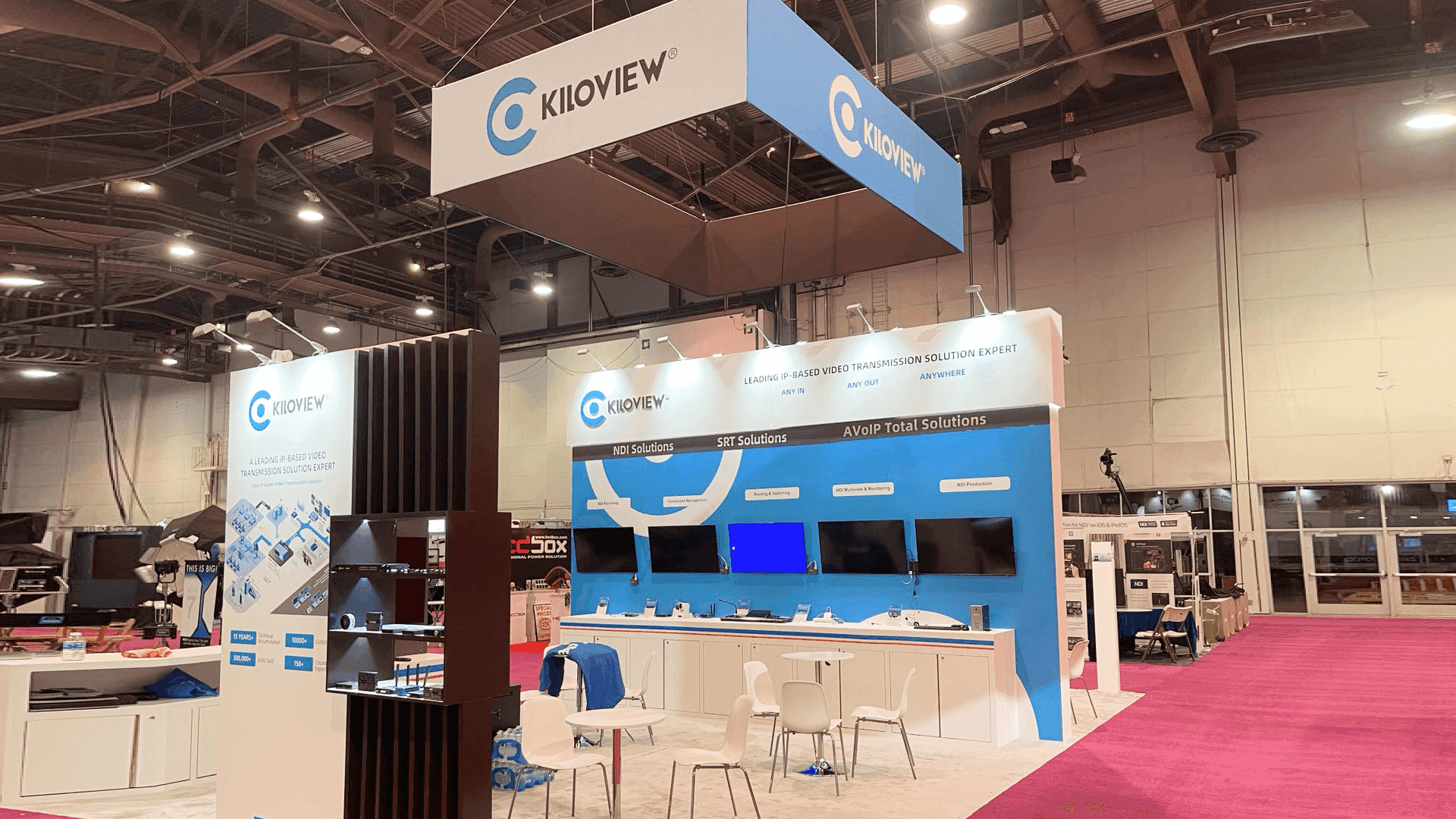
The suspended Kiloview sign helped the booth stay visible across the NAB Show floor and gave visitors a clear landmark inside the broadcast technology hall.
IP Video Solution Wall
The main blue wall organized NDI, SRT, and AVoIP categories so visitors could understand Kiloview’s transmission workflow before speaking with staff.
Multi-Screen Demo Counter
The screen and device counter supported product explanation, live workflow discussion, and side-by-side comparison of video transmission solutions.
PTZ Camera and Device Display Area
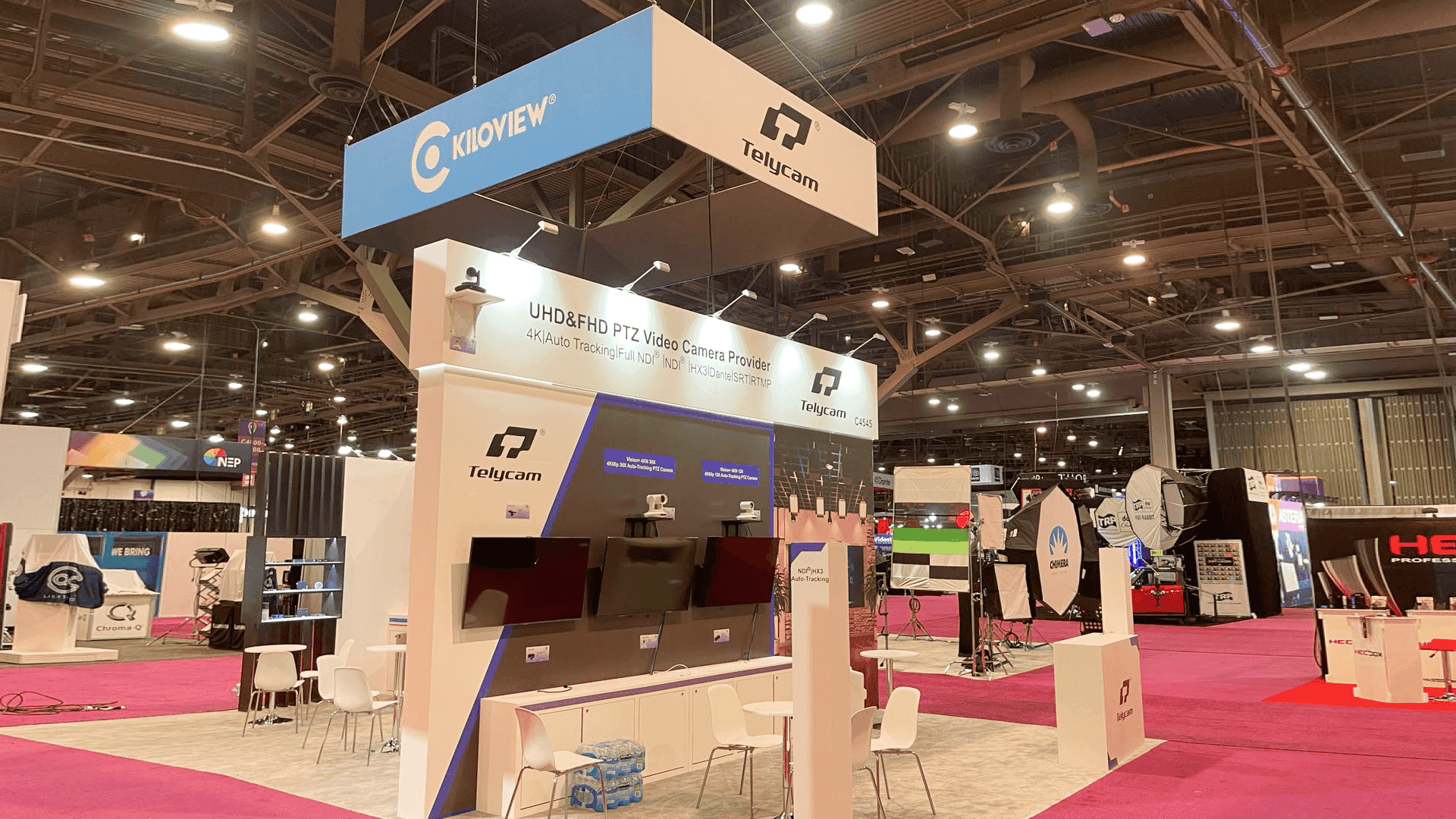
The camera display area helped connect Kiloview’s IP video workflow to real broadcast, streaming, and live production equipment use cases.
On-site Highlights
This booth was built around technical clarity on a busy NAB Show floor. The 20x20 layout had to carry hanging sign visibility, a blue workflow wall, screen stability, PTZ camera access, and open visitor flow without turning the booth into a wall of devices. The on-site work focused on rigging coordination, screen and power readiness, product counter staging, cable-path control, and final closeout so Kiloview could open with a clean broadcast technology presentation.
IP Video Demo Flow for a 20×20 NAB Booth
Hanging Sign Rigging Coordination
Demo Wall Screen Alignment
Power and Cable Routing
Drayage and Product Staging
Union Labor Install Sequencing
Outcome
The booth helped Kiloview turn IP video transmission, NDI, SRT, and AVoIP solutions into a more readable show-floor presentation.
The hanging sign and high blue solution wall gave the booth stronger recognition inside a busy broadcast technology environment.
The counters, screens, and camera display areas helped staff move visitors from first interest into practical workflow conversations.
With controlled staging, screen checks, power routing, and final reset, the booth opened in a polished condition for NAB Show visitor traffic.
What made this booth work was the way it simplified a technical category. Kiloview did not need to show every product detail at once. The booth first gave visitors a clear read of the brand and solution categories, then used screens, counters, and camera stations to support deeper conversations about IP video transmission, monitoring, routing, and live production workflows.
The practical takeaway is that NAB Show booths should be planned around how broadcast buyers compare technology on the floor. Visitors often scan quickly, then stop when they see a workflow that matches their production needs. For exhibitors preparing for NAB Show or another Las Vegas broadcast technology event, an experienced Las Vegas trade show booth builder can help turn a 20x20 footprint into a clearer, demo-ready environment.
Quick Q&A
Q: Why does an IP video booth need a clear solution wall?
A: Broadcast visitors need to understand the workflow first. A clear solution wall helps separate NDI, SRT, AVoIP, routing, switching, and monitoring before detailed product discussion begins.
Q: Why was the hanging sign important for this booth?
A: NAB Show halls are visually dense. A suspended sign helped Kiloview stay visible from a distance and made the booth easier to locate from the aisle.
Q: What mattered most during installation?
A: Rigging coordination, screen placement, power routing, cable control, product counter setup, and final demo reset were the key execution points.
Q: Why is a 20x20 booth useful for broadcast technology demos?
A: A 20x20 island gives enough space for brand visibility, demo walls, screen stations, and staff-led conversations while keeping the booth manageable.
Q: How should exhibitors avoid making a technical booth feel crowded?
A: Organize the booth by workflow instead of listing every product. Keep screens, counters, cameras, and graphics in clear zones so visitors can understand the story step by step.

