
Choose the Primary Structure
The first category should reflect the scientific distinction that changes the visitor’s next decision. Disease area, research method, and product family can all appear in the booth, but they should not carry equal weight at the top of the hierarchy.
The product-to-research map gives each offering one primary home and shows where scientific context or supporting evidence requires a cross-reference.
Use Disease Area When the Scientific Context Changes
Disease area works best when the relevance of the product, the supporting evidence, or the interpretation of the result changes substantially between fields such as retinal disease, glaucoma, and ocular surface research. A researcher can begin with a familiar condition, then move to the methods, products, and proof that apply to that work.
This structure is less useful when the same workflow and output serve several fields with little change. Repeating the full product list under every disease heading makes the booth look comprehensive, but it asks visitors to navigate duplicate information.
Use Research Method When the Workflow Connects the Portfolio
Research method is often the clearest route when products share a recognizable workflow, such as imaging, microscopy, sample preparation, measurement, cell analysis, or data analysis. If the operating steps and expected output remain broadly consistent across disease areas, the method gives the portfolio a stable center.
Applications can still appear beneath that method. For example, one imaging platform may support both retinal and glaucoma research while using the same acquisition sequence and producing a comparable output. In that case, separate disease-led product paths would add repetition without improving selection.
Use Product Family When Visitors Are Ready to Compare
A product family can lead when researchers already know the type of system they need and are comparing practical criteria such as resolution, throughput, sample compatibility, configuration, or software support. The category then functions as a direct route to selection rather than as a brand showcase.
An internal family name is not enough on its own. If an unfamiliar label requires a visitor to decode the company portfolio before understanding the application, place a researcher-facing method or task above it.
Test What Stays Consistent Across Applications
Take one priority product and place it in two or three likely research contexts. Compare the operating workflow, expected output, selection criteria, and evidence needed in each one. If most of those elements remain stable, the method or product category is portable across applications. If the scientific relevance or proof changes substantially, disease area deserves a stronger role.
Portfolio condition | Best primary category | Organize beneath it | Main risk to avoid |
|---|---|---|---|
Application context and supporting evidence change materially by disease | Disease area | Relevant methods, products, and disease-specific proof | Reproducing the complete catalog under every condition |
Workflow and expected output remain consistent across disease areas | Research method | Applications, compatible products, and method-specific proof | Repeating the same process in several disease-led routes |
Visitors recognize the category and use stable comparison criteria | Product family | Method fit, configuration, compatibility, and evidence | Leading with internal brand language alone |
The method is shared, but the evidence changes by disease | Research method | Disease-specific proof linked to the shared workflow | Duplicating the full product explanation for each disease |
This test identifies the primary category; it does not prohibit secondary references. Give each product one main home, then mention it elsewhere only when the additional context helps a visitor understand application fit, method compatibility, or evidence.

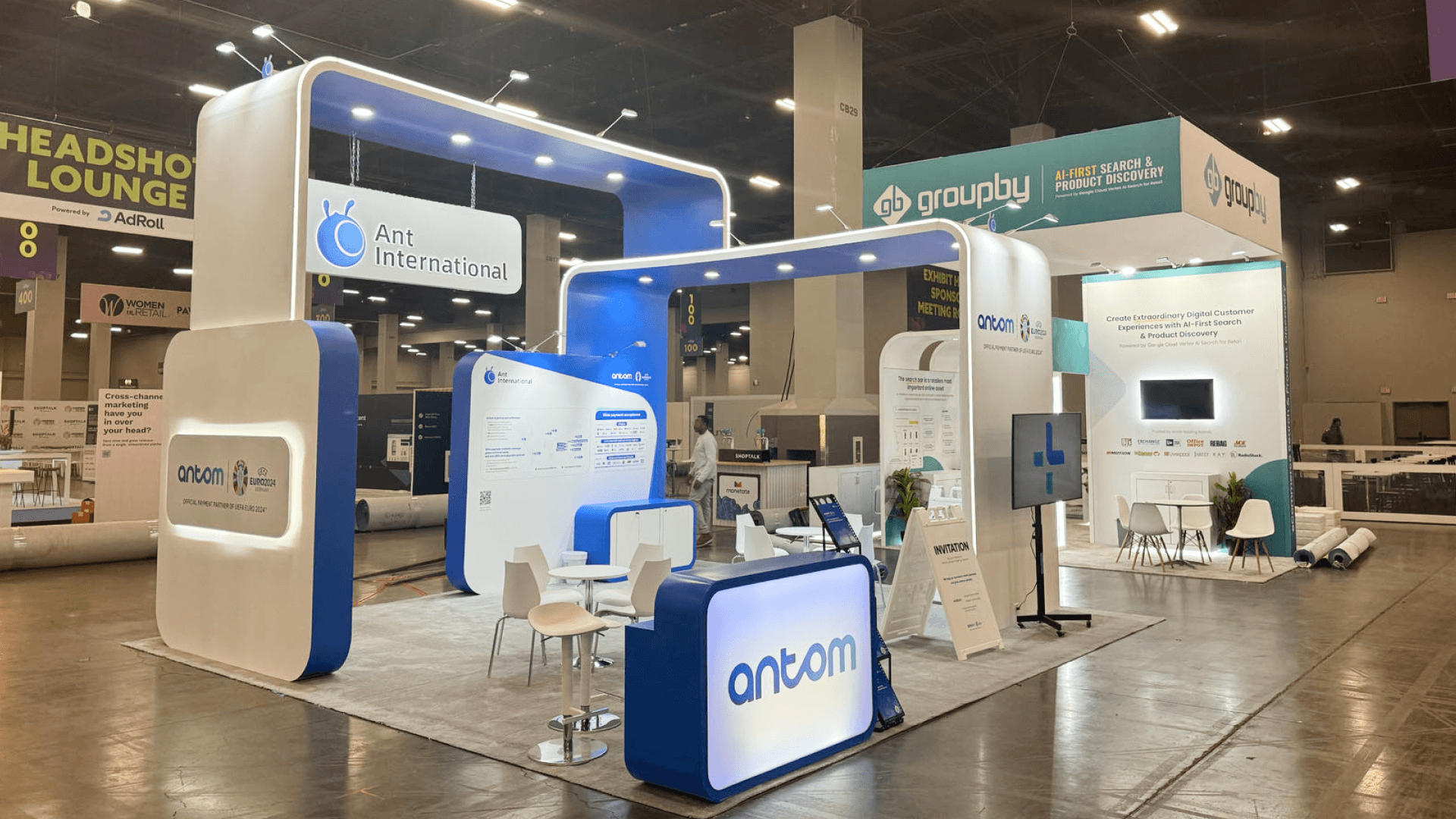
A 20x20 booth can turn the content hierarchy into distinct product, evidence, and specialist-conversation areas without duplicating the visitor path.
Build the Product-to-Research Map Before Graphics
Map the scientific relationship before writing wall copy or assigning screens. For each priority offering, record:
the researcher-facing label that should be recognized first;
the method, task, or selection criterion behind that label;
the products that genuinely belong in the group;
the evidence needed to support the next decision; and
any secondary route that merits a cross-reference.
Attach proof to the question created by the label. A disease-area route should show why the offering is relevant to that field. A method route should clarify inputs, workflow, compatibility, and output. A product-family route should support comparison with specifications, configurations, and application fit. A poster, publication, image, or dataset belongs only where it helps answer that specific question.
Consider an imaging platform used in several disease areas. If the workflow, output, and selection criteria stay the same, give it one primary home under the method and reference disease-specific evidence from there. If the protocol, configuration, or interpretation changes materially by condition, disease area may need to become the main route. The map should make that distinction visible before the team begins designing the exhibit.
Move From Content Hierarchy to Booth Planning
Once the team agrees on the hierarchy, the exhibit plan can assign space to product groups, supporting material, and specialist conversations. The content map should show what visitors need to recognize first and what they should encounter next; it should not prescribe a physical arrangement on its own.
For the next step, ARVO research product booth planning explains how to place product groups, evidence, and consultation points within the booth without making them compete for the same visitor path. That page addresses the physical planning problem, while this article remains focused on classification.
Frequently Asked Questions
Can one ARVO product appear under more than one disease area?
Yes, but it should still have one primary home. Add a secondary reference only when the disease context changes the product’s relevance, evidence, protocol, or interpretation. Repeating an identical description under several headings gives the visitor more material to scan without adding a new answer.
What if the same method serves several disease areas but the evidence changes?
Use the shared method as the main route, then place disease-specific proof beneath it. This preserves one explanation of the workflow while giving each field the evidence needed to judge relevance.
Should research terms or branded product names appear first?
Use the term a researcher is most likely to recognize before starting a comparison. A branded name can follow once its method, task, or category is clear. The exception is an established product family that visitors already use as a category.
Conclusion
A useful ARVO product hierarchy does not place every offering under every possible label. It gives each one a clear home, then adds secondary references only when they contribute new scientific context. Once that structure is settled, ARVO Annual Meeting booth planning can coordinate it with the total footprint, demonstrations, meetings, storage, and visitor flow.







