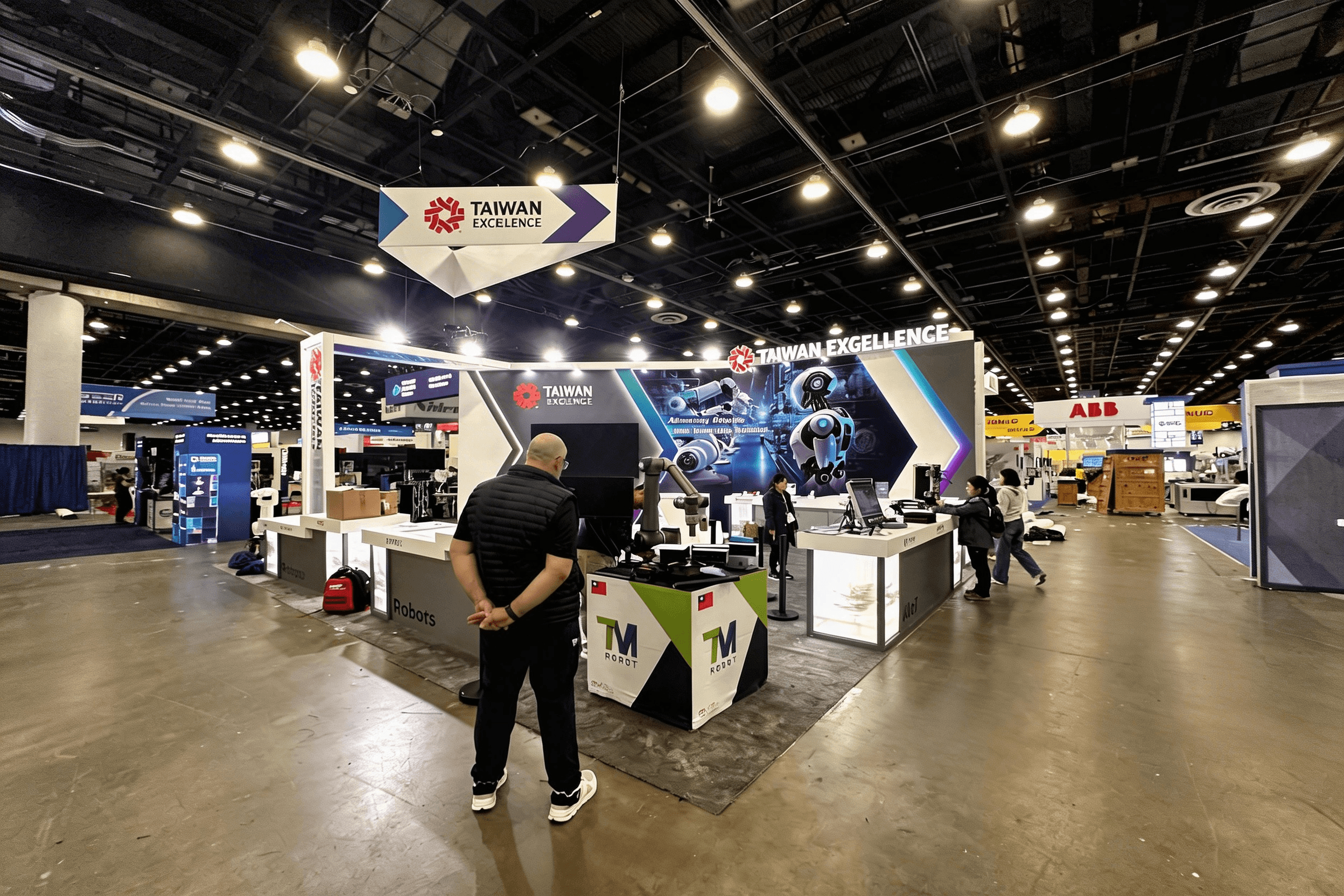
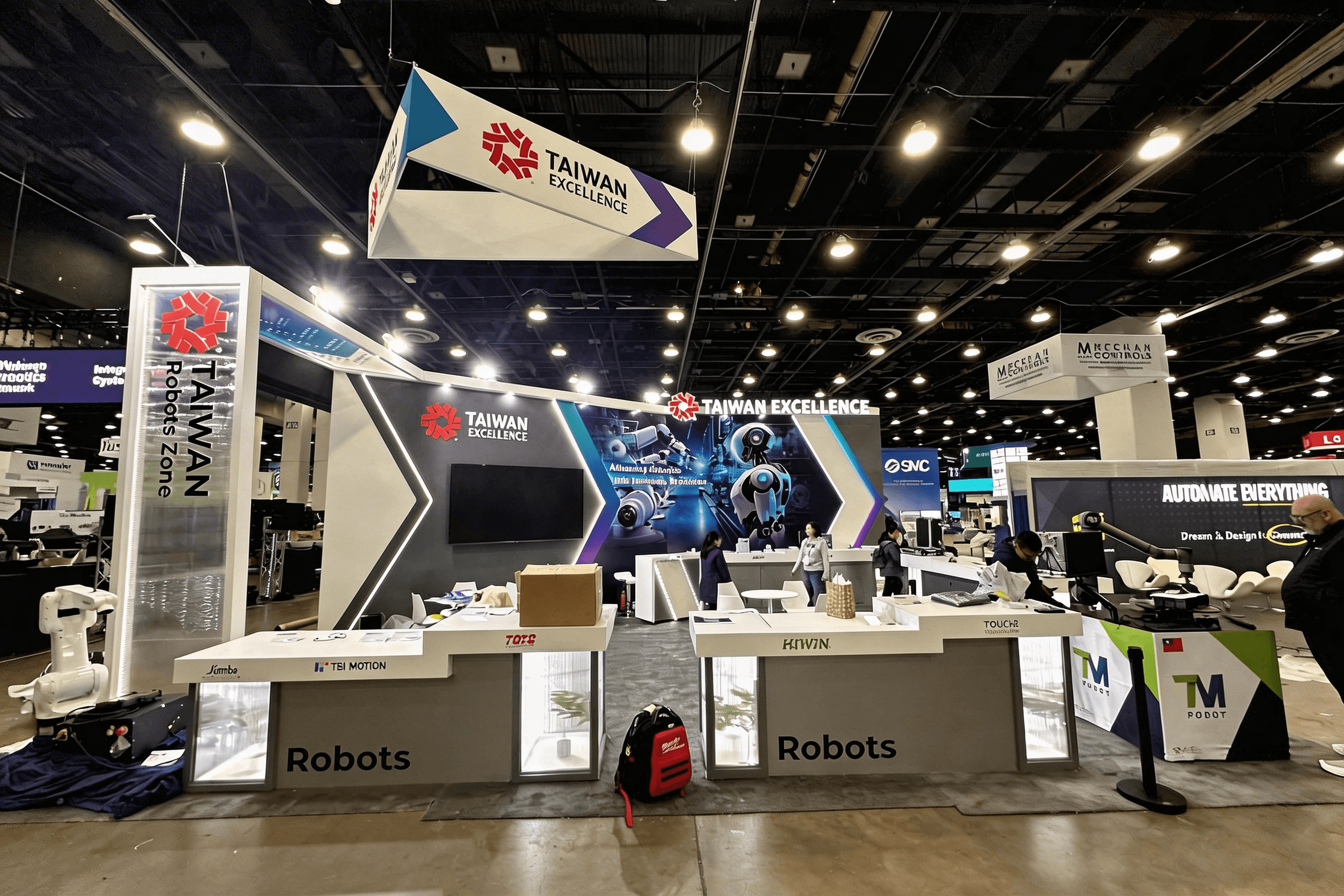
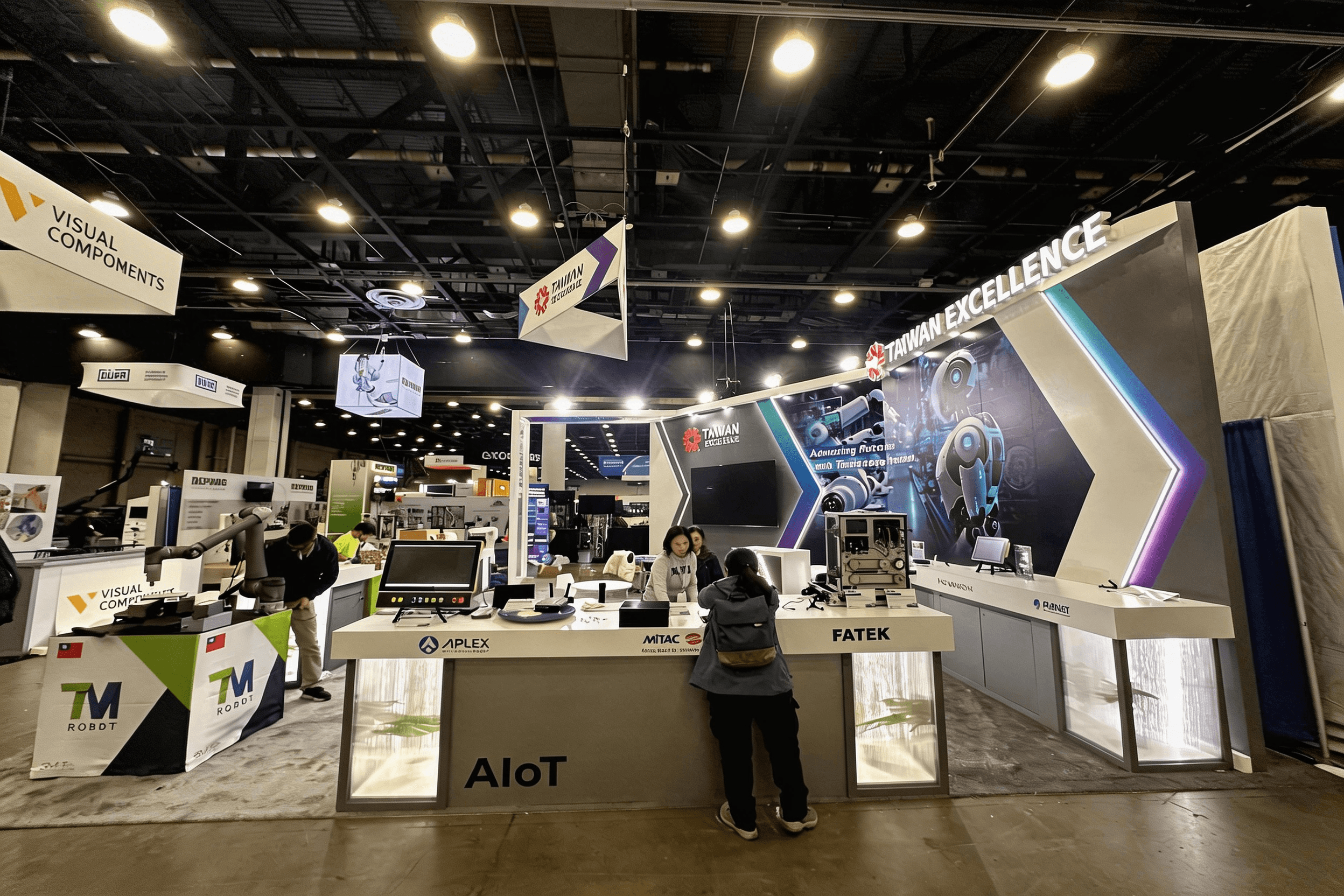
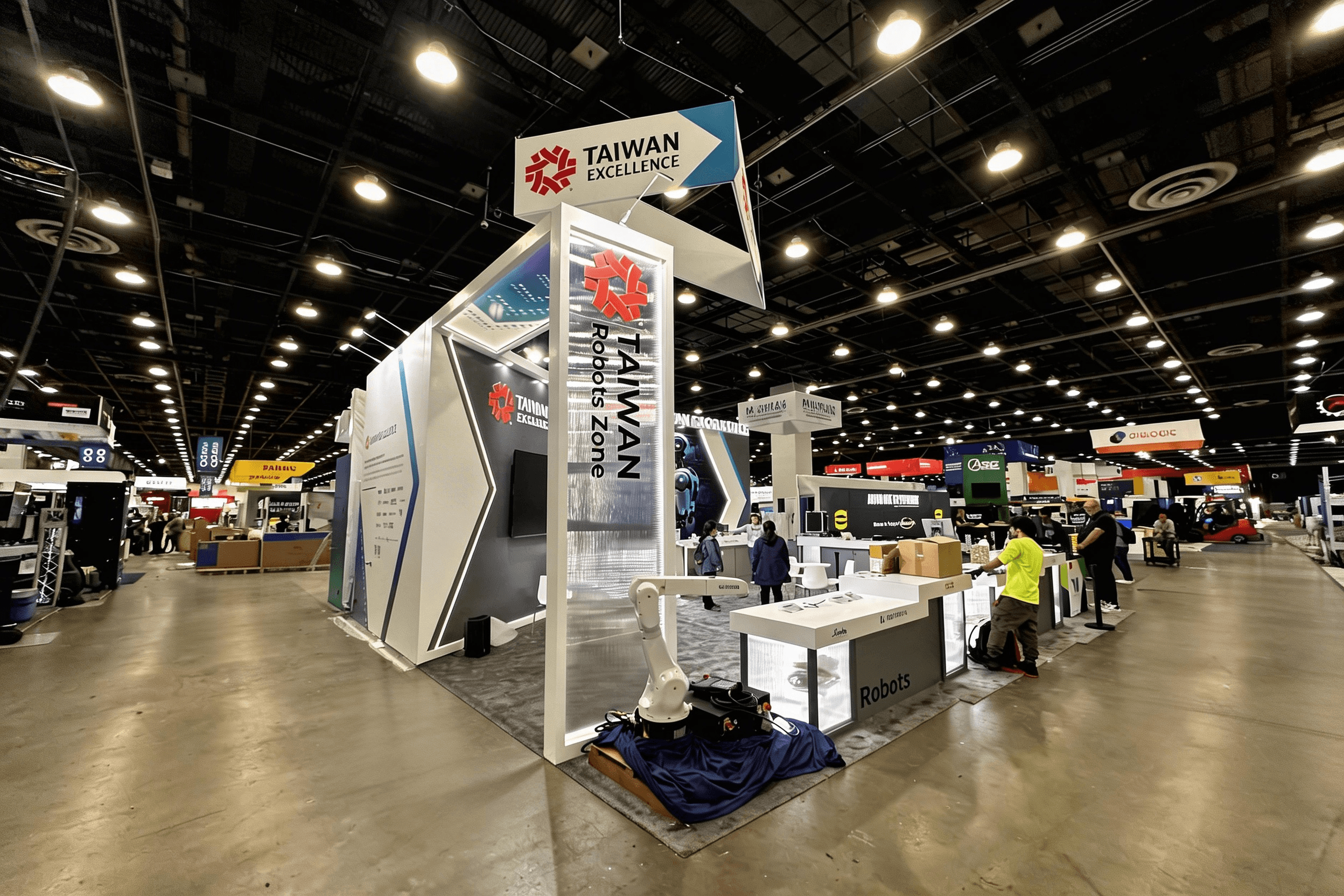
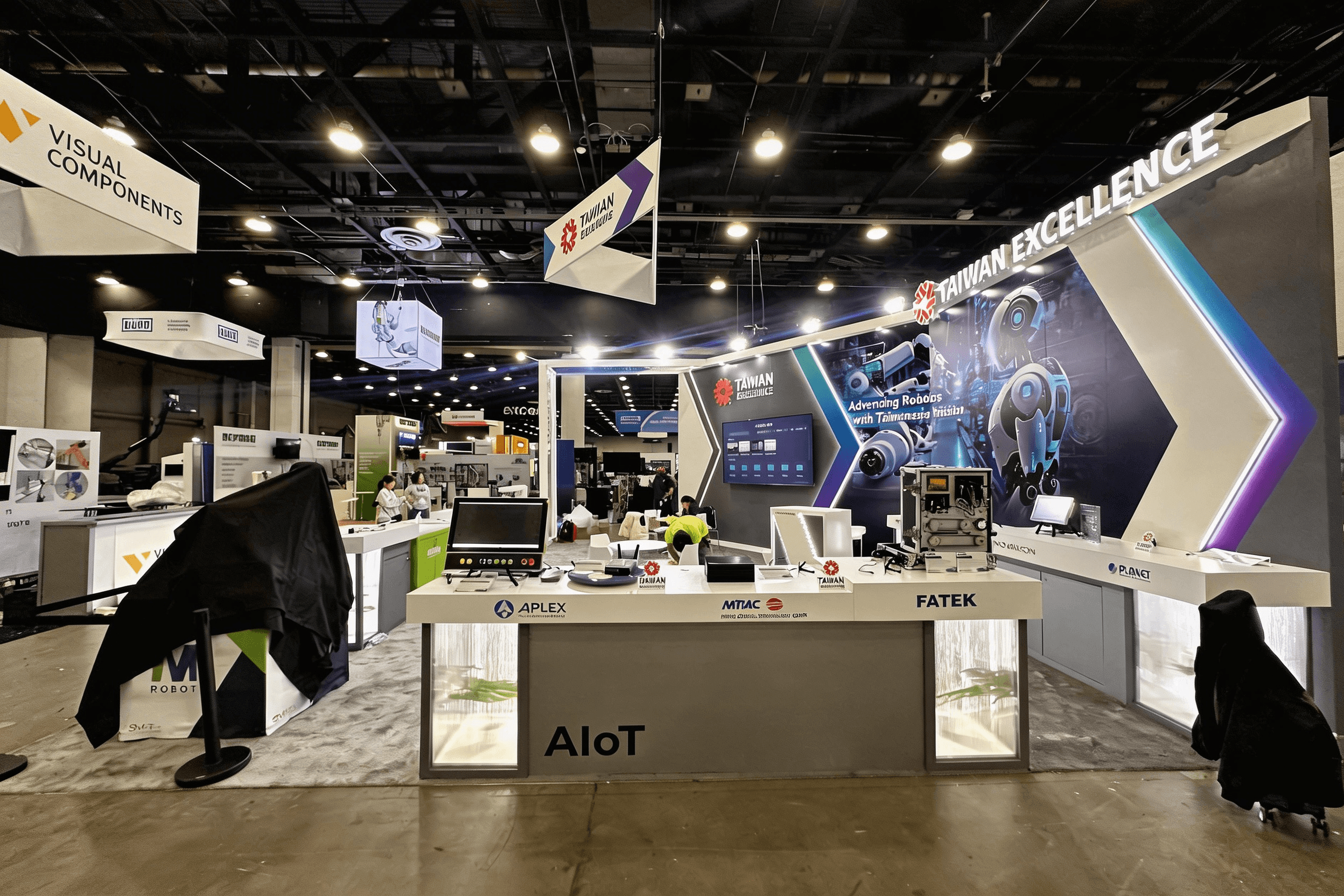
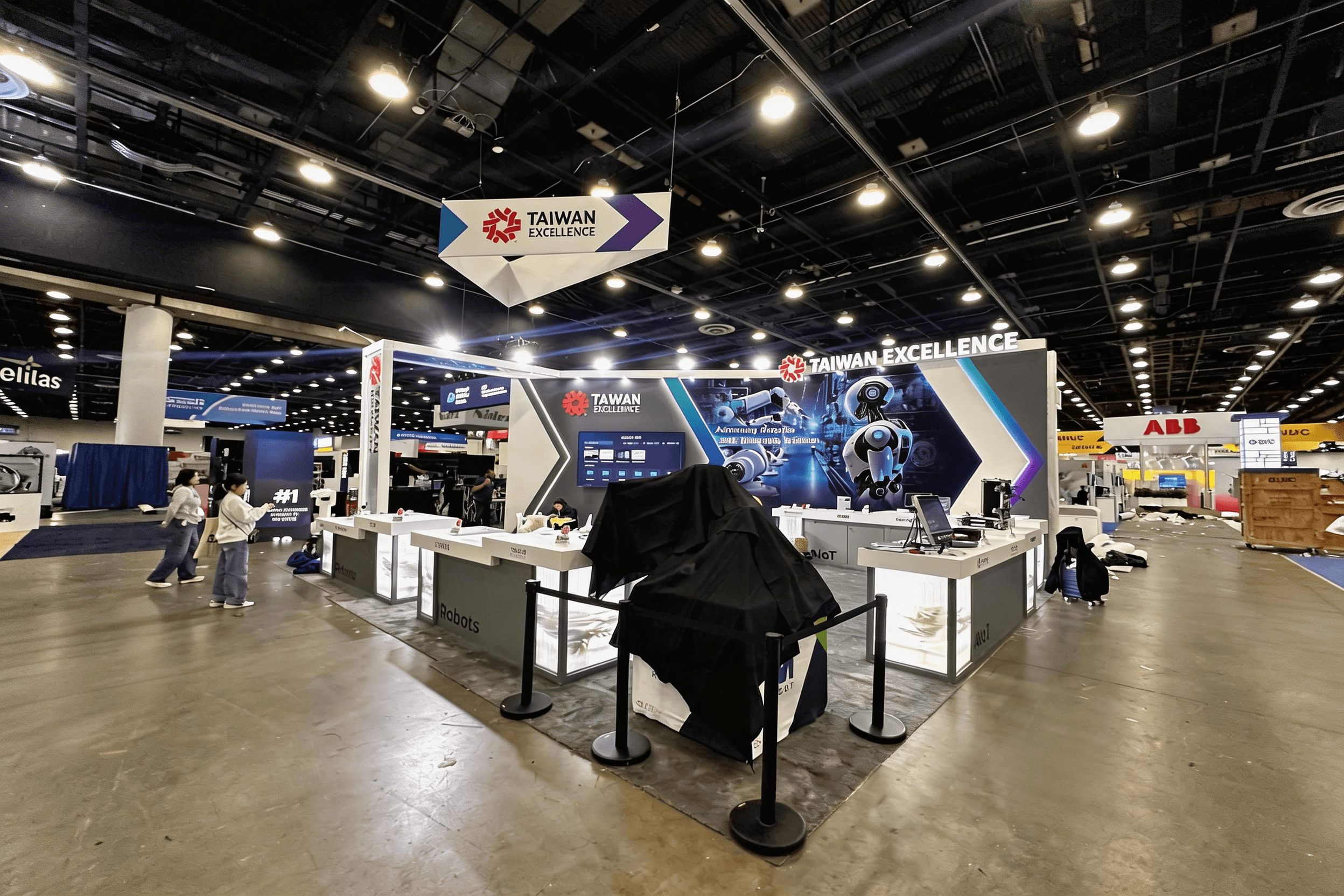
Taiwan Excellence brought a 20×30 “Robots Zone” pavilion to Automate, built for high-frequency walk-up demos of industrial automation hardware—cobots, machine vision components, motion control, and smart manufacturing systems—without turning the front line into a traffic jam. The layout kept the demo counters and device tables on the most visible edges, while a wide central lane preserved sightlines to the hero wall and overhead identity, so visitors could understand “what’s being shown” in seconds.
Because Automate crowds move fast—and many attendees want to compare multiple vendors in one pass—we treated wayfinding, power planning, and cable routing as part of the exhibit design from day one. That allowed each brand station to run repeatable demo loops (screens, controllers, sensor displays) while keeping conversations short and practical.
To keep the build predictable at Huntington Place, we planned the install around union labor sequencing, drayage timing, and dock delivery windows—then backed it up with design & engineering details that reduced surprises on show week. For teams scaling a similar footprint, the 20×30 booth size guide explains what changes when you add more demo positions, more power drops, and more on-site coordination.
💼
Client:
📅
Year/Exhibition:
📍
Location:
📐
Size:
🏢
Industry:
🏢
Venue Context:
Challenge
Automate is a show where attendees scan booths quickly: they look for a clear demo cue, a safe place to stand, and a quick way to understand the product category (robotics, vision, controls, sensors). The challenge for this 20×30 pavilion was balancing long-range visibility with multiple demo touchpoints—so visitors could stop, watch, and ask questions without blocking the aisle.
A second challenge was operational: many demo stations meant more power/data needs, screen mounting, device security, and cable management. If those details aren’t solved before show week, the booth becomes fragile—especially under Huntington Place install rules and union workflows. The goal was a demo-first environment that stayed clean, repeatable, and easy for staff to run all day.
Design vs. On-site Execution
We treated the pavilion like a small “demo neighborhood”: brand stations were placed to create natural stopping points, while the center remained open enough for circulation and quick comparisons. The hero wall and overhead identity carried the message from distance; the counters and device tables did the work up close.
On the execution side, we planned around the realities of Huntington Place: drayage delivery order, dock scheduling, union labor task splits, and the need to keep electrical/cable routes straightforward for on-site crews. Pre-labeled parts, staged packing, and a clear install sequence helped us land screens, counters, and graphics in the right order—so demo stations could come online quickly and remain consistent throughout the show.
Front Demo Line (Walk-Up Hardware Stations)
High-visibility counters and device tables created “instant demo cues” for robotics and automation components, with spacing that allowed 2–3 visitors per station without crowding the aisle.
Center Circulation Lane (Fast Comparison Path)
A wide, uncluttered center lane kept sightlines open to the hero wall and overhead identity, letting attendees move through, compare brands, and re-enter the demo line without bottlenecks.
Hero Wall + Story Spine (Category Clarity From Distance)
Large-format graphics and a clean brand hierarchy explained “Robots Zone / Taiwan Excellence” at a glance, while screen placements supported short, repeatable product storytelling loops.
Staff Reset + Storage Logic (Behind-the-Counter Control)
Hidden storage and back-of-counter organization kept giveaways, device cases, and daily supplies out of view—so the pavilion stayed showroom-clean even during peak hours.
On-site Highlights
1) Dock timing + drayage control — Shipments were staged and labeled to match Huntington Place dock release order, reducing time lost to searching and re-handling.
2) Union-ready sequencing — The install plan prioritized structure, electrical readiness, then screen/counter placement, so demo stations could be tested in a clean progression.
3) Clean cable paths for demo reliability — Power/data routes were planned to keep floors and counter edges tidy, protecting both visitor safety and demo stability.
4) Graphics alignment under show lighting — Key brand marks and category headers were positioned to read cleanly under hall lighting and camera exposure (photos/video).
5) Quick-turn fixes without visual drift — Spare hardware, touch-up materials, and a clear parts map allowed small on-site adjustments while keeping the pavilion consistent day-to-day.
Design Highlights — Demo-First Visibility for Industrial Automation
Long-Range Identity + Category Cue
Repeatable Demo Positions
Open Sightlines, No Dead Corners
Hardware-Friendly Surfaces + Display Discipline
Brand System Built for Multi-Exhibitor Pavilions
Outcome
Attendees could identify the pavilion’s purpose (robotics/automation) quickly, improving stop rate from pass-by traffic.
Multiple demo stations stayed usable without crowd compression, keeping aisles open and conversations practical.
Repeatable demo positions helped staff deliver stable messaging across brands and across the full show schedule.
Sequenced install planning and labeled logistics reduced last-minute rework and protected demo readiness.
A 20×30 pavilion at Automate only works when the “demo posture” is obvious: where to stand, what to look at, and how to ask a question without interrupting another station. In this project, we kept the hero message readable from distance, then used clean counter lines and repeatable demo tables to convert quick aisle scans into real stops.
From an execution standpoint, the simplest-looking booths are often the most planned. Power and cable routes, labeled components, and install sequencing matter more when you have multiple screens and hardware demos running all day. The goal isn’t just to “look good”—it’s to stay operational through peak traffic, union labor constraints, and tight dock schedules.


