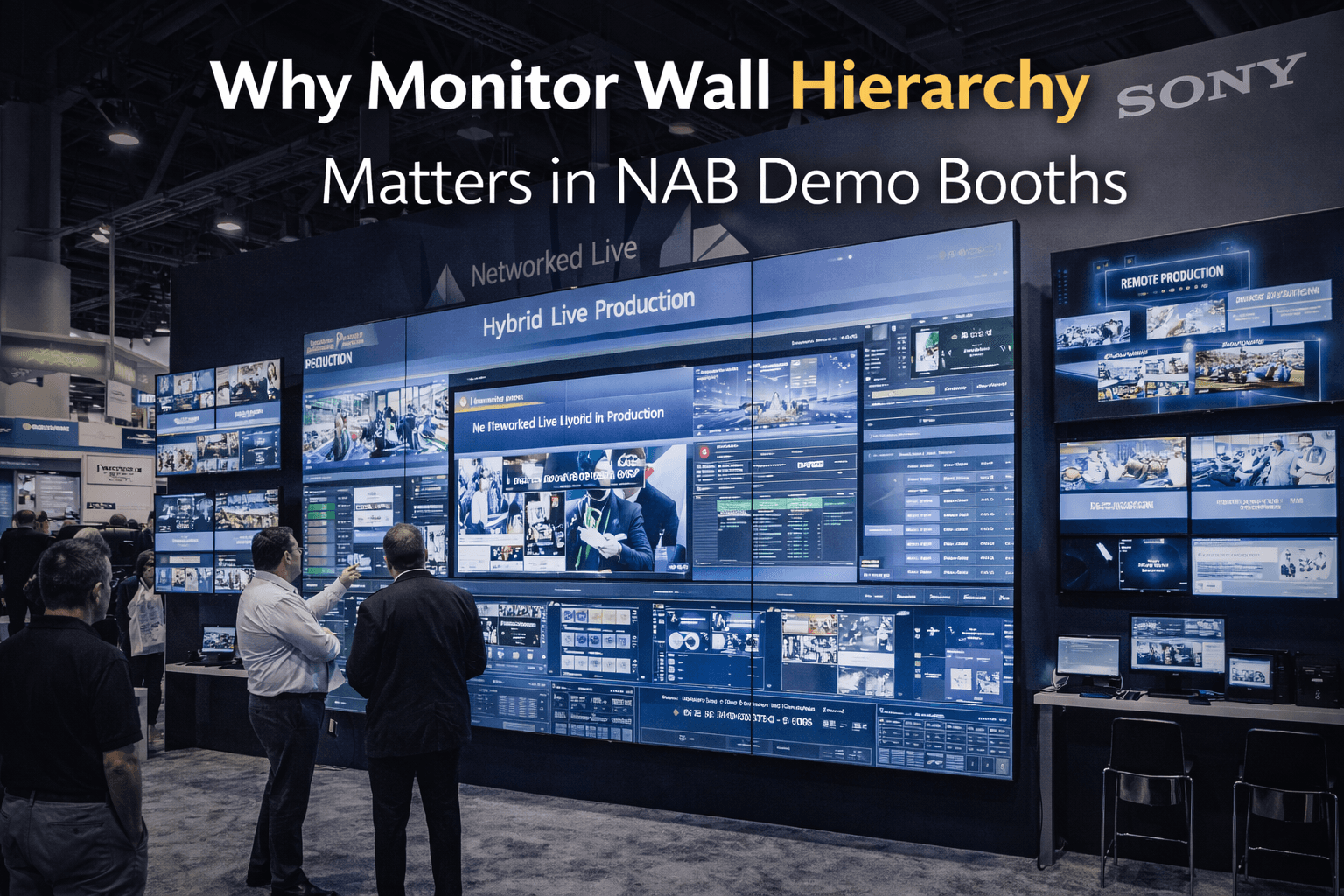
Why Monitor Wall Hierarchy Matters in NAB Demo Booths

Circle Exhibit Team
Industry professionals
Exhibition industry professional dedicated to delivering the latest insights and curated recommendations to you.
At NAB, too many equal screens can weaken technical storytelling. A stronger monitor wall hierarchy helps visitors understand what matters first, what supports the workflow, and why the demo is worth watching.
NAB is one of the few trade show environments where screens are everywhere and still not enough on their own. A booth can have an impressive wall of monitors, multiple live feeds, polished graphics, and active demos, yet still feel harder to understand than a simpler setup. The reason is usually not the technology. It is the hierarchy.
In a broadcast booth, people rarely read every screen equally. They look for the screen that feels primary, then use the surrounding content to confirm what the demo is trying to prove. When every monitor is treated as equally important, the booth often loses its technical story. Visitors see activity, but not direction.
That is why monitor wall hierarchy matters so much in NAB Show booths. At this show, many exhibitors are trying to demonstrate switching, routing, monitoring, production workflows, camera systems, cloud tools, graphics engines, or post-production platforms. Those categories already involve visual density. If the monitor wall adds more visual equality instead of creating visual order, the booth starts making the demo harder to follow.
A common mistake is assuming that more screens automatically create more authority. Sometimes they do the opposite. If six screens are all showing different things at the same scale, with no obvious lead screen and no clear supporting logic, the audience has to work too hard to decide where to focus. That slows down understanding at exactly the moment when the booth needs to feel most legible.
The strongest NAB demo booths usually give the monitor wall a clear structure. One screen or screen area acts as the primary proof point. This is the main visual layer that visitors should understand first. Around that, secondary screens support the story. They may show alternate views, interfaces, signal paths, output variations, or supporting technical information. But they do not compete with the lead screen for attention.
That distinction matters because broadcast demos are often about workflow, not just visual spectacle. A booth may be showing live switching, camera feeds, real-time graphics, multiview output, or production control logic. If the visitor cannot tell which screen represents the core outcome, the booth can start feeling like a control room display rather than a guided demo experience.
Good hierarchy usually starts with scale. The main story should live on the screen plane that is easiest to read from the audience position. Secondary screens should reinforce that story, not fragment it. In practical terms, this often means one dominant screen wall or focal monitor cluster, supported by smaller displays closer to the operator position or product area.
This is also where graphics and brand presentation matter more than people expect. In NAB booths, graphics are not separate from the screen strategy. They help tell visitors what they are looking at and why it matters. If the booth has a strong monitor setup but weak supporting messaging, the screens can feel technically impressive without becoming commercially clear. Good graphics help define the lead story before the visitor has to decode every feed.
Booth size plays a role too. In a 20x20 trade show booth, hierarchy is even more important because the audience, the screen wall, the operator station, and the conversation zone often sit closer together. That can work very well, but only if the booth knows what people should notice first. A 20x20 footprint does not leave much room for visual indecision. It rewards clean structure, not equal emphasis across every surface.
Another problem appears when exhibitors build the monitor wall around technical capability rather than audience reading behavior. Internally, the system may be impressive because it can show multiple live sources, outputs, interfaces, and controls at once. But the visitor is not judging the booth from the inside. They are approaching from the aisle and trying to understand the demo quickly. If the wall is designed for engineers first and attendees second, the booth can become harder to enter.
That is one reason many exhibitors benefit from working with a Las Vegas trade show booth builder that treats screen hierarchy, audience position, and booth layout as one connected problem. A monitor wall is not just a technology surface. It shapes how the booth reads from a distance, where people stop, and how cleanly the presenter can control attention once the demo starts.
Monitor hierarchy also affects traffic quality. When the primary screen is clear, people tend to stop for the right reason. They understand what the booth is demonstrating before they move deeper into the space. When the screens compete equally, the booth may still attract attention, but the stop can feel more passive. People look at the wall, scan randomly, and move on because the story never fully forms.
The best NAB booths usually do not try to make every screen equally powerful. They build a sequence. The main screen carries the proof. The supporting screens deepen the story. The graphics reinforce category and use case. The operator area supports the workflow without stealing focus. That kind of structure makes the booth feel more technical and more understandable at the same time.
At NAB, the goal is not just to show a lot of content. It is to help visitors understand the right content in the right order. When too many screens compete equally, technical storytelling gets weaker. When the hierarchy is clear, the booth starts working like a real demo environment instead of a wall of disconnected feeds.
Planning a booth for NAB Show?
Start with NAB booth planning, then build a clearer graphics and brand presentation strategy so your monitor wall supports technical storytelling instead of competing with it.

NAB is one of the few trade show environments where screens are everywhere and still not enough on their own. A booth can have an impressive wall of monitors, multiple live feeds, polished graphics, and active demos, yet still feel harder to understand than a simpler setup. The reason is usually not the technology. It is the hierarchy.
In a broadcast booth, people rarely read every screen equally. They look for the screen that feels primary, then use the surrounding content to confirm what the demo is trying to prove. When every monitor is treated as equally important, the booth often loses its technical story. Visitors see activity, but not direction.
That is why monitor wall hierarchy matters so much in NAB Show booths. At this show, many exhibitors are trying to demonstrate switching, routing, monitoring, production workflows, camera systems, cloud tools, graphics engines, or post-production platforms. Those categories already involve visual density. If the monitor wall adds more visual equality instead of creating visual order, the booth starts making the demo harder to follow.
A common mistake is assuming that more screens automatically create more authority. Sometimes they do the opposite. If six screens are all showing different things at the same scale, with no obvious lead screen and no clear supporting logic, the audience has to work too hard to decide where to focus. That slows down understanding at exactly the moment when the booth needs to feel most legible.
The strongest NAB demo booths usually give the monitor wall a clear structure. One screen or screen area acts as the primary proof point. This is the main visual layer that visitors should understand first. Around that, secondary screens support the story. They may show alternate views, interfaces, signal paths, output variations, or supporting technical information. But they do not compete with the lead screen for attention.
That distinction matters because broadcast demos are often about workflow, not just visual spectacle. A booth may be showing live switching, camera feeds, real-time graphics, multiview output, or production control logic. If the visitor cannot tell which screen represents the core outcome, the booth can start feeling like a control room display rather than a guided demo experience.
Good hierarchy usually starts with scale. The main story should live on the screen plane that is easiest to read from the audience position. Secondary screens should reinforce that story, not fragment it. In practical terms, this often means one dominant screen wall or focal monitor cluster, supported by smaller displays closer to the operator position or product area.
This is also where graphics and brand presentation matter more than people expect. In NAB booths, graphics are not separate from the screen strategy. They help tell visitors what they are looking at and why it matters. If the booth has a strong monitor setup but weak supporting messaging, the screens can feel technically impressive without becoming commercially clear. Good graphics help define the lead story before the visitor has to decode every feed.
Booth size plays a role too. In a 20x20 trade show booth, hierarchy is even more important because the audience, the screen wall, the operator station, and the conversation zone often sit closer together. That can work very well, but only if the booth knows what people should notice first. A 20x20 footprint does not leave much room for visual indecision. It rewards clean structure, not equal emphasis across every surface.
Another problem appears when exhibitors build the monitor wall around technical capability rather than audience reading behavior. Internally, the system may be impressive because it can show multiple live sources, outputs, interfaces, and controls at once. But the visitor is not judging the booth from the inside. They are approaching from the aisle and trying to understand the demo quickly. If the wall is designed for engineers first and attendees second, the booth can become harder to enter.
That is one reason many exhibitors benefit from working with a Las Vegas trade show booth builder that treats screen hierarchy, audience position, and booth layout as one connected problem. A monitor wall is not just a technology surface. It shapes how the booth reads from a distance, where people stop, and how cleanly the presenter can control attention once the demo starts.
Monitor hierarchy also affects traffic quality. When the primary screen is clear, people tend to stop for the right reason. They understand what the booth is demonstrating before they move deeper into the space. When the screens compete equally, the booth may still attract attention, but the stop can feel more passive. People look at the wall, scan randomly, and move on because the story never fully forms.
The best NAB booths usually do not try to make every screen equally powerful. They build a sequence. The main screen carries the proof. The supporting screens deepen the story. The graphics reinforce category and use case. The operator area supports the workflow without stealing focus. That kind of structure makes the booth feel more technical and more understandable at the same time.
At NAB, the goal is not just to show a lot of content. It is to help visitors understand the right content in the right order. When too many screens compete equally, technical storytelling gets weaker. When the hierarchy is clear, the booth starts working like a real demo environment instead of a wall of disconnected feeds.
Planning a booth for NAB Show?
Start with NAB booth planning, then build a clearer graphics and brand presentation strategy so your monitor wall supports technical storytelling instead of competing with it.

Exhibition Cases
Message
Leave your message and we will get back to you ASAP
Send a Message
We’ll Be in Touch!
Message
Leave your message and we will get back to you ASAP
Address:
4915 Steptoe Street #300
Las Vegas, NV 89122



