
Why Operator Station Placement Matters at NAB
NAB booths often show technical workflows: switching, monitoring, AV control, live production, broadcast equipment, LED wall control, webcast production, or cloud-based media operations. In these booths, the operator station is part of the product explanation.
If the operator station sits too close to the aisle, visitors crowd the edge of the booth. If it sits too deep, the workflow becomes hard to understand from outside. If staff stand in front of it, the demo screen disappears.
That is why this article supports NAB broadcast workflow demo booth planning and connects back to NAB Show booth planning.
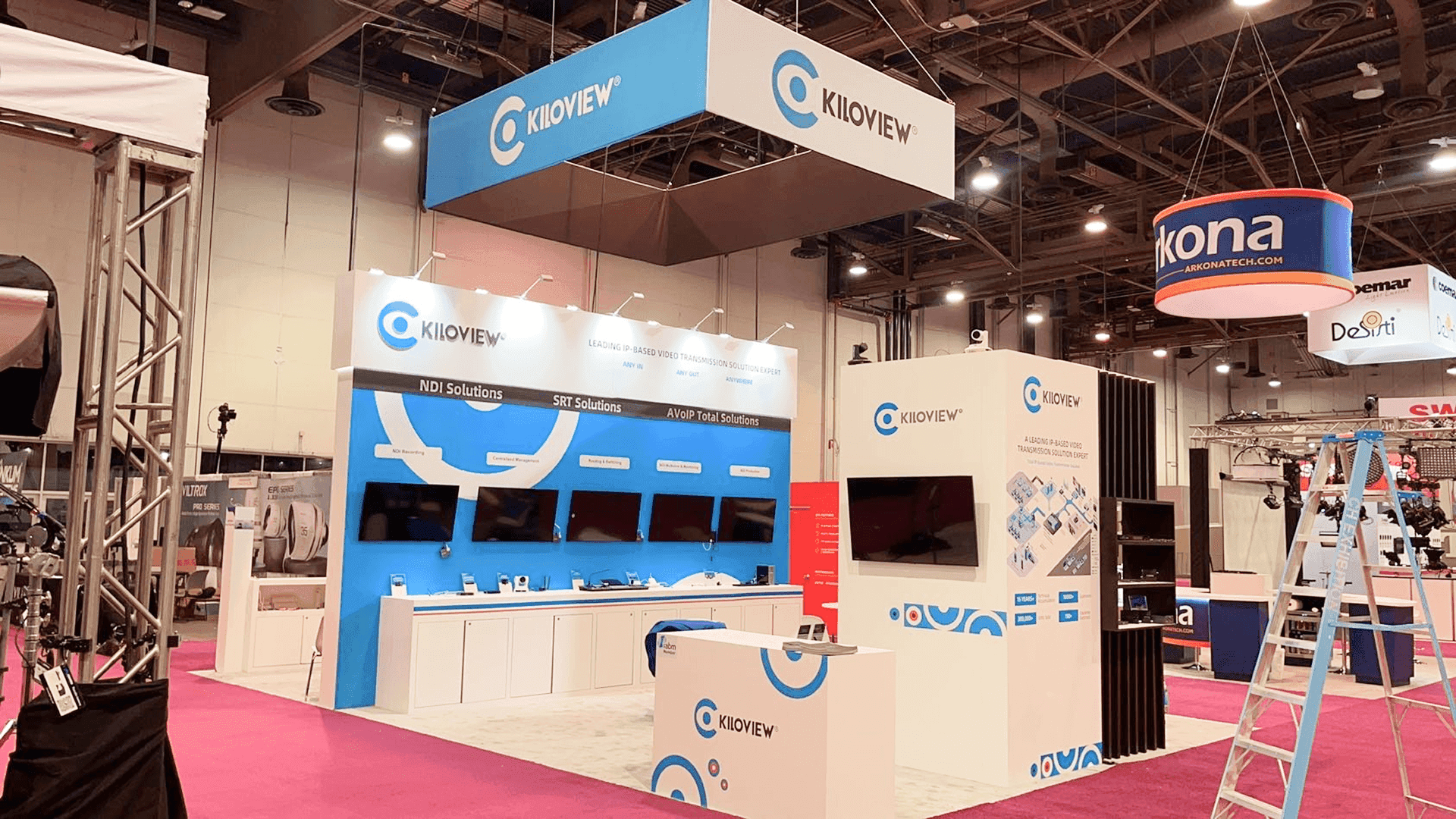
An operator station in a NAB booth should support the screen-led workflow without blocking the aisle, staff path, or visitor view of the main demo screen.
The Best Position: Beside the Screen, Not in Front of It
The most useful operator station position is usually beside the main screen, slightly inside the booth. This lets visitors see both the screen and the staff explanation without forcing everyone into the aisle.
A clear view of the main demo screen.
A short explanation from staff.
Space for visitors to pause without blocking traffic.
Cable paths that do not cross the visitor area.
A handoff point for deeper technical questions.
The station should not become the first thing visitors see. The first thing they should understand is the workflow.
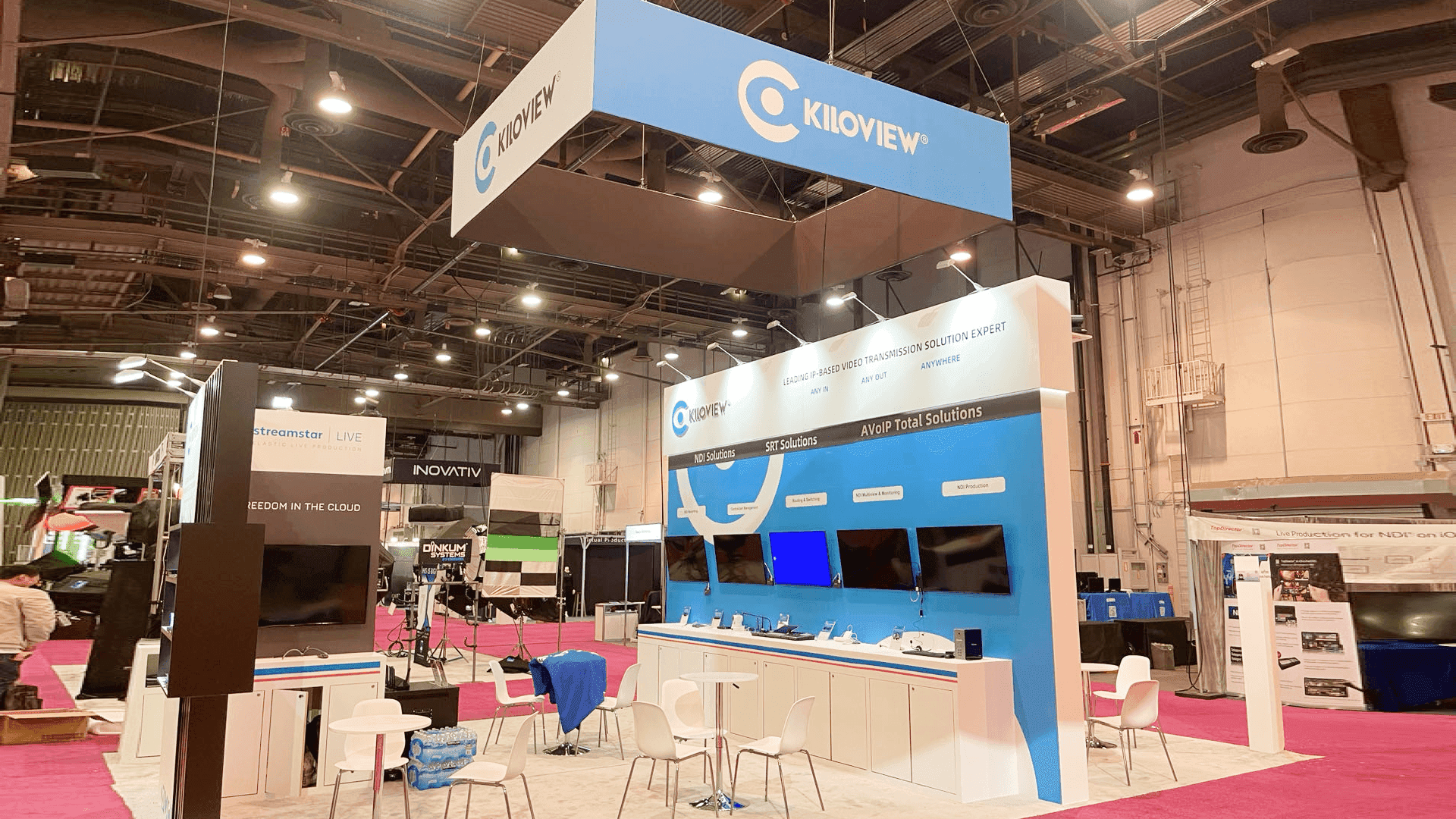
Placing the operator station beside the main screen helps visitors understand the broadcast workflow while giving staff room to explain the demo without standing in front of the display.
Common Operator Station Positions
Station position | When it works | When it fails |
|---|---|---|
Front corner | Good for quick demos and high visibility | Can block the aisle if visitors gather too close |
Center front | Easy to find | Often blocks the main screen and staff path |
Side of main screen | Best for screen-led demos and staff explanation | Needs careful cable and counter planning |
Back wall station | Good for controlled demos | Can feel too deep if the aisle message is weak |
Semi-private station | Good for qualified technical conversations | Not ideal for first-time visitors |
How Booth Size Changes the Station Layout
A small booth needs a very controlled operator station. A larger booth can separate the public demo from deeper technical discussion.
For exhibitors with multiple screens, broadcast equipment, demo counters, and follow-up conversations, 20x30 booth planning is often a useful reference. A 20x30 layout can support one public screen-led demo, one operator station, storage, staff movement, and a small buyer handoff area.
Booth need | Layout response |
|---|---|
One focused workflow demo | Keep the operator station beside the main screen |
Multiple technical questions | Add a small handoff area away from the first demo |
AV equipment or switching control | Plan cable paths before final layout |
Demo counter plus storage | Keep storage behind or beside the station |
Rental structure | Use modular counters and branded graphics without overfilling the space |
If the booth uses a rental structure, customizable trade show booth rental in Las Vegas can support operator stations, screen placement, branded graphics, and a faster setup path without making the booth feel generic.
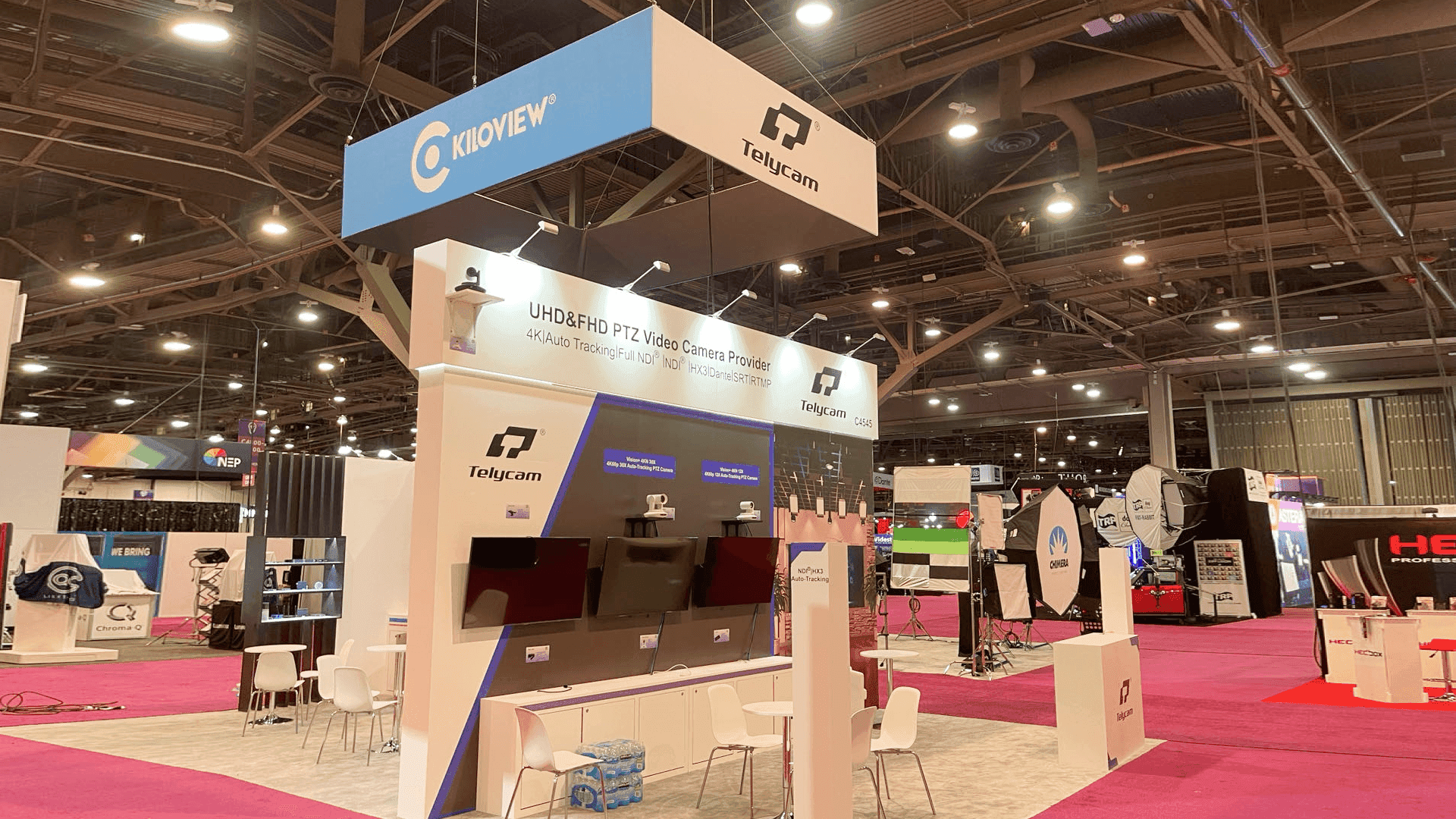
A 20x30 NAB booth can give enough room for an operator station, screen-led demo, storage, cable routing, and a buyer handoff area without crowding the visitor path.
Staff Position Is Part of the Layout
The operator station only works if staff know where to stand. In many NAB booths, staff block the demo because the layout never gave them a clear explanation point.
During design and engineering support, the booth should define where the operator sits or stands, where the presenter stands, where visitors pause, where the next visitor can still see the screen, and where a qualified buyer moves after the first demo.
Graphics Should Explain the Operator Workflow
Operator stations can look complex. Screens, controls, cables, equipment, and dashboards can make the booth feel busy. graphics and brand presentation support should make the operator workflow easier to read.
Input source.
Control point.
Monitoring or switching action.
Output destination.
Workflow result.
LVCC Setup and AV Checks Matter
NAB booth layouts are affected by the Las Vegas Convention Center environment: long aisles, screen visibility, move-in timing, AV setup, power access, lighting, equipment handling, and final show-floor checks.
For venue context, Las Vegas Convention Center booth planning should be considered before final layout approval. Logistics and pre-show coordination should confirm equipment arrival, booth materials, graphics, hardware, monitors, counters, and setup order before move-in.
Where Operator Stations Usually Fail
The station sits directly in the aisle path.
Staff stand in front of the main screen.
Visitors cannot see the workflow from outside the booth.
Cables or cases appear in the demo area.
The counter is too deep for quick interaction.
The station has no nearby storage.
The layout has no handoff point for serious buyers.
AV checks happen too late during setup.
Real NAB Project Proof
NAB Show booth projects can support this article with project proof, booth photos, screen-led layouts, technical product displays, and broadcast workflow examples.
Show-Site Execution Still Matters
Operator station layout is sensitive to setup details. Screen angle, cable path, counter height, lighting, storage, and final handoff all affect whether the station works. When the booth includes broadcast equipment, AV gear, switching controls, monitors, and technical staff, show-site booth execution should support the layout plan.
Operator Station Checklist for NAB Booths
Can visitors see the main screen before reaching the station?
Is the operator station beside the screen, not blocking it?
Can staff explain without standing in the visitor path?
Is there space for quick viewers to pause?
Is there a handoff point for deeper technical questions?
Are cables, power, monitors, and AV equipment planned?
Is storage outside the visitor path?
Do graphics explain the workflow clearly?
Is the setup sequence confirmed before move-in?
How This Article Supports the NAB Cluster
This is a NAB support article. It strengthens NAB broadcast workflow demo booth planning and NAB Show booth planning, while connecting to 20x30 booth planning, LVCC setup, rental structure, design, graphics, logistics, execution, and NAB project proof. It should not link to non-NAB Event pages or compete with broad Las Vegas builder pages.
FAQ
Where should an operator station go in a NAB booth?
It usually works best beside the main screen and slightly inside the booth, where visitors can see the workflow without blocking the aisle.
Should the operator station be at the front of the booth?
Not always. A front station can create visibility, but it can also create aisle crowding. For screen-led demos, a side-of-screen position is often better.
What booth size works for operator stations at NAB?
A 20x30 booth often works well when the exhibitor needs a main screen, operator station, storage, staff path, and follow-up conversation space.
Why is staff position important?
Staff can block the screen or visitor path if their position is not planned. The layout should define where staff explain, operate, and hand off serious buyers.
Related Planning Links
NAB broadcast workflow demo booth planning — focused page for broadcast workflow and technical demo booths.
NAB Show booth planning — main NAB Event Hub.
20x30 booth planning — size reference for operator stations and screen-led demos.
customizable trade show booth rental in Las Vegas — rental support for demo counters and screens.
NAB Show booth projects — real NAB project proof.
Final Takeaway
An operator station works best when it supports the booth story without blocking the screen, staff path, or visitor flow. For NAB broadcast workflow demos, the station should sit beside the main screen, slightly inside the booth, with clear cable routing, storage, graphics, and staff handoff.







