BG Color

30×30 Trade Show Booth
Design & Execution Guide

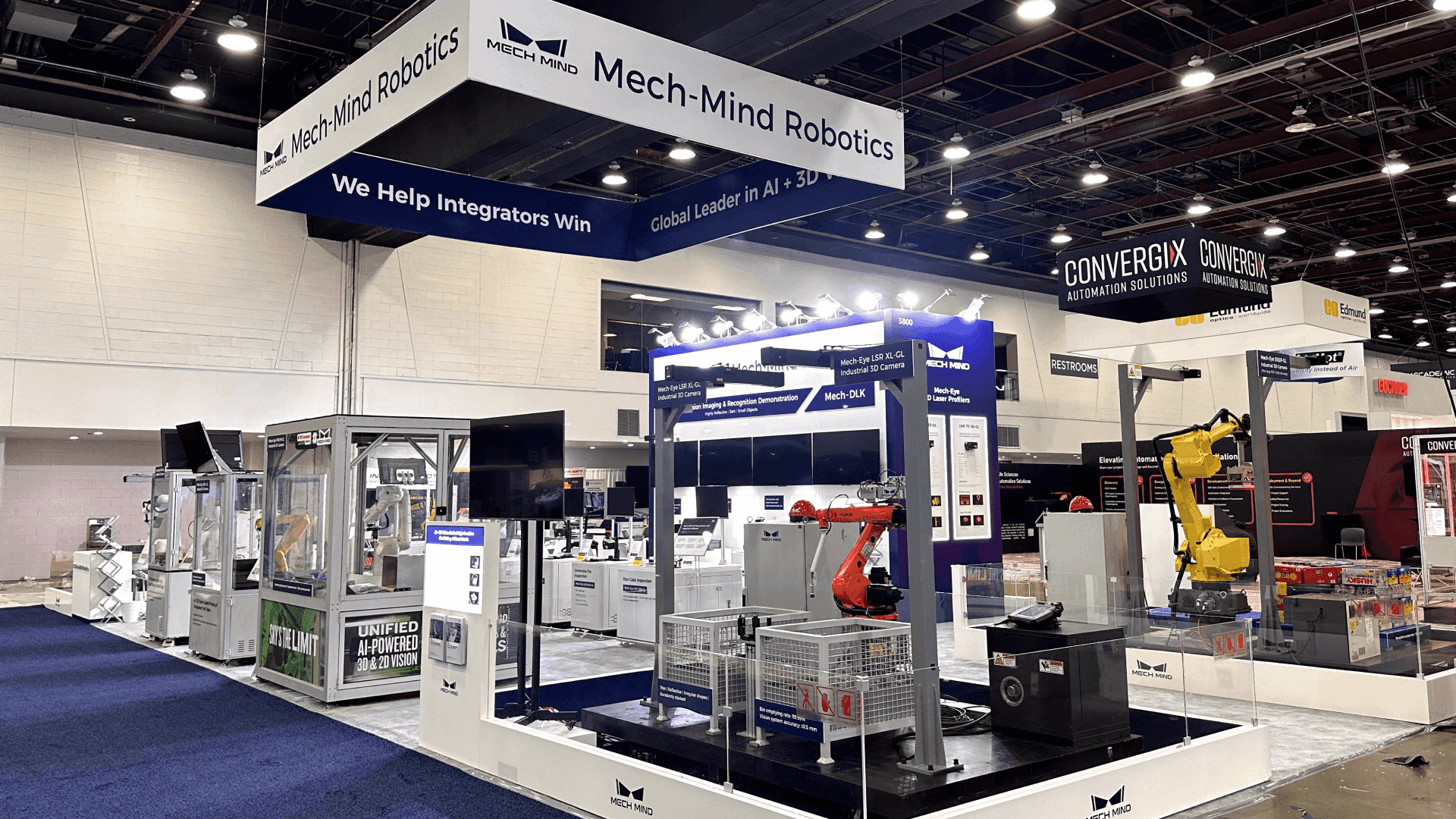
Plan a 30×30 booth around visibility hierarchy, crowd flow control, and install sequencing—so a larger footprint stays organized, readable, and buildable on site.

BG Color

30×30 Trade Show Booth
Design & Execution Guide

Plan a 30×30 booth around visibility hierarchy, crowd flow control, and install sequencing—so a larger footprint stays organized, readable, and buildable on site.

What fits in a 30×30

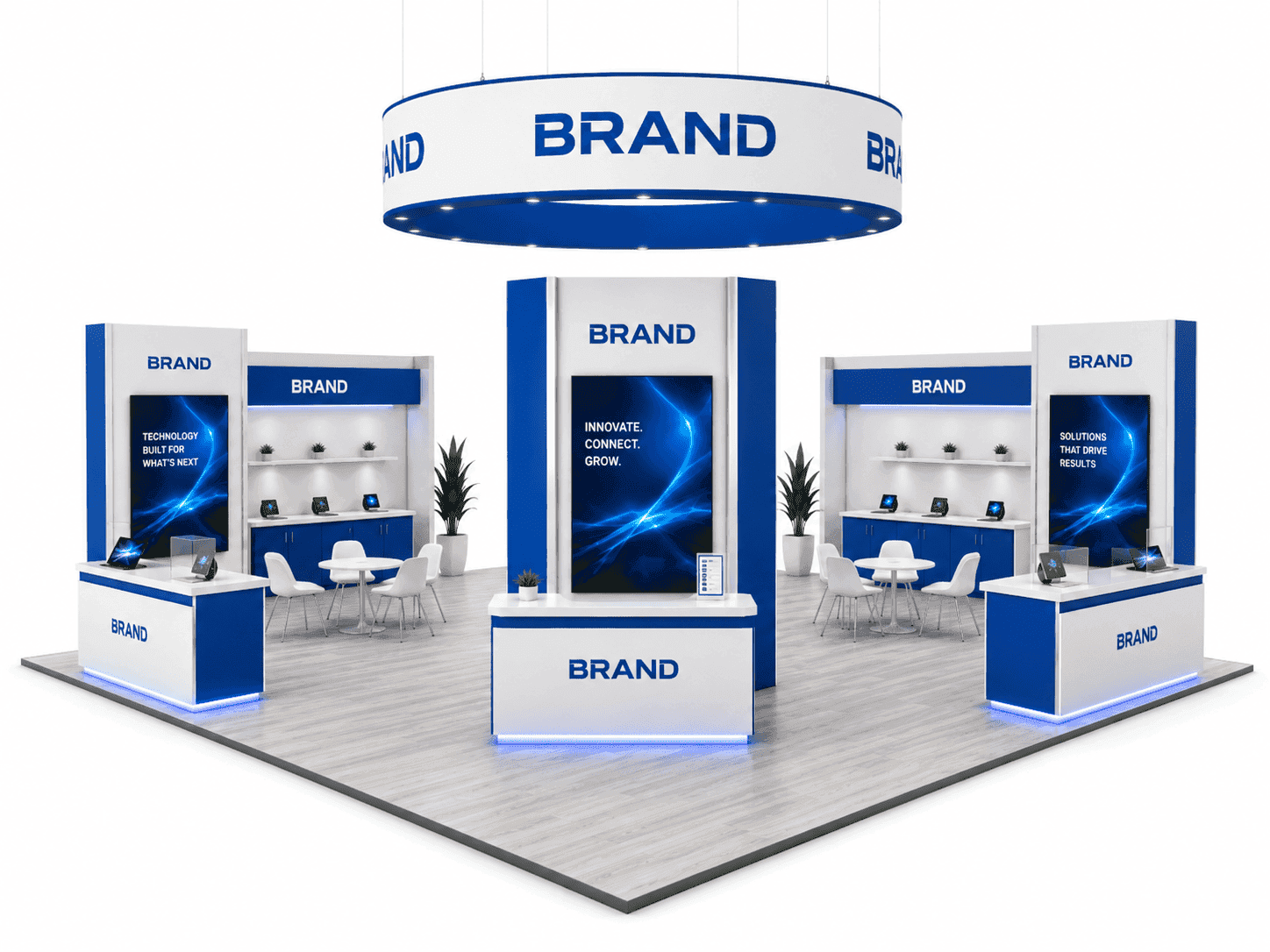
A 30×30 footprint enables multiple zones—but only when priorities are clearly defined before layout begins.

Primary Demo Area (High Engagement)

A 30×30 booth supports a dedicated demo zone with safe viewing distance. Confirm equipment footprint, audience depth, and power load early to avoid last-minute layout compression.

A 30×30 booth supports a dedicated demo zone with safe viewing distance. Confirm equipment footprint, audience depth, and power load early to avoid last-minute layout compression.

Use a secondary zone for hands-on displays or supporting products. Keep it visually connected to the main demo to avoid fragmenting attention.

Use a secondary zone for hands-on displays or supporting products. Keep it visually connected to the main demo to avoid fragmenting attention.

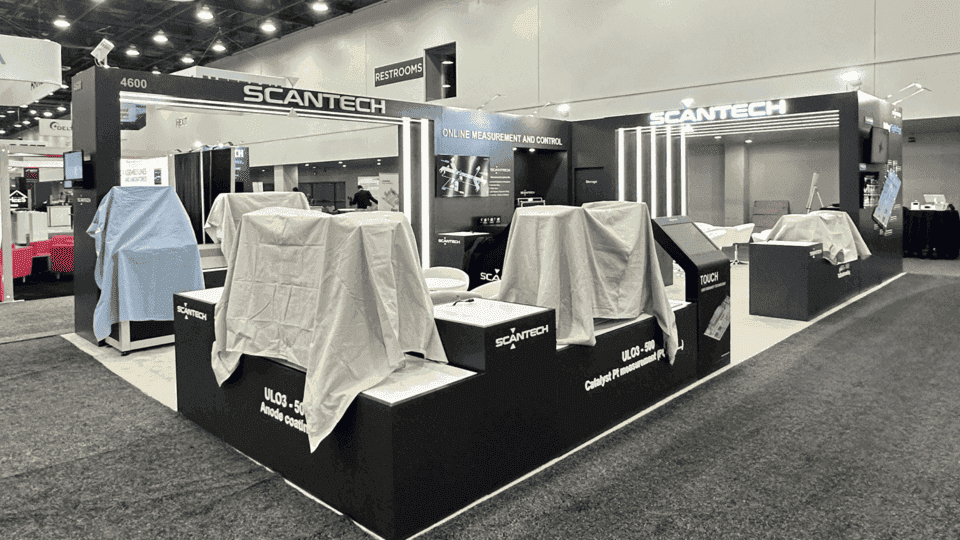
A 30×30 can accommodate a defined meeting area without full enclosure. Orientation and partial screening help reduce noise spillover without blocking sightlines.

Back-of-House & Storage Control

Larger booths still require disciplined storage planning. A concealed but accessible storage zone prevents clutter and speeds up daily reset.

Reception & Flow Management

Reception works best when positioned to guide visitors through zones rather than stopping traffic at the entry.

Primary Demo Area (High Engagement)

A 30×30 booth supports a dedicated demo zone with safe viewing distance. Confirm equipment footprint, audience depth, and power load early to avoid last-minute layout compression.

A 30×30 booth supports a dedicated demo zone with safe viewing distance. Confirm equipment footprint, audience depth, and power load early to avoid last-minute layout compression.

Use a secondary zone for hands-on displays or supporting products. Keep it visually connected to the main demo to avoid fragmenting attention.

Use a secondary zone for hands-on displays or supporting products. Keep it visually connected to the main demo to avoid fragmenting attention.

A 30×30 can accommodate a defined meeting area without full enclosure. Orientation and partial screening help reduce noise spillover without blocking sightlines.

Back-of-House & Storage Control

Larger booths still require disciplined storage planning. A concealed but accessible storage zone prevents clutter and speeds up daily reset.

Reception & Flow Management

Reception works best when positioned to guide visitors through zones rather than stopping traffic at the entry.

Primary Demo Area (High Engagement)

A 30×30 booth supports a dedicated demo zone with safe viewing distance. Confirm equipment footprint, audience depth, and power load early to avoid last-minute layout compression.

A 30×30 booth supports a dedicated demo zone with safe viewing distance. Confirm equipment footprint, audience depth, and power load early to avoid last-minute layout compression.

Use a secondary zone for hands-on displays or supporting products. Keep it visually connected to the main demo to avoid fragmenting attention.

Use a secondary zone for hands-on displays or supporting products. Keep it visually connected to the main demo to avoid fragmenting attention.

A 30×30 can accommodate a defined meeting area without full enclosure. Orientation and partial screening help reduce noise spillover without blocking sightlines.

Back-of-House & Storage Control

Larger booths still require disciplined storage planning. A concealed but accessible storage zone prevents clutter and speeds up daily reset.

Reception & Flow Management

Reception works best when positioned to guide visitors through zones rather than stopping traffic at the entry.

Background Gradient
Background Gradient
Background Gradient
Background Pattern

Layout configurations & access

Choose a configuration that supports sightlines and crew access—then design for a predictable install sequence.

Two-Side Open / Corner

A strong option for 30×30. Design messaging to read from both aisles and keep the demo zone centered, not split.

Two-Side Open / Corner

A strong option for 30×30. Design messaging to read from both aisles and keep the demo zone centered, not split.

Two-Side Open / Corner

A strong option for 30×30. Design messaging to read from both aisles and keep the demo zone centered, not split.

Three-Side Open (Peninsula)

Offers strong visibility but requires clear traffic routing to prevent cross-flow confusion.

Three-Side Open (Peninsula)

Offers strong visibility but requires clear traffic routing to prevent cross-flow confusion.

Three-Side Open (Peninsula)

Offers strong visibility but requires clear traffic routing to prevent cross-flow confusion.

Island (Common for 30×30)

Island booths demand strict control of overhead elements, power drops, and sightlines. Early coordination with venue rules is essential.

Island (Common for 30×30)

Island booths demand strict control of overhead elements, power drops, and sightlines. Early coordination with venue rules is essential.

Island (Common for 30×30)

Island booths demand strict control of overhead elements, power drops, and sightlines. Early coordination with venue rules is essential.

Execution & technical considerations

Execution & technical considerations

At 30×30 scale, execution is defined by utilities planning, AV loads, material handling discipline, and a crew-friendly install sequence—lock these before fabrication.

Power & Data Distribution (Zone-Based, Not Furniture-Based)

Map power drops to functional zones (demo, meeting, reception, back-of-house) and confirm where data lines are needed for demos or lead capture. In a 30×30 booth, “temporary extensions” quickly create trip hazards and messy cable runs that ruin sightlines.

Power & Data Distribution (Zone-Based, Not Furniture-Based)

Map power drops to functional zones (demo, meeting, reception, back-of-house) and confirm where data lines are needed for demos or lead capture. In a 30×30 booth, “temporary extensions” quickly create trip hazards and messy cable runs that ruin sightlines.

Power & Data Distribution (Zone-Based, Not Furniture-Based)

Map power drops to functional zones (demo, meeting, reception, back-of-house) and confirm where data lines are needed for demos or lead capture. In a 30×30 booth, “temporary extensions” quickly create trip hazards and messy cable runs that ruin sightlines.

Cable Paths & Floor Safety (Keep Aisles Clean)

Plan cable routes along edges or inside structures so cables never cut across primary walk paths. Define where ramps or cable covers are required before move-in, not after the booth is half built.

Cable Paths & Floor Safety (Keep Aisles Clean)

Plan cable routes along edges or inside structures so cables never cut across primary walk paths. Define where ramps or cable covers are required before move-in, not after the booth is half built.

Cable Paths & Floor Safety (Keep Aisles Clean)

Plan cable routes along edges or inside structures so cables never cut across primary walk paths. Define where ramps or cable covers are required before move-in, not after the booth is half built.

AV Weight, Mounting, and Stability (No Late Surprises)

Screens, truss, and lighting loads influence structure and connection points. Confirm device weights, mounting methods (wall mount, truss, frame), and cable exits early so you don’t trigger last-minute re-engineering during fabrication.

AV Weight, Mounting, and Stability (No Late Surprises)

Screens, truss, and lighting loads influence structure and connection points. Confirm device weights, mounting methods (wall mount, truss, frame), and cable exits early so you don’t trigger last-minute re-engineering during fabrication.

AV Weight, Mounting, and Stability (No Late Surprises)

Screens, truss, and lighting loads influence structure and connection points. Confirm device weights, mounting methods (wall mount, truss, frame), and cable exits early so you don’t trigger last-minute re-engineering during fabrication.

Overhead & Venue Constraints (Height, Rigging, Hanging Signs)

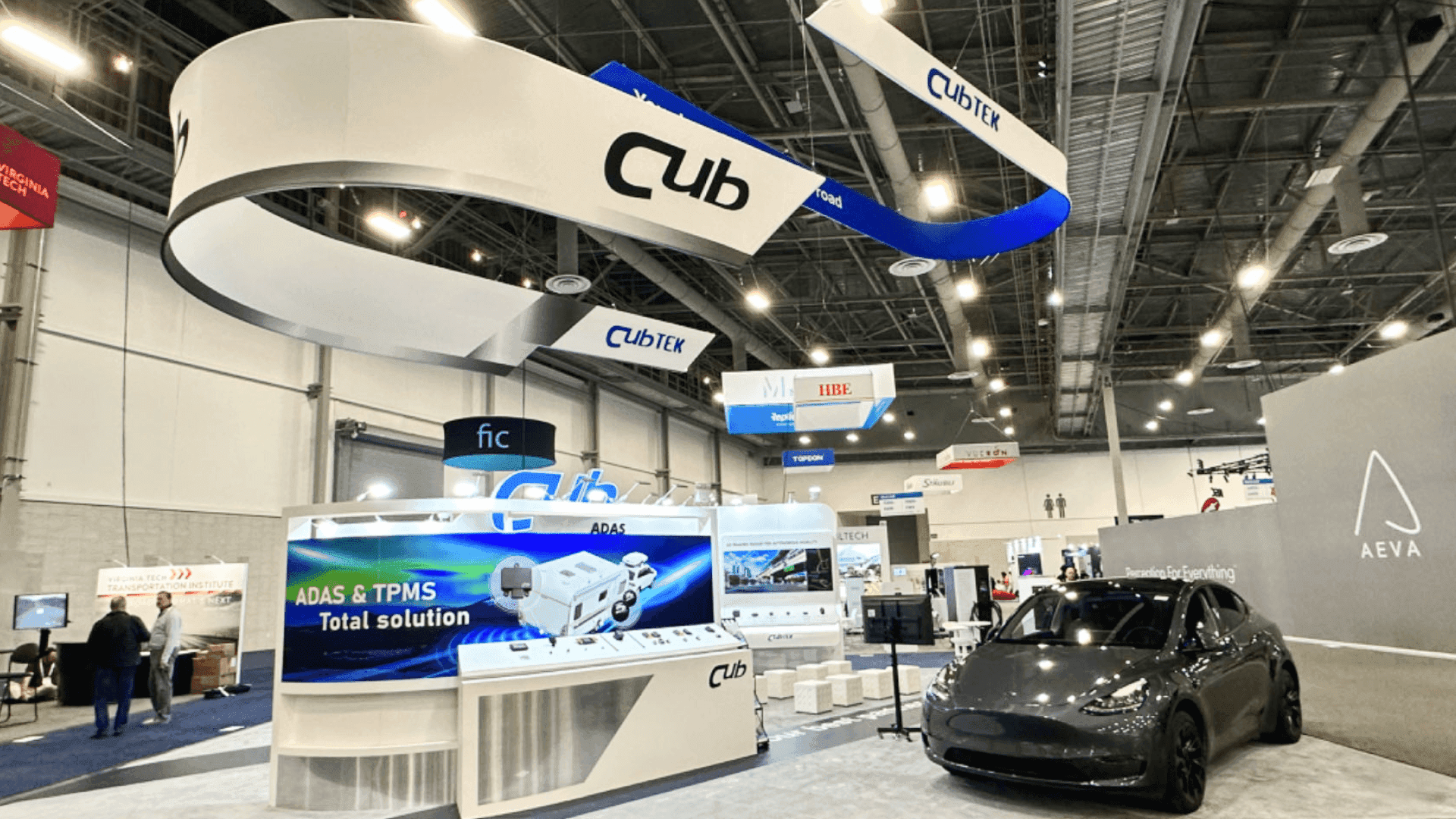
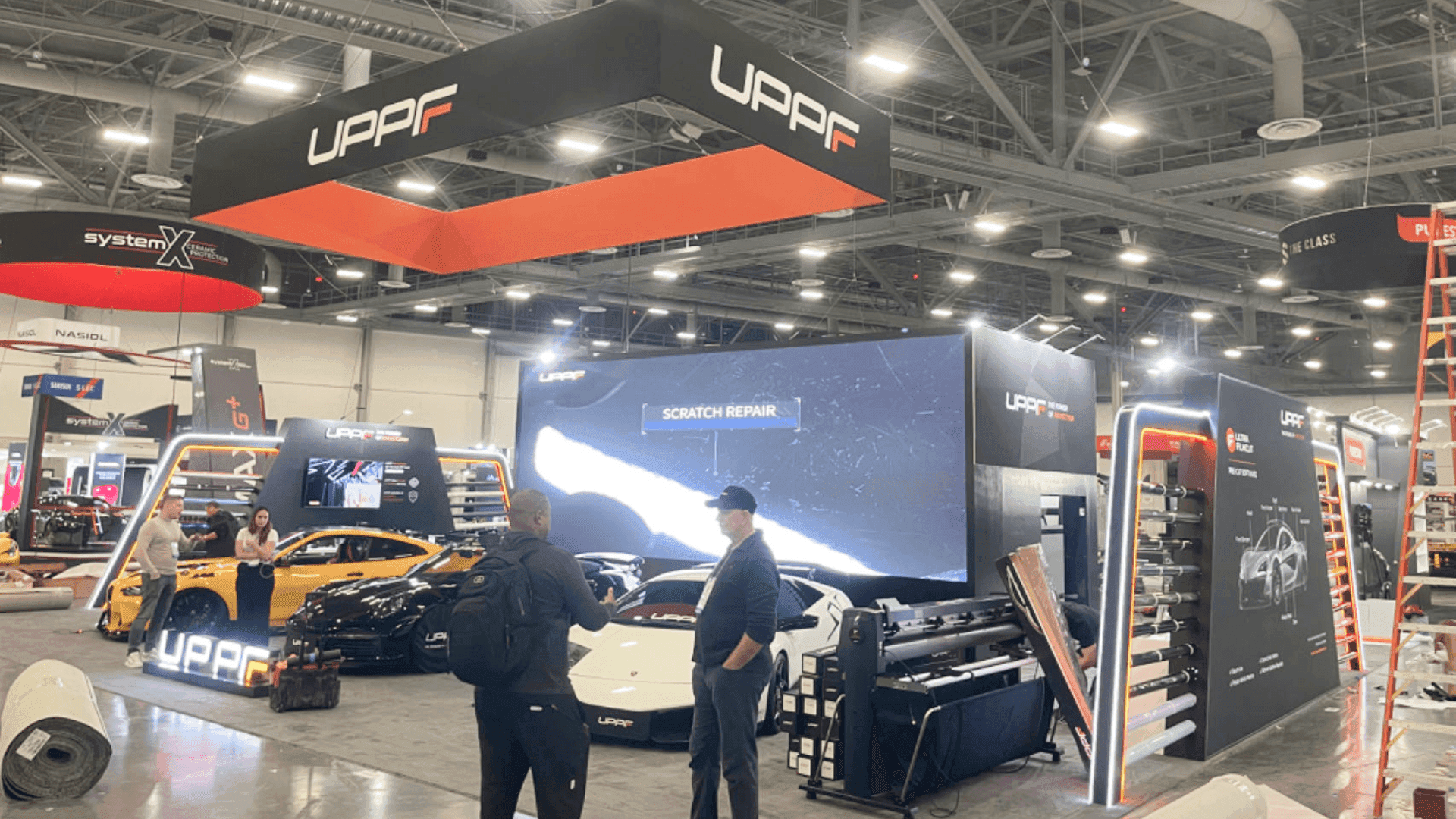
A 30×30 footprint often involves overhead elements. Verify maximum height rules, rigging approval requirements (if applicable), and where overhead components can be safely supported—especially in venues with strict union labor workflows.

Overhead & Venue Constraints (Height, Rigging, Hanging Signs)

A 30×30 footprint often involves overhead elements. Verify maximum height rules, rigging approval requirements (if applicable), and where overhead components can be safely supported—especially in venues with strict union labor workflows.

Overhead & Venue Constraints (Height, Rigging, Hanging Signs)

A 30×30 footprint often involves overhead elements. Verify maximum height rules, rigging approval requirements (if applicable), and where overhead components can be safely supported—especially in venues with strict union labor workflows.

Material Handling & Drayage Strategy (Crates Drive Pace)

Crate count, crate size, and open-first logic determine whether crews can build continuously. Label crates by install phase (structure first, then utilities, then AV, then graphics) to avoid re-handling under time pressure.

Material Handling & Drayage Strategy (Crates Drive Pace)

Crate count, crate size, and open-first logic determine whether crews can build continuously. Label crates by install phase (structure first, then utilities, then AV, then graphics) to avoid re-handling under time pressure.

Material Handling & Drayage Strategy (Crates Drive Pace)

Crate count, crate size, and open-first logic determine whether crews can build continuously. Label crates by install phase (structure first, then utilities, then AV, then graphics) to avoid re-handling under time pressure.

Crew Access & Staging Space (Where Parts Live During Build)

Plan a temporary staging area inside the footprint or at the perimeter so parts don’t block assembly. Without a staging plan, large components end up in walkways and slow down sequencing.

Crew Access & Staging Space (Where Parts Live During Build)

Plan a temporary staging area inside the footprint or at the perimeter so parts don’t block assembly. Without a staging plan, large components end up in walkways and slow down sequencing.

Crew Access & Staging Space (Where Parts Live During Build)

Plan a temporary staging area inside the footprint or at the perimeter so parts don’t block assembly. Without a staging plan, large components end up in walkways and slow down sequencing.

Install Sequencing Logic (Structure → Utilities → AV → Graphics)

Design modules to build in a single forward direction. The best 30×30 installs avoid reversing steps—graphics should go on after structure and utilities are confirmed, not before.

Install Sequencing Logic (Structure → Utilities → AV → Graphics)

Design modules to build in a single forward direction. The best 30×30 installs avoid reversing steps—graphics should go on after structure and utilities are confirmed, not before.

Install Sequencing Logic (Structure → Utilities → AV → Graphics)

Design modules to build in a single forward direction. The best 30×30 installs avoid reversing steps—graphics should go on after structure and utilities are confirmed, not before.

Deliverables you receive

Build-ready outputs that convert 30×30 decisions into controlled fabrication, packing, shipping, and on-site installation steps.

Layout Drawings & Zone Plan

A practical plan showing zoning, demo/viewing distance, meeting placement, reception flow, and back-of-house control—so the footprint stays organized.

Engineering Review Notes

Buildability checks for stability, connections, load assumptions (especially AV), and assembly logic—focused on preventing on-site rework.

Graphics Map & File Checklist

A placement map tied to sightlines and approach angles, plus file checks (bleed, safe area, resolution) so key messages remain readable across the booth perimeter.

Packing & Labeling Plan

Crate list, module IDs, open-first logic, and protection notes for finishes/graphics—structured so crews can install without hunting for parts.

Logistics Notes

Shipping timing assumptions, delivery windows, and handling guidance aligned to move-in schedules—so drayage constraints don’t derail install pace.

Install Sequence Guide

A step-by-step build order (structure → utilities → AV → graphics) that reduces dependencies and keeps high-risk tasks scheduled early.

Trade show booth storage and reuse planning with inventory review and next-show preparation

Timeline by size

A 30×30 booth benefits from earlier lock-in on structure, utilities, AV, and logistics—those decisions ripple through fabrication and crew sequencing.

Timeline by size

A 30×30 booth benefits from earlier lock-in on structure, utilities, AV, and logistics—those decisions ripple through fabrication and crew sequencing.

Timeline by size

A 30×30 booth benefits from earlier lock-in on structure, utilities, AV, and logistics—those decisions ripple through fabrication and crew sequencing.

8–10+ weeks out: footprint, zoning, and AV scope

Confirm booth type (corner/peninsula/island), key zones (demo, meeting, reception, back-of-house), and AV scope (screens, mounts, lighting). These decisions define structural loads and power routing.

6–8 weeks out: engineering decisions + utilities plan + graphic hierarchy

Lock structural approach and connection logic, map power/data by zone, and define a message hierarchy so graphics don’t fight sightlines or demo traffic.

4–6 weeks out: production alignment + pre-build checks plan

Confirm what must be checked before shipping (fit points, mounts, cable exits, hardware counts). At 30×30, pre-build discipline prevents expensive on-site delays.

2–4 weeks out: packing logic + shipping timeline + drayage readiness

Finalize open-first crate logic, label by install phase, and align shipping with delivery windows and drayage workflow so crews can build continuously.

Move-in: execute crew-ready sequencing and protect sightlines

Stage parts without blocking aisles, build structure first, lock utilities/AV next, then apply graphics last. Keep demo and reception zones clear as the build progresses.

8–10+ weeks out: footprint, zoning, and AV scope

Confirm booth type (corner/peninsula/island), key zones (demo, meeting, reception, back-of-house), and AV scope (screens, mounts, lighting). These decisions define structural loads and power routing.

6–8 weeks out: engineering decisions + utilities plan + graphic hierarchy

Lock structural approach and connection logic, map power/data by zone, and define a message hierarchy so graphics don’t fight sightlines or demo traffic.

4–6 weeks out: production alignment + pre-build checks plan

Confirm what must be checked before shipping (fit points, mounts, cable exits, hardware counts). At 30×30, pre-build discipline prevents expensive on-site delays.

2–4 weeks out: packing logic + shipping timeline + drayage readiness

Finalize open-first crate logic, label by install phase, and align shipping with delivery windows and drayage workflow so crews can build continuously.

Move-in: execute crew-ready sequencing and protect sightlines

Stage parts without blocking aisles, build structure first, lock utilities/AV next, then apply graphics last. Keep demo and reception zones clear as the build progresses.

8–10+ weeks out: footprint, zoning, and AV scope

Confirm booth type (corner/peninsula/island), key zones (demo, meeting, reception, back-of-house), and AV scope (screens, mounts, lighting). These decisions define structural loads and power routing.

6–8 weeks out: engineering decisions + utilities plan + graphic hierarchy

Lock structural approach and connection logic, map power/data by zone, and define a message hierarchy so graphics don’t fight sightlines or demo traffic.

4–6 weeks out: production alignment + pre-build checks plan

Confirm what must be checked before shipping (fit points, mounts, cable exits, hardware counts). At 30×30, pre-build discipline prevents expensive on-site delays.

2–4 weeks out: packing logic + shipping timeline + drayage readiness

Finalize open-first crate logic, label by install phase, and align shipping with delivery windows and drayage workflow so crews can build continuously.

Move-in: execute crew-ready sequencing and protect sightlines

Stage parts without blocking aisles, build structure first, lock utilities/AV next, then apply graphics last. Keep demo and reception zones clear as the build progresses.

Internal links

Related execution references for service scope, local constraints, and real builds.

Internal links

Related execution references for service scope, local constraints, and real builds.

Overview of trade show booth services including design, fabrication, logistics, and installation

Logistics & Pre-show Coordination

View all service modules and end-to-end delivery scope.

Las Vegas trade show execution reference including local labor rules and on-site coordination

Las Vegas Execution Reference

Local labor rules, drayage flow, and on-site coordination in Las Vegas.

Completed trade show booth case studies showing on-site installation and execution results

View Case Studies

Explore real booth builds by size, complexity, and execution approach.

Frequently Asked Questions

Quick clarity on build readiness, timelines, and pre-build checkpoints.
What fits in a 30×30 trade show booth?
A 30×30 typically supports a primary demo zone, a secondary interaction/display area, a semi-private meeting touchpoint, reception/lead capture, and controlled back-of-house storage—when zoning and power/data routing are planned early.
Is a 30×30 better as a peninsula or an island booth?
Peninsula layouts offer strong visibility with simpler utilities. Island layouts give 360° access but require stricter sightline control, power drops planning, and (if used) overhead/rigging coordination.
What utilities and AV planning is most common for 30×30?
Zone-based power mapping, defined cable paths, and confirmed mounting points are most common. Screens and lighting loads should be confirmed early so structure and connections don’t change during fabrication.
How do you keep graphics readable on a 30×30 booth?
Use a perimeter-first hierarchy: one primary headline visible from key approaches, then supporting proof points aligned to zones. Keep dense text away from traffic pinch points so visitors can move.
What logistics or drayage details matter most for 30×30?
Crate sequencing and labeling by install phase matter most. Crews should open structure and utilities crates first, then AV hardware, then graphics—so drayage timing doesn’t force re-handling and delays.
Can a 30×30 booth be reused across multiple shows?
Yes—reuse works best when structural modules are standardized, labels remain consistent, and dismantle notes capture what to refresh (graphics) and what to protect (finishes, mounts, and cable channels).
What fits in a 30×30 trade show booth?

A 30×30 typically supports a primary demo zone, a secondary interaction/display area, a semi-private meeting touchpoint, reception/lead capture, and controlled back-of-house storage—when zoning and power/data routing are planned early.

Is a 30×30 better as a peninsula or an island booth?

Peninsula layouts offer strong visibility with simpler utilities. Island layouts give 360° access but require stricter sightline control, power drops planning, and (if used) overhead/rigging coordination.

What utilities and AV planning is most common for 30×30?

Zone-based power mapping, defined cable paths, and confirmed mounting points are most common. Screens and lighting loads should be confirmed early so structure and connections don’t change during fabrication.

How do you keep graphics readable on a 30×30 booth?

Use a perimeter-first hierarchy: one primary headline visible from key approaches, then supporting proof points aligned to zones. Keep dense text away from traffic pinch points so visitors can move.

What logistics or drayage details matter most for 30×30?

Crate sequencing and labeling by install phase matter most. Crews should open structure and utilities crates first, then AV hardware, then graphics—so drayage timing doesn’t force re-handling and delays.

Can a 30×30 booth be reused across multiple shows?

Yes—reuse works best when structural modules are standardized, labels remain consistent, and dismantle notes capture what to refresh (graphics) and what to protect (finishes, mounts, and cable channels).

What fits in a 30×30 trade show booth?
A 30×30 typically supports a primary demo zone, a secondary interaction/display area, a semi-private meeting touchpoint, reception/lead capture, and controlled back-of-house storage—when zoning and power/data routing are planned early.
Is a 30×30 better as a peninsula or an island booth?
Peninsula layouts offer strong visibility with simpler utilities. Island layouts give 360° access but require stricter sightline control, power drops planning, and (if used) overhead/rigging coordination.
What utilities and AV planning is most common for 30×30?
Zone-based power mapping, defined cable paths, and confirmed mounting points are most common. Screens and lighting loads should be confirmed early so structure and connections don’t change during fabrication.
How do you keep graphics readable on a 30×30 booth?
Use a perimeter-first hierarchy: one primary headline visible from key approaches, then supporting proof points aligned to zones. Keep dense text away from traffic pinch points so visitors can move.
What logistics or drayage details matter most for 30×30?
Crate sequencing and labeling by install phase matter most. Crews should open structure and utilities crates first, then AV hardware, then graphics—so drayage timing doesn’t force re-handling and delays.
Can a 30×30 booth be reused across multiple shows?
Yes—reuse works best when structural modules are standardized, labels remain consistent, and dismantle notes capture what to refresh (graphics) and what to protect (finishes, mounts, and cable channels).

Plan a Buildable 30×30 Booth

Share your show schedule and demo setup requirements. We’ll align zoning, utilities routing, drayage assumptions, and install sequencing—so your 30×30 booth runs smoothly from move-in to show days.

Office

4915 Steptoe St #300, Las Vegas, NV 89122

Telephone