How Security Brands Should Plan Product Demo Booths for ISC West

Circle Exhibit Team
Industry professionals
Exhibition industry professional dedicated to delivering the latest insights and curated recommendations to you.
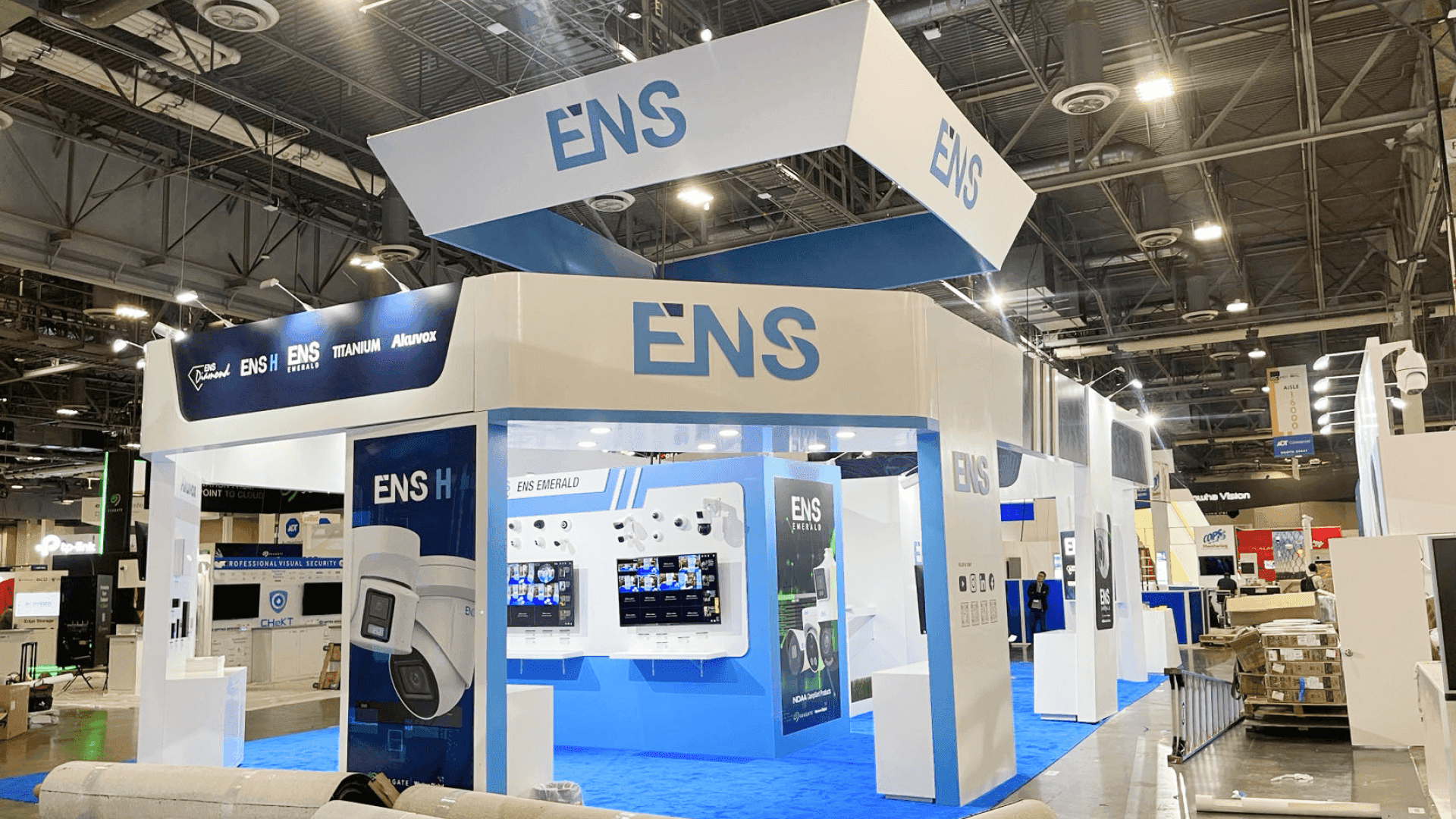
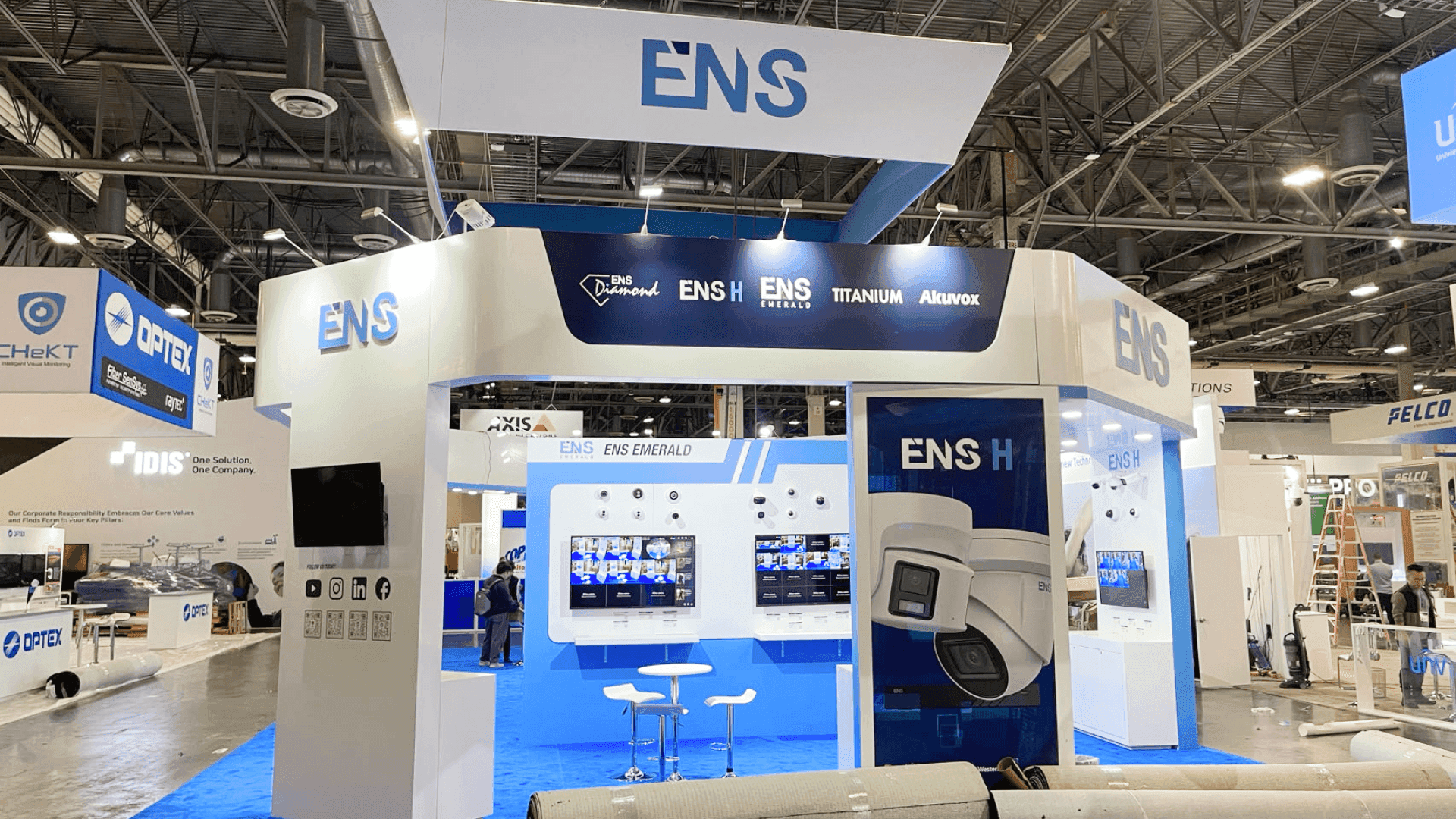
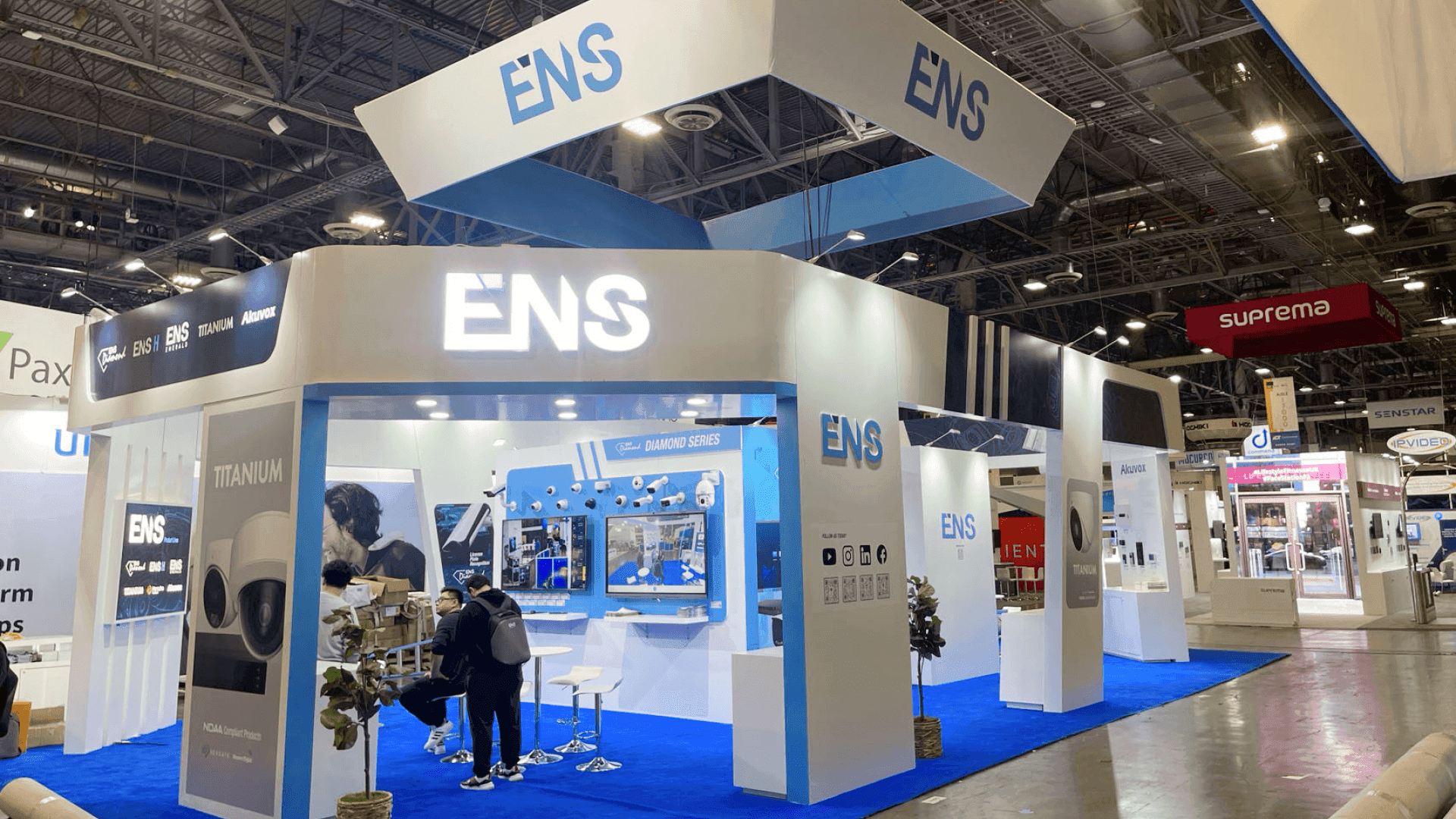
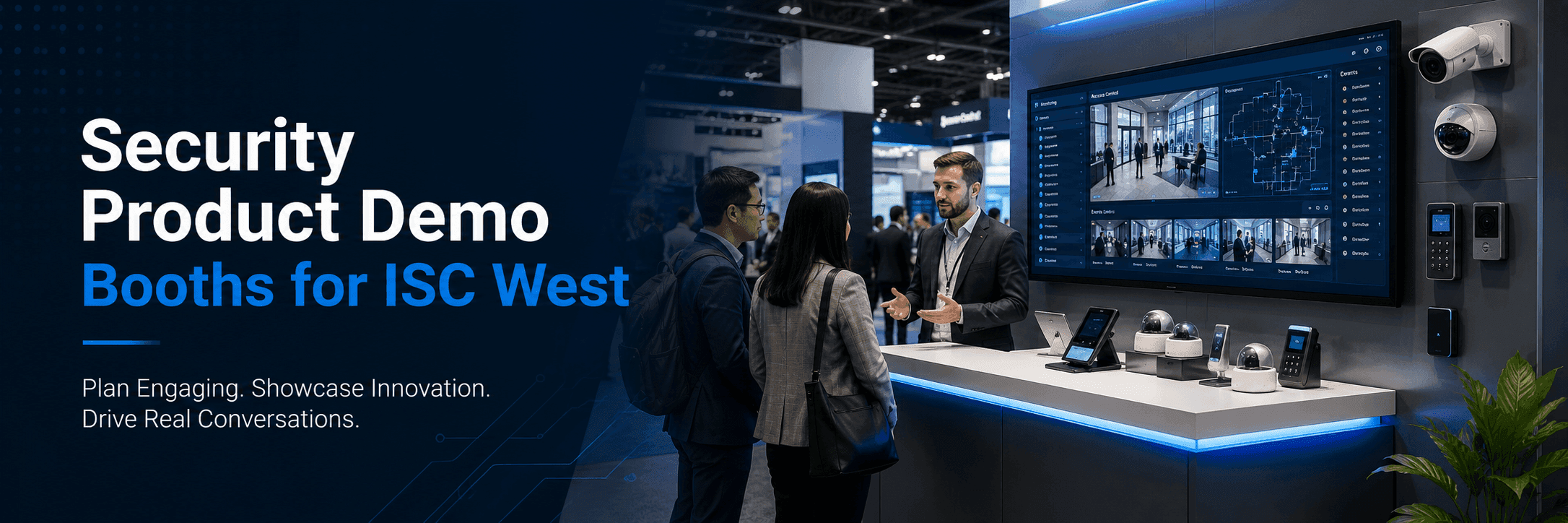
Security brands at ISC West need product demo booths that make technical systems easy to understand. A strong layout should separate fast product demos, device interaction, screen-based dashboards, buyer conversations, and staff support without crowding the booth.
Security product booths have to do more than look technical.
At ISC West, visitors often compare working systems, device integrations, software dashboards, and real-world use cases. The show brings together security and public safety professionals at The Venetian Expo in Las Vegas, with exhibitor categories including video surveillance, building access control, perimeter security, biometric-enabled devices, cybersecurity solutions, and related technologies.
That means the booth layout needs to help visitors understand how the product works, not just what the product looks like.
Quick Answer
Security brands should plan ISC West product demo booths by separating device interaction, dashboard viewing, and buyer conversations. The front zone should support fast demos for access control, cameras, sensors, or security devices, while the rear or side zone should support deeper discussions about integrations, deployment, monitoring, and buyer fit.
For show-specific planning, ISC West booth planning should start with how visitors move from first product interaction to a qualified technical conversation.
Why Do Security Product Demo Booths Need a Different Layout?
Security products often require explanation through interaction.
A visitor may need to see how a camera feed appears on a monitor, how an access control reader triggers a door event, how an alarm signal reaches a dashboard, or how a cybersecurity platform visualizes risk. These are not passive product displays.
A security booth should usually support three actions:
show the device
demonstrate the workflow
explain the system fit
If all three actions happen at the same counter, the booth can become crowded and hard to read. The layout should make the demo sequence clear before visitors step fully into the booth.
Where Should the Product Demo Counter Go?
The demo counter should sit near the front, but not block entry.
At ISC West, visitors often stop when they see a working device, screen, or system action. The front counter should allow quick interaction without trapping traffic at the aisle.
A demo counter may support:
access control readers and credentials
video surveillance camera views
alarm panels or sensor triggers
smart lock or door hardware samples
biometric device demonstrations
IoT security device interactions
touchscreen dashboard walkthroughs
The counter should give staff room to explain the product from behind or beside the display. It should also leave enough space for visitors to step away if they are not qualified buyers.
A good demo counter creates a controlled stopping point, not a crowd barrier.
How Should a 20x20 ISC West Booth Handle Security Demo Traffic?
A 20x20 security booth needs fewer demos, not more.
The footprint can support a strong product story, but it cannot support every device, screen, meeting need, and storage requirement at the same time. Good 20x20 booth planning should focus on one primary demo path and one buyer conversation area.
For ISC West, a 20x20 booth may work best with:
one front demo counter
one clear device or system focus
one monitor or dashboard wall
one compact buyer conversation point
hidden storage for devices, cables, cases, and staff items
clean cable routing and staff access
The goal is to make the technical story easier to follow. A crowded booth with too many devices can make the product feel more confusing, even when the technology is strong.
Product Demo Zone vs Buyer Conversation Zone
Booth Area | Main Role | Best Placement | Planning Need |
|---|---|---|---|
Demo counter | Let visitors interact with a device or product workflow | Front or aisle-facing side | Clear access, staff room, cable control |
Dashboard screen | Show monitoring, alerts, integrations, or reporting | Behind or beside demo counter | Strong visibility, limited screen clutter |
Device display | Present cameras, readers, panels, sensors, locks, or gateways | Near the demo path | Organized hardware, secure mounting |
Buyer conversation area | Discuss deployment, integration, pricing, or channel fit | Rear or side zone | Quieter placement, table or standing counter |
Storage / technical support | Hold devices, chargers, tools, cases, cables, and literature | Hidden from main traffic | Easy staff access, clean visual control |
How Should Access Control Demos Be Planned?
Access control demos need a clear action-and-result sequence.
Visitors should understand what happens when a credential, mobile app, card, biometric device, keypad, or reader is used. The booth should show both the physical interaction and the system response.
A good access control demo may need:
reader or credential placement at hand height
a small door hardware or panel mockup
a nearby dashboard or monitor
clear staff position for explanation
hidden cable routing
enough visitor space to test or observe
The demo should not require visitors to guess what changed. If the reader triggers an event, the screen should make that event visible quickly.
In a booth environment, the product story has to be readable in seconds.
How Should Video Surveillance Booths Handle Screens?
Video surveillance booths need screen hierarchy.
A camera, recorder, VMS platform, AI analytics tool, or cloud dashboard can lose clarity if every screen competes for attention. Visitors should know which screen to look at first and what problem it is solving.
A strong video surveillance booth usually uses one main screen for the primary demo and smaller screens or devices for supporting details. The main screen should be visible from the aisle, but not positioned so close to the front that viewers block entry.
The layout should answer:
What is the camera or system detecting?
What does the operator see?
What action does the software help trigger?
Where should the visitor go after watching the demo?
For security buyers, the screen is not decoration. It is part of the product proof.
How Should Alarm, Sensor, and IoT Security Demos Be Displayed?
Alarm, sensor, and IoT security products need simple physical context.
A small device can be hard to understand on its own. Visitors may need to see where the sensor goes, what condition it detects, and how the alert appears in the system.
That means the booth should connect device display to workflow explanation.
A strong layout may group sensors, gateways, panels, or IoT devices near a monitor that shows alert status, device health, or system response. This helps visitors understand the path from physical event to digital result.
The display should avoid spreading small devices across too many shelves. Security buyers need a clear product logic, not a parts table.
How Should Cybersecurity or Digital Trust Dashboards Be Shown?
Cybersecurity and digital trust demos need visual clarity.
ISC West has increasingly focused on the connection between physical protection, IT infrastructure, IoT, and digital identity, with 2026 coverage noting areas such as the Digital Trust and Identity Pavilion and the intersection of physical, IT, and IoT security.
For a booth demo, this means dashboards should be shown in a way that buyers can understand quickly.
A cybersecurity dashboard should not try to show every feature at once. It should focus on one scenario:
identity verification
device trust
access event monitoring
risk alerting
user permission flow
security operations visibility
The screen should support the conversation. It should not become a dense interface that only the product team understands.
How Should Graphics Support Technical Product Demos?
Graphics should explain the security category before the staff speaks.
A visitor walking past the booth should understand whether the brand is showing access control, surveillance, alarms, perimeter security, identity, IoT security, or cybersecurity. The booth should not make visitors read long copy to understand the category.
Graphics should work in layers:
aisle-facing graphics explain the category
demo graphics explain the use case
screen content shows the product in action
buyer-area graphics support deeper technical or deployment points
This is where graphics and brand presentation for demo booths matters. Security booth graphics should reduce friction, not add more information noise.
A technical booth does not need more words. It needs clearer visual order.
How Does Las Vegas Show-Site Execution Affect Security Demo Booths?
Security demo booths often have more technical setup needs than standard display booths.
At The Venetian Expo, the booth may need coordinated installation for monitors, devices, counters, cable routing, lighting, locked storage, and product display hardware. If these elements are not planned before move-in, the team may lose time fixing wiring, screen placement, or device visibility on the show floor.
This is where booth build support in Las Vegas helps connect the booth layout with installation logic.
Security demo booths should plan for:
monitor placement
counter power access
data or device routing
secure product storage
cable concealment
staff working space
device protection during setup
clean handoff before show opening
A security booth should look controlled because the product category itself depends on control.
What Happens When Too Many Products Share One Demo Space?
The booth becomes harder to understand.
Security brands often want to show cameras, readers, locks, sensors, panels, software, cloud dashboards, AI features, and integration points all at once. In a limited footprint, that can weaken the product story.
Too many demos in one zone can create:
crowded counters
unclear staff responsibilities
too many screens competing for attention
poor cable management
visitors blocking each other
weak handoff from demo to sales conversation
A better booth focuses the front zone on the strongest demo and uses supporting displays for secondary products.
Depth is usually better than clutter.
What Should Security Brands Prepare Before Finalizing the Booth?
Security brands should define the demo behavior before choosing counters, screens, and walls.
The booth should start with what the visitor needs to see, touch, test, or understand.
Planning Checklist
What is the primary product demo?
Is the demo physical, software-based, or both?
Does the booth need access control hardware, camera feeds, sensors, alarms, or dashboards?
Where will the main monitor or interface sit?
How many visitors can watch or interact at one time?
Where will staff stand during the demo?
Where will qualified buyers move after the demo?
How will cables, devices, chargers, and cases be hidden?
Does the booth need locked storage for equipment?
Can the booth be installed cleanly within Las Vegas move-in conditions?
These questions help the booth feel organized instead of overbuilt.
When Is a 20x20 Booth Enough for ISC West Product Demos?
A 20x20 booth can work well when the security brand has one main product story.
It is usually enough for a focused access control demo, video surveillance workflow, alarm system display, IoT device presentation, or software dashboard walkthrough. The key is to keep the booth from becoming a product catalog.
A 20x20 booth may not be enough if the exhibitor needs multiple live demo stations, private meetings, a large device wall, or several screen-based workflows running at once.
The footprint can support a strong demo.
It just needs the right limits.
What Is the Best Layout Logic for an ISC West Demo Booth?
The best ISC West demo booth starts with the product workflow.
First, decide what the visitor should see or test. Then decide which screen, device, or staff explanation supports that action. After that, create a path for qualified buyers to move into a deeper conversation.
A strong security demo booth should make three things clear:
what system or device is being demonstrated
what action or result the visitor should understand
where the conversation should continue after the demo
When that logic is clear, the booth can support both fast product interaction and higher-quality buyer discussions.
That is what separates a working security demo booth from a booth that only displays equipment.
Planning a Product Demo Booth for ISC West?
Start with the ISC West show context, then plan the demo counter, device display, dashboard screens, buyer conversation area, and Las Vegas show-site execution as one connected booth system.
Security product booths have to do more than look technical.
At ISC West, visitors often compare working systems, device integrations, software dashboards, and real-world use cases. The show brings together security and public safety professionals at The Venetian Expo in Las Vegas, with exhibitor categories including video surveillance, building access control, perimeter security, biometric-enabled devices, cybersecurity solutions, and related technologies.
That means the booth layout needs to help visitors understand how the product works, not just what the product looks like.
Quick Answer
Security brands should plan ISC West product demo booths by separating device interaction, dashboard viewing, and buyer conversations. The front zone should support fast demos for access control, cameras, sensors, or security devices, while the rear or side zone should support deeper discussions about integrations, deployment, monitoring, and buyer fit.
For show-specific planning, ISC West booth planning should start with how visitors move from first product interaction to a qualified technical conversation.
Why Do Security Product Demo Booths Need a Different Layout?
Security products often require explanation through interaction.
A visitor may need to see how a camera feed appears on a monitor, how an access control reader triggers a door event, how an alarm signal reaches a dashboard, or how a cybersecurity platform visualizes risk. These are not passive product displays.
A security booth should usually support three actions:
show the device
demonstrate the workflow
explain the system fit
If all three actions happen at the same counter, the booth can become crowded and hard to read. The layout should make the demo sequence clear before visitors step fully into the booth.
Where Should the Product Demo Counter Go?
The demo counter should sit near the front, but not block entry.
At ISC West, visitors often stop when they see a working device, screen, or system action. The front counter should allow quick interaction without trapping traffic at the aisle.
A demo counter may support:
access control readers and credentials
video surveillance camera views
alarm panels or sensor triggers
smart lock or door hardware samples
biometric device demonstrations
IoT security device interactions
touchscreen dashboard walkthroughs
The counter should give staff room to explain the product from behind or beside the display. It should also leave enough space for visitors to step away if they are not qualified buyers.
A good demo counter creates a controlled stopping point, not a crowd barrier.
How Should a 20x20 ISC West Booth Handle Security Demo Traffic?
A 20x20 security booth needs fewer demos, not more.
The footprint can support a strong product story, but it cannot support every device, screen, meeting need, and storage requirement at the same time. Good 20x20 booth planning should focus on one primary demo path and one buyer conversation area.
For ISC West, a 20x20 booth may work best with:
one front demo counter
one clear device or system focus
one monitor or dashboard wall
one compact buyer conversation point
hidden storage for devices, cables, cases, and staff items
clean cable routing and staff access
The goal is to make the technical story easier to follow. A crowded booth with too many devices can make the product feel more confusing, even when the technology is strong.
Product Demo Zone vs Buyer Conversation Zone
Booth Area | Main Role | Best Placement | Planning Need |
|---|---|---|---|
Demo counter | Let visitors interact with a device or product workflow | Front or aisle-facing side | Clear access, staff room, cable control |
Dashboard screen | Show monitoring, alerts, integrations, or reporting | Behind or beside demo counter | Strong visibility, limited screen clutter |
Device display | Present cameras, readers, panels, sensors, locks, or gateways | Near the demo path | Organized hardware, secure mounting |
Buyer conversation area | Discuss deployment, integration, pricing, or channel fit | Rear or side zone | Quieter placement, table or standing counter |
Storage / technical support | Hold devices, chargers, tools, cases, cables, and literature | Hidden from main traffic | Easy staff access, clean visual control |
How Should Access Control Demos Be Planned?
Access control demos need a clear action-and-result sequence.
Visitors should understand what happens when a credential, mobile app, card, biometric device, keypad, or reader is used. The booth should show both the physical interaction and the system response.
A good access control demo may need:
reader or credential placement at hand height
a small door hardware or panel mockup
a nearby dashboard or monitor
clear staff position for explanation
hidden cable routing
enough visitor space to test or observe
The demo should not require visitors to guess what changed. If the reader triggers an event, the screen should make that event visible quickly.
In a booth environment, the product story has to be readable in seconds.
How Should Video Surveillance Booths Handle Screens?
Video surveillance booths need screen hierarchy.
A camera, recorder, VMS platform, AI analytics tool, or cloud dashboard can lose clarity if every screen competes for attention. Visitors should know which screen to look at first and what problem it is solving.
A strong video surveillance booth usually uses one main screen for the primary demo and smaller screens or devices for supporting details. The main screen should be visible from the aisle, but not positioned so close to the front that viewers block entry.
The layout should answer:
What is the camera or system detecting?
What does the operator see?
What action does the software help trigger?
Where should the visitor go after watching the demo?
For security buyers, the screen is not decoration. It is part of the product proof.
How Should Alarm, Sensor, and IoT Security Demos Be Displayed?
Alarm, sensor, and IoT security products need simple physical context.
A small device can be hard to understand on its own. Visitors may need to see where the sensor goes, what condition it detects, and how the alert appears in the system.
That means the booth should connect device display to workflow explanation.
A strong layout may group sensors, gateways, panels, or IoT devices near a monitor that shows alert status, device health, or system response. This helps visitors understand the path from physical event to digital result.
The display should avoid spreading small devices across too many shelves. Security buyers need a clear product logic, not a parts table.
How Should Cybersecurity or Digital Trust Dashboards Be Shown?
Cybersecurity and digital trust demos need visual clarity.
ISC West has increasingly focused on the connection between physical protection, IT infrastructure, IoT, and digital identity, with 2026 coverage noting areas such as the Digital Trust and Identity Pavilion and the intersection of physical, IT, and IoT security.
For a booth demo, this means dashboards should be shown in a way that buyers can understand quickly.
A cybersecurity dashboard should not try to show every feature at once. It should focus on one scenario:
identity verification
device trust
access event monitoring
risk alerting
user permission flow
security operations visibility
The screen should support the conversation. It should not become a dense interface that only the product team understands.
How Should Graphics Support Technical Product Demos?
Graphics should explain the security category before the staff speaks.
A visitor walking past the booth should understand whether the brand is showing access control, surveillance, alarms, perimeter security, identity, IoT security, or cybersecurity. The booth should not make visitors read long copy to understand the category.
Graphics should work in layers:
aisle-facing graphics explain the category
demo graphics explain the use case
screen content shows the product in action
buyer-area graphics support deeper technical or deployment points
This is where graphics and brand presentation for demo booths matters. Security booth graphics should reduce friction, not add more information noise.
A technical booth does not need more words. It needs clearer visual order.
How Does Las Vegas Show-Site Execution Affect Security Demo Booths?
Security demo booths often have more technical setup needs than standard display booths.
At The Venetian Expo, the booth may need coordinated installation for monitors, devices, counters, cable routing, lighting, locked storage, and product display hardware. If these elements are not planned before move-in, the team may lose time fixing wiring, screen placement, or device visibility on the show floor.
This is where booth build support in Las Vegas helps connect the booth layout with installation logic.
Security demo booths should plan for:
monitor placement
counter power access
data or device routing
secure product storage
cable concealment
staff working space
device protection during setup
clean handoff before show opening
A security booth should look controlled because the product category itself depends on control.
What Happens When Too Many Products Share One Demo Space?
The booth becomes harder to understand.
Security brands often want to show cameras, readers, locks, sensors, panels, software, cloud dashboards, AI features, and integration points all at once. In a limited footprint, that can weaken the product story.
Too many demos in one zone can create:
crowded counters
unclear staff responsibilities
too many screens competing for attention
poor cable management
visitors blocking each other
weak handoff from demo to sales conversation
A better booth focuses the front zone on the strongest demo and uses supporting displays for secondary products.
Depth is usually better than clutter.
What Should Security Brands Prepare Before Finalizing the Booth?
Security brands should define the demo behavior before choosing counters, screens, and walls.
The booth should start with what the visitor needs to see, touch, test, or understand.
Planning Checklist
What is the primary product demo?
Is the demo physical, software-based, or both?
Does the booth need access control hardware, camera feeds, sensors, alarms, or dashboards?
Where will the main monitor or interface sit?
How many visitors can watch or interact at one time?
Where will staff stand during the demo?
Where will qualified buyers move after the demo?
How will cables, devices, chargers, and cases be hidden?
Does the booth need locked storage for equipment?
Can the booth be installed cleanly within Las Vegas move-in conditions?
These questions help the booth feel organized instead of overbuilt.
When Is a 20x20 Booth Enough for ISC West Product Demos?
A 20x20 booth can work well when the security brand has one main product story.
It is usually enough for a focused access control demo, video surveillance workflow, alarm system display, IoT device presentation, or software dashboard walkthrough. The key is to keep the booth from becoming a product catalog.
A 20x20 booth may not be enough if the exhibitor needs multiple live demo stations, private meetings, a large device wall, or several screen-based workflows running at once.
The footprint can support a strong demo.
It just needs the right limits.
What Is the Best Layout Logic for an ISC West Demo Booth?
The best ISC West demo booth starts with the product workflow.
First, decide what the visitor should see or test. Then decide which screen, device, or staff explanation supports that action. After that, create a path for qualified buyers to move into a deeper conversation.
A strong security demo booth should make three things clear:
what system or device is being demonstrated
what action or result the visitor should understand
where the conversation should continue after the demo
When that logic is clear, the booth can support both fast product interaction and higher-quality buyer discussions.
That is what separates a working security demo booth from a booth that only displays equipment.
Planning a Product Demo Booth for ISC West?
Start with the ISC West show context, then plan the demo counter, device display, dashboard screens, buyer conversation area, and Las Vegas show-site execution as one connected booth system.
Exhibition Cases
Message
Leave your message and we will get back to you ASAP
Send a Message
We’ll Be in Touch!
Message
Leave your message and we will get back to you ASAP
Address:
4915 Steptoe Street #300
Las Vegas, NV 89122