
Why Demo Conversations Need a Booth Layout Plan
OPTECH software exhibitors often think of a demo as a sales activity, but on the show floor it is also a layout problem. The visitor has to understand the product category, stop in the right place, see the first screen, hear a short explanation, and then move into a deeper conversation if the product is relevant.
If the booth does not plan that path, the demo conversation happens wherever there is open space. That usually means the aisle gets blocked, the first screen becomes hard to see, and staff repeat the same explanation without qualifying the visitor.
This article is written to support OPTECH software demo booth layout. The demo conversation examples connect back to real OPTECH project pages such as the Funnel OPTECH 2023 project and the Anyone Home OPTECH 2023 project, because software demo planning should be based on screen placement, visitor flow, and staff handoff rather than broad trade show advice.
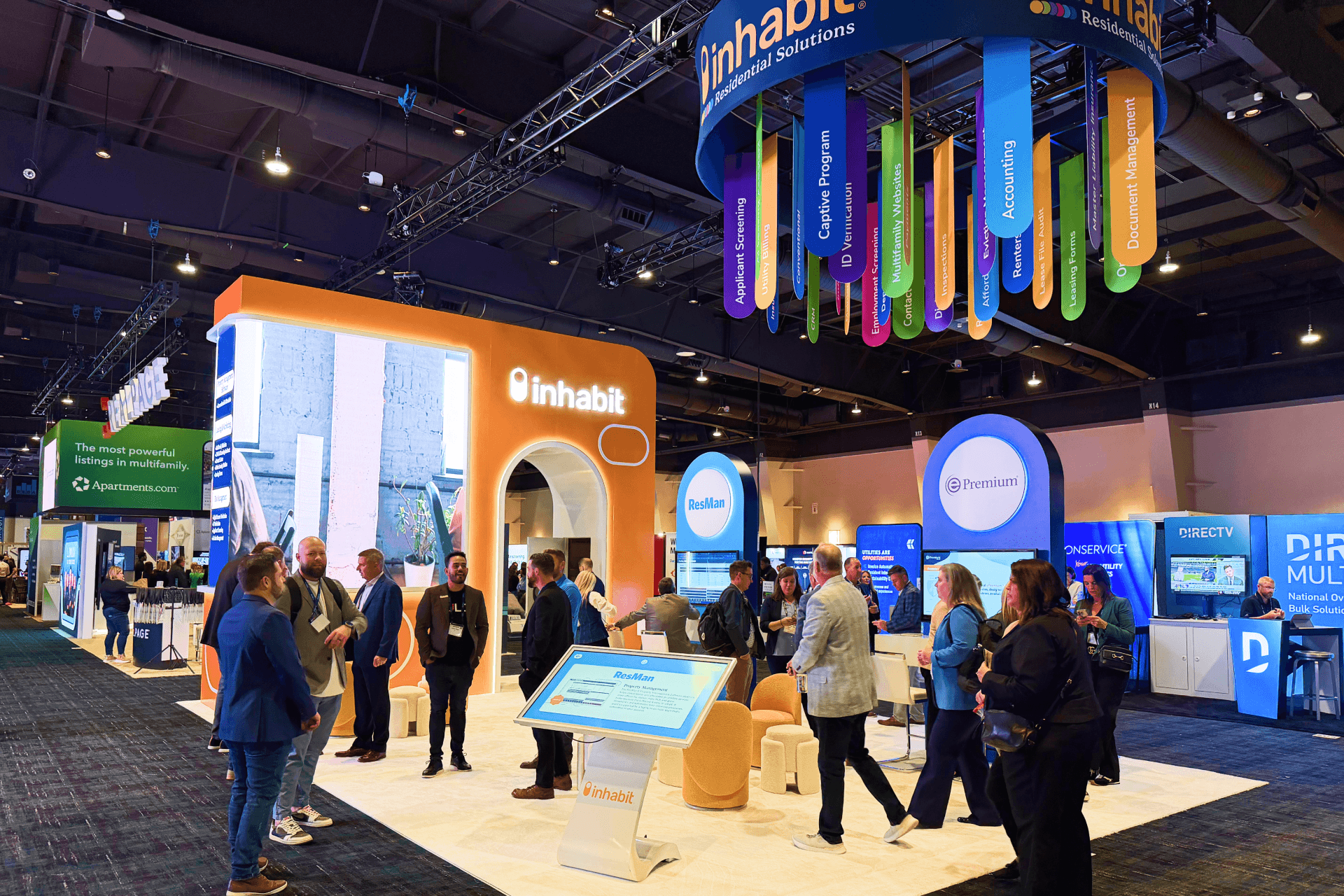
An OPTECH software demo booth should make the first product workflow visible from the aisle, so visitors understand the platform before staff begins a deeper demo conversation.
OPTECH 2026 Event Context for Demo Planning
OPTECH 2026 detail | What it means for booth planning |
|---|---|
Event dates: Nov. 16–18, 2026 | The booth plan should be ready well before freight, graphics, AV, and final show-site handoff become rushed. |
Expo dates: Nov. 16–17, 2026 | The exhibit floor window is short, so the first screen message and staff handoff need to work immediately. |
Location: MGM Grand Resort & Casino, Las Vegas, NV | The layout should account for hotel-convention move-in timing, material delivery, AV checks, and final aisle-facing presentation. |
Audience: rental housing operators, technology leaders, marketing, data, and operations teams | The booth should explain workflows, dashboards, and operational value rather than only showing brand graphics. |
The Demo Conversation Path We Usually Map
Step | What happens on the floor | Layout requirement |
|---|---|---|
1. Aisle recognition | A visitor understands the product category before stopping. | A short headline, readable screen, or workflow graphic near the aisle. |
2. First question | Staff gives a short explanation and checks whether the visitor is relevant. | A demo counter or screen zone where staff can stand without blocking the booth. |
3. Short walkthrough | The visitor sees one workflow, dashboard, or use case. | A screen angle that works for two to four people without creating a crowd. |
4. Qualification | Staff decides whether to continue, hand off, or end the conversation. | A clear path away from the front demo zone. |
5. Deeper discussion | Qualified buyers move into a more focused product or business conversation. | Meeting table, side counter, or semi-private conversation area. |
When the demo plan needs more than one screen, more than one staff conversation, or a semi-private follow-up area, the layout should also be compared with OPTECH 20x30 booth planning so the conversation path matches the booth footprint.
Where the First Demo Screen Should Go
The first demo screen should be close enough to the aisle to explain the software category, but not so close that every viewer blocks traffic. For OPTECH exhibitors, the screen should usually show a workflow instead of a dense dashboard. A leasing tool can show prospect journey. A resident platform can show communication flow. A maintenance tool can show request, dispatch, and resolution. An analytics product can show what decision the dashboard supports.
When we check a screen-led booth plan, we look at the visitor’s viewing angle, staff position, screen height, lighting, power access, and whether a second visitor can watch without forcing the first conversation to stop.
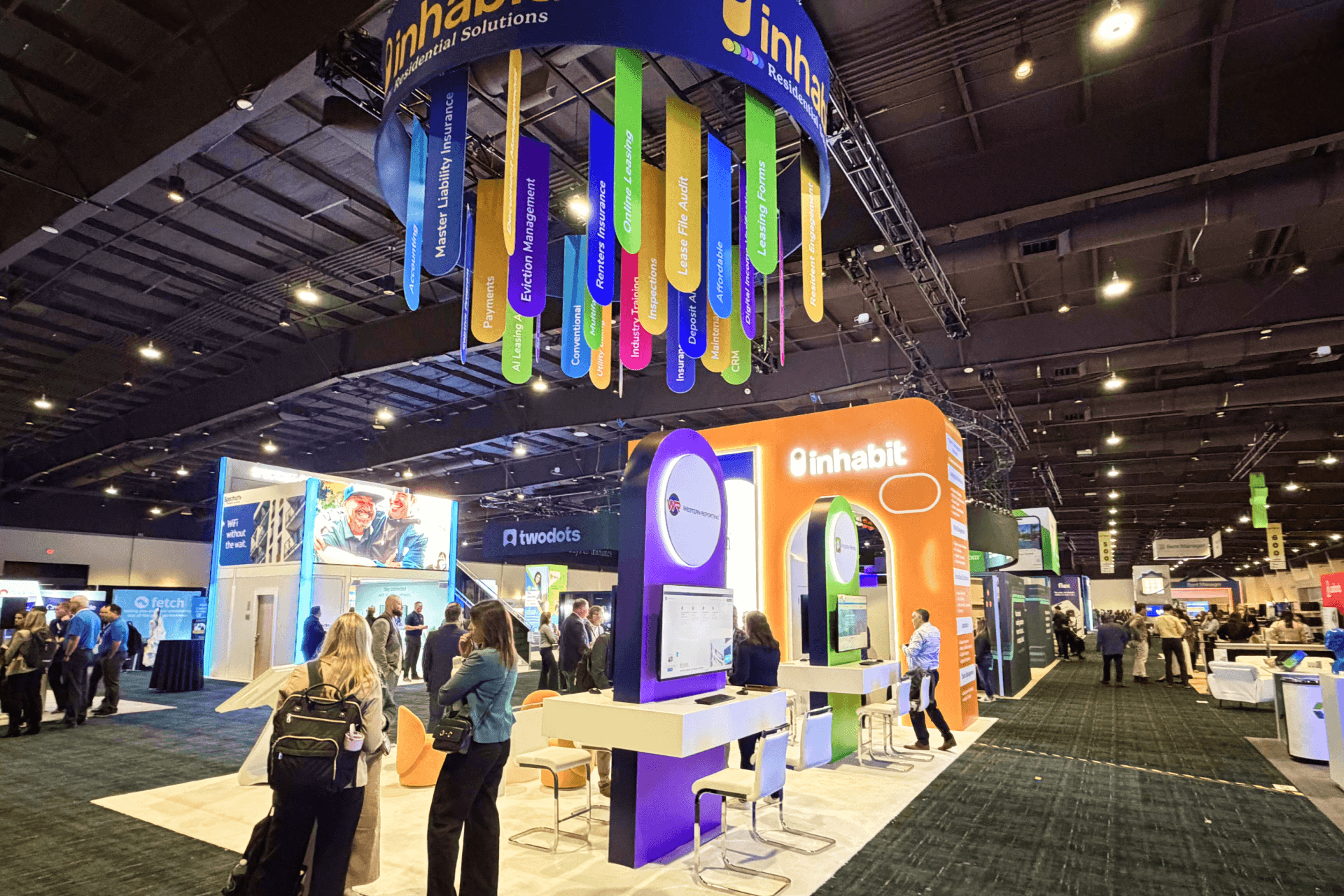
Screen-led demo stations work best when staff have a clear place to stand, explain the software workflow, and move qualified visitors into the next conversation without blocking the aisle.
Common Demo Flow Problems and Fixes
Problem on the show floor | Why it happens | Better planning choice |
|---|---|---|
Staff blocks the screen during the pitch. | The standing position was not planned around the screen angle. | Mark a staff position beside the screen, not directly in front of it. |
Visitors stop in the aisle. | The first demo point sits too close to the booth edge. | Create a small pause zone inside the booth line. |
Every conversation becomes too long. | There is no qualification step after the first explanation. | Use a short first demo and move only qualified buyers into the deeper zone. |
The booth feels crowded even with enough square footage. | Storage, bags, and literature are sitting in the visitor path. | Keep backup materials in hidden storage or behind the staff path. |
The demo does not connect to business value. | The screen shows features without context. | Add a workflow headline or graphic that explains the task being solved. |
What Happens After the First Demo Conversation?
This is where many software booths lose clarity. The first demo is only the opening. After that, staff should know whether the visitor needs a quick document, a scheduled follow-up, a deeper product walkthrough, or a buyer conversation. If there is no second step, the booth becomes a waiting area.
A practical OPTECH software booth should make this next step visible to the staff even if it is not obvious to visitors. The meeting table, side counter, or semi-private space should be positioned so a serious buyer can continue the discussion without cutting across the public demo zone.
If the sales team expects more than one serious demo conversation at the same time, the booth size needs to support that flow. A 20x30 booth planning reference helps compare where the first screen, demo counter, meeting area, storage, and staff path should sit before the layout is finalized.
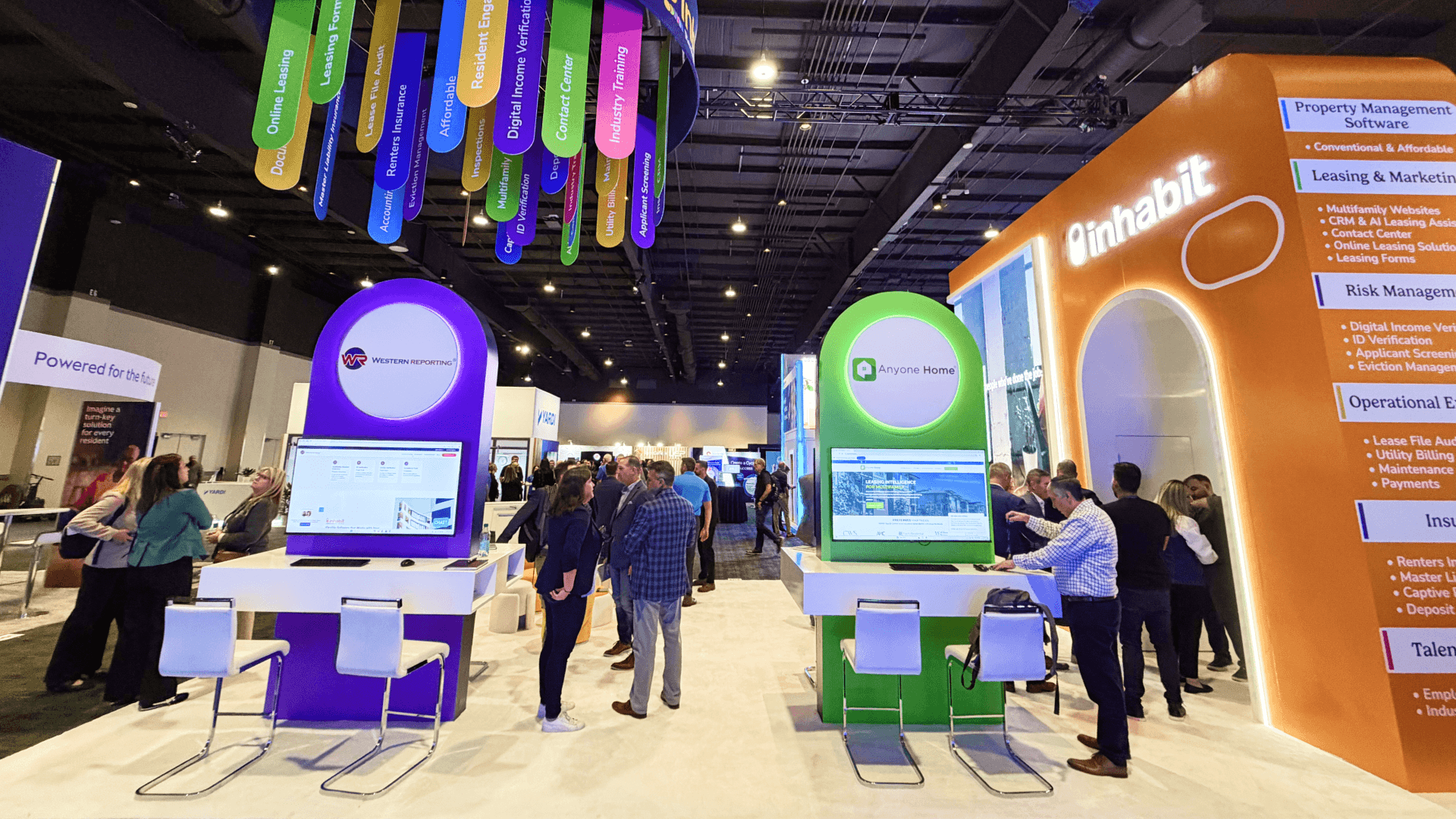
A strong OPTECH demo conversation layout separates the public screen demo from the buyer meeting area, giving serious visitors a place to continue the discussion after the first walkthrough.
Real Project References for Demo Conversation Planning
Reference | Demo planning lesson | Where it fits |
|---|---|---|
Funnel OPTECH 2023 project | Useful for explaining software visibility, product messaging, and screen-forward booth communication. | This article’s main project proof for demo conversations. |
Anyone Home OPTECH 2023 project | Useful for property technology service communication and staff-led explanation. | Supports workflow and staff handoff context. |
Inhabit OPTECH 2025 20x30 proptech demo booth | Useful for showing how a 20x30 footprint can hold software stations and conversation areas. | Supports layout depth when a booth needs more than one demo path. |
The Inhabit OPTECH 2025 20x30 project and Inhabit OPTECH 2025 case study give a practical reference for how a proptech booth can support screen-led demos, overhead branding, visitor movement, and buyer conversation zones in one footprint.
Checklist Before the Demo Layout Is Approved
Can a visitor understand the product category from the aisle?
Is the first screen readable without staff standing in front of it?
Does the booth have a pause zone for short demos?
Can staff move a qualified visitor away from the public demo area?
Is the meeting area close enough for handoff but far enough from aisle traffic?
Are power, AV, screen mounts, and cable paths confirmed before production?
Does the layout show where storage and personal staff items go?
If the exhibitor needs a flexible structure with branded graphics, demo counters, meeting space, and a faster setup path, customizable booth rental in Las Vegas can support the OPTECH demo layout without turning the article into a generic rental page.
FAQ
How long should an OPTECH booth demo be?
The first booth demo should usually be short. It should explain the workflow and qualify the visitor before moving into a deeper conversation.
Should every software feature be shown on the first screen?
No. The first screen should show the workflow or use case. Detailed features can be shown in a deeper demo after the visitor is qualified.
Where should a meeting area sit in a software demo booth?
It should sit behind or beside the public demo zone, close enough for handoff but not directly in the aisle path.
What is the most common demo booth mistake?
The most common mistake is treating the booth as a screen wall instead of planning the staff path, visitor pause zone, and handoff sequence.
Which OPTECH project should support demo conversation planning?
Funnel OPTECH 2023 is a strong reference for software demo communication. Inhabit OPTECH 2025 20x30 supports larger demo and meeting-zone planning.
Related Planning Links
OPTECH software demo booth layout — the primary Event child page for software demo layout planning.
OPTECH booth planning — the main OPTECH Event hub.
Funnel OPTECH 2023 project — a real OPTECH software project reference.
Anyone Home OPTECH 2023 project — a property technology project reference for visitor explanation and booth messaging.
graphics and brand presentation support — service context for screen messaging, booth graphics, and visual clarity.
Final Takeaway
A strong OPTECH software demo booth is not built around the number of screens. It is built around the conversation path: what visitors understand first, where they stop, how staff qualifies them, where the deeper conversation happens, and how the booth keeps new visitors moving while serious buyers continue talking.







