
Why Demo Traffic Matters for NAB Booth Design
Many exhibitors think demo traffic only means how many people pass the booth. The more useful question is what those visitors do after they stop. Do they watch a screen for three seconds? Do they gather around a counter? Do they ask technical questions? Do they block the next visitor?
That is why NAB Show booth planning should start with visitor movement, not only booth structure. If the booth looks good but the demo path is unclear, staff will have to explain the same basic idea again and again.
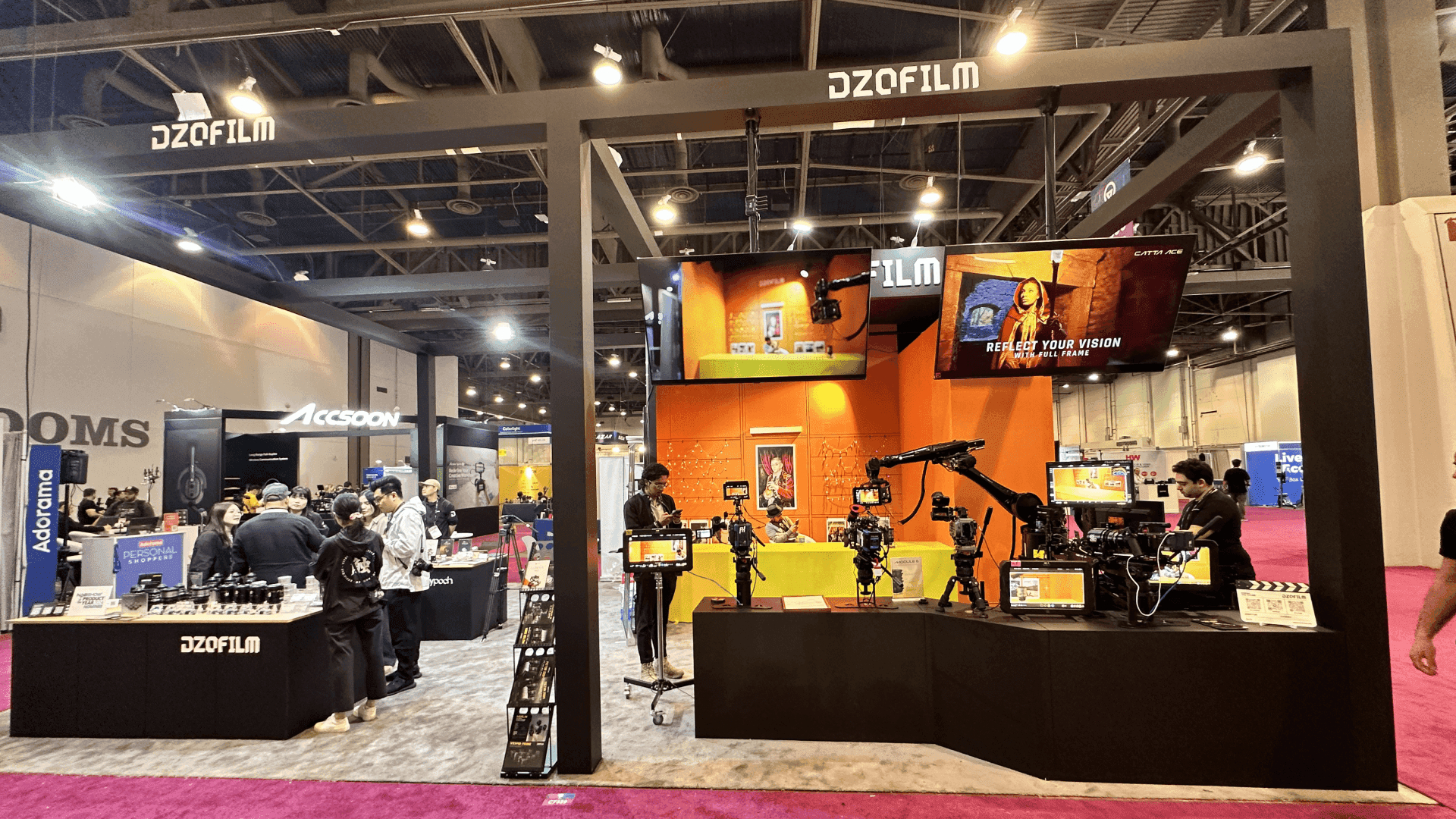
NAB booth design should start with how visitors stop, watch, ask questions, and move from the first screen into a deeper workflow conversation.
How Tech, Broadcast, and Physical Product Traffic Behave Differently
Technology shows often create fast scanning traffic. Visitors compare screens, products, and demos quickly. Automotive-style product traffic creates more physical crowding around equipment or large displays. NAB sits between the two.
At NAB, visitors may scan from the aisle like a technology show, but serious buyers often need a deeper workflow explanation before judging the product. That is why NAB booths need both fast recognition and a clear technical demo path.
Traffic type | Visitor behavior | Booth design response |
|---|---|---|
Fast tech scanning | Visitors decide quickly from screens and first impressions | Make the first screen and product category clear from the aisle |
Broadcast workflow demo | Visitors need to understand input, process, output, and use case | Use screen order, workflow graphics, and staff handoff |
Physical product traffic | Visitors gather around products, equipment, or hardware | Plan clearance, viewing angles, and crowd spacing |
How NAB Workflow Demos Change the Layout
A NAB workflow booth should not start with too many screens or dense technical graphics. The first message should answer a simple question: what workflow does this product help with?
Aisle message: what the product or workflow is.
First demo point: where the visitor sees the workflow in action.
Follow-up area: where staff handles deeper technical or buyer questions.
This is where NAB broadcast workflow demo booth planning becomes important. A broadcast workflow booth needs more than a screen wall. It needs a sequence that helps visitors understand the demo before the technical details begin.
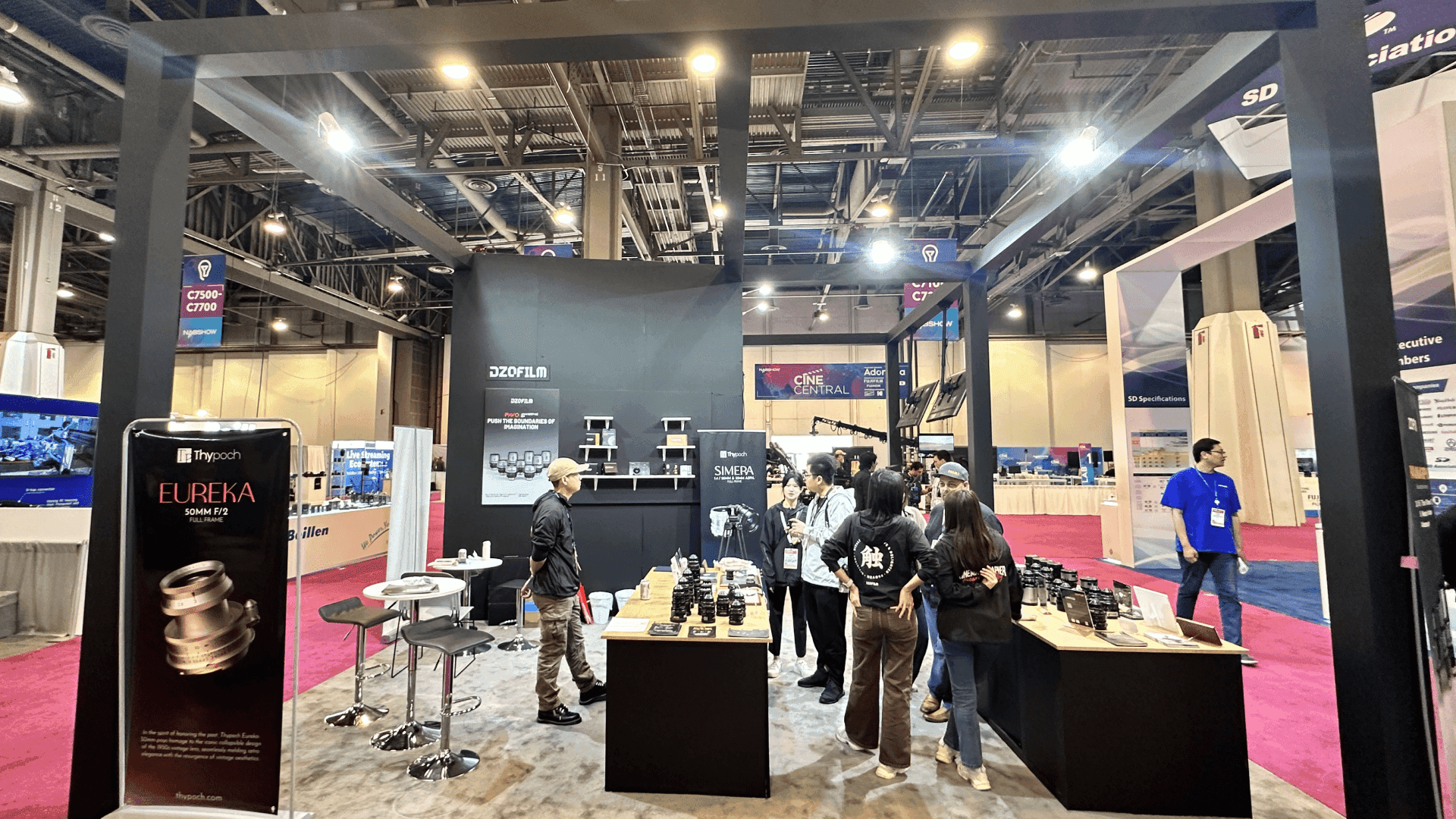
A broadcast workflow demo booth needs a clear path from the aisle message to the first screen, demo counter, staff explanation, and follow-up conversation area.
What the First Screen Should Do
The first screen should not show every feature. It should show the starting point of the workflow: a live production workflow, a cloud media delivery path, a monitoring dashboard, a content operations process, or a camera, AV, or broadcast equipment workflow.
If the first screen is too complex, visitors may walk past before staff can explain the product.
How Booth Size Supports Demo Traffic
Booth size should follow the demo path. It should not be chosen only by budget or by how much equipment needs to fit.
A 20x30 footprint often works well when a NAB exhibitor needs more than one screen, a demo counter, staff movement, storage, and a small follow-up conversation area. For that type of layout, 20x30 booth planning can help compare where the screen, counter, staff position, storage, and visitor path should sit.
For larger NAB exhibitors with multiple screens, AV equipment, production workflow stations, hardware demonstrations, or meeting zones, 30x40 booth planning may be a better reference.
Booth need | Better size direction |
|---|---|
One main screen and simple demo | 20x20 or 20x30 |
Multiple screens and staff handoff | 20x30 |
Equipment demo plus meeting area | 20x30 or 30x40 |
Larger AV, hardware, or workflow stations | 30x40 or larger |
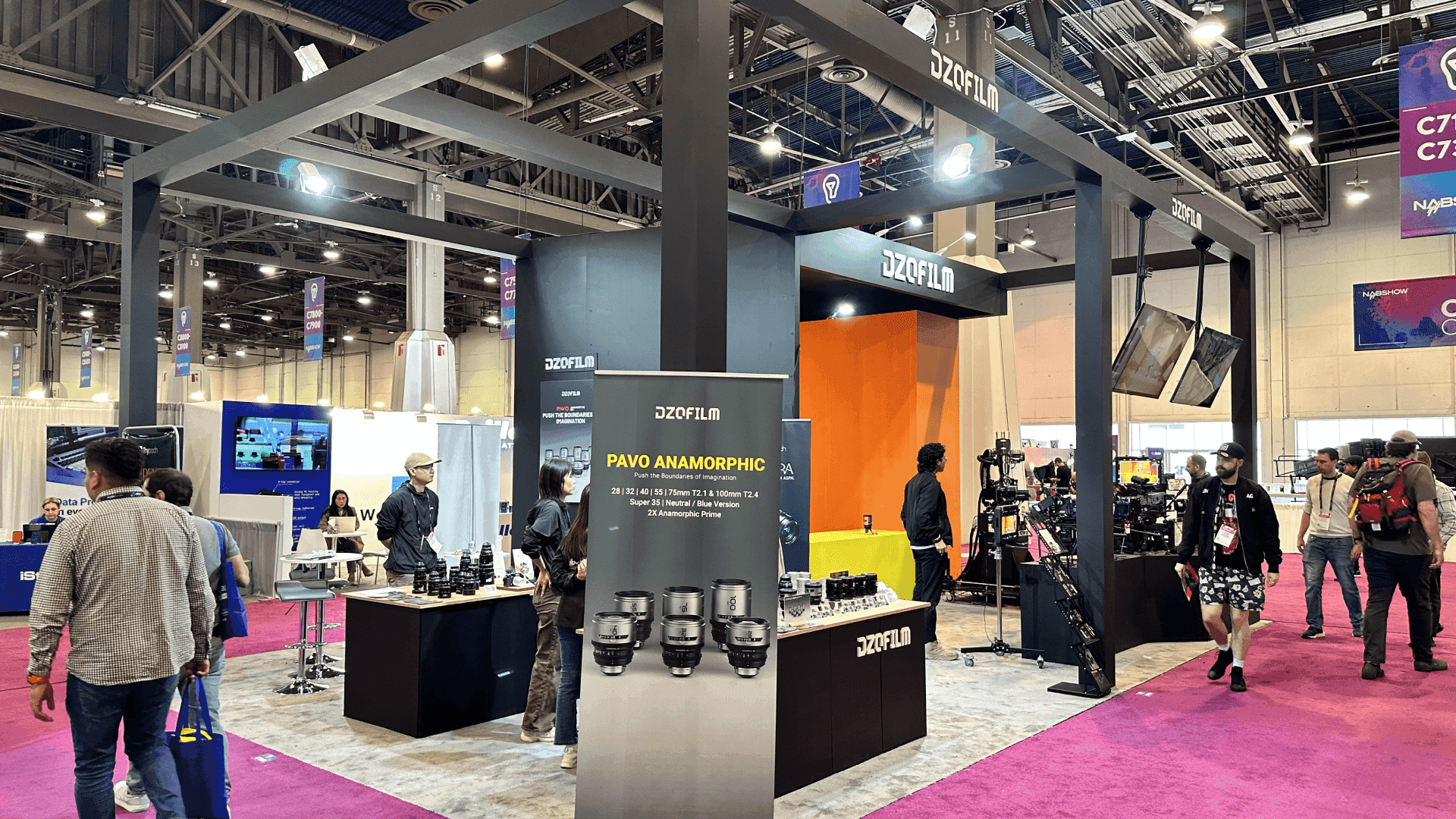
A 20x30 NAB booth can separate screen-led demos, staff movement, storage, and buyer conversations so demo traffic does not block the aisle or hide the main message.
Why LVCC Setup Matters
NAB takes place at the Las Vegas Convention Center, where long aisles, large halls, move-in timing, AV setup, graphics delivery, and equipment handling can affect the booth before the show opens.
For venue-specific planning, Las Vegas Convention Center booth planning is useful because venue context affects how visitors see the booth from a distance and how the final demo environment is checked before the show opens.
Demo-heavy booths should also connect early with logistics and pre-show coordination.
Where NAB Booth Design Usually Breaks Down
The first message is too far from the aisle.
The main screen is blocked by staff.
Visitors stop in the aisle because there is no pause zone.
Product displays and meeting areas overlap.
Storage appears in the visitor path.
Technical demos start too deep for first-time visitors.
AV and cable routing are solved too late.
Graphics, Design, and Execution Need to Work Together
design and engineering support should align the booth layout with real visitor behavior. graphics and brand presentation support should make the workflow easier to read. When the booth reaches the floor, show-site booth execution should keep screen placement, counters, AV checks, and final handoff aligned with the demo plan.
Real NAB Project Proof
NAB Show booth projects can support this article with project evidence, booth photos, screen-led layouts, and technical product display references from the NAB cluster.
Final NAB Booth Traffic Checklist
Can visitors understand the product category from the aisle?
Is the first screen visible without staff blocking it?
Is there a clear pause zone for visitors who stop briefly?
Can staff explain without standing in the aisle?
Is there a place for deeper buyer conversations?
Does booth size support the expected number of demos?
Do graphics support the demo path?
Are storage, AV, cables, and materials kept out of the visitor path?
How This Article Supports the NAB Cluster
This article should support the NAB cluster without becoming a general CES, SEMA, or booth-size article. It supports NAB Show booth planning and strengthens NAB broadcast workflow demo booth planning. Technology and automotive shows are used only as comparison points and should not receive internal links from this article.
FAQ
What is demo traffic in NAB booth design?
Demo traffic is the way visitors stop, watch, ask questions, gather, and move through a booth during product or workflow demonstrations.
Why is NAB demo traffic different?
NAB visitors often need to understand a technical workflow before they can judge the product. That means the booth needs a clear first screen, demo path, and staff handoff.
Should NAB booth size be chosen before demo flow?
No. Booth size should follow the demo plan, screen count, staff movement, storage needs, and buyer conversation path.
Should this article link to CES or SEMA pages?
No. This is a NAB support article. Technology and automotive shows can be mentioned as comparison examples, but the internal links should stay inside the NAB, LVCC, Size, Service, and Project structure.
Related Planning Links
NAB Show booth planning — main NAB Event Hub for booth planning.
NAB broadcast workflow demo booth planning — focused NAB workflow demo booth page.
20x30 booth planning — size reference for screen-led demos and buyer conversations.
30x40 booth planning — size reference for larger workflow demos and AV equipment.
Las Vegas Convention Center booth planning — venue context for NAB setup.
NAB Show booth projects — project proof for NAB examples.
Final Takeaway
Demo traffic should shape NAB booth design before production begins. When booth size, screen placement, graphics, staff path, LVCC setup, logistics, and show-site execution all support the same demo story, the booth becomes easier to understand and easier to manage during NAB.







