
What Belongs in the Stable Core?
A useful modular program needs a stable core, but that does not mean keeping everything already in inventory.
The stable layer may include the primary frame system, standard mounting points, selected counters, storage modules, reusable hardware, and architectural cues that continue to work across several configurations. These are usually the parts of a modular exhibit system that have already proved useful across more than one show requirement.
An asset belongs in this core when it:
solves a recurring need across more than one show;
fits future configurations without forcing obvious compromises;
remains in suitable condition for continued use.
A monitor mount that works across several layouts may stay useful for years. A counter built around an outdated product may still be physically reusable but no longer deserve a place in the long-term system.
The goal is not to preserve inventory. It is to preserve the parts that continue to make future planning easier.
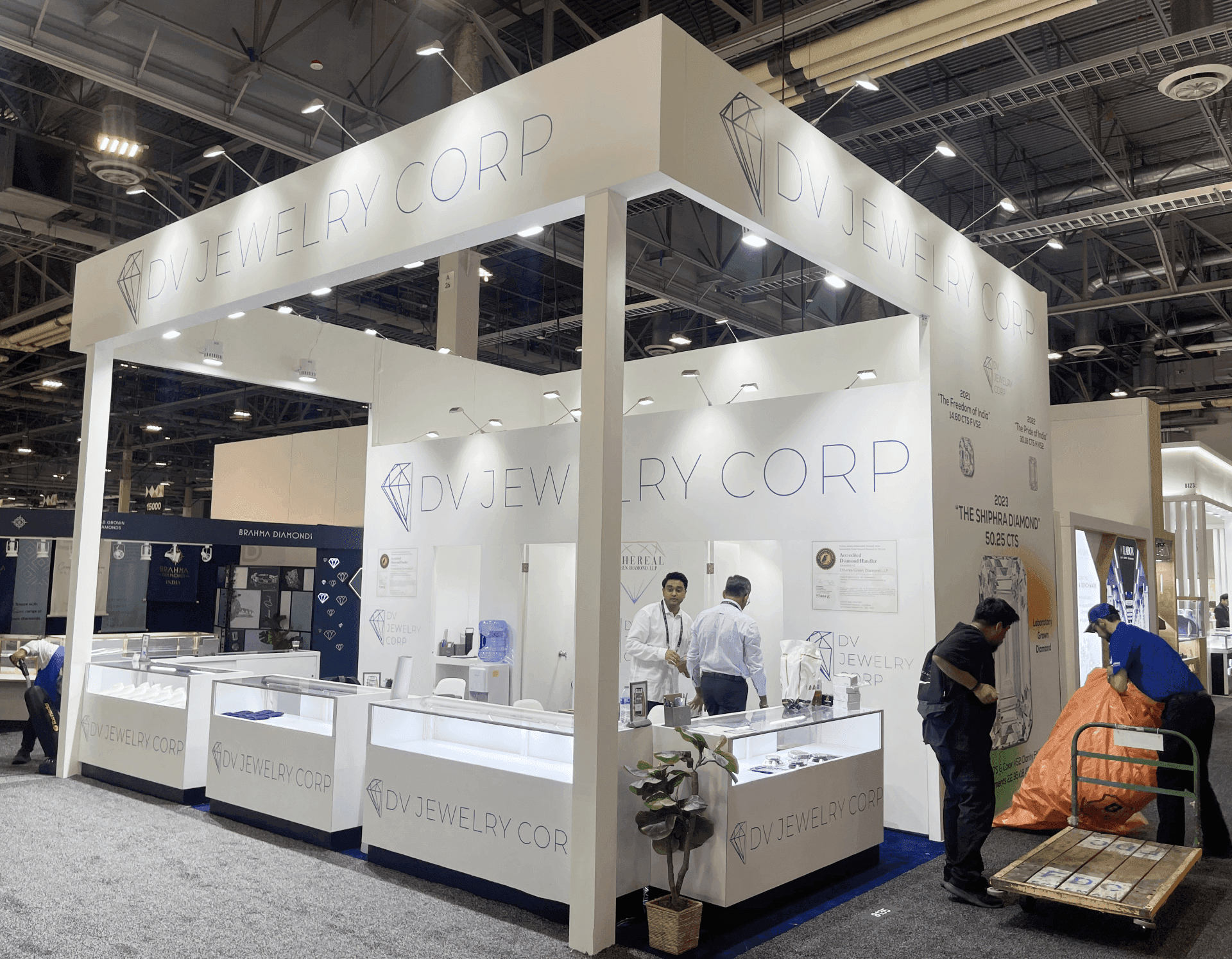
The stable core should keep structural assets that continue to support recurring booth needs across multiple trade shows.
Separate Structural Changes From Show-Specific Updates
Not every change between shows needs a structural response.
Reconfiguration matters when the booth needs to function differently. Walls may move, counters may shift, demo stations may expand, meeting areas may change, or screens may need another position.
Footprint changes can push that question further. If the same kit has to work across substantially different booth sizes, component compatibility and expansion rules become part of modular masterplanning, not simply another adjustment to the previous layout.
Show-specific updates are different. The structure may still work while campaign graphics, featured products, launch messaging, or signage change for a new audience.
The distinction is simple:
Reconfigure when the booth needs to work differently.
Update when the structure still works but the message changes.
That keeps useful structural assets from being rebuilt to solve what is really a communication change.
Keep the Brand Familiar Without Repeating the Same Booth
Brand consistency does not require every show to use the same layout, graphics, or product story.
What should remain recognizable is the underlying brand logic: visual hierarchy, architectural cues, familiar presentation standards, and the way major products or messages are framed.
Other elements can move with the event. One show may place a product launch at the center of the booth, while another gives more space to demonstrations or meetings. A smaller footprint may rely more heavily on graphics; a larger one may give the same visual language more architectural presence.
The problem starts when reuse becomes repetition and existing assets begin dictating every new layout simply because they are available.
The booth should support the brand and the show requirement—not force each new event to adapt to an old configuration.
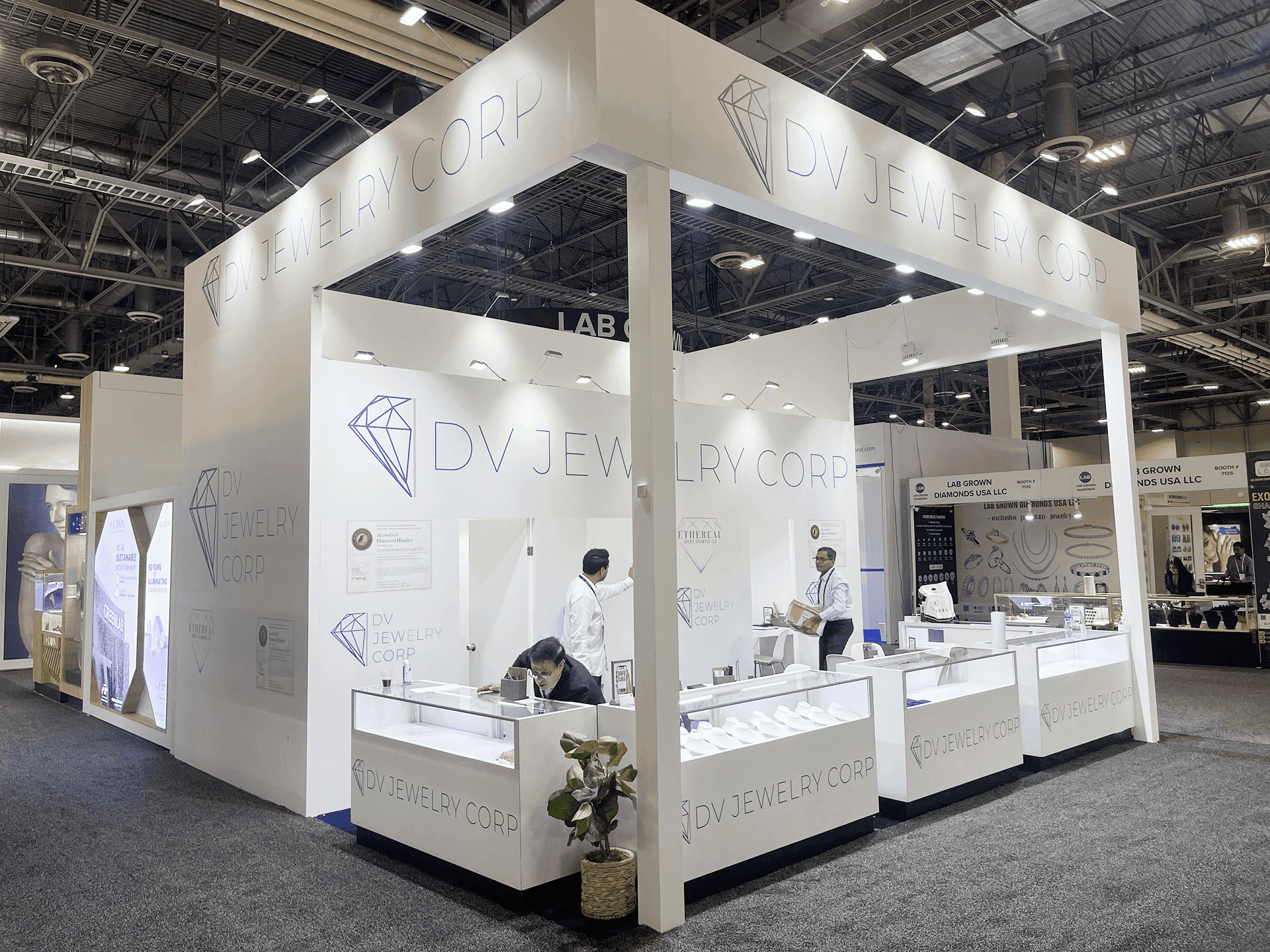
Reconfigure the booth when its function or footprint changes; update graphics, products, and messaging when the structure still works.
When Reuse Starts Creating More Compromises Than Value
Reuse adds value only while the existing exhibit continues to support current requirements.
Warning signs often appear gradually:
a new footprint repeatedly forces awkward layouts;
products or demos no longer fit the original display logic;
components need frequent repairs or temporary modifications;
extra pieces are added mainly to keep an old configuration working;
storage, handling, or setup complexity continues to increase;
brand architecture has changed substantially;
new booths are being designed around old hardware instead of current needs.
A long-term modular exhibit lifecycle should distinguish between assets that still earn another cycle and those that are beginning to hold the program back.
Asset condition | Recommended action |
|---|---|
Still supports recurring booth needs and future configurations | Keep |
Structure still works, but layout or booth functions have changed | Reconfigure |
Structure still works, but graphics, products, or messaging have changed | Update |
Still useful but showing wear or minor damage | Maintain / Repair |
Repeatedly forces layout, product, or technical compromises | Replace / Redesign |
No longer supports likely future use or justifies storage and handling | Retire |
Assets worth keeping still need to remain usable between shows, which makes storage, maintenance, and reuse part of the asset lifecycle rather than an afterthought.
Retirement also does not have to mean abandoning the entire exhibit. A counter, wall section, graphic frame, storage unit, or product fixture can leave the system while the rest of the structural core remains useful.
The decision is different when condition is no longer the main issue. If a machine, unusual product, architectural feature, or technical requirement cannot be accommodated cleanly within the existing structure, the question shifts from lifecycle management to modular rental vs custom fabrication.
The goal is not maximum reuse. It is useful reuse.
Before the Next Show, Decide What Stays, Changes, or Retires
Before another show is added to the calendar, compare the existing exhibit with the next requirement instead of assuming the previous configuration should return unchanged.
Ask:
Which structural assets still support the next booth requirement?
Which functions have changed since the previous show?
What can be reconfigured instead of rebuilt?
Which graphics, products, or messages belong specifically to this event?
Are any components being repeatedly repaired or temporarily modified?
Is the next footprint still compatible with the existing system?
Is the structure helping the program adapt, or is the program now adapting around the structure?
Then sort the answers into three decisions:
KEEP
Still supports current and likely future requirements.
CHANGE
Needs another configuration or a show-specific update.
RETIRE / REPLACE
Repeatedly creates compromises, repairs, handling problems, or limits on new requirements.
A modular asset can remain physically usable long after it stops being strategically useful.
Frequently Asked Questions
What parts of a modular exhibit should stay consistent across shows?
Keep assets that solve recurring structural or functional needs and remain compatible with future configurations, such as the core frame system, selected counters, mounting standards, storage modules, and recognizable architectural elements.
What should change in a modular booth from show to show?
Reconfigure elements tied to function, such as walls, counters, demos, meetings, screens, and storage. Update graphics, products, campaign messaging, and signage when the structure still works but the communication needs to change.
How can a company keep booth branding consistent across multiple trade shows?
Maintain recognizable visual hierarchy, architectural cues, materials, and presentation standards. The footprint, graphics, featured products, and functional zones can change without weakening brand continuity.
When should a modular exhibit be updated instead of reused as-is?
Update it when the core structure still works but the next event needs another configuration, new graphics, different product emphasis, or different functional zones.
When should old modular exhibit components be replaced?
Consider replacement when components require repeated repairs, create layout compromises, increase handling complexity, or no longer support current product, structural, or technical requirements.
Can the same modular exhibit support different booth sizes?
Often, yes, when components are designed for reconfiguration. Different footprints may still need additional parts or another arrangement; detailed multi-size configuration belongs to the modular masterplanning process.
The long-term value of a modular exhibit does not come from keeping every component in circulation for as long as possible. It comes from knowing what is still useful, what needs to adapt, and what is beginning to limit the next exhibit.
Keep what still works. Reconfigure what needs to change. Update what belongs to the show. Repair what still has value. Retire what the program has outgrown.







